> For the complete documentation index, see [llms.txt](https://docs.tronsave.io/llms.txt). Markdown versions of documentation pages are available by appending `.md` to page URLs; this page is available as [Markdown](https://docs.tronsave.io/chinese/guides/unstake/unstake-market.md).
# 解除质押市场
在 TronSave 提前解质押市场购买解质押订单,提供提前退出的流动性,每笔订单最高可赚取 10%。
**TronSave 提前解质押市场(Unstake Market)** 是一个中介市场,将希望提前解质押 TRX 的用户与拥有可用 TRX 来为这些退出提供资金的用户连接起来。它支持在标准的 [14 天解质押期](/chinese/concepts/staking-2.0.md#unstaking-period)之前进行**提前解质押(Early Unstake)**,同时让为订单提供资金的参与者**每笔订单最高赚取 10%**。
## 工作原理
### 第 1 步 — 连接钱包并登录
* 打开 [提前解质押市场](https://tronsave.io/unstake/market) 页面。
* 连接你想要使用的钱包,然后点击 **Login with TronSave**。
### 第 2 步 — 选择订单
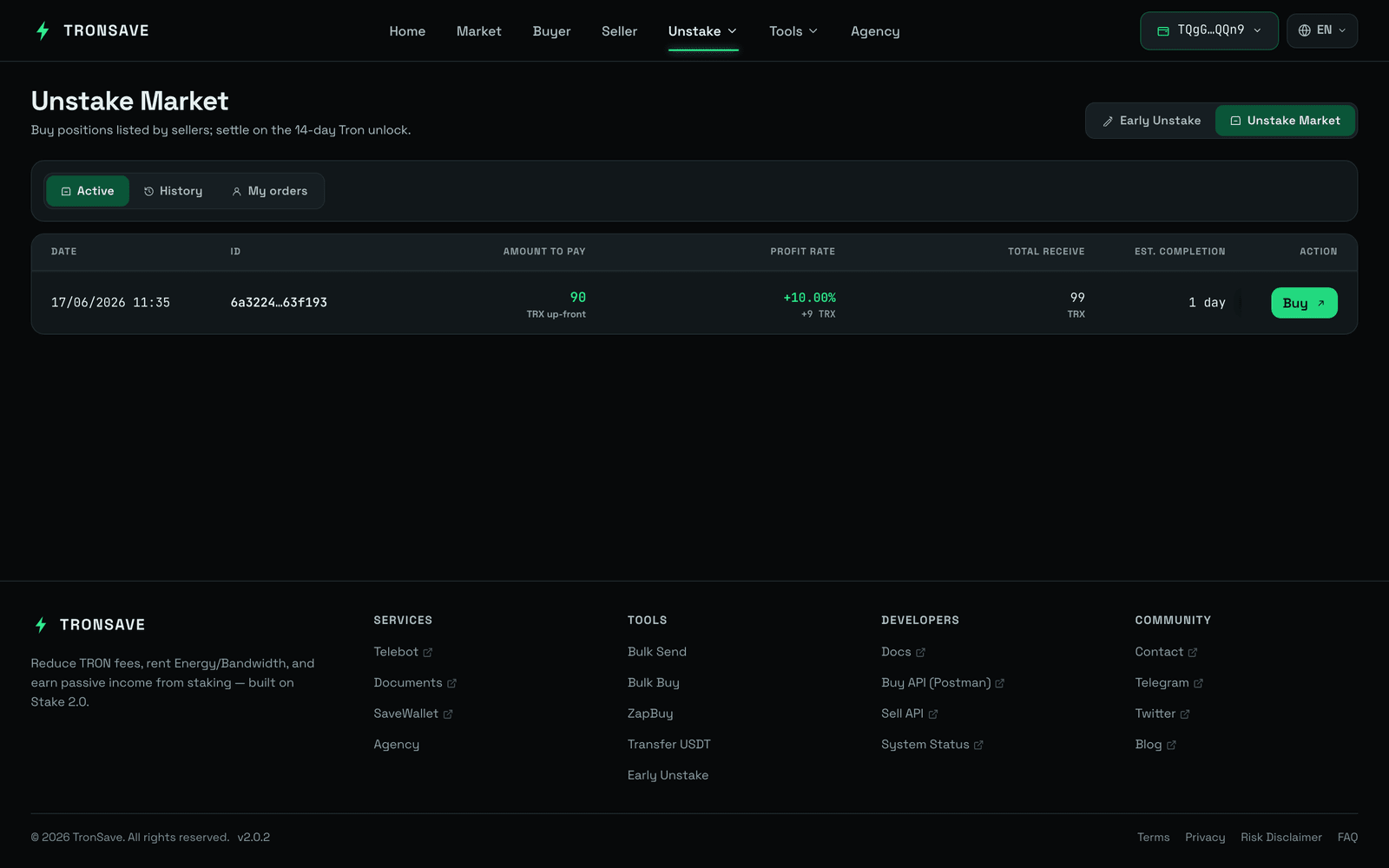 * 在 **List of Orders**(订单列表)部分浏览可用的订单。
* 选择一个符合你偏好的订单。
* 点击所选订单上的 **Buy**(购买)按钮。
### 第 3 步 — 填写购买信息
* 在 **List of Orders**(订单列表)部分浏览可用的订单。
* 选择一个符合你偏好的订单。
* 点击所选订单上的 **Buy**(购买)按钮。
### 第 3 步 — 填写购买信息
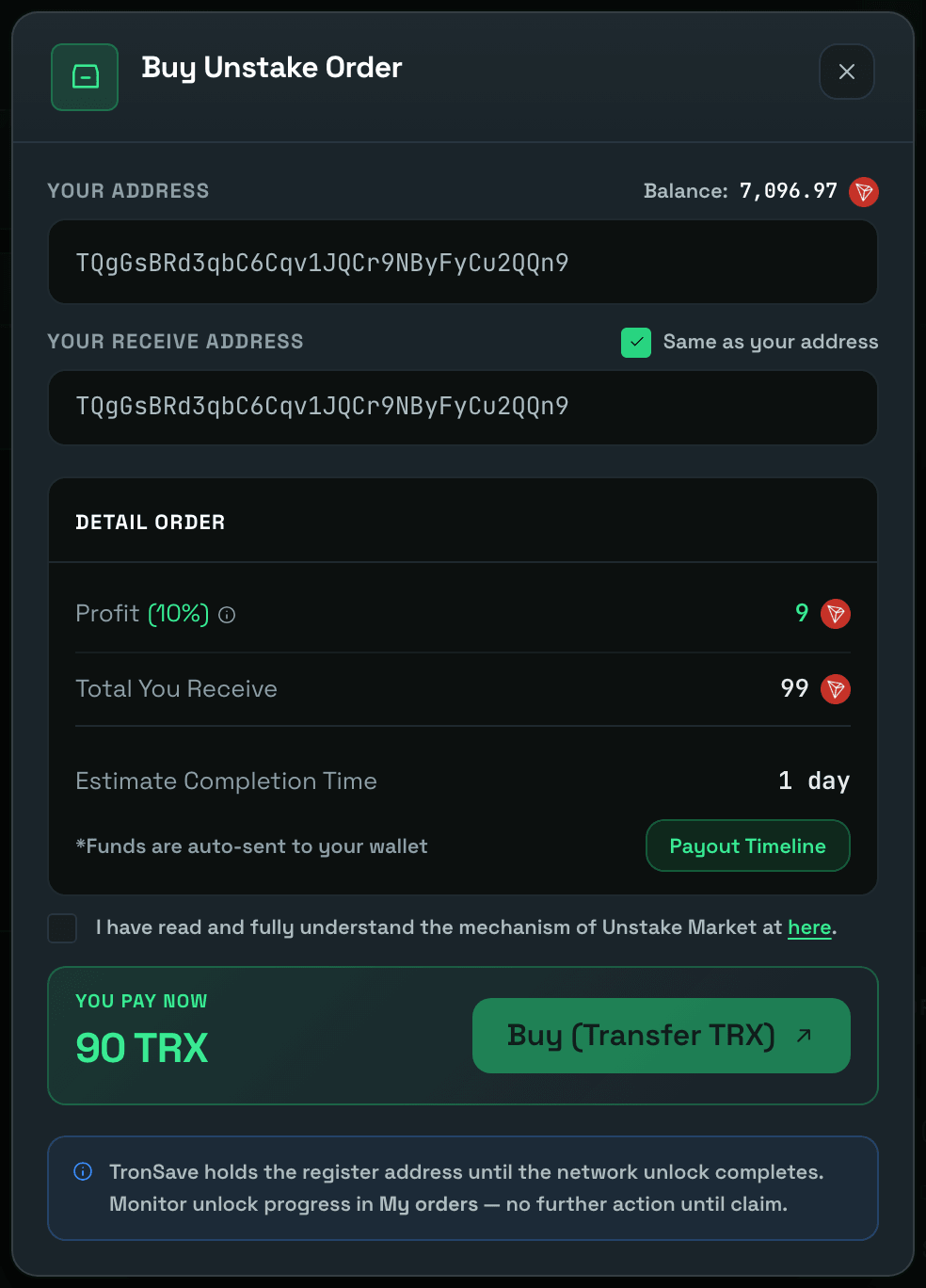 * 输入用于接收款项的 **Receiving Address**(接收地址)。你可以选择:
* 输入自定义地址,或
* 选择 **Same as your address**(与你的地址相同)以使用当前连接的钱包地址。
* 勾选确认复选框:*I have read and fully understand the mechanism of Unstake Market.(我已阅读并完全理解提前解质押市场的机制。)*
### 第 4 步 — 确认并支付
* 点击 **Buy (Transfer TRX)**(购买(转账 TRX))。
* 在钱包中签署交易以完成购买。
### 第 5 步 — 跟踪订单和款项
购买后,你可以在两个标签页中监控你的订单:
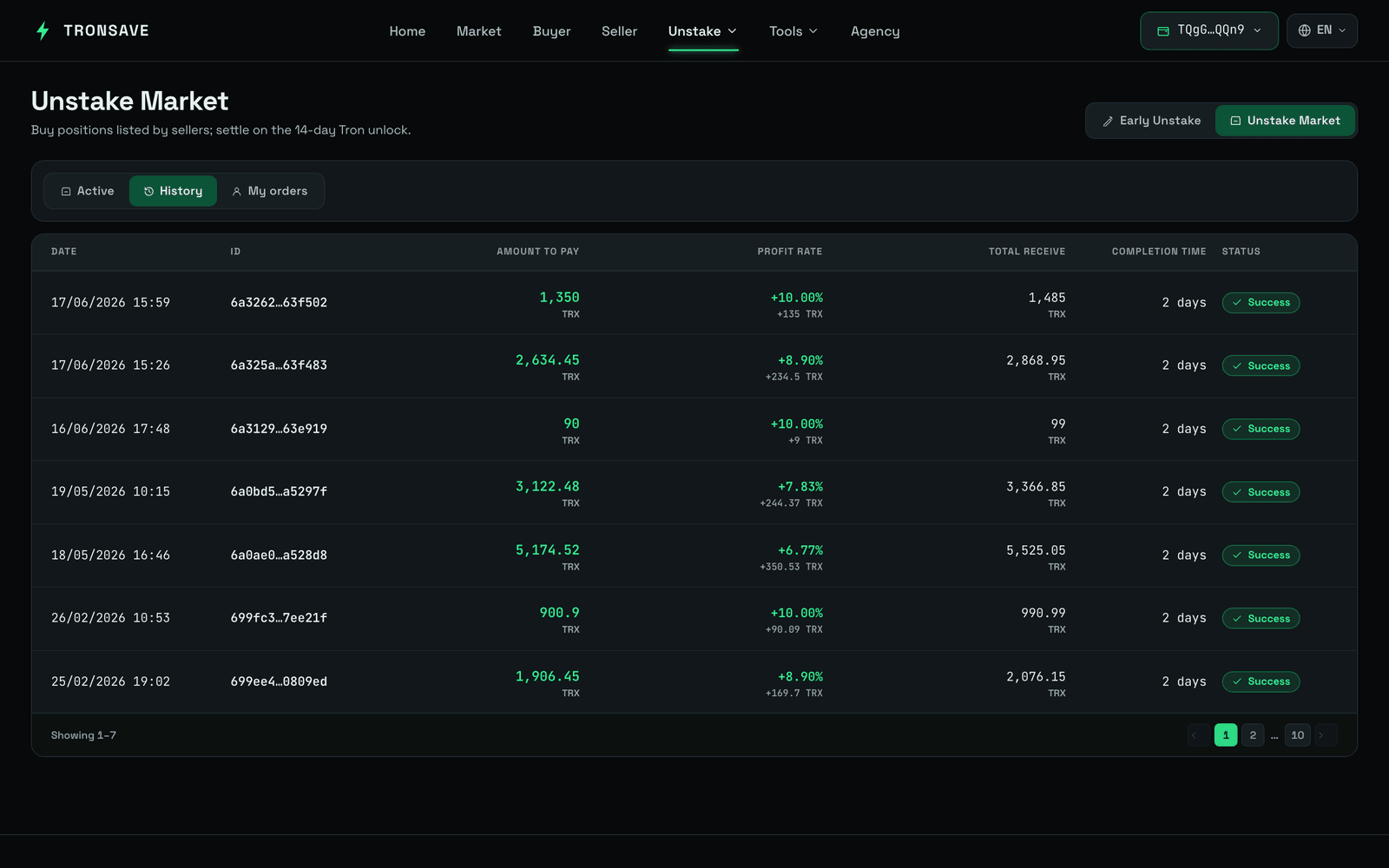
* **My Active** — 当前正在进行中、等待付款的订单。
* **My Completed** — 已全部付款并完成的订单。
资金将按照 **Payout Time**(付款时间)中显示的时间表发送到你的接收地址。
* 输入用于接收款项的 **Receiving Address**(接收地址)。你可以选择:
* 输入自定义地址,或
* 选择 **Same as your address**(与你的地址相同)以使用当前连接的钱包地址。
* 勾选确认复选框:*I have read and fully understand the mechanism of Unstake Market.(我已阅读并完全理解提前解质押市场的机制。)*
### 第 4 步 — 确认并支付
* 点击 **Buy (Transfer TRX)**(购买(转账 TRX))。
* 在钱包中签署交易以完成购买。
### 第 5 步 — 跟踪订单和款项
购买后,你可以在两个标签页中监控你的订单:
* **My Active** — 当前正在进行中、等待付款的订单。
* **My Completed** — 已全部付款并完成的订单。
资金将按照 **Payout Time**(付款时间)中显示的时间表发送到你的接收地址。
 ## Telegram 通知
通过注册你的 Telegram 账户,你可以收到关于解质押订单的**实时通知**——尤其是**付款更新**。
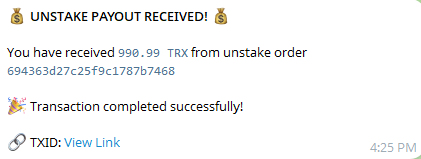
验证成功后,系统会确认你的订阅。从那时起,每当有款项发送到你的地址时,你都会收到 **UNSTAKE PAYOUT** 通知,因此你可以跟踪付款进度,绝不会错过任何到账款项。
添加你的 Telegram 联系方式:
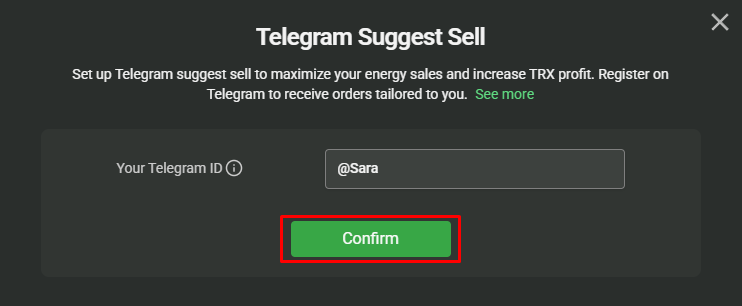
* 在提供的字段中输入你的 Telegram ID,然后点击 **Confirm**(确认)。
## Telegram 通知
通过注册你的 Telegram 账户,你可以收到关于解质押订单的**实时通知**——尤其是**付款更新**。
验证成功后,系统会确认你的订阅。从那时起,每当有款项发送到你的地址时,你都会收到 **UNSTAKE PAYOUT** 通知,因此你可以跟踪付款进度,绝不会错过任何到账款项。
添加你的 Telegram 联系方式:
* 在提供的字段中输入你的 Telegram ID,然后点击 **Confirm**(确认)。
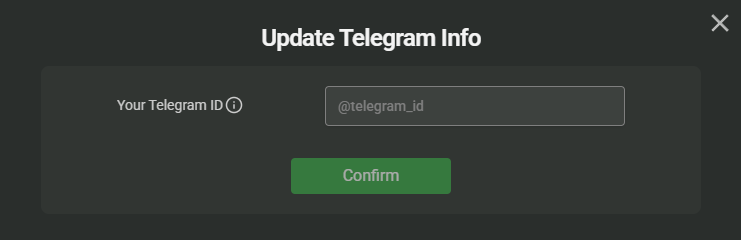
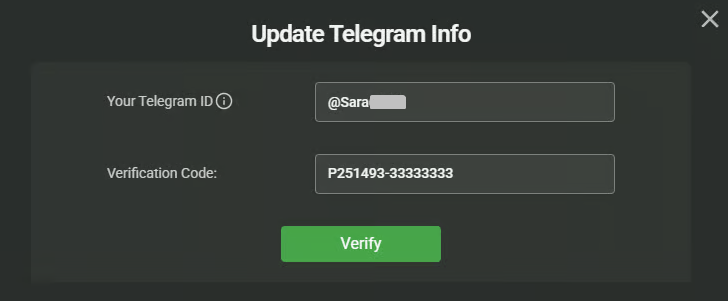
 * 输入 Telegram ID 后,点击 **GET CODE**(获取验证码)开始验证。
 * 会出现一个指向 TronSave Telegram 机器人的链接——点击它即可跳转到 Telegram。
 * 点击 **Click here to verify**(点击此处验证)以自动跳转到验证页面,或复制验证码并手动输入。
 * 验证完成后,你就会开始收到付款通知。此后,每当有款项发送时,你都会收到 **UNSTAKE PAYOUT** 通知。
 ## 后续步骤
* 在 [质押 2.0](/chinese/concepts/staking-2.0.md) 中了解 14 天解质押期的运作方式。
* 查看 [提前解质押概述](/chinese/guides/unstake.md) 以了解完整流程。
## 后续步骤
* 在 [质押 2.0](/chinese/concepts/staking-2.0.md) 中了解 14 天解质押期的运作方式。
* 查看 [提前解质押概述](/chinese/guides/unstake.md) 以了解完整流程。