> For the complete documentation index, see [llms.txt](https://docs.tronsave.io/llms.txt). Markdown versions of documentation pages are available by appending `.md` to page URLs; this page is available as [Markdown](https://docs.tronsave.io/guides/partner-bot-agency/bot-management.md).
# Bot Management
Activate, update, and delete a Bot Agency from the TronSave dashboard.
## Active Bot Agency
Your Bot Agency is temporarily deactivated if it receives no purchase orders within 7 days. Reactivating it costs **5 TRX**.
To reactivate, press the **Active Bot** button and sign the transaction. The bot restarts within about 1 minute and is then reactivated.
### Bot status
| Status | Meaning |
| ------------ | -------------------------------------------------------------------------------------------------------- |
| **Active** | The bot is running smoothly. |
| **Inactive** | The bot is paused after no buy orders for over 7 days. |
| **Pending** | The bot is restarting. |
| **Deleting** | The bot is being removed. |
| **Rejected** | An error prevented the system from activating the bot. It may have been temporarily blocked by Telegram. |
## Update bot information
### Change name
1. Click the **Change Name** button.
2. Enter the new display name for the bot. You can also edit both the **Name** and **Description** here. Click **Update Bot** to complete.
{% hint style="info" %}
To prevent Telegram from flagging the bot as spam and blocking it, the system limits name changes to **once per day**.
{% endhint %}
### Add or change the description
1. Click the **Change Name** button.
2. Enter the **Short Description** and **Full Description**, then click **Update Bot** to save.
## Delete bot
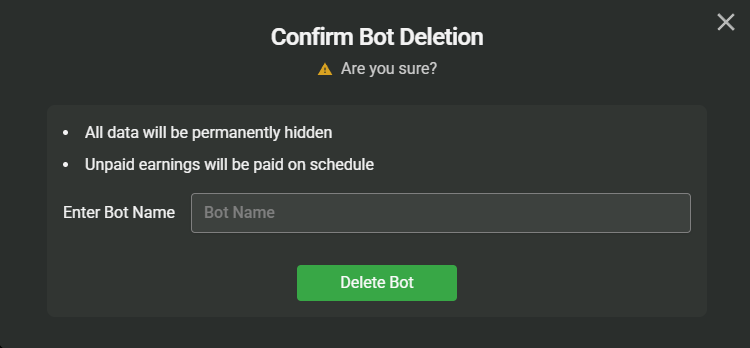
To delete the bot, select the **Delete Bot** button.
Enter the bot's name to confirm, then press the **Delete Bot** button again.
{% hint style="info" %}
After deletion, registering a bot again for this account requires a fee of **5 TRX**.
{% endhint %}