> For the complete documentation index, see [llms.txt](https://docs.tronsave.io/llms.txt). Markdown versions of documentation pages are available by appending `.md` to page URLs; this page is available as [Markdown](https://docs.tronsave.io/guides/referral-program.md).
# Referral Program
Earn a 5% TRX commission on every Buy order placed by users you refer to TronSave.
Share your referral link with friends. When someone rents Energy on TronSave through your link, you earn a **5%** commission based on the total value of each Buy order they place.
There is no cap on referrals or rewards.
## Set up your referral link
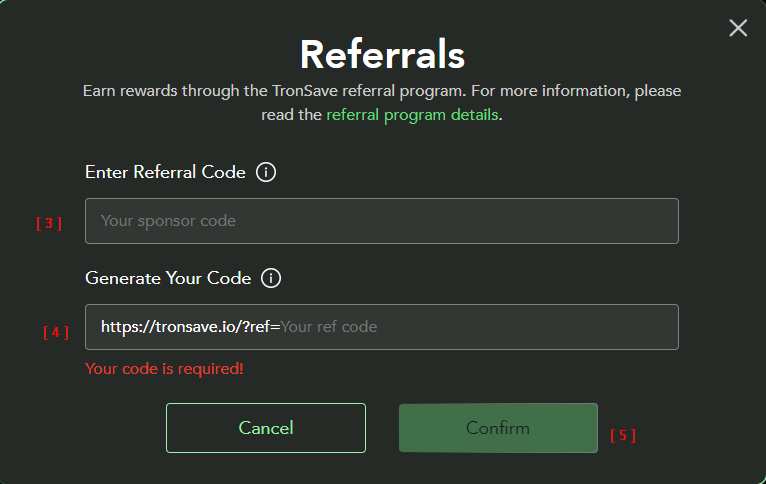
**Step 1 — Connect your wallet.** Open [tronsave.io](https://tronsave.io) and connect your TRON wallet (e.g. TronLink).
**Step 2 — Click the "Referral" button.**
**Step 3 — Enter your Sponsor Code** *(optional)*.
{% hint style="info" %}
If someone sent you a sponsor link, open TronSave using that exact URL so the sponsor code is applied automatically.
{% endhint %}
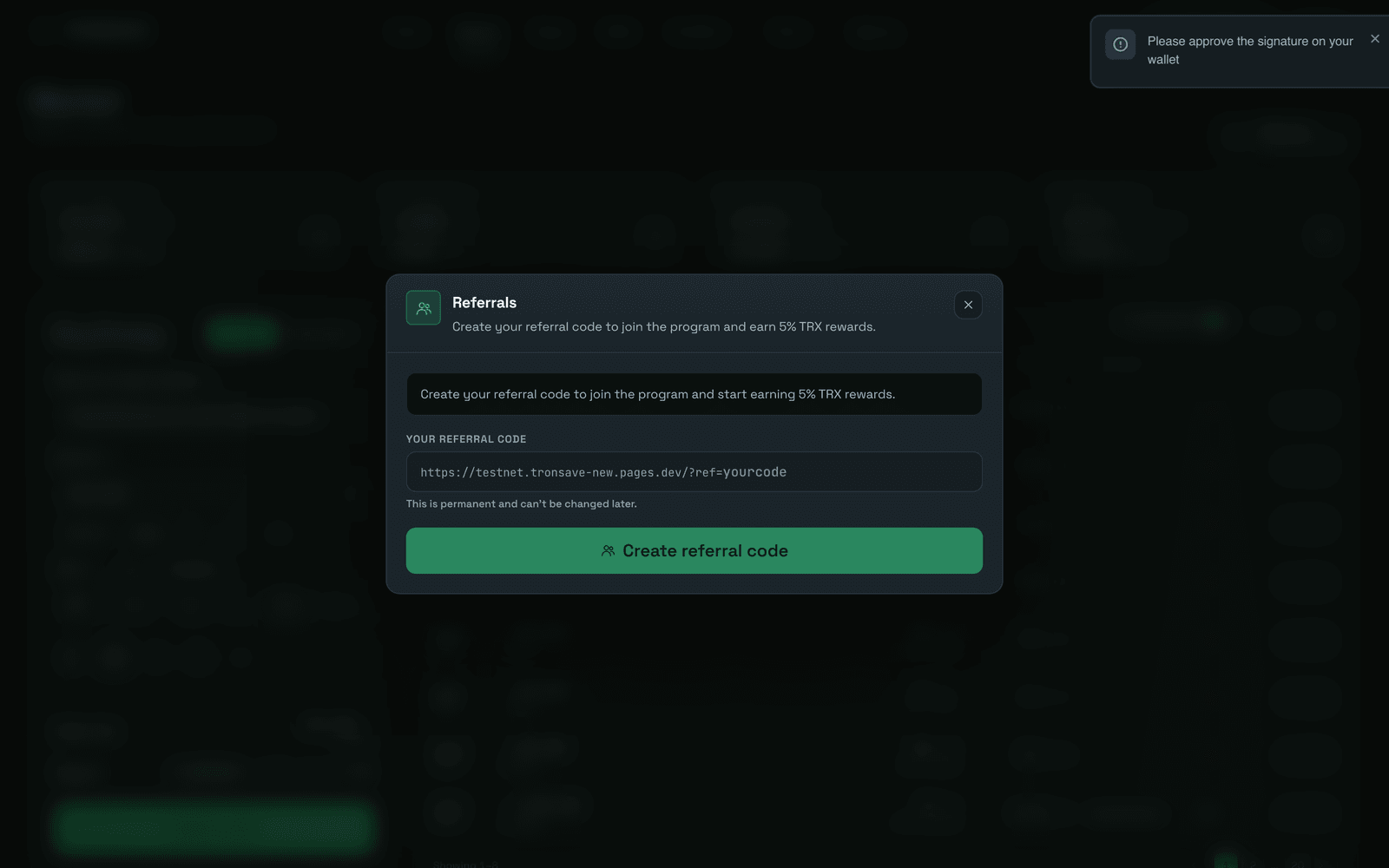
**Step 4 — Generate your code** *(required)*.
**Step 5 — Click "Confirm".**
## Track rewards and stats
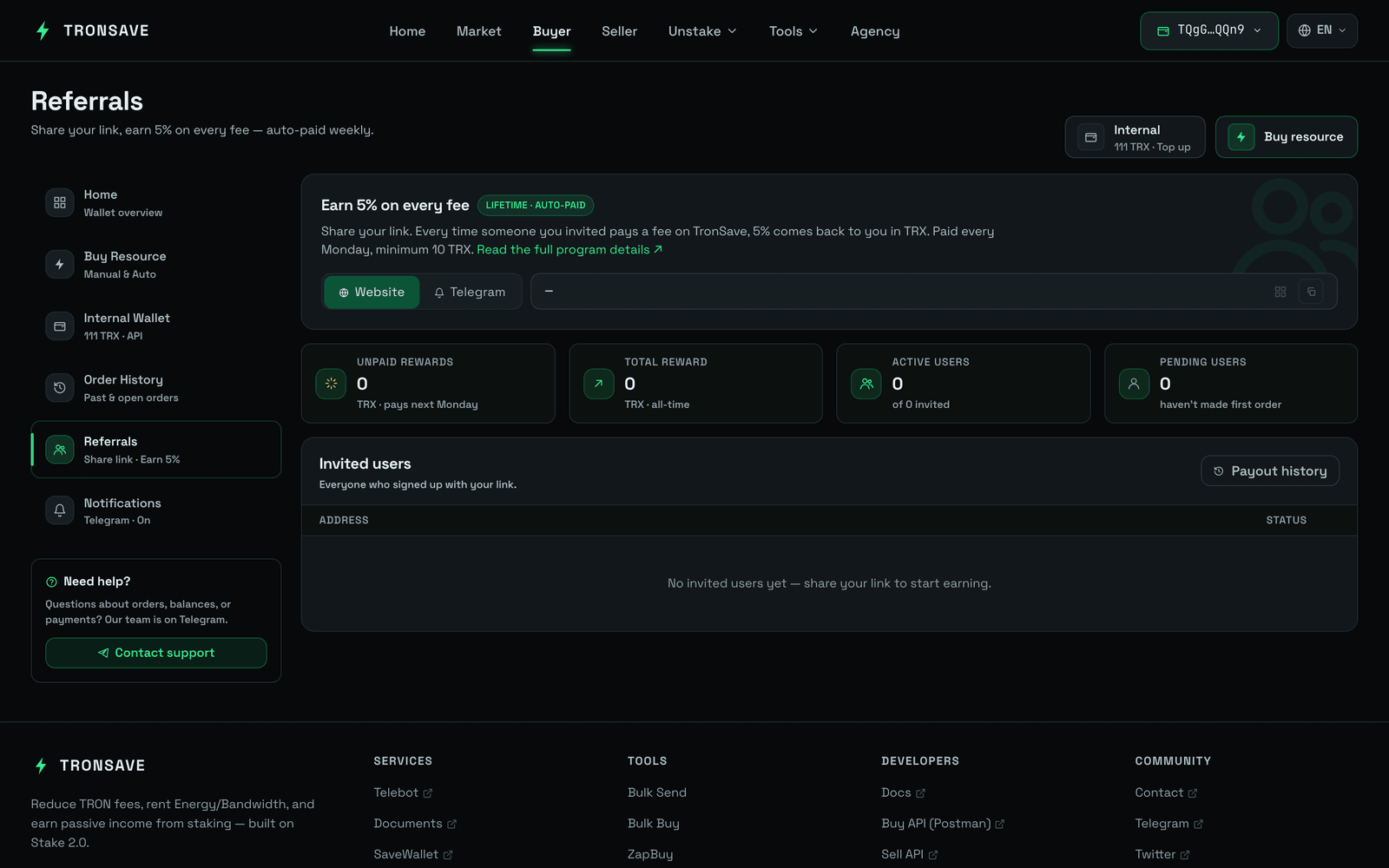
1. Click the **Copy** icon to copy your referral link.
2. View the statistics for your referral program.
3. Click the **History** button to view your reward history.
## How rewards are paid
{% hint style="info" %}
You earn a reward every time a user you referred creates an order.
Rewards are distributed in TRX every Monday, with a minimum payout of 10 TRX.
{% endhint %}
## Next steps
* [Buy Energy & Bandwidth](/guides/buy.md) — what your referees will be doing.
* [Pricing & APY](/concepts/pricing-and-apy.md) — how order value is determined.