> For the complete documentation index, see [llms.txt](https://docs.tronsave.io/llms.txt). Markdown versions of documentation pages are available by appending `.md` to page URLs; this page is available as [Markdown](https://docs.tronsave.io/guides/sell/manual-sell.md).
# Manual Sell
Manually fill open buy orders on the TronSave marketplace to sell your staked Energy or Bandwidth.
Manual Sell lets you pick an open buy order on the marketplace and fill it yourself with your staked resources. You can only fill a buy order manually while it has **not** already been matched automatically.
{% hint style="info" %}
Manual Sell is for resources you have already staked. If you only hold TRX, stake first — see [Get Energy by Staking 2.0](/guides/sell/staking-2.0.md).
{% endhint %}
## Before you start
These steps apply to every Manual Sell method.
### Step 1 — Stake Energy/Bandwidth (optional)
*Skip this step if you already have available resources.*
If you only hold TRX and have not staked Energy or Bandwidth yet, stake before selling. You can do this in either of the following ways:
* **Stake directly on TronSave** — see [Get Energy by Staking 2.0](/guides/sell/staking-2.0.md).
* **Stake via TronScan** — at [tronscan.org/#/wallet/resources](https://tronscan.org/#/wallet/resources).
### Step 2 — Connect your TRON wallet
Open the [TronSave market](https://tronsave.io/market) and connect your wallet. For step-by-step instructions, see [Connect Wallet](/guides/connect-wallet.md).
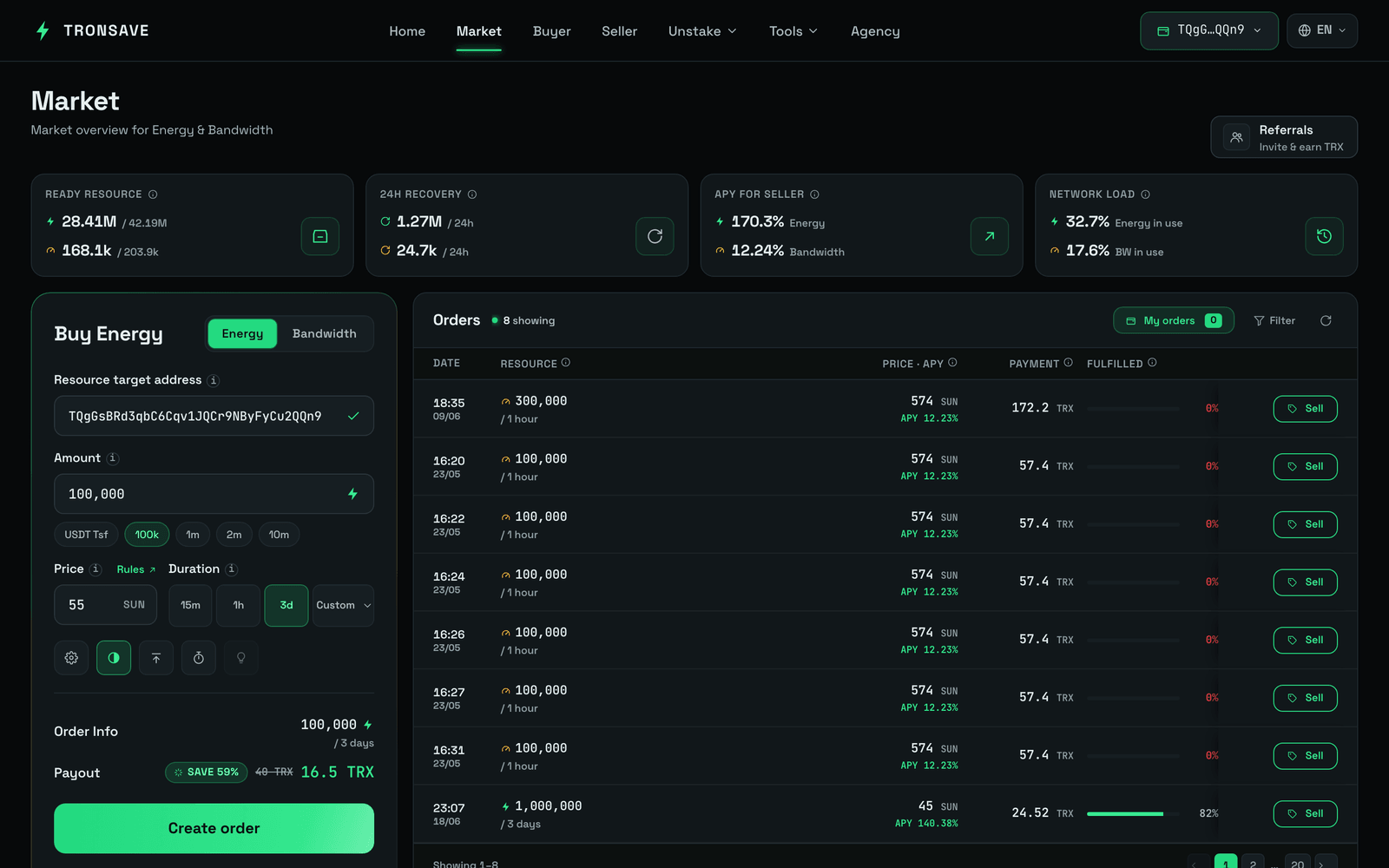
### Step 3 — Find a buy order and click **Sell**
Browse the open buy orders and click **Sell** on the order you want to fill.
Click the "Sell" button
## Option 1 — Manual Sell (normal)
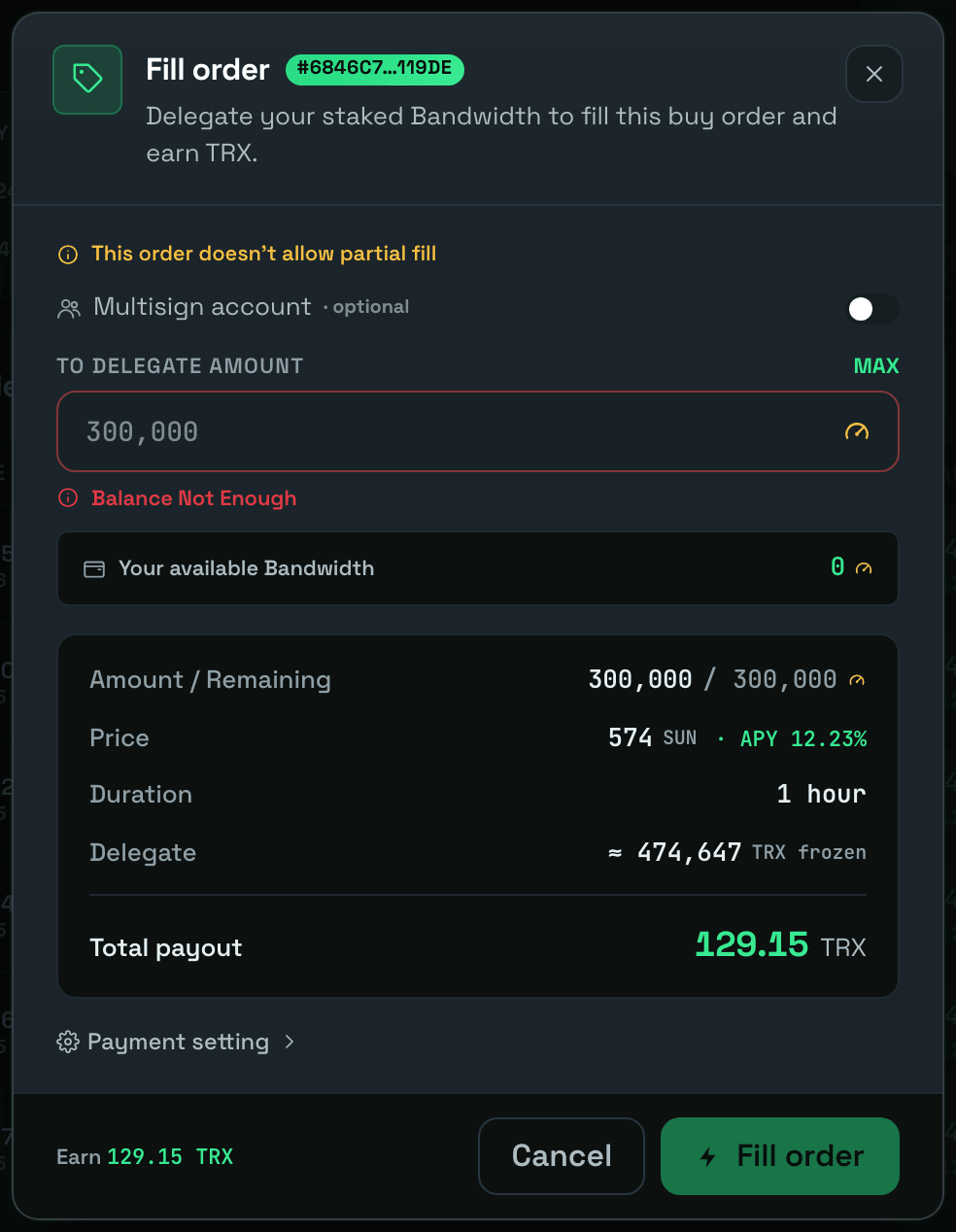
### Enter the delegate amount
Enter the amount of the resource you want to delegate to fill the order.
### Optional — Setting payment
You can change the address that receives the interest for this manual Energy sale order. Select **Payment setting** and enter the receiving address.
### Click **Fill** order to execute the sell order
## Option 2 — Manual Sell (MultiSign)
The **MultiSign** feature lets you fill a buy order using Energy that another account has delegated authority over to you, rather than your own staked resources.
### Click **MultiSign Delegating**
In the Fill order table, complete the following fields:
| Field | Description |
| -------------------- | ------------------------------------------------ |
| `MultiSign Account` | The address that has delegated authority to you. |
| `To delegate amount` | The amount of Energy you want to sell. |
You can also set the receiving address under **Setting payment**.
### Click **Fill** order to execute the sell order
## Next steps
* [Get Energy by Staking 2.0](/guides/sell/staking-2.0.md) · [Staking 2.0](/concepts/staking-2.0.md)
* [Energy & Bandwidth](/concepts/energy-and-bandwidth.md) · [Pricing & APY](/concepts/pricing-and-apy.md)