> For the complete documentation index, see [llms.txt](https://docs.tronsave.io/llms.txt). Markdown versions of documentation pages are available by appending `.md` to page URLs; this page is available as [Markdown](https://docs.tronsave.io/guides/unstake/unstake-market.md).
# Unstake Market
Buy unstake orders on the TronSave Unstake Market to provide early-exit liquidity and earn up to 10% per order.
The **TronSave Unstake Market** is an intermediary marketplace that connects users who want to unstake their TRX early with users who have available TRX to fund those exits. It enables an **Early Unstake** before the standard [14-day unstaking period](/concepts/staking-2.0.md#unstaking-period), while letting participants who fund orders earn **up to 10% per order**.
## How it works
### Step 1 — Connect wallet and log in
* Open the [Unstake Market](https://tronsave.io/unstake/market) page.
* Connect the wallet you want to use and click **Login with TronSave**.
### Step 2 — Select an order
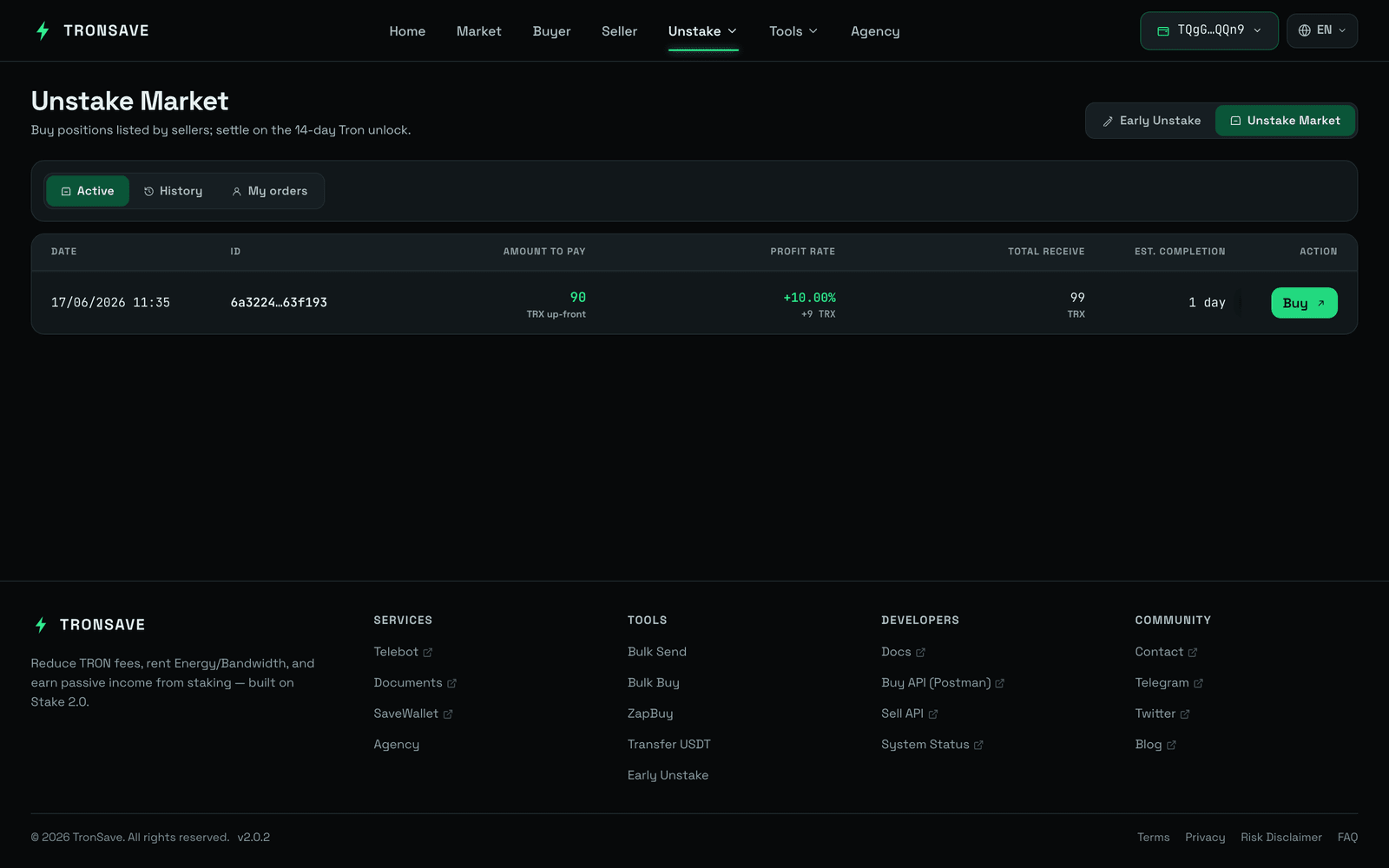
* Browse the available orders in the **List of Orders** section.
* Choose an order that fits your preference.
* Click the **Buy** button on the selected order.
### Step 3 — Fill in purchase details
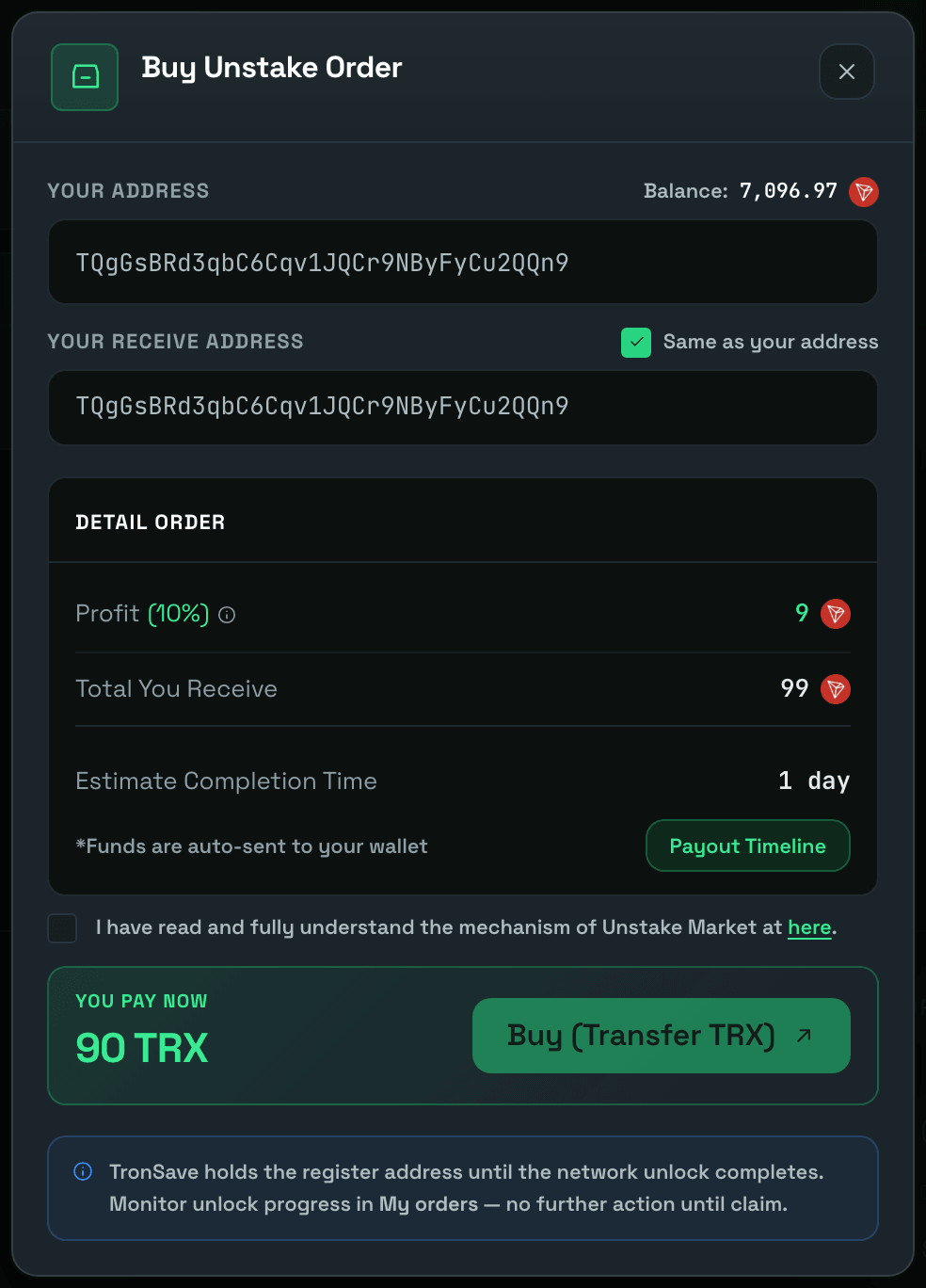
* Enter the **Receiving Address** where the payout will be sent. You can either:
* Enter a custom address, or
* Select **Same as your address** to use the currently connected wallet address.
* Tick the confirmation checkbox: *I have read and fully understand the mechanism of Unstake Market.*
### Step 4 — Confirm and pay
* Click **Buy (Transfer TRX)**.
* Sign the transaction in your wallet to complete the purchase.
### Step 5 — Track your orders and payout
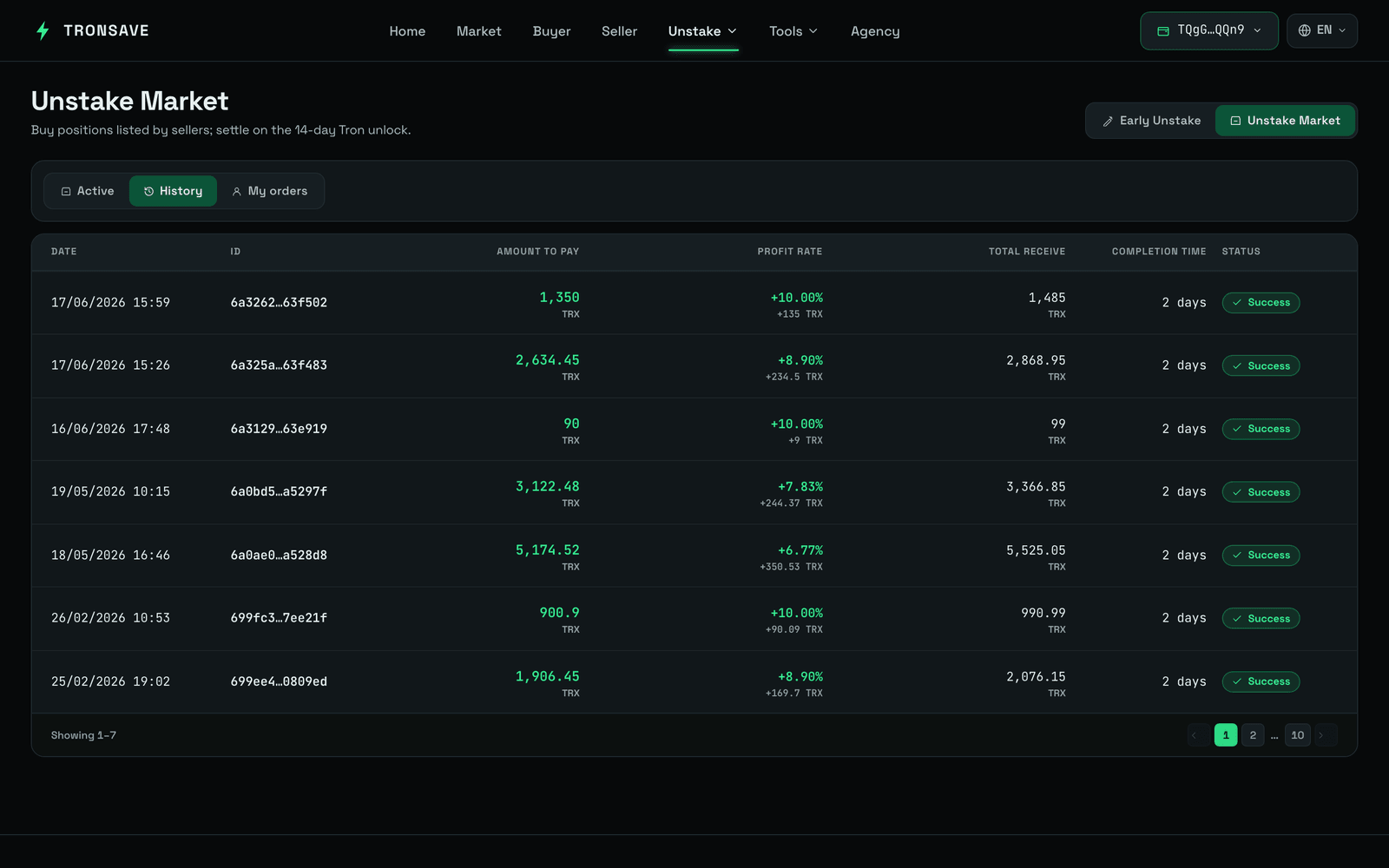
After purchasing, you can monitor your orders in two tabs:
* **My Active** — orders that are currently in progress and awaiting payout.
* **My Completed** — orders that have been fully paid and completed.
Funds are sent to your receiving address according to the schedule shown in the **Payout Time**.
## Telegram notifications
By registering your Telegram account, you receive **real-time notifications** about your unstake orders — in particular, **payout updates**.
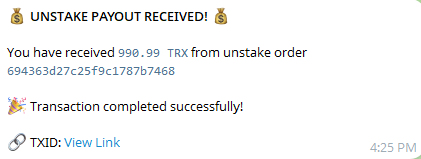
After successful verification, the system confirms your subscription. From that point on, you receive an **UNSTAKE PAYOUT** notification whenever a payout is sent to your address, so you can track payment progress and never miss an incoming payout.
To add your Telegram contact:
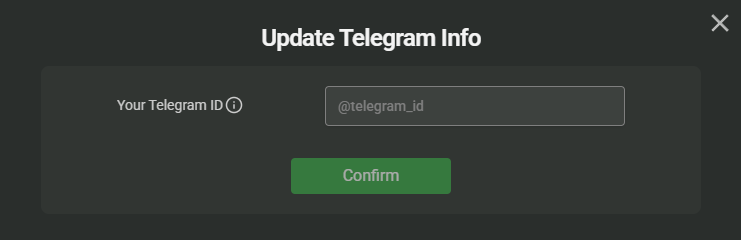
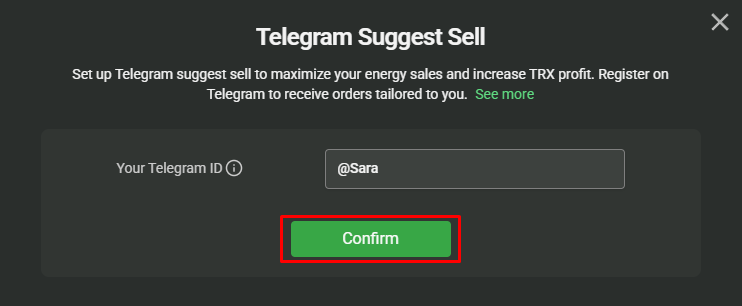
* Enter your Telegram ID in the provided field and click **Confirm**.
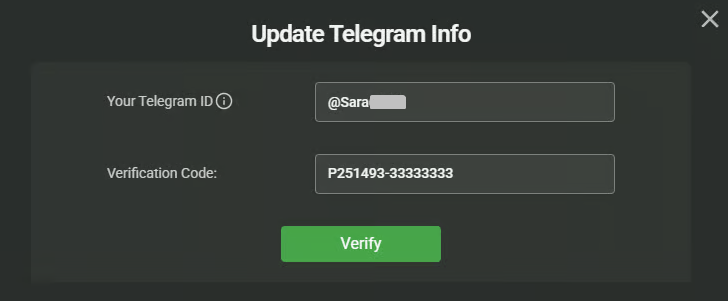
* After entering your Telegram ID, click **GET CODE** to start the verification.
* A link to the TronSave Telegram bot appears — click it to be redirected to Telegram.
* Click **Click here to verify** to be automatically redirected to the verification page, or copy the code and enter it manually.
* Once verified, you start receiving payout notifications. You will then receive an **UNSTAKE PAYOUT** notification whenever a payout is sent.
## Next steps
* Learn how the 14-day unstaking period works in [Staking 2.0](/concepts/staking-2.0.md).
* See the [Early Unstake overview](/guides/unstake.md) for the full flow.