# README

Rent TRON energy & bandwidth to cut USDT (TRC-20) fees, and integrate energy purchasing via the TronSave REST API or SDK — in minutes.

**TronSave** is a marketplace for renting and managing **TRON Energy & Bandwidth**. Pay a fraction of the burn-TRX cost for transactions like USDT (TRC‑20) transfers, or earn yield by renting out the resources from your staked TRX.

Built on TRON **Stake 2.0**. Top 3 — TRON Hackathon S4 · 1st‑place Builder — S5.

{% hint style="info" %}
**New here?** Buy your first Energy in under 10 minutes → [Quickstart](/getting-started/quickstart). **Integrating?** Jump to the [Developer Quickstart](/developers/quickstart).
{% endhint %}

## Choose your path

<table data-card-size="large" data-view="cards"><thead><tr><th></th><th></th><th data-type="content-ref"></th></tr></thead><tbody><tr><td><strong>🚀 Get Started</strong></td><td>Understand TronSave and buy your first Energy.</td><td><a href="/pages/7lhKH2oC4hkb7SUz1TH0">/pages/7lhKH2oC4hkb7SUz1TH0</a></td></tr><tr><td><strong>🧩 Integrate (API)</strong></td><td>Authenticate, estimate, buy and extend via REST or SDK.</td><td><a href="/pages/3YtB7zm6wh28LLuuYQBL">/pages/3YtB7zm6wh28LLuuYQBL</a></td></tr><tr><td><strong>📖 Concepts</strong></td><td>Energy, Bandwidth, order types, and the rental model.</td><td><a href="/pages/K1XzW8GctRRO2IHmYtcT">/pages/K1XzW8GctRRO2IHmYtcT</a></td></tr><tr><td><strong>💰 Sell / Earn</strong></td><td>Provide resources from staked TRX and earn APY.</td><td><a href="/pages/TXUwAsgNqCPgR9fflSfT">/pages/TXUwAsgNqCPgR9fflSfT</a></td></tr></tbody></table>

## What you can do with TronSave

* **Buy resources** on the website, on Telegram, or via the API — with [Normal, Pending, Smart, ZapBuy, Auto Buy](/concepts/order-types) order types.
* **Integrate** energy purchasing into your dApp or backend with the [REST API](/developers/api-reference) or the [SDK](/developers/sdk) (TypeScript, Rust, Python, Java, PHP).
* **Sell / provide** Energy from your staked TRX and [earn APY](/concepts/pricing-and-apy).
* **Manage** orders, extend rentals, and run bulk operations from the [Tools](/guides/tools).

## Networks

<table><thead><tr><th width="168"></th><th>Production</th><th>Testnet (Nile)</th></tr></thead><tbody><tr><td>Website</td><td><code>https://tronsave.io</code></td><td><code>https://testnet.tronsave.io</code></td></tr><tr><td>API</td><td><code>https://api.tronsave.io</code></td><td><code>https://api-dev.tronsave.io</code></td></tr></tbody></table>

See [Environments & Networks](/developers/environments) for details.

***

*Need help? Reach out on* [*Telegram*](https://t.me/wantingtrx) *or read the* [*FAQ*](/resources/faq)*.*


# What is TronSave?

TronSave is a marketplace for renting and managing TRON Energy & Bandwidth.

**TronSave** is a marketplace built on TRON **Stake 2.0** that lets you **rent Energy and Bandwidth** instead of burning TRX on every transaction — cutting the cost of on‑chain actions (like USDT TRC‑20 transfers) by up to **\~70%**.

It serves two sides of the same market:

* **Buyers** rent Energy/Bandwidth on demand — via the [website](/guides/buy), [Telegram](/guides/buy/on-telegram), or the [API](/developers/quickstart) — and pay far less than the equivalent burned TRX.
* **Providers (sellers)** delegate the Energy from their staked TRX to buyers and [earn APY](/concepts/pricing-and-apy) on otherwise idle resources.

## Why it exists

Every TRON transaction consumes **Energy** (for smart‑contract execution) and **Bandwidth** (for transaction size). If you don't have enough staked, the network **burns TRX** to cover the difference, which gets expensive for frequent users, exchanges, and dApps. TronSave matches people who have spare staked resources with people who need them, so:

* Buyers pay the **market rate** for resources instead of the burn rate.
* Providers turn idle staked TRX into **passive income**.

## In one sentence

> TronSave is an Energy/Bandwidth rental marketplace that lets you pay less for TRON transactions — or earn yield by renting out the resources you've staked.

## Recognition

* Top 3 — **TRON Hackathon Season 4**
* 1st‑place **Builder** — **Season 5**

## Next steps

* [Why TronSave?](/getting-started/why-tronsave) — the concrete benefits for users and providers
* [How It Works](/getting-started/how-it-works) — the rental flow end-to-end
* [Quickstart](/getting-started/quickstart) — buy your first Energy in under 10 minutes
* [Energy & Bandwidth](/concepts/energy-and-bandwidth) — the core concepts


# Why TronSave?

The benefits of TronSave for buyers and providers — rent TRON Energy to cut transaction fees by up to \~70%, or earn \~18% APY on your staked TRX.

## For buyers

* **Save up to \~70%** on TRON transaction fees by renting Energy instead of burning TRX.
* **Rent in seconds** — individuals and projects alike get a simple flow on web, Telegram, and API.
* **Pay only for what you need** — choose the [amount, duration, and price tier](/concepts/order-types) per order.
* **Automate it** — integrate the [API](/developers/quickstart) or the [SDK](/developers/sdk) (TypeScript, Rust, Python, Java, PHP), so your app tops up resources programmatically.

## For providers (sellers)

* **Monetize idle resources** — rent out the Energy from your staked TRX at competitive market rates.
* **Earn \~18% APY** (varies with market) by sharing your staked TRX's Energy.
* **Keep full custody** — you keep control of your staked TRX while earning; see [Permission](/guides/sell/permission) for the exact delegation scope.
* **Stable, passive income** — set [Auto Sell](/guides/sell/auto-sell) and let the market match your supply.

{% hint style="info" %}
APY figures move with the market. See [Pricing & APY](/concepts/pricing-and-apy) for how returns are calculated and where to check the live rate.
{% endhint %}

## Next steps

* [How It Works](/getting-started/how-it-works)
* [Quickstart](/getting-started/quickstart) (buyers) · [Sell / Provider](/guides/sell) (providers)


# How It Works

The TronSave rental flow end to end — from order to on-chain delegation.

TronSave is an **order‑book marketplace** for TRON resources. Buyers place orders for Energy/Bandwidth; providers supply it from their staked TRX; TronSave matches the two and performs the on‑chain **delegation**.

## The flow at a glance

```
Buyer ─ places order──▶  TronSave order book  ◀──supplies resource ─ Provider
                              │
                              ├─ matches order at market price
                              ▼
                       On-chain delegation (Stake 2.0)
                              │
                              ▼
                   Receiver address gets Energy/Bandwidth
                        for the rental duration
```

1. **Estimate** — the buyer asks what an order will cost (`estimate-buy-resource`). TronSave returns a unit price (in [SUN](/concepts/glossary)) and the available supply.
2. **Order** — the buyer creates an order specifying `resourceType`, `resourceAmount`, `durationSec`, `receiver`, and a [price tier](/concepts/order-types) (`SLOW`/`MEDIUM`/`FAST` or a fixed SUN value).
3. **Match** — the order book matches the order against provider supply. Orders can fill fully, partially, or stay pending depending on supply and the order's options.
4. **Delegate** — matched resources are **delegated on‑chain** from the provider's account to the buyer's `receiver` address for the rental `durationSec`.
5. **Expire / Extend** — when the duration ends, the delegation is reclaimed. Buyers can [extend](/developers/api-reference/extend-orders) before expiry instead of re‑ordering.

## Two ways to pay

<table><thead><tr><th width="131"></th><th width="325">API Key (Internal Account)</th><th>Signed Transaction</th></tr></thead><tbody><tr><td><strong>How</strong></td><td>Deposit TRX into a TronSave internal account; costs are deducted automatically</td><td>Sign a TRX payment from your own wallet per purchase</td></tr><tr><td><strong>Best for</strong></td><td>Bots, backends, frequent buyers</td><td>Users who prefer not to hold TRX in TronSave</td></tr><tr><td><strong>Custody</strong></td><td>TronSave holds your deposited balance</td><td>You keep full custody</td></tr></tbody></table>

See [Authentication](/developers/authentication) for both methods.

## Where it happens

* **Website** — [tronsave.io](https://tronsave.io) (full UI, all order types and tools)
* **Telegram** — the [TronSave bot](/guides/buy/on-telegram)
* **API / SDK** — [REST API](/developers/api-reference) and the [SDK](/developers/sdk) (TypeScript, Rust, Python, Java, PHP)

## Next steps

* [Quickstart](/getting-started/quickstart) · [Order Types](/concepts/order-types) · [The Rental Model](/concepts/rental-model)


# Quickstart

Buy your first TRON Energy in under 10 minutes — on the tronsave.io website with a wallet, or via the API, with the Nile testnet for safe testing.

There are two fast paths to your first Energy purchase. Pick one.

## Path A — Buy on the website (no code)

1. Go to [tronsave.io/market](https://tronsave.io/market) and click **Connect** to connect your TRON wallet (e.g., TronLink).
2. Choose **Buy**, then set:
   * **Resource**: Energy (default) or Bandwidth
   * **Amount**: e.g. `65000` Energy (≈ one USDT TRC‑20 transfer; ≈ `130000` if the recipient has never held USDT)
   * **Duration**: e.g., 1 hour or 3 days
   * **Price tier**: `MEDIUM` is a good default — see [Order Types](/concepts/order-types)
3. Confirm and sign. Energy is delegated to your address within seconds once the order matches.

{% hint style="success" %}
That's it. To learn the different ways to buy (Normal, Pending, Smart, ZapBuy, Auto Buy), see [Buy Energy & Bandwidth](/guides/buy).
{% endhint %}

## Path B — Buy via the API (for developers)

In about 10 minutes, you'll get an API key, deposit TRX, estimate cost, and place an order. Full walkthrough:

➡️ [**Developer Quickstart**](/developers/quickstart)

Minimal version:

```bash
# 1. Estimate cost
curl -X POST https://api.tronsave.io/v2/estimate-buy-resource \
  -H "Content-Type: application/json" \
  -d '{"receiver":"YOUR_TRON_ADDRESS","resourceType":"ENERGY","resourceAmount":65000,"durationSec":900,"unitPrice":"MEDIUM"}'

# 2. Create the order
curl -X POST https://api.tronsave.io/v2/buy-resource \
  -H "apikey: YOUR_API_KEY" -H "Content-Type: application/json" \
  -d '{"receiver":"YOUR_TRON_ADDRESS","resourceType":"ENERGY","resourceAmount":65000,"durationSec":900,"unitPrice":"MEDIUM","options":{"allowPartialFill":true,"preventDuplicateIncompleteOrders":true}}'
```

## Testing first?

Use the **Nile testnet** — same flow, no real TRX:

<table><thead><tr><th width="155"></th><th>Production</th><th>Testnet (Nile)</th></tr></thead><tbody><tr><td>Website</td><td><code>https://tronsave.io</code></td><td><code>https://testnet.tronsave.io</code></td></tr><tr><td>API</td><td><code>https://api.tronsave.io</code></td><td><code>https://api-dev.tronsave.io</code></td></tr></tbody></table>

## Next steps

* [Developer Quickstart](/developers/quickstart) · [Authentication](/developers/authentication) · [API Reference](/developers/api-reference)
* [How It Works](/getting-started/how-it-works) · [Order Types](/concepts/order-types)


# Energy & Bandwidth

The two resources every TRON transaction consumes — and why renting them saves money.

Every action on the TRON network consumes two resources. Understanding them is the key to understanding why TronSave saves you money.

## Energy

* **What it's for:** executing **smart contracts** — e.g. transferring USDT (a TRC‑20 token), interacting with a DEX, minting, etc.
* **How you get it:** by **staking TRX** (Stake 2.0), or by **renting** it on TronSave.
* **If you don't have enough:** the network **burns TRX** to cover the shortfall — this is what makes contract calls expensive.

> A single **USDT TRC‑20 transfer** costs roughly **\~64,400–167,000 Energy** depending on the receiver's state (e.g. whether the receiver already holds USDT).

## Bandwidth

* **What it's for:** covering the **byte size** of a transaction. Every transaction needs Bandwidth.
* **How you get it:** a small **free daily allowance** per account, plus staking TRX or renting.
* **If you don't have enough:** the network burns a small amount of TRX.

## Why rent instead of burn?

When you lack staked resources, TRON burns TRX at the protocol rate. On TronSave you instead pay the **market rental rate**, which is typically **far cheaper** — up to **\~70%** savings for frequent operations like USDT transfers.

|            | Burn TRX (no resources) | Rent on TronSave                      |
| ---------- | ----------------------- | ------------------------------------- |
| Cost basis | Protocol burn rate      | Market rate (often much lower)        |
| Setup      | None                    | Place an order / hold a small balance |
| Best for   | One‑off, tiny usage     | Frequent transfers, bots, dApps       |

## Units

* Resources are counted in **Energy** / **Bandwidth** units.
* Prices are quoted in **SUN**, where **1 TRX = 1,000,000 SUN**.

See the [Glossary](/concepts/glossary) for all terms, and [Pricing & APY](/concepts/pricing-and-apy) for how rental prices are set.

## Next steps

* [The Rental Model](/concepts/rental-model) · [Order Types](/concepts/order-types) · [Quickstart](/getting-started/quickstart)


# The Rental Model

How TronSave's order-book marketplace matches TRON Energy buyers with providers — price tiers, order fills, on-chain delegation, and duration.

TronSave is a **two‑sided marketplace** with an order book that matches **buyers** (who need Energy/Bandwidth) with **providers** (who have spare staked resources).

## Key roles

* **Buyer** — places an order to rent resources for a `receiver` address and a `durationSec`.
* **Provider (seller)** — delegates Energy from their staked TRX and earns [APY](/concepts/pricing-and-apy).
* **Order book** — the live set of supply/demand that determines the market price.

## The price tiers

When buying, you set a `unitPrice` (in SUN per resource unit) — either a fixed number or one of three tiers:

<table><thead><tr><th width="181">Tier</th><th>Meaning</th></tr></thead><tbody><tr><td><code>SLOW</code></td><td>The lowest price at which the order can be set. Cheapest, may take longer / fill less.</td></tr><tr><td><code>MEDIUM</code></td><td>⭐ Default. The lowest price for the maximum market fill. If the market can't fill at all, <code>MEDIUM = SLOW + 10</code>.</td></tr><tr><td><code>FAST</code></td><td>Prioritizes immediate fill. If the market is 100% ready, <code>FAST = MEDIUM</code>; if &#x3C;100% ready, <code>FAST = MEDIUM + 10</code>; if 0%, <code>FAST = SLOW + 20</code>.</td></tr><tr><td><code>number</code></td><td>A fixed price in SUN for full control (e.g. <code>80</code>).</td></tr></tbody></table>

## How an order fills

Depending on supply and your [order options](/concepts/order-types), an order can be:

* **Fully filled** — 100% matched and delegated.
* **Partially filled** — only possible with `allowPartialFill: true`.
* **Pending** — waiting for a provider to match (e.g., a [Pending Order](/concepts/order-types)).

The status is reported as `fulfilledPercent` (0 = pending, 1–99 = partial, 100 = complete).

## Delegation & duration

Matched resources are **delegated on‑chain** from provider to the buyer's `receiver` for `durationSec`. When the duration ends, the delegation is reclaimed unless the order is [extended](/developers/api-reference/extend-orders).

{% hint style="info" %}
Because matched duration can be shorter than requested (the provider's resources may unlock sooner), TronSave automatically **refunds the unused duration** in TRX — see [Smart Order](/concepts/order-types#smart-order).
{% endhint %}

## Next steps

* [Order Types](/concepts/order-types) · [Pricing & APY](/concepts/pricing-and-apy) · [Staking 2.0](/concepts/staking-2.0)


# Order Types

Every way to buy on TronSave — Normal, Pending, Smart, ZapBuy, Auto Buy, Fast Charge.

TronSave offers several order types for different needs. This page is the conceptual overview; step‑by‑step guides live under [Buy Energy & Bandwidth](/guides/buy).

## Normal Order

The standard purchase: specify the amount, duration, and price, and the order matches against the current market supply immediately. Best for everyday, on‑demand buying. → [Guide](/guides/buy/on-the-website/normal-order)

## Pending Order

The order is placed at your chosen price and **waits in the order book** until the market can match it. Best when you want a specific (often lower) price and aren't in a hurry. → [Guide](/guides/buy/on-the-website/pending-order)

## Smart Order

For **large** rentals that the market can't fully match at once. After the initial match, TronSave keeps monitoring the providers who partially filled your order; when they regain Energy (≥100,000), it **auto‑matches more** for the remaining duration and **refunds** any unused duration in TRX.

* Minimum **10,000,000 Energy**, minimum duration **3 days**.
* Active only during the **first one‑third** of the matched duration.
* Improves fill rate over time but does **not** guarantee 100% fulfillment. → [Guide](/guides/buy/on-the-website/smart-order)

## ZapBuy

The fastest path: **send TRX directly** to the TronSave bot address and a **1‑hour** Energy rental is created automatically for the sending wallet.

* Recipient bot address: `TLx8h8fjv5pyuxCu292ZgjbU14XZSiLGg4`
* Fixed **1‑hour** duration; **minimum 65,000 Energy** (less is ignored).
* Only fills if it can be **matched immediately**; send from a regular wallet (not a contract/exchange). → [Guide](/guides/buy/zapbuy)

## Auto Buy

Automatically tops up Energy for a watched address based on rules you set, so it never runs out. → [Guide](/guides/buy/auto-buy)

## Quick comparison

| Type     | Speed           | Duration       | Best for                       |
| -------- | --------------- | -------------- | ------------------------------ |
| Normal   | Immediate       | Custom         | Everyday buying                |
| Pending  | Waits for price | Custom         | Price‑sensitive buyers         |
| Smart    | Over time       | ≥ 3 days       | Large rentals (≥10M Energy)    |
| ZapBuy   | Instant         | 1 hour (fixed) | Quick top‑ups via TRX transfer |
| Auto Buy | Automatic       | Custom         | Never‑run‑out automation       |


# Staking 2.0

How TRON Stake 2.0 turns staked TRX into Energy — the yield formula, the 14-day unstaking period, and why staking powers TronSave's rental supply.

TronSave is built on TRON's **Stake 2.0** model. Staking (freezing) TRX produces **Energy** (or Bandwidth), which providers then rent out on the marketplace.

## How staking produces Energy

When you stake TRX for Energy, the amount of Energy you receive depends on your share of all TRX staked for Energy network‑wide:

**`Energy obtained = (Your TRX staked for Energy / Total TRX staked for Energy on TRON) × 180,000,000,000`**

So Energy yield per TRX **decreases** as more of the network stakes for Energy, and increases as less does.

## Unstaking period

{% hint style="warning" %}
Staked TRX requires a **14‑day** unstaking (unfreeze) period before it can be withdrawn.
{% endhint %}

If you need liquidity sooner, see [Early Unstake](/guides/unstake), which lets you exit your position before the 14 days via the unstake market.

## Why it matters for TronSave

* **Providers** stake TRX → receive Energy → [sell/delegate](/guides/sell) it on TronSave → earn [APY](/concepts/pricing-and-apy).
* **Buyers** benefit because this staked supply is what fills their rental orders at market rates instead of the burn rate.

## Next steps

* [Sell / Provider guide](/guides/sell) · [Permission](/guides/sell/permission) · [Pricing & APY](/concepts/pricing-and-apy) · [Early Unstake](/guides/unstake)


# Pricing & APY

How TRON Energy rental prices are set with unitPrice tiers, and how provider APY (around 18%) is calculated from rental income and voting rewards.

## How buyers are priced

Rental price is set per order via `unitPrice` (SUN per resource unit) — either a fixed number or a tier (`SLOW` / `MEDIUM` / `FAST`). The market's live order book determines what a given tier resolves to. See [The Rental Model](/concepts/rental-model#the-price-tiers) for the exact tier rules.

* **1 TRX = 1,000,000 SUN.**
* Always [estimate](broken://pages/qSPR7nGa8LyjgLyYINRR) before ordering to see the current price and available supply.

## How provider APY is calculated

A provider's return combines the rental income (APR) compounded, plus TRON voting rewards (VR):

$$
APR\_{tronsave} = \frac{AP \times FR}{1{,}000{,}000} \times PS \times 365
$$

<table><thead><tr><th width="234">Symbol</th><th>Meaning</th></tr></thead><tbody><tr><td><strong>AP</strong></td><td>Average Price of the 200 nearest matched orders (SUN)</td></tr><tr><td><strong>FR</strong></td><td>Freeze Rate on the TRON network (SUN per staked TRX)</td></tr><tr><td><strong>PS</strong></td><td>Profit Share of the provider on TronSave = <strong>0.75</strong></td></tr><tr><td>1,000,000</td><td>SUN per TRX</td></tr></tbody></table>

$$
APY\_{total} = \left(1 + \frac{APR\_{tronsave}}{12}\right)^{12} - 1 + VR
$$

* **VR** (Vote Rate): potential voting reward, \~**4%** — check at [tronscan.org](https://tronscan.org/#/sr/votes).

### Worked example

If **AP = 30 SUN**, **FR = 16.5**, **VR = 4%**:

$$
APR\_{tronsave} = \frac{30 \times 16.5}{1{,}000{,}000} \times 0.75 \times 365 \approx 0.1355 = 13.55%
$$

$$
APY\_{total} = \left(1 + \frac{0.1355}{12}\right)^{12} - 1 + 4% \approx 18.4%
$$

{% hint style="info" %}
AP, FR and VR all move with market conditions, so live APY varies. Use the formula above with current values, or check the figure shown in the TronSave app.
{% endhint %}

## Next steps

* [Staking 2.0](/concepts/staking-2.0) · [Sell / Provider](/guides/sell) · [Calculate APY (FAQ)](/resources/faq)


# Glossary

Glossary of TRON energy rental terms used across the TronSave docs — Energy, Bandwidth, SUN, Stake 2.0, delegation, order book, and API fields.

<table><thead><tr><th width="244">Term</th><th>Definition</th></tr></thead><tbody><tr><td><strong>Energy</strong></td><td>TRON resource consumed to execute smart contracts (e.g. USDT TRC‑20 transfers). Obtained by staking TRX or renting on TronSave.</td></tr><tr><td><strong>Bandwidth</strong></td><td>TRON resource consumed by transaction byte size. Every transaction needs some.</td></tr><tr><td><strong>TRX</strong></td><td>The native token of the TRON network.</td></tr><tr><td><strong>SUN</strong></td><td>The smallest unit of TRX. <strong>1 TRX = 1,000,000 SUN.</strong> All prices are quoted in SUN.</td></tr><tr><td><strong>Stake 2.0</strong></td><td>TRON's staking (freeze) mechanism that produces Energy/Bandwidth. The basis of TronSave's supply.</td></tr><tr><td><strong>Delegation</strong></td><td>Granting Energy/Bandwidth from one account to another on‑chain. A filled order results in a delegation to the <code>receiver</code>.</td></tr><tr><td><strong>Provider / Seller</strong></td><td>A user who stakes TRX and rents out (delegates) the resulting Energy to earn APY.</td></tr><tr><td><strong>Buyer</strong></td><td>A user who rents Energy/Bandwidth from the marketplace.</td></tr><tr><td><strong>Order book</strong></td><td>The live set of buy/sell orders that determines the market price.</td></tr><tr><td><strong>Internal Account</strong></td><td>A TronSave‑managed balance you deposit TRX into; the API can spend from it automatically. Tied to an API Key.</td></tr><tr><td><strong>API Key</strong></td><td>A secret identifier linked to your Internal Account, used to authorize API requests.</td></tr><tr><td><strong>Signed Transaction</strong></td><td>An alternative auth method where you sign a TRX payment from your own wallet per purchase (full custody).</td></tr><tr><td><strong><code>unitPrice</code></strong></td><td>Price per resource unit in SUN, or a tier: <code>SLOW</code> / <code>MEDIUM</code> / <code>FAST</code>.</td></tr><tr><td><strong><code>resourceType</code></strong></td><td><code>ENERGY</code> or <code>BANDWIDTH</code>. Defaults to <code>ENERGY</code>.</td></tr><tr><td><strong><code>durationSec</code></strong></td><td>Rental duration in seconds. Default <code>259200</code> (3 days).</td></tr><tr><td><strong><code>receiver</code></strong></td><td>The TRON address that receives the rented resource.</td></tr><tr><td><strong><code>requester</code></strong></td><td>The address placing/representing the order (the <code>representAddress</code> of your internal account).</td></tr><tr><td><strong><code>fulfilledPercent</code></strong></td><td>Order fill status: <code>0</code> pending, <code>1–99</code> partial, <code>100</code> complete.</td></tr><tr><td><strong>APR / APY</strong></td><td>Provider returns. See <a href="/pages/t0iNX8oKahOWnMwukMLW">Pricing &#x26; APY</a> for formulas.</td></tr><tr><td><strong>WTRX</strong></td><td>Wrapped TRX, used in some SDK payment flows.</td></tr><tr><td><strong>ZapBuy</strong></td><td>Buy Energy by sending TRX directly to a bot address; fixed 1‑hour rental.</td></tr><tr><td><strong>Fast Charge</strong></td><td>API flow for rapid Energy charging (estimate → create → track → confirm).</td></tr><tr><td><strong>Nile</strong></td><td>The TRON testnet TronSave uses (<code>api-dev.tronsave.io</code>).</td></tr></tbody></table>

> Terminology standard: write **Energy** and **Bandwidth** capitalized when referring to the TRON resources; **TRX** and **SUN** in caps; field names in `code`.


# Developer Quickstart

Make your first TronSave API call — get a key, estimate, buy, and confirm an Energy order in about 10 minutes.

This guide walks you through your first TronSave API call — from getting an API key to having your first Energy order successfully filled — in about **10 minutes**.

## Before you begin

TronSave supports **two authentication methods** for API calls. Choose the one that fits your use case:

<table><thead><tr><th width="166"></th><th>API Key (Internal Account)</th><th>Signed Transaction</th></tr></thead><tbody><tr><td><strong>Best for</strong></td><td>Automated bots, backend services</td><td>When you prefer not to hold TRX in TronSave</td></tr><tr><td><strong>How it works</strong></td><td>Deposit TRX into your internal account; TronSave deducts costs automatically</td><td>Sign a TRX transaction from your own wallet on each purchase</td></tr><tr><td><strong>Complexity</strong></td><td>Simpler</td><td>Requires TronWeb integration</td></tr><tr><td><strong>Recommended</strong></td><td>For most use cases</td><td>When you need full custody</td></tr></tbody></table>

{% hint style="info" %}
**This guide uses the API Key method.** If you want to use Signed Transaction instead, see [Buy Resources → Signed Transaction](/developers/api-reference/buy-resources/signed-tx). For a deeper comparison, see [Authentication](/developers/authentication).
{% endhint %}

## Step 1 — Get an API key and deposit TRX

### 1.1 Get your API key

1. Go to [tronsave.io/market](https://tronsave.io/market) and click **Connect** to connect your wallet.
2. After connecting, click the **Address** button → select **Account Info** → click **Login TronSave** and sign in to confirm.
3. Your API key and deposit address will be displayed — copy and save them.

{% hint style="info" %}
**Testing?** Use the Nile testnet at [testnet.tronsave.io](https://testnet.tronsave.io/) — everything works the same way but uses no real TRX. See the [Test Environment](#test-environment-nile-testnet) table below.
{% endhint %}

### 1.2 Deposit TRX into your internal account

Click **Top Up** to get your deposit address, then send TRX to that address from any wallet.

A few things to note:

* Minimum deposit is **10 TRX** per transaction.
* Your first deposit requires an extra \~1 TRX to activate the new address.
* You get 2 free deposits per day; each additional deposit costs 0.3 TRX.
* Your balance updates automatically in about 3 seconds.

**Verify your balance via API:**

```http
GET https://api.tronsave.io/v2/user-info
Headers: { "apikey": "YOUR_API_KEY" }
```

```json
{
  "error": false,
  "data": {
    "balance": "50000000",         // 50 TRX (unit: SUN — 1 TRX = 1,000,000 SUN)
    "depositAddress": "TKVSa...",  // Send TRX to this address to top up
    "representAddress": "TKVSa..." // Used as the "requester" field when placing orders
  }
}
```

## Step 2 — Estimate the cost

Before placing an order, call the estimate endpoint to see how much TRX the order will cost.

```http
POST https://api.tronsave.io/v2/estimate-buy-resource
Content-Type: application/json
```

```json
{
  "receiver": "YOUR_TRON_RECEIVER_ADDRESS",
  "resourceType": "ENERGY",
  "resourceAmount": 65000,
  "durationSec": 900,
  "unitPrice": "MEDIUM"
}
```

**Request fields:**

<table><thead><tr><th width="174">Field</th><th width="168">Example</th><th>Description</th></tr></thead><tbody><tr><td><code>receiver</code></td><td><code>"TFwUFW..."</code></td><td>The TRON address that will receive the Energy</td></tr><tr><td><code>resourceAmount</code></td><td><code>65000</code></td><td>Amount of Energy to buy (a single USDT TRC-20 transfer costs ~65,000 Energy, or ~130,000 if the recipient has never held USDT)</td></tr><tr><td><code>durationSec</code></td><td><code>259200</code></td><td>Rental duration in seconds — <code>259200</code> = 3 days</td></tr><tr><td><code>unitPrice</code></td><td><code>"MEDIUM"</code></td><td>See the pricing table below</td></tr></tbody></table>

**Choosing `unitPrice`:**

<table><thead><tr><th width="177">Value</th><th>When to use</th><th>Price level</th></tr></thead><tbody><tr><td><code>"MEDIUM"</code></td><td>Default — suitable for most cases</td><td>Moderate</td></tr><tr><td><code>"FAST"</code></td><td>Need the order filled immediately</td><td>Higher</td></tr><tr><td><code>"SLOW"</code></td><td>Not time-sensitive, prioritize savings</td><td>Lowest</td></tr><tr><td><code>number</code> (SUN)</td><td>Full price control, e.g. <code>80</code></td><td>Custom</td></tr></tbody></table>

**Response:**

```json
{
  "error": false,
  "data": {
    "unitPrice": 64,
    "durationSec": 900,
    "estimateTrx": 4230000,    // Estimated cost: 4.23 TRX
    "availableResource": 65000 // Market currently has enough Energy available
  }
}
```

{% hint style="warning" %}
If **`availableResource`** If it is less than your requested **`resourceAmount`**, the market currently does not have enough Energy available to fill the order fully. See **`options.allowPartialFill`** in the next step.
{% endhint %}

## Step 3 — Create a buy order

Once you've confirmed the cost looks reasonable, create the order:

```http
POST https://api.tronsave.io/v2/buy-resource
Headers: { "apikey": "YOUR_API_KEY" }
Content-Type: application/json
```

```json
{
  "receiver": "YOUR_TRON_RECEIVER_ADDRESS",
  "resourceType": "ENERGY",
  "resourceAmount": 65000,
  "durationSec": 900,
  "unitPrice": "MEDIUM",
  "options": {
    "allowPartialFill": true,
    "preventDuplicateIncompleteOrders": true
  }
}
```

**Recommended `options` config:**

```jsonc
// For production bots (most common setup)
{
  "allowPartialFill": true,                 // Accept partial fill if market supply is low
  "preventDuplicateIncompleteOrders": true, // Prevent duplicate orders on retry
  "maxPriceAccepted": 100                   // Reject if unit price exceeds 100 SUN
}

// For urgent / must-fill-now orders
{
  "allowPartialFill": true,
  "onlyCreateWhenFulfilled": true
}
```

**Success response:**

```json
{
  "error": false,
  "data": {
    "orderId": "6818426a65fa8ea36d119999"
  }
}
```

Save the `orderId` — You'll need it in the next step.

## Step 4 — Check order status

```http
GET https://api.tronsave.io/v2/order/6818426a65fa8ea36d119999
Headers: { "apikey": "YOUR_API_KEY" }
```

```json
{
  "error": false,
  "data": {
    "id": "6818426a65fa8ea36d119999",
    "resourceAmount": 65000,
    "resourceType": "ENERGY",
    "fulfilledPercent": 100,   // 100 = order fully matched
    "remainAmount": 0,
    "price": 64,               // Actual unit price (SUN)
    "payoutAmount": 4230000,   // Total charged (SUN)
    "durationSec": 900,
    "delegates": [
      {
        "delegator": "THnnMC...", // Provider who delegated the Energy
        "amount": 65000,
        "txid": "19d3fa..."       // On-chain transaction ID
      }
    ]
  }
}
```

**Reading `fulfilledPercent`:**

<table><thead><tr><th width="164">Value</th><th>Meaning</th></tr></thead><tbody><tr><td><code>100</code></td><td>Order fully matched — Energy has been delegated</td></tr><tr><td><code>1–99</code></td><td>Partially matched (only possible when <code>allowPartialFill: true</code>)</td></tr><tr><td><code>0</code></td><td>Pending — waiting for a provider to match</td></tr></tbody></table>

{% hint style="success" %}
Energy is typically delegated within **a few seconds to a few minutes** after the order is matched.
{% endhint %}

## Full example (JavaScript)

A complete flow from estimate to order verification:

```javascript
const TRONSAVE_API = "https://api.tronsave.io";
const API_KEY = "YOUR_API_KEY";
const RECEIVER = "YOUR_TRON_RECEIVER_ADDRESS";

async function buyEnergy(amount = 65000, durationSec = 259200) {
  // Step 1: Estimate cost
  const estimateRes = await fetch(`${TRONSAVE_API}/v2/estimate-buy-resource`, {
    method: "POST",
    headers: { "Content-Type": "application/json" },
    body: JSON.stringify({
      receiver: RECEIVER,
      resourceType: "ENERGY",
      resourceAmount: amount,
      durationSec,
      unitPrice: "MEDIUM",
    }),
  });
  const { data: estimate } = await estimateRes.json();
  console.log(`Estimated cost: ${estimate.estimateTrx / 1e6} TRX`);

  // Step 2: Create a buy order
  const buyRes = await fetch(`${TRONSAVE_API}/v2/buy-resource`, {
    method: "POST",
    headers: {
      "apikey": API_KEY,
      "Content-Type": "application/json",
    },
    body: JSON.stringify({
      receiver: RECEIVER,
      resourceType: "ENERGY",
      resourceAmount: amount,
      durationSec,
      unitPrice: "MEDIUM",
      options: {
        allowPartialFill: true,
        preventDuplicateIncompleteOrders: true,
        maxPriceAccepted: 100,
      },
    }),
  });
  const { data: order } = await buyRes.json();
  console.log(`Order created: ${order.orderId}`);

  // Step 3: Wait and check order status
  await new Promise((r) => setTimeout(r, 5000)); // Wait 5 seconds

  const statusRes = await fetch(`${TRONSAVE_API}/v2/order/${order.orderId}`, {
    headers: { "apikey": API_KEY },
  });
  const { data: status } = await statusRes.json();

  if (status.fulfilledPercent === 100) {
    console.log(`Successfully delegated ${status.resourceAmount} Energy to ${RECEIVER}`);
  } else {
    console.log(`Order pending... ${status.fulfilledPercent}% filled`);
  }

  return status;
}

buyEnergy();
```

{% hint style="info" %}
**Prefer an SDK?** The [SDK](/developers/sdk) (TypeScript, Rust, Python, Java, PHP) is faster to get started:

```bash
npm install tronsave-sdk
```

This installs the TypeScript package; see the [SDK](/developers/sdk) page for the other languages.
{% endhint %}

## Test environment (Nile testnet)

Replace the base URL when testing:

<table><thead><tr><th width="124"></th><th width="268">Production</th><th>Testnet</th></tr></thead><tbody><tr><td><strong>Website</strong></td><td><code>https://tronsave.io</code></td><td><code>https://testnet.tronsave.io</code></td></tr><tr><td><strong>API</strong></td><td><code>https://api.tronsave.io</code></td><td><code>https://api-dev.tronsave.io</code></td></tr></tbody></table>

All endpoint paths remain the same — only the domain changes. See [Environments & Networks](/developers/environments) for details.

## Next steps

Now that you've placed your first order, you can:

* [**Extend an order**](/developers/api-reference/extend-orders) — Renew the rental duration before it expires without creating a new order.
* [**View order history**](/developers/api-reference/buy-resources/api-key/order-history) — Track all orders under your account.
* [**Buy with Signed Transaction**](/developers/api-reference/buy-resources/signed-tx) — If you prefer not to hold TRX inside TronSave.
* [**Full code examples**](/developers/code-examples) — Complete working examples in JS, PHP, and Python.

***

*Need help? Reach out on* [*Telegram*](https://t.me/tronsave) *or check the* [*FAQ*](/resources/faq)*.*


# Authentication

How TronSave authenticates API requests — Internal Account, API Key, and Signed Transaction.

Every TronSave API request must be authenticated. There are two methods: an **API Key** tied to a TronSave **Internal Account**, or a **Signed Transaction,** where you pay from your own wallet per purchase. This page explains both and shows how to obtain an API Key on the website or via Telegram.

## Internal Account and API Key

A TronSave **Internal Account** is a TronSave-managed balance. You deposit TRX into it once, and the API spends from that balance automatically when you place orders. It also tracks your transaction history and lets you manage assets within the system.

Each Internal Account is assigned a unique **API Key** — a secret identifier issued by TronSave and linked to that account. The API Key lets you or a third-party application (a bot, an automated service) send commands to the Internal Account without logging into the website or app. Every request — checking balances, creating orders, extending orders — is tied to the Internal Account through the API Key.

In short:

* The **Internal Account** is where your assets are stored and managed.
* The **API Key** is the tool that grants secure, automated access to that account.

{% hint style="warning" %}
Your API Key controls spending from your Internal Account. Treat it like a password: never commit it to source control, never expose it in client-side code, and never share it. Anyone with your key can place orders that spend your deposited TRX.
{% endhint %}

## The two authentication methods

<table><thead><tr><th width="142"></th><th width="296">API Key</th><th>Signed Transaction</th></tr></thead><tbody><tr><td><strong>How it works</strong></td><td>Requests carry your API Key; orders are paid from your Internal Account balance</td><td>You sign a TRX payment from your own wallet for each purchase</td></tr><tr><td><strong>Custody</strong></td><td>Funds held in a TronSave-managed Internal Account</td><td>Full self-custody — you keep your funds</td></tr><tr><td><strong>Setup</strong></td><td>Get an API Key, deposit TRX once</td><td>No deposit; sign per transaction</td></tr><tr><td><strong>Best for</strong></td><td>Bots and automated services making frequent calls</td><td>Users who want to retain custody and pay as they go</td></tr><tr><td><strong>Sent as</strong></td><td><code>apikey</code> request header</td><td>A signed transaction in the request body</td></tr></tbody></table>

{% hint style="info" %}
With the API Key method, you send the key in the `apikey` header:

```bash
curl -X POST https://api.tronsave.io/v2/buy-resource \
  -H "apikey: YOUR_API_KEY" -H "Content-Type: application/json" \
  -d '{ ... }'
```

{% endhint %}

For the terminology used here, see the [Glossary](/concepts/glossary).

## Get an API Key

You can obtain your API Key directly from the **website** or via **Telegram**.

{% tabs %}
{% tab title="On the website" %}
**Step 1 — Get the deposit address and API Key**

1. Go to [tronsave.io](https://tronsave.io/market).
2. Click the **Connect** button.
3. Choose a wallet option and sign in to connect.
4. After connecting, select **Account info**.
5. Click the **Login TRONSAVE** button and **Sign**.
6. Your API Key and deposit address are displayed.

{% hint style="info" %}
**Note:** If you're using the **Nile testnet**, use this URL instead: [`https://testnet.tronsave.io/`](https://testnet.tronsave.io/)
{% endhint %}

<figure><img src="/files/VZ3ycqBzzbjaD0ywXBLg" alt="Buyer Internal Wallet"><figcaption></figcaption></figure>

**Step 2 — Deposit by transferring TRX**

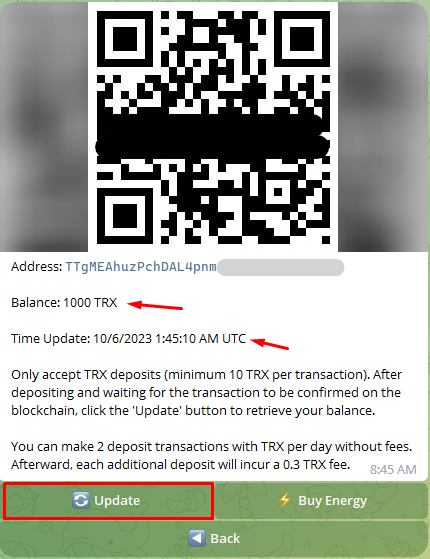
1. Click the **Top up** button to get the deposit address.
2. Transfer TRX to this address.
3. **Sign** to confirm the transaction.
4. The new balance auto-updates in about 3 seconds.

{% hint style="info" %}

* The minimum deposit is **10 TRX**.
* Your first deposit requires an additional fee of approximately **1 TRX** to activate the new address.
* You can make **2 deposit transactions** with TRX per day without fees. After that, each additional deposit incurs a **0.3 TRX** fee.
  {% endhint %}
  {% endtab %}

{% tab title="On Telegram" %}

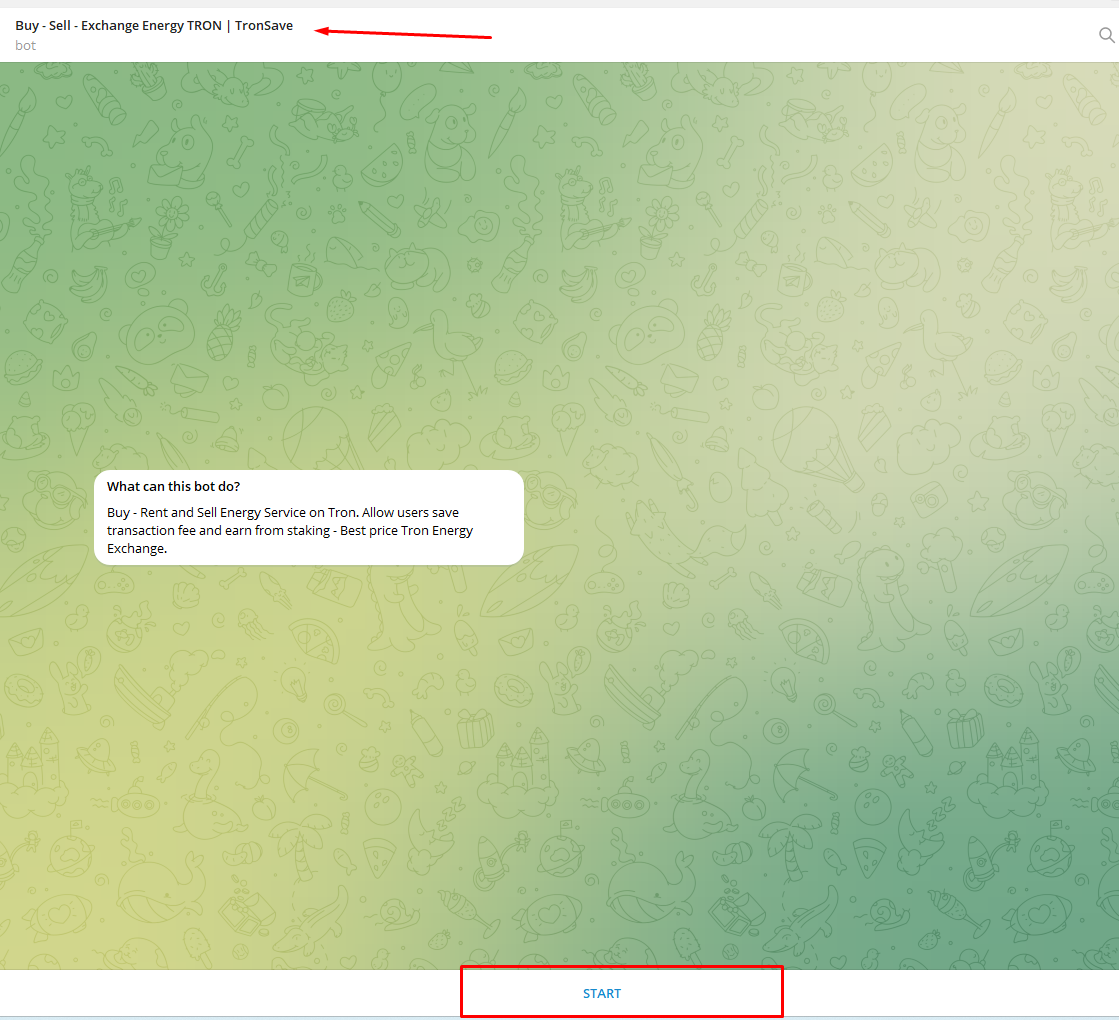
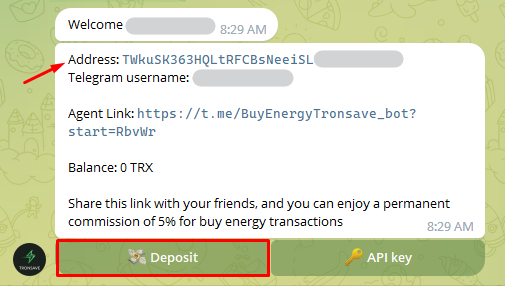
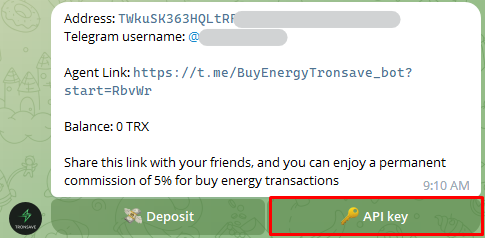
1. Open the TronSave Telegram bot ([@BuyEnergyTronsave\_bot](https://t.me/BuyEnergyTronsave_bot)) and go to **User Info**.
2. Select the **API key** button.
3. Click on the API Key to copy it.

<figure><img src="https://1055070949-files.gitbook.io/~/files/v0/b/gitbook-x-prod.appspot.com/o/spaces%2Fh0rlDWTk05Qu3lvB5Gve%2Fuploads%2Ft56PrV7m0pvsygYBCi0J%2Fimage.png?alt=media&#x26;token=219646b8-49cc-4253-9771-0994a11face6" alt=""><figcaption></figcaption></figure>
{% endtab %}
{% endtabs %}

## Revoking and rotating your key

If you need to change your API Key, select **Revoke** to generate a new one. This works the same way on the website and on Telegram: confirm the action to create a new key, or cancel to keep the current one.

{% hint style="warning" %}
We do not recommend changing the API Key. Revoking invalidates the old key — any bot or service still using it will stop working. Only revoke if necessary (for example, if the key may have been exposed).
{% endhint %}

## Next steps

* [Developer Quickstart](/developers/quickstart) — get a key, deposit, and place your first order
* [API Reference](/developers/api-reference) — full endpoint list
* [Glossary](/concepts/glossary) · [Order Types](/concepts/order-types)


# Environments & Networks

TronSave's two API environments — Mainnet and the Nile testnet — and how to switch between them.

TronSave runs on two networks: **Mainnet** for real orders, and the **Nile testnet** for development and testing. The API surface is identical across both — only the base domain changes.

## Mainnet vs. Nile testnet

<table><thead><tr><th width="124"></th><th>Mainnet (Production)</th><th>Nile (Testnet)</th></tr></thead><tbody><tr><td><strong>Website</strong></td><td><code>https://tronsave.io</code></td><td><code>https://testnet.tronsave.io</code></td></tr><tr><td><strong>API base</strong></td><td><code>https://api.tronsave.io</code></td><td><code>https://api-dev.tronsave.io</code></td></tr><tr><td><strong>TRON network</strong></td><td>Mainnet</td><td>Nile testnet</td></tr><tr><td><strong>TRX</strong></td><td>Real TRX</td><td>Test TRX (no real value)</td></tr></tbody></table>

{% hint style="info" %}
**All endpoint paths are identical** across environments. To target the testnet, swap only the base domain — for example **`https://api.tronsave.io/v2/user-info`** becomes\
\&#xNAN;**`https://api-dev.tronsave.io/v2/user-info`**.
{% endhint %}

## Switching environments

Keep the base URL in a single variable so you can move between environments by changing one value.

{% tabs %}
{% tab title="JavaScript" %}

```javascript
// Mainnet
const TRONSAVE_API = "https://api.tronsave.io";

// Nile testnet
// const TRONSAVE_API = "https://api-dev.tronsave.io";

const res = await fetch(`${TRONSAVE_API}/v2/user-info`, {
  headers: { apikey: "YOUR_API_KEY" },
});
```

{% endtab %}

{% tab title="cURL" %}

```bash
# Mainnet
curl https://api.tronsave.io/v2/user-info -H "apikey: YOUR_API_KEY"

# Nile testnet
curl https://api-dev.tronsave.io/v2/user-info -H "apikey: YOUR_API_KEY"
```

{% endtab %}
{% endtabs %}

## Testing on Nile

The Nile testnet behaves exactly like Mainnet but uses test TRX, so you can run the full estimate → buy → check-status flow without spending real funds.

1. Go to [testnet.tronsave.io](https://testnet.tronsave.io) and connect a wallet configured for the Nile network.
2. Get an API key and deposit address the same way you would on Mainnet — see [Quickstart](/developers/quickstart).
3. Fund your account with test TRX from the [Nile faucet](https://nileex.io/join/getJoinPage).

{% hint style="warning" %}
API keys, internal account balances, and orders are **separate** between Mainnet and Nile. An API key issued on one environment does not work on the other.
{% endhint %}

## Shasta is not supported

TronSave does **not** support the **Shasta** testnet. Use the **Nile** testnet for all testing.

## Next steps

* [Quickstart](/developers/quickstart) · [Authentication](/developers/authentication)
* [Glossary](/concepts/glossary) · [Order Types](/concepts/order-types)


# Errors & Rate Limits

Rate limits, HTTP status codes, and error payloads returned by the TronSave API.

Every TronSave API endpoint shares the same rate-limiting policy and error-response shape. This page documents both so you can build robust retry and error-handling logic once and reuse it across all calls.

## Rate limits

Most endpoints allow a default of **15 requests per second**.

{% hint style="warning" %}
The [Sell Resources](/developers/api-reference/sell-resources) endpoints are limited to **2–3 requests per second**. All other endpoints use the default of 15 requests per second.
{% endhint %}

The current limit for each endpoint is documented in its API reference page (for example, the [Create Order](/developers/api-reference/buy-resources/api-key/create-order) and [Estimate TRX](/developers/api-reference/buy-resources/api-key/estimate-trx) endpoints state `Rate limit: 15 requests per 1 second`).

When you exceed the limit, the API returns **HTTP 429**:

```json
{
    "error": true,
    "message": "Rate limit reached"
}
```

{% hint style="info" %}
Handle `429` by backing off and retrying. A simple exponential backoff (e.g., wait 1s, then 2s, then 4s) is usually sufficient to stay within the per-second budget.
{% endhint %}

## Response shape

Successful responses use a consistent envelope: `error` is `false`, `message` is `"Success"`, and the payload is under `data`.

```json
{
    "error": false,
    "message": "Success",
    "data": {
        "orderId": "6818426a65fa8ea36d119d2c"
    }
}
```

Error responses return a non-2xx HTTP status code. Most application errors use the same envelope with `error: true`, a machine-readable code embedded in `message` (e.g. `TSAS:106 API_KEY_REQUIRED`), and `data: null`:

```json
{
    "error": true,
    "message": "TSAS:106 API_KEY_REQUIRED",
    "data": null
}
```

Schema-validation failures are produced by the HTTP layer and use a different shape, naming the offending field in `message`:

```json
{
    "statusCode": 400,
    "code": "FST_ERR_VALIDATION",
    "error": "Bad Request",
    "message": "body must have required property 'receiver'"
}
```

## Error codes

The table below lists the error codes observed across the API, grouped by HTTP status. Use the **code** (the JSON key) for programmatic handling — the **message** text may change.

<table><thead><tr><th width="77">HTTP</th><th width="315">Code</th><th>Message</th></tr></thead><tbody><tr><td>400</td><td><code>MISSING_PARAMS</code></td><td>Missing some params in body</td></tr><tr><td>400</td><td><code>INVALID_PARAMS</code></td><td>Some params are invalid</td></tr><tr><td>400</td><td><code>MIN_PRICE_INVALID</code></td><td>minPrice is less than the system's minimum price or is not in the correct format.</td></tr><tr><td>400</td><td><code>INTERNAL_ACCOUNT_NOT_FOUND</code></td><td>internal account does not exist</td></tr><tr><td>400</td><td><code>INTERNAL_BALANCE_ACCOUNT_TOO_LOW</code></td><td>Balance is not enough</td></tr><tr><td>400</td><td><code>CANNOT_FULFILLED</code></td><td>The order requires an immediate full match, but the system cannot fulfill 100% of it.</td></tr><tr><td>400</td><td><code>MUST_BE_WAIT_PREVIOUS_ORDER_FILLED</code></td><td>A pending order with the same parameters already exists in the system.</td></tr><tr><td>400</td><td><code>PRICE_EXCEED_MAX_PRICE_REQUIRED</code></td><td>The price of the order exceeds the maximum price accepted.</td></tr><tr><td>401</td><td><code>API_KEY_REQUIRED</code></td><td>Missing api key in headers</td></tr><tr><td>401</td><td><code>INVALID_API_KEY</code></td><td>api key not correct</td></tr><tr><td>429</td><td><code>RATE_LIMIT</code></td><td>Rate limit reached</td></tr></tbody></table>

{% hint style="info" %}
Not every code applies to every endpoint. For example, `CANNOT_FULFILLED` and `PRICE_EXCEED_MAX_PRICE_REQUIRED` are only returned when creating an order. Individual API reference pages list the codes specific to each endpoint.
{% endhint %}

## Example error payloads

{% tabs %}
{% tab title="400 Bad Request" %}
Schema validation (a required field is missing or invalid — the message names the field):

```json
{
    "statusCode": 400,
    "code": "FST_ERR_VALIDATION",
    "error": "Bad Request",
    "message": "body must have required property 'receiver'"
}
```

Business-logic validation (returned by order-related endpoints) uses the standard envelope:

```json
{
    "error": true,
    "message": "TSAS:xxx INTERNAL_BALANCE_ACCOUNT_TOO_LOW",
    "data": null
}
```

{% endtab %}

{% tab title="401 Unauthorized" %}
Missing `apikey` header:

```json
{
    "error": true,
    "message": "TSAS:106 API_KEY_REQUIRED",
    "data": null
}
```

Invalid `apikey`:

```json
{
    "error": true,
    "message": "TSAS:107 INVALID_API_KEY",
    "data": null
}
```

{% hint style="info" %}
The legacy v0 API omits the `data` field: `{"error": true, "message": "TSAS:107 INVALID_API_KEY"}`.
{% endhint %}
{% endtab %}

{% tab title="404 Not Found" %}
Wrong route or path:

```json
{
    "message": "Route POST:/v2/... not found",
    "error": "Not Found",
    "statusCode": 404
}
```

{% endtab %}

{% tab title="429 Too Many Requests" %}

```json
{
    "error": true,
    "message": "Rate limit reached"
}
```

{% endtab %}
{% endtabs %}

## Handling common cases

* **`401` (`API_KEY_REQUIRED` / `INVALID_API_KEY`)** — Check that the `apikey` header is present and correct. See [Authentication](/developers/authentication).
* **`INTERNAL_BALANCE_ACCOUNT_TOO_LOW`** — Top up your [Internal Account](/concepts/glossary) before creating an order.
* **`CANNOT_FULFILLED`** — The market cannot fill the order in full at the requested price. Lower expectations (e.g., enable `allowPartialFill`) or adjust `unitPrice`.
* **`PRICE_EXCEED_MAX_PRICE_REQUIRED`** — The estimated price is above your `options.maxPriceAccepted`. Re-check the price with [Estimate TRX](/developers/api-reference/buy-resources/api-key/estimate-trx) before retrying.
* **`429` (`RATE_LIMIT`)** — Back off and retry within your per-second budget.

## Next steps

* [Authentication](/developers/authentication) — how to obtain and send your API Key.
* [API Reference](/developers/api-reference) — per-endpoint parameters and responses.


# API Reference

The TronSave REST API — base URLs, authentication, versioning, the response envelope, and links to every endpoint group.

The TronSave API lets you buy, extend, and sell Energy and Bandwidth on the TRON network programmatically. Every endpoint is a JSON REST call over HTTPS.

## Base URLs

| Environment    | API base URL                  |
| -------------- | ----------------------------- |
| Production     | `https://api.tronsave.io`     |
| Testnet (Nile) | `https://api-dev.tronsave.io` |

Endpoints are versioned by path prefix — the current version is `v2`, e.g. `https://api.tronsave.io/v2/buy-resource`. See [Environments & Networks](/developers/environments) for the full list of hosts and chains.

## Authentication

Most write endpoints require an API key passed in the `apikey` request header:

```bash
curl -X POST https://api.tronsave.io/v2/buy-resource \
  -H "apikey: YOUR_API_KEY" \
  -H "Content-Type: application/json" \
  -d '{ ... }'
```

There are two ways to pay for and authorize an order:

* **Using an API key** — fund a TronSave internal account, then authenticate each request with your API key. Fast, easy to integrate, and saves transaction fees, but funds are held in a TronSave-managed internal account.
* **Using a signed transaction** — build a transaction, sign it with your private key, and submit it. Gives you full control of funds and a higher security bar, at the cost of on-chain transaction fees and a more complex integration.

See [Authentication](/developers/authentication) for how to obtain a key, fund your account, and choose between the two methods.

## Versioning

`v2` is the current API and the one documented throughout this reference. The previous `v0` API is still available for existing integrations.

{% hint style="warning" %}
New integrations should use `v2`. The legacy `v0` API is maintained for backward compatibility only — see [Legacy API (v0)](/developers/legacy-api-v0).
{% endhint %}

## Response envelope

Every API response is wrapped in a consistent JSON envelope:

```json
{
  "error": false,
  "message": "OK",
  "data": { }
}
```

<table><thead><tr><th width="160">Field</th><th>Description</th></tr></thead><tbody><tr><td><code>error</code></td><td>Boolean flag — <code>false</code> on success, <code>true</code> on failure.</td></tr><tr><td><code>message</code></td><td>Human-readable status or error message.</td></tr><tr><td><code>data</code></td><td>The response payload (object) — the shape depends on the endpoint.</td></tr></tbody></table>

For error codes, HTTP status mapping, and rate-limit behavior, see [Errors & Rate Limits](/developers/errors-and-rate-limits).

## Endpoint groups

| Group                                                      | What it does                                                                                   |
| ---------------------------------------------------------- | ---------------------------------------------------------------------------------------------- |
| [Buy Resources](/developers/api-reference/buy-resources)   | Estimate cost and create orders to buy Energy or Bandwidth, via signed transaction or API key. |
| [Extend Orders](/developers/api-reference/extend-orders)   | Find extendable delegations and extend the duration of existing orders.                        |
| [Sell Resources](/developers/api-reference/sell-resources) | List and manage resources you provide to the marketplace.                                      |
| [Fast Charge](/developers/api-reference/fast-charge)       | Quickly top up resources — estimate, create, track, confirm, and cancel orders.                |
| [MCP Server](/developers/api-reference/mcp)                | Use the TronSave Model Context Protocol server to drive the API from AI agents.                |

## Next steps

* [Developer Quickstart](/developers/quickstart) · [Authentication](/developers/authentication) · [Environments & Networks](/developers/environments)
* [Buy Resources](/developers/api-reference/buy-resources) · [Errors & Rate Limits](/developers/errors-and-rate-limits)


# Buy Resources

Two ways to buy Energy and Bandwidth through the TronSave API — Signed Transaction or API Key — and how to choose between them.

TronSave's API exposes two methods for purchasing resources (Energy and Bandwidth). Both let you estimate an order before placing it and then create the order; they differ in how the payment is authorized and settled.

| Method                                                                  | Payment authorized by                              | Settles on-chain       | Best for                                        |
| ----------------------------------------------------------------------- | -------------------------------------------------- | ---------------------- | ----------------------------------------------- |
| [Signed Transaction](/developers/api-reference/buy-resources/signed-tx) | Your private key signs each transaction            | Yes, per order         | Maximum control over funds; non-custodial flows |
| [API Key](/developers/api-reference/buy-resources/api-key)              | A TronSave API key on a prefunded internal account | No per-order chain fee | High-throughput, low-latency integrations       |

## Using Signed Transaction

You build a transaction and sign it with your own private key. The signed transaction is submitted to the blockchain network for validation and execution, so only the holder of the private key can authorize the purchase.

**Advantages**

* High security — every order is signed with your private key.
* Direct control over payment funds; you manage them yourself.

**Disadvantages**

* Transactions submitted to the blockchain network incur additional transaction fees.
* More complex to integrate — you need to handle transaction signing and validation.

Endpoints:

* [Estimate Order](/developers/api-reference/buy-resources/signed-tx/estimate-trx)
* [Create Order](/developers/api-reference/buy-resources/signed-tx/create-order)

→ [Read the Signed Transaction guide](/developers/api-reference/buy-resources/signed-tx)

## Using API Key

To use the API key method, create a TronSave internal account and deposit funds into it. Once the internal account exists, an API key is generated and used to authenticate your transactions — no per-order on-chain signing is required.

**Advantages**

* Fast and secure transactions.
* Easy integration.
* Saves transaction fees.

**Disadvantages**

* Funds must be deposited into the internal account before transactions can execute.
* TronSave manages the customer's internal account.

{% hint style="info" %}
Need an API key first? See [Get API Key](/developers/authentication).
{% endhint %}

Endpoints:

* [Estimate Order](/developers/api-reference/buy-resources/api-key/estimate-trx)
* [Create Order](/developers/api-reference/buy-resources/api-key/create-order)

→ [Read the API Key guide](/developers/api-reference/buy-resources/api-key)

## Next steps

* Learn the difference between [Energy and Bandwidth](/concepts/energy-and-bandwidth).
* Review the [Order Types](/concepts/order-types) before placing orders.


# Signed Transaction

Buy Energy or Bandwidth by submitting a signed TRON transaction — estimate cost, get a signed transaction, then create the order.

The signed-transaction flow lets you buy resources by signing a TRON transaction with your own wallet key. Instead of holding a TronSave balance, you pay per order directly from your wallet. The flow has three API steps:

1. **Estimate TRX** — calculate the TRX required for the resource amount and rental duration.
2. **Get a signed transaction** — produce a signed transaction, either with your own code or via the TronSave API.
3. **Create an order** — submit the signed transaction to finalize the resource purchase.

{% hint style="info" %}
Prefer not to sign transactions yourself? You can also buy with a prepaid balance using your API key. See [Buy with API Key](/developers/api-reference/buy-resources/api-key).
{% endhint %}

## Before you start

1. Have access to the private key of the wallet you intend to use for the transaction.
2. Make sure the wallet holds enough TRX to pay for the order.

## The flow

### Step 1 — Estimate TRX required

Call the [Estimate TRX](/developers/api-reference/buy-resources/signed-tx/estimate-trx) endpoint to calculate the TRX needed for the desired resource amount and rental duration.

### Step 2 — Generate a signed transaction

You have two options:

* **Option 1:** [Write your own function](/developers/api-reference/buy-resources/signed-tx/get-signed-transaction) to generate the signed transaction using the wallet's private key.
* **Option 2:** Use the TronSave [Get Signed Transaction](/developers/api-reference/buy-resources/signed-tx/get-signed-transaction) API to generate the signed transaction automatically.

### Step 3 — Create an order

Call the [Create Order](/developers/api-reference/buy-resources/signed-tx/create-order) endpoint to finalize the purchase. Pass:

* The signed transaction (from the API response, or your own custom-signed transaction).
* The estimated TRX amount and other required parameters.

## Endpoints (TRON Nile Testnet)

{% tabs %}
{% tab title="Testnet" %}

* Estimate TRX: <mark style="color:orange;">`POST`</mark> `https://api-dev.tronsave.io/v2/estimate-buy-resource`
* Get Signed Transaction: <mark style="color:orange;">`POST`</mark> `https://api-dev.tronsave.io/v2/signed-tx`
* Create Order: <mark style="color:orange;">`POST`</mark> `https://api-dev.tronsave.io/v2/buy-resource`
  {% endtab %}
  {% endtabs %}

To integrate with the **Nile Testnet**, replace the base URL with <https://testnet.tronsave.io/> and follow the same steps.

{% hint style="info" %}
A ready-to-use Postman collection for this flow is available: [Buy with Signed Transaction (Postman)](https://www.postman.com/tronsave/tronsave/folder/kuv179r/buy-with-signtx).
{% endhint %}

## Next steps

* [Estimate TRX](/developers/api-reference/buy-resources/signed-tx/estimate-trx)
* [Get Signed Transaction](/developers/api-reference/buy-resources/signed-tx/get-signed-transaction)
* [Create Order](/developers/api-reference/buy-resources/signed-tx/create-order)


# Estimate TRX

Estimate the TRX required to buy Energy or Bandwidth for a given amount and rental duration before creating a signed-transaction order.

Get an estimate of the TRX needed to buy a resource. Call this endpoint first in the signed-transaction flow to learn the `unitPrice`, the `estimateTrx` to pay, and how much resource is actually available to fill your order.

<mark style="color:orange;">**`POST`**</mark> **`https://api.tronsave.io/v2/estimate-buy-resource`**

{% hint style="info" %}
**Rate limit:** 15 requests per 1 second.
{% endhint %}

{% hint style="info" %}
Testnet base URL: `https://api-dev.tronsave.io`. See [Environments](/developers/environments).
{% endhint %}

## Headers

| Header         | Value              | Required |
| -------------- | ------------------ | -------- |
| `Content-Type` | `application/json` | Yes      |

## Request params

<table><thead><tr><th width="206.33333333333331">Field</th><th width="95">Type</th><th>Description</th></tr></thead><tbody><tr><td><code>resourceAmount</code><mark style="color:red;">*</mark></td><td>Number</td><td>The number of resources.</td></tr><tr><td><code>unitPrice</code></td><td>String, Number</td><td><p><strong>"FAST", "MEDIUM", "SLOW", or number</strong>:</p><p><br>-"FAST": If the market is ready to fill = 100%, FAST = MEDIUM. If the market is ready to fill &#x3C; 100%, FAST = MEDIUM + 10. If market ready to fill = 0%, FAST = SLOW + 20.</p><p>-"MEDIUM": The lowest price for the maximum market fill for this order. If market is ready to fill = 0%, MEDIUM = SLOW + 10.</p><p>-"SLOW": The lowest price that can be set for this order.</p><p>-If the price is a number, the price unit is equal to SUN</p></td></tr><tr><td><code>durationSec</code></td><td>Number</td><td>The duration of the bought resource, time unit, is in seconds. Default 3d</td></tr><tr><td><code>requester</code></td><td>String</td><td>The address of requester.</td></tr><tr><td><code>receiver</code></td><td>String</td><td>The address of receiver resource.</td></tr><tr><td><code>resourceType</code></td><td>String</td><td>"ENERGY" or "BANDWIDTH", default: "ENERGY"</td></tr><tr><td><code>options</code></td><td>Object</td><td>optional</td></tr><tr><td><code>options.allowPartialFill</code></td><td>Boolean</td><td>Allow the order to be filled partially or not</td></tr><tr><td><code>options.minResourceDelegateRequiredAmount</code></td><td>Number</td><td>The minimum resource amount delegated by a single provider.</td></tr></tbody></table>

### Request body example

```json
{
    "resourceType": "ENERGY",
    "receiver": "TFwUFWr3QV376677Z8VWXxGUAMF123456",
    "durationSec": 259200,
    "resourceAmount": 32000,
    "unitPrice": "MEDIUM",
    "options": {
        "allowPartialFill": true,
        "minResourceDelegateRequiredAmount": 32000
    }
}
```

## Responses

### Success

```json
{
    "error": false,
    "message": "Success",
    "data": {
        "unitPrice": 64,
        "durationSec": 259200,
        "estimateTrx": 6144000,
        "availableResource": 32000
    }
}
```

The `estimateTrx` value is returned in SUN (1 TRX = 1,000,000 SUN). `unitPrice` is the per-unit price in SUN, and `availableResource` is how much of the requested resource the market can fill.

### Error

Because this endpoint authenticates via the signed transaction (not an API key), it does not return a `401` response for missing credentials. The most common error is schema validation when a required field is missing or invalid. The `message` names of the offending field.

**400 Bad Request — validation (missing required `resourceAmount`):**

```json
{
    "statusCode": 400,
    "code": "FST_ERR_VALIDATION",
    "error": "Bad Request",
    "message": "body must have required property 'resourceAmount'"
}
```

**404 Not Found — wrong route/path:**

```json
{
    "message": "Route POST:/v2/... not found",
    "error": "Not Found",
    "statusCode": 404
}
```

## Request examples

{% tabs %}
{% tab title="cURL" %}

```bash
curl -X POST https://api.tronsave.io/v2/estimate-buy-resource \
  -H "Content-Type: application/json" \
  -d '{
    "resourceType": "ENERGY",
    "receiver": "YOUR_TRON_ADDRESS",
    "durationSec": 259200,
    "resourceAmount": 32000,
    "unitPrice": "MEDIUM",
    "options": {
      "allowPartialFill": true
    }
  }'
```

{% endtab %}

{% tab title="JavaScript" %}

```javascript
const TRONSAVE_API_URL = "https://api.tronsave.io";

const getEstimate = async (requesterAddress, receiverAddress, resourceAmount, durationSec) => {
  const url = `${TRONSAVE_API_URL}/v2/estimate-buy-resource`;
  const body = {
    resourceAmount,
    unitPrice: "MEDIUM",
    resourceType: "ENERGY",
    durationSec,
    requester: requesterAddress,
    receiver: receiverAddress,
    options: {
      allowPartialFill: true,
    },
  };

  const res = await fetch(url, {
    method: "POST",
    headers: {
      "Content-Type": "application/json",
    },
    body: JSON.stringify(body),
  });

  return res.json();
};

// getEstimate("YOUR_TRON_ADDRESS", "YOUR_TRON_ADDRESS", 32000, 259200);
```

{% endtab %}

{% tab title="Python" %}

```python
import requests

TRONSAVE_API_URL = "https://api.tronsave.io"


def get_estimate(requester, receiver, resource_amount, duration_sec):
    url = f"{TRONSAVE_API_URL}/v2/estimate-buy-resource"
    body = {
        "resourceAmount": resource_amount,
        "unitPrice": "MEDIUM",
        "resourceType": "ENERGY",
        "durationSec": duration_sec,
        "requester": requester,
        "receiver": receiver,
        "options": {
            "allowPartialFill": True,
        },
    }

    response = requests.post(url, json=body)
    return response.json()


# get_estimate("YOUR_TRON_ADDRESS", "YOUR_TRON_ADDRESS", 32000, 259200)
```

{% endtab %}

{% tab title="Java" %}

```java
import java.net.URI;
import java.net.http.HttpClient;
import java.net.http.HttpRequest;
import java.net.http.HttpResponse;

public class EstimateTrx {
    static final String TRONSAVE_API_URL = "https://api.tronsave.io";

    public static void main(String[] args) throws Exception {
        String body = """
            {
              "resourceType": "ENERGY",
              "receiver": "YOUR_TRON_ADDRESS",
              "durationSec": 259200,
              "resourceAmount": 32000,
              "unitPrice": "MEDIUM",
              "options": {
                "allowPartialFill": true
              }
            }
            """;

        HttpClient client = HttpClient.newHttpClient();
        HttpRequest request = HttpRequest.newBuilder()
                .uri(URI.create(TRONSAVE_API_URL + "/v2/estimate-buy-resource"))
                .header("Content-Type", "application/json")
                .POST(HttpRequest.BodyPublishers.ofString(body))
                .build();

        HttpResponse<String> response = client.send(request, HttpResponse.BodyHandlers.ofString());
        System.out.println(response.body());
    }
}
```

{% endtab %}

{% tab title="Go" %}

```go
package main

import (
	"bytes"
	"fmt"
	"io"
	"net/http"
)

const tronsaveAPIURL = "https://api.tronsave.io"

func main() {
	body := []byte(`{
		"resourceType": "ENERGY",
		"receiver": "YOUR_TRON_ADDRESS",
		"durationSec": 259200,
		"resourceAmount": 32000,
		"unitPrice": "MEDIUM",
		"options": {
			"allowPartialFill": true
		}
	}`)

	req, err := http.NewRequest("POST", tronsaveAPIURL+"/v2/estimate-buy-resource", bytes.NewBuffer(body))
	if err != nil {
		panic(err)
	}
	req.Header.Set("Content-Type", "application/json")

	resp, err := http.DefaultClient.Do(req)
	if err != nil {
		panic(err)
	}
	defer resp.Body.Close()

	out, _ := io.ReadAll(resp.Body)
	fmt.Println(string(out))
}
```

{% endtab %}

{% tab title="Rust" %}

```rust
use reqwest::blocking::Client;
use serde_json::json;

const TRONSAVE_API_URL: &str = "https://api.tronsave.io";

fn main() -> Result<(), Box<dyn std::error::Error>> {
    let body = json!({
        "resourceType": "ENERGY",
        "receiver": "YOUR_TRON_ADDRESS",
        "durationSec": 259200,
        "resourceAmount": 32000,
        "unitPrice": "MEDIUM",
        "options": {
            "allowPartialFill": true
        }
    });

    let client = Client::new();
    let response = client
        .post(format!("{}/v2/estimate-buy-resource", TRONSAVE_API_URL))
        .header("Content-Type", "application/json")
        .json(&body)
        .send()?;

    println!("{}", response.text()?);
    Ok(())
}
```

{% endtab %}
{% endtabs %}

## Next steps

* [Get Signed Transaction](/developers/api-reference/buy-resources/signed-tx/get-signed-transaction)
* [Create Order](/developers/api-reference/buy-resources/signed-tx/create-order)
* Back to [Buy with Signed Transaction](/developers/api-reference/buy-resources/signed-tx)


# Get Signed Transaction

Generate a signed TRX payment transaction for a resource order — either with your own code or via the TronSave Get Signed Transaction API.

This is **Step 2** of the [Buy with Signed Transaction](/developers/api-reference/buy-resources/signed-tx) flow. After [Step 1 — Estimate TRX](/developers/api-reference/buy-resources/signed-tx/estimate-trx) returns an `estimateTrx` (the cost of the buy order in SUN), you produce a signed transfer transaction that pays that amount from the buyer's wallet to the TronSave fund address. You then submit it in [Step 3 — Create Order](/developers/api-reference/buy-resources/signed-tx/create-order).

You can do this two ways: sign the transaction yourself ([Option 1](#option-1-write-your-own-function)), or let the TronSave API sign it for you ([Option 2](#option-2-use-the-tronsave-api)).

## Option 1: Write your own function

Using the `estimateTrx` value from [Step 1](/developers/api-reference/buy-resources/signed-tx/estimate-trx), build a TRX transfer transaction with `transactionBuilder` that sends an amount equal to `estimateTrx` from the buyer's address to the TronSave fund address, then sign it with the buyer's private key:

```tsx
const dataSendTrx = await tronWeb.transactionBuilder.sendTrx('TRONSAVE_FUND_ADDRESS', estimate_trx, 'BUYER_ADDRESS')
const signed_tx = await tronWeb.trx.sign(dataSendTrx, 'PRIVATE_KEY');
```

{% hint style="info" %}

* `BUYER_ADDRESS` — the buyer's public address.
* `PRIVATE_KEY` — the buyer's private key.
* `TRONSAVE_FUND_ADDRESS` — the TronSave fund address (see below).
  {% endhint %}

**TronSave fund address (`TRONSAVE_FUND_ADDRESS`):**

{% tabs %}
{% tab title="MAINNET" %}

```
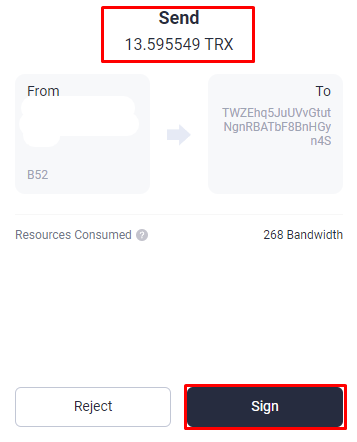
TWZEhq5JuUVvGtutNgnRBATbF8BnHGyn4S
```

{% endtab %}

{% tab title="Nile (for testing)" %}
{% hint style="warning" %}
This fund address is for testing purposes only on the TRON Nile network.
{% endhint %}

```
TATT1UzHRikft98bRFqApFTsaSw73ycfoS
```

{% endtab %}
{% endtabs %}

The result `signed_tx` is then passed to [Step 3 — Create Order](/developers/api-reference/buy-resources/signed-tx/create-order).

## Option 2: Use the TronSave API

<mark style="color:orange;">**`POST`**</mark> **`https://api.tronsave.io/v2/signed-tx`**

This endpoint builds and signs the transfer transaction for you, given the buyer's address, private key, and the `estimateTrx` from Step 1.

{% hint style="info" %}
**Rate limit:** 15 requests per 1 second.
{% endhint %}

### Headers

| Header         | Value              |
| -------------- | ------------------ |
| `Content-Type` | `application/json` |

### Request body

<table><thead><tr><th width="166">Field</th><th width="112">Position</th><th width="110">Type</th><th width="101">Required</th><th>Description</th></tr></thead><tbody><tr><td><code>address</code></td><td>body</td><td>string</td><td>true</td><td>The buyer's public address.</td></tr><tr><td><code>privateKey</code></td><td>body</td><td>string</td><td>true</td><td>The buyer's private key.</td></tr><tr><td><code>estimateTrx</code></td><td>body</td><td>number</td><td>true</td><td>The amount of TRX to be paid, in SUN (the <code>estimateTrx</code> value from <a href="/pages/oBlVFs3EXjTM5T8EiyNh"><strong>Step 1</strong></a>).</td></tr></tbody></table>

### Request body example

```json
{
    "address": "TM6ZeEgpefyGWeMLuzSbfqTGkPv8Z65432",
    "privateKey": "YOUR_PRIVATE_KEY",
    "estimateTrx": 13500000
}
```

### Response

```json
{
    "visible": false,
    "txID": "795f8195893e8da2ef2f70fc3a1f2720f9077244c4b7b1c50c99c72fda675a32",
    "raw_data_hex": "0a02b32e2208ce1cb373c238875e4098fbd9a0eb325a68080112640a2d747970652e676f6f676c65617069732e636f6d2f70726f746f636f6c2e5472616e73666572436f6e747261637412330a1541417ca6f74356a5d4454498e3f4856c945a04ab01121541055756f33f419278d9ea059bd2b21120e6add74818e0e5a40170b8a6d6a0eb32",
    "raw_data": {
        "contract": [
            {
                "parameter": {
                    "value": {
                        "to_address": "41055756f33f419278d9ea059bd2b21120e6add748",
                        "owner_address": "41417ca6f74356a5d4454498e3f4856c945a04ab01",
                        "amount": 2700000
                    },
                    "type_url": "type.googleapis.com/protocol.TransferContract"
                },
                "type": "TransferContract"
            }
        ],
        "ref_block_bytes": "b32e",
        "ref_block_hash": "ce1cb373c238875e",
        "expiration": 1746778095000,
        "timestamp": 1746778035000
    },
    "signature": [
        "xxxxxxxxxxxxxxxxxxx"
    ]
}
```

### Errors

This endpoint does not use an `apikey` header. Authentication for the overall flow is provided by the signed transaction itself in [Step 3 — Create Order](/developers/api-reference/buy-resources/signed-tx/create-order); this endpoint only builds and signs the transaction. As a result it returns schema-validation errors (`400`) rather than `401` when the request is malformed.

**`400 Bad Request`** — a required field (`address`, `privateKey`, or `estimateTrx`) is missing or invalid. The `message` names the offending field:

```json
{
    "statusCode": 400,
    "code": "FST_ERR_VALIDATION",
    "error": "Bad Request",
    "message": "body must have required property 'address'"
}
```

**`404 Not Found`** — the route/path is incorrect:

```json
{
    "message": "Route POST:/v2/... not found",
    "error": "Not Found",
    "statusCode": 404
}
```

## Request examples

{% tabs %}
{% tab title="cURL" %}

```bash
curl -X POST https://api.tronsave.io/v2/signed-tx \
  -H "Content-Type: application/json" \
  -d '{
    "address": "YOUR_TRON_ADDRESS",
    "privateKey": "YOUR_PRIVATE_KEY",
    "estimateTrx": 13500000
  }'
```

{% endtab %}

{% tab title="JavaScript" %}

```javascript
const res = await fetch("https://api.tronsave.io/v2/signed-tx", {
  method: "POST",
  headers: {
    "Content-Type": "application/json",
  },
  body: JSON.stringify({
    address: "YOUR_TRON_ADDRESS",
    privateKey: "YOUR_PRIVATE_KEY",
    estimateTrx: 13500000,
  }),
});

const data = await res.json();
console.log(data);
```

{% endtab %}

{% tab title="Python" %}

```python
import requests

res = requests.post(
    "https://api.tronsave.io/v2/signed-tx",
    headers={"Content-Type": "application/json"},
    json={
        "address": "YOUR_TRON_ADDRESS",
        "privateKey": "YOUR_PRIVATE_KEY",
        "estimateTrx": 13500000,
    },
)

print(res.json())
```

{% endtab %}

{% tab title="Java" %}

```java
import java.net.URI;
import java.net.http.HttpClient;
import java.net.http.HttpRequest;
import java.net.http.HttpResponse;

public class GetSignedTransaction {
    public static void main(String[] args) throws Exception {
        String body = """
            {
              "address": "YOUR_TRON_ADDRESS",
              "privateKey": "YOUR_PRIVATE_KEY",
              "estimateTrx": 13500000
            }
            """;

        HttpClient client = HttpClient.newHttpClient();
        HttpRequest request = HttpRequest.newBuilder()
            .uri(URI.create("https://api.tronsave.io/v2/signed-tx"))
            .header("Content-Type", "application/json")
            .POST(HttpRequest.BodyPublishers.ofString(body))
            .build();

        HttpResponse<String> response =
            client.send(request, HttpResponse.BodyHandlers.ofString());
        System.out.println(response.body());
    }
}
```

{% endtab %}

{% tab title="Go" %}

```go
package main

import (
	"bytes"
	"fmt"
	"io"
	"net/http"
)

func main() {
	body := []byte(`{
		"address": "YOUR_TRON_ADDRESS",
		"privateKey": "YOUR_PRIVATE_KEY",
		"estimateTrx": 13500000
	}`)

	req, _ := http.NewRequest("POST", "https://api.tronsave.io/v2/signed-tx", bytes.NewBuffer(body))
	req.Header.Set("Content-Type", "application/json")

	resp, err := http.DefaultClient.Do(req)
	if err != nil {
		panic(err)
	}
	defer resp.Body.Close()

	data, _ := io.ReadAll(resp.Body)
	fmt.Println(string(data))
}
```

{% endtab %}

{% tab title="Rust" %}

```rust
use serde_json::json;

fn main() -> Result<(), Box<dyn std::error::Error>> {
    let client = reqwest::blocking::Client::new();

    let res = client
        .post("https://api.tronsave.io/v2/signed-tx")
        .header("Content-Type", "application/json")
        .json(&json!({
            "address": "YOUR_TRON_ADDRESS",
            "privateKey": "YOUR_PRIVATE_KEY",
            "estimateTrx": 13500000
        }))
        .send()?;

    println!("{}", res.text()?);
    Ok(())
}
```

{% endtab %}
{% endtabs %}

{% hint style="warning" %}
This endpoint requires the buyer's `privateKey` in the request body. Only call it from a trusted server-side environment, never from client-side code. If you prefer not to send your private key, use [Option 1](#option-1-write-your-own-function) and sign the transaction locally.
{% endhint %}

## Next steps

* [Step 1 — Estimate TRX](/developers/api-reference/buy-resources/signed-tx/estimate-trx)
* [Step 3 — Create Order](/developers/api-reference/buy-resources/signed-tx/create-order)
* [Buy with Signed Transaction overview](/developers/api-reference/buy-resources/signed-tx)


# Create Order

Submit a signed TRON transaction to create a resource order — Step 3 of the signed-transaction buy flow.

Finalize a resource purchase by submitting a signed TRON transaction. This is the final step of the [signed-transaction flow](/developers/api-reference/buy-resources/signed-tx): after you [estimate the TRX required](/developers/api-reference/buy-resources/signed-tx/estimate-trx) and [obtain a signed transaction](/developers/api-reference/buy-resources/signed-tx/get-signed-transaction), call this endpoint to place the order.

<mark style="color:orange;">**`POST`**</mark> **`https://api.tronsave.io/v2/buy-resource`**

{% hint style="info" %}
**Rate limit:** 15 requests per 1 second.
{% endhint %}

## Headers

| Header         | Value              |
| -------------- | ------------------ |
| `Content-Type` | `application/json` |

## Request body

<table><thead><tr><th width="206">Field</th><th width="130">Type</th><th width="398">Description</th></tr></thead><tbody><tr><td><code>resourceType</code></td><td>String</td><td>"ENERGY" or "BANDWIDTH", default: ENERGY</td></tr><tr><td><code>unitPrice</code></td><td>Number</td><td>The price unit is equal to SUN.</td></tr><tr><td><code>resourceAmount</code> <mark style="color:red;">*</mark></td><td>Number</td><td>The number of resources.</td></tr><tr><td><code>receiver</code> <mark style="color:red;">*</mark></td><td>String</td><td>Resource receiving address</td></tr><tr><td><code>durationSec</code></td><td>Number</td><td>The duration of the bought resource, time unit, is in seconds. Default 259200 (3 days)</td></tr><tr><td><code>sponsor</code></td><td>String</td><td>sponsor code</td></tr><tr><td><code>signedTx</code></td><td>SignedTransaction</td><td>Signed transaction, note that it is a JSON object (the <code>signed_tx</code> produced in <a href="/pages/vVxYNWQx7R2pVWfkgDOA">Step 2</a>)</td></tr><tr><td><code>options</code></td><td>Object</td><td>optional</td></tr><tr><td><code>options.allowPartialFill</code></td><td>Boolean</td><td>Allow the order to be filled partially or not</td></tr><tr><td><code>options.onlyCreateWhenFulfilled</code></td><td>Boolean</td><td><p>[true] => order only creates when it can be fulfilled</p><p>[false] => order will create even if it can not be fulfilled</p><p>Default value: false</p></td></tr><tr><td><code>options.maxPriceAccepted</code></td><td>Number</td><td>Only create an order when the estimated price is less than this value.</td></tr><tr><td><code>options.preventDuplicateIncompleteOrders</code></td><td>Boolean</td><td><p>[true] => Only create if no <strong>uncompleted order</strong> with the same parameters exists.</p><p>[false] => Always create a new order, regardless of existing unfinished ones.</p><p>Default value: <strong>false</strong></p></td></tr><tr><td><code>options.minResourceDelegateRequiredAmount</code></td><td>Number</td><td>The minimum resource amount delegated by a single provider.</td></tr></tbody></table>

<mark style="color:red;">\*</mark> Required field.

### Request body example

```json
{
    "resourceType": "ENERGY",
    "receiver": "TFFbwz3UpmgaPT4UudwsxbiJf63t777777",
    "durationSec": 3600,
    "resourceAmount": 32000,
    "unitPrice": 80,
    "options": {
        "allowPartialFill": true,
        "onlyCreateWhenFulfilled": true,
        "preventDuplicateIncompleteOrders": false,
        "maxPriceAccepted": 100,
        "minResourceDelegateRequiredAmount": 100000
    },
    "signedTx": {
        "visible": false,
        "txID": "795f8195893e8da2ef2f70fc3a1f2720f9077244c4b7b1c50c99c72fda675a32",
        "raw_data_hex": "0a02b32e2208ce1cb373c238875e4098fbd9a0eb325a68080112640a2d747970652e676f6f676c65617069732e636f6d2f70726f746f636f6c2e5472616e73666572436f6e747261637412330a1541417ca6f74356a5d4454498e3f4856c945a04ab01121541055756f33f419278d9ea059bd2b21120e6add74818e0e5a40170b8a6d6a0eb32",
        "raw_data": {
            "contract": [
                {
                    "parameter": {
                        "value": {
                            "to_address": "41055756f33f419278d9ea059bd2b21120e6add748",
                            "owner_address": "41417ca6f74356a5d4454498e3f4856c945a04ab01",
                            "amount": 2700000
                        },
                        "type_url": "type.googleapis.com/protocol.TransferContract"
                    },
                    "type": "TransferContract"
                }
            ],
            "ref_block_bytes": "b32e",
            "ref_block_hash": "ce1cb373c238875e",
            "expiration": 1746778095000,
            "timestamp": 1746778035000
        },
        "signature": [
            "xxxxxxxxxxxxxxxxxxx"
        ]
    }
}
```

## Response

### Success

```json
{
    "error": false,
    "message": "Success",
    "data": {
        "orderId": "6818426a65fa8ea36d119d2c"
    }
}
```

### Errors

This endpoint authenticates through the `signedTx`, so it does **not** return a `401`/API-key error. Invalid or missing input is rejected with a `400` schema-validation error before the order is created.

**`400 Bad Request`** — a required field is missing or invalid. The `message` names of the offending property (here, `receiver`):

```json
{
    "statusCode": 400,
    "code": "FST_ERR_VALIDATION",
    "error": "Bad Request",
    "message": "body must have required property 'receiver'"
}
```

The order may also fail with a business-logic error returned in the success envelope (`error: true`). For example, when the order cannot be fulfilled, or the account balance is insufficient:

```json
{
    "error": true,
    "message": "<error message>"
}
```

## Request examples

Replace `YOUR_API_KEY` and `YOUR_TRON_ADDRESS` where applicable. The `signedTx` object below is abbreviated — pass the full signed transaction obtained in [Step 2](/developers/api-reference/buy-resources/signed-tx/get-signed-transaction).

{% tabs %}
{% tab title="cURL" %}

```bash
curl -X POST "https://api.tronsave.io/v2/buy-resource" \
  -H "Content-Type: application/json" \
  -d '{
    "resourceType": "ENERGY",
    "receiver": "YOUR_TRON_ADDRESS",
    "durationSec": 3600,
    "resourceAmount": 32000,
    "unitPrice": 80,
    "options": {
        "allowPartialFill": true,
        "onlyCreateWhenFulfilled": true,
        "preventDuplicateIncompleteOrders": false,
        "maxPriceAccepted": 100,
        "minResourceDelegateRequiredAmount": 100000
    },
    "signedTx": {
        "visible": false,
        "txID": "795f8195893e8da2ef2f70fc3a1f2720f9077244c4b7b1c50c99c72fda675a32",
        "raw_data_hex": "0a02b32e...",
        "raw_data": {},
        "signature": ["xxxxxxxxxxxxxxxxxxx"]
    }
  }'
```

{% endtab %}

{% tab title="JavaScript" %}

```javascript
const TRONSAVE_API_URL = "https://api.tronsave.io";

const createOrder = async (resourceAmount, signedTx, receiverAddress, unitPrice, durationSec, options) => {
  const url = `${TRONSAVE_API_URL}/v2/buy-resource`;
  const body = {
    resourceType: "ENERGY",
    resourceAmount,
    unitPrice,
    receiver: receiverAddress,
    durationSec,
    signedTx,
    options,
  };

  const res = await fetch(url, {
    method: "POST",
    headers: {
      "Content-Type": "application/json",
    },
    body: JSON.stringify(body),
  });

  // Example response:
  // { "error": false, "message": "Success", "data": { "orderId": "6809fdb7b9ba217a41d726fd" } }
  return res.json();
};

createOrder(
  32000,
  signedTx, // the signed transaction from Step 2
  "YOUR_TRON_ADDRESS",
  80,
  3600,
  { allowPartialFill: true, onlyCreateWhenFulfilled: true, maxPriceAccepted: 100 }
).then(console.log);
```

{% endtab %}

{% tab title="Python" %}

```python
import requests

TRONSAVE_API_URL = "https://api.tronsave.io"


def create_order(resource_amount, signed_tx, receiver_address, unit_price, duration_sec, options):
    url = f"{TRONSAVE_API_URL}/v2/buy-resource"
    body = {
        "resourceType": "ENERGY",
        "resourceAmount": resource_amount,
        "unitPrice": unit_price,
        "receiver": receiver_address,
        "durationSec": duration_sec,
        "signedTx": signed_tx,
        "options": options,
    }

    response = requests.post(url, json=body)
    return response.json()


if __name__ == "__main__":
    result = create_order(
        resource_amount=32000,
        signed_tx=signed_tx,  # the signed transaction from Step 2
        receiver_address="YOUR_TRON_ADDRESS",
        unit_price=80,
        duration_sec=3600,
        options={"allowPartialFill": True, "onlyCreateWhenFulfilled": True, "maxPriceAccepted": 100},
    )
    print(result)
```

{% endtab %}

{% tab title="Java" %}

```java
import java.net.URI;
import java.net.http.HttpClient;
import java.net.http.HttpRequest;
import java.net.http.HttpResponse;

public class CreateOrder {
    static final String TRONSAVE_API_URL = "https://api.tronsave.io";

    public static void main(String[] args) throws Exception {
        // signedTx is the JSON object obtained in Step 2.
        String signedTx = "{\"visible\":false,\"txID\":\"795f8195...\",\"raw_data_hex\":\"0a02b32e...\",\"raw_data\":{},\"signature\":[\"xxxxxxxxxxxxxxxxxxx\"]}";

        String body = """
            {
              "resourceType": "ENERGY",
              "receiver": "YOUR_TRON_ADDRESS",
              "durationSec": 3600,
              "resourceAmount": 32000,
              "unitPrice": 80,
              "options": {
                "allowPartialFill": true,
                "onlyCreateWhenFulfilled": true,
                "maxPriceAccepted": 100
              },
              "signedTx": %s
            }
            """.formatted(signedTx);

        HttpClient client = HttpClient.newHttpClient();
        HttpRequest request = HttpRequest.newBuilder()
                .uri(URI.create(TRONSAVE_API_URL + "/v2/buy-resource"))
                .header("Content-Type", "application/json")
                .POST(HttpRequest.BodyPublishers.ofString(body))
                .build();

        HttpResponse<String> response = client.send(request, HttpResponse.BodyHandlers.ofString());
        System.out.println(response.body());
    }
}
```

{% endtab %}

{% tab title="Go" %}

```go
package main

import (
	"bytes"
	"fmt"
	"io"
	"net/http"
)

const tronsaveAPIURL = "https://api.tronsave.io"

func main() {
	// signedTx is the JSON object obtained in Step 2.
	body := []byte(`{
        "resourceType": "ENERGY",
        "receiver": "YOUR_TRON_ADDRESS",
        "durationSec": 3600,
        "resourceAmount": 32000,
        "unitPrice": 80,
        "options": {
            "allowPartialFill": true,
            "onlyCreateWhenFulfilled": true,
            "maxPriceAccepted": 100
        },
        "signedTx": {
            "visible": false,
            "txID": "795f8195...",
            "raw_data_hex": "0a02b32e...",
            "raw_data": {},
            "signature": ["xxxxxxxxxxxxxxxxxxx"]
        }
    }`)

	req, err := http.NewRequest(http.MethodPost, tronsaveAPIURL+"/v2/buy-resource", bytes.NewBuffer(body))
	if err != nil {
		panic(err)
	}
	req.Header.Set("Content-Type", "application/json")

	resp, err := http.DefaultClient.Do(req)
	if err != nil {
		panic(err)
	}
	defer resp.Body.Close()

	out, _ := io.ReadAll(resp.Body)
	fmt.Println(string(out))
}
```

{% endtab %}

{% tab title="Rust" %}

```rust
// Cargo.toml:
//   reqwest = { version = "0.12", features = ["blocking", "json"] }
//   serde_json = "1"

use serde_json::json;

const TRONSAVE_API_URL: &str = "https://api.tronsave.io";

fn main() -> Result<(), Box<dyn std::error::Error>> {
    // signed_tx is the JSON object obtained in Step 2.
    let signed_tx = json!({
        "visible": false,
        "txID": "795f8195...",
        "raw_data_hex": "0a02b32e...",
        "raw_data": {},
        "signature": ["xxxxxxxxxxxxxxxxxxx"]
    });

    let body = json!({
        "resourceType": "ENERGY",
        "receiver": "YOUR_TRON_ADDRESS",
        "durationSec": 3600,
        "resourceAmount": 32000,
        "unitPrice": 80,
        "options": {
            "allowPartialFill": true,
            "onlyCreateWhenFulfilled": true,
            "maxPriceAccepted": 100
        },
        "signedTx": signed_tx
    });

    let client = reqwest::blocking::Client::new();
    let resp = client
        .post(format!("{TRONSAVE_API_URL}/v2/buy-resource"))
        .header("Content-Type", "application/json")
        .json(&body)
        .send()?;

    println!("{}", resp.text()?);
    Ok(())
}
```

{% endtab %}
{% endtabs %}

## Next steps

* [Estimate TRX](/developers/api-reference/buy-resources/signed-tx/estimate-trx) — recalculate cost before placing another order.
* [Get Signed Transaction](/developers/api-reference/buy-resources/signed-tx/get-signed-transaction) — produce the `signedTx` output that this endpoint requires.
* [Buy with Signed Transaction overview](/developers/api-reference/buy-resources/signed-tx) — the full three-step flow.


# API Key

Buy Energy or Bandwidth with a TronSave API key and a prefunded internal account — no per-order on-chain signing required.

The API-key flow lets you buy resources (Energy and Bandwidth) from a prefunded TronSave internal account. Instead of signing a transaction with your wallet for every order, you authenticate each request with an API key and pay from your internal account balance — so there is no per-order on-chain fee and integration stays simple.

{% hint style="info" %}
Prefer to pay per order directly from your wallet? Use the [Buy with Signed Transaction](/developers/api-reference/buy-resources/signed-tx) flow instead.
{% endhint %}

## Before you start

You need a TronSave API key and an internal account with enough balance to cover your orders. There are two ways to create an API key:

* **Option 1:** Generate the API key on the TronSave website.
* **Option 2:** Generate the API key on Telegram.

See [Authentication](/developers/authentication) for how to pass the API key on each request.

## Endpoints

Use the API key to call any of the following endpoints:

| Endpoint                                                                                            | Description                                                                 |
| --------------------------------------------------------------------------------------------------- | --------------------------------------------------------------------------- |
| [Get Internal Account Info](/developers/api-reference/buy-resources/api-key/get-account-info)       | Read your internal account balance and details.                             |
| [Get Order Book](/developers/api-reference/buy-resources/api-key/get-order-book)                    | Fetch the current order book for resource pricing and availability.         |
| [Estimate TRX](/developers/api-reference/buy-resources/api-key/estimate-trx)                        | Calculate the TRX required for a resource amount and rental duration.       |
| [Buy Energy (Create Order)](/developers/api-reference/buy-resources/api-key/create-order)           | Place an order to buy Energy or Bandwidth, paid from your internal account. |
| [Get Order Details](/developers/api-reference/buy-resources/api-key/get-order-details)              | Look up the details and status of a single order by ID.                     |
| [Get Internal Account Order History](/developers/api-reference/buy-resources/api-key/order-history) | List the order history for your internal account.                           |

## Endpoints (TRON Nile Testnet)

{% tabs %}
{% tab title="Testnet" %}

* Estimate TRX: <mark style="color:orange;">`POST`</mark> `https://api-dev.tronsave.io/v2/estimate-buy-resource`
* Create order: <mark style="color:orange;">`POST`</mark> `https://api-dev.tronsave.io/v2/buy-resource`
* Get Internal Account Info: <mark style="color:blue;">`GET`</mark> `https://api-dev.tronsave.io/v2/user-info`
* Get Internal Account Order History: <mark style="color:blue;">`GET`</mark> `https://api-dev.tronsave.io/v2/orders`
* Get the order details: <mark style="color:blue;">`GET`</mark> `https://api-dev.tronsave.io/v2/order/:id`
* Get Order Book: <mark style="color:blue;">`GET`</mark> `https://api-dev.tronsave.io/v2/order-book`
  {% endtab %}
  {% endtabs %}

To integrate with the **Nile Testnet**, replace the base URL with <https://testnet.tronsave.io/> and follow the same steps.

## Next steps

* [Estimate TRX](/developers/api-reference/buy-resources/api-key/estimate-trx)
* [Buy Energy (Create Order)](/developers/api-reference/buy-resources/api-key/create-order)
* Learn the difference between [Energy and Bandwidth](/concepts/energy-and-bandwidth).
* Review the [Order Types](/concepts/order-types) before placing orders.


# Get Account Info

Retrieve the internal account information associated with your TronSave API key, including balance and deposit address.

Retrieve internal account information associated with the provided API key, including the account `id`, current `balance` in SUN, the address that represents the account on orders, and the address to deposit TRX into.

## Endpoint

<mark style="color:blue;">**`GET`**</mark> **`https://api.tronsave.io/v2/user-info`**

{% hint style="info" %}
**Rate limit:** 15 requests per 1 second.
{% endhint %}

## Headers

<table><thead><tr><th width="120">Name</th><th width="100">Type</th><th>Description</th></tr></thead><tbody><tr><td><code>apikey</code><mark style="color:red;">*</mark></td><td>String</td><td>TronSave API key that represents the internal account. See <a href="/pages/XaTyt4DPLJY85H5LZwQw">Authentication</a> to get your API key.</td></tr></tbody></table>

<mark style="color:red;">\*</mark> Required.

## Request body

This endpoint takes no request body — pass the `apikey` header only.

## Response

A successful response returns `error: false` and the account details in `data`.

<table><thead><tr><th width="180">Field</th><th width="100">Type</th><th>Description</th></tr></thead><tbody><tr><td><code>data.id</code></td><td>String</td><td>Internal account ID.</td></tr><tr><td><code>data.balance</code></td><td>String</td><td>Internal account balance, in SUN.</td></tr><tr><td><code>data.representAddress</code></td><td>String</td><td>Represents the internal account as the requester of the order.</td></tr><tr><td><code>data.depositAddress</code></td><td>String</td><td>Send TRX to this address to deposit into your internal account.</td></tr></tbody></table>

### 200: OK

```json
{
    "error": false,
    "message": "Success",
    "data": {
        "id": string, //internal account id
        "balance": string, //internal account balance in SUN
        "representAddress": string, //represents the internal account as the requester of the order
        "depositAddress": string, //Send TRX to this address to deposit into your internal account.
    }
}
```

### Success response example

```json
{
    "error": false,
    "message": "Success",
    "data": {
        "id": "user_id",
        "balance": "306773887",
        "representAddress": "TKVSaJQDWeKFSEXmA44pjxduGTxy999999",
        "depositAddress": "TKVSaJQDWeKFSEXmA44pjxduGTxy999999"
    }
}
```

### Errors

This endpoint authenticates with the `apikey` header, so the common errors are authentication failures.

**401 Unauthorized — missing API key** (no `apikey` header sent):

```json
{
    "error": true,
    "message": "TSAS:106 API_KEY_REQUIRED",
    "data": null
}
```

**401 Unauthorized — invalid API key**:

```json
{
    "error": true,
    "message": "TSAS:107 INVALID_API_KEY",
    "data": null
}
```

## Request examples

{% tabs %}
{% tab title="cURL" %}

```bash
curl -X GET "https://api.tronsave.io/v2/user-info" \
  -H "apikey: YOUR_API_KEY"
```

{% endtab %}

{% tab title="JavaScript" %}

```javascript
const TRONSAVE_API_URL = "https://api.tronsave.io";

const getAccountInfo = async (apiKey) => {
  const url = `${TRONSAVE_API_URL}/v2/user-info`;
  const res = await fetch(url, {
    headers: {
      apikey: apiKey,
    },
  });
  return res.json();
};

getAccountInfo("YOUR_API_KEY").then(console.log);
```

{% endtab %}

{% tab title="Python" %}

```python
import requests

TRONSAVE_API_URL = "https://api.tronsave.io"
API_KEY = "YOUR_API_KEY"


def get_account_info() -> dict:
    """Get internal account information."""
    url = f"{TRONSAVE_API_URL}/v2/user-info"
    headers = {"apikey": API_KEY}
    response = requests.get(url, headers=headers)
    return response.json()


print(get_account_info())
```

{% endtab %}

{% tab title="Java" %}

```java
import java.net.URI;
import java.net.http.HttpClient;
import java.net.http.HttpRequest;
import java.net.http.HttpResponse;

public class GetAccountInfo {
    static final String TRONSAVE_API_URL = "https://api.tronsave.io";
    static final String API_KEY = "YOUR_API_KEY";

    public static void main(String[] args) throws Exception {
        HttpClient client = HttpClient.newHttpClient();
        HttpRequest request = HttpRequest.newBuilder()
                .uri(URI.create(TRONSAVE_API_URL + "/v2/user-info"))
                .header("apikey", API_KEY)
                .GET()
                .build();

        HttpResponse<String> response =
                client.send(request, HttpResponse.BodyHandlers.ofString());
        System.out.println(response.body());
    }
}
```

{% endtab %}

{% tab title="Go" %}

```go
package main

import (
	"fmt"
	"io"
	"net/http"
)

const (
	tronsaveAPIURL = "https://api.tronsave.io"
	apiKey         = "YOUR_API_KEY"
)

func main() {
	req, err := http.NewRequest(http.MethodGet, tronsaveAPIURL+"/v2/user-info", nil)
	if err != nil {
		panic(err)
	}
	req.Header.Set("apikey", apiKey)

	resp, err := http.DefaultClient.Do(req)
	if err != nil {
		panic(err)
	}
	defer resp.Body.Close()

	body, _ := io.ReadAll(resp.Body)
	fmt.Println(string(body))
}
```

{% endtab %}

{% tab title="Rust" %}

```rust
use serde_json::Value;

const TRONSAVE_API_URL: &str = "https://api.tronsave.io";
const API_KEY: &str = "YOUR_API_KEY";

fn main() -> Result<(), Box<dyn std::error::Error>> {
    let client = reqwest::blocking::Client::new();
    let resp: Value = client
        .get(format!("{TRONSAVE_API_URL}/v2/user-info"))
        .header("apikey", API_KEY)
        .send()?
        .json()?;

    println!("{resp:#?}");
    Ok(())
}
```

{% endtab %}
{% endtabs %}

## Next steps

* [Get Order Book](/developers/api-reference/buy-resources/api-key/get-order-book) — fetch current resource pricing and availability.
* [Buy Energy (Create Order)](/developers/api-reference/buy-resources/api-key/create-order) — place an order paid from your internal account.
* [Authentication](/developers/authentication) — how to pass your API key on each request.


# Get Order Book

Retrieve the current Energy or Bandwidth order book with available offers and prices, authenticated with a TronSave API key.

Retrieve the current Energy and Bandwidth order book with the available offers and their prices. Use it to inspect resource pricing and depth before placing an order.

<mark style="color:blue;">**`GET`**</mark> **`https://api.tronsave.io/v2/order-book`**

{% hint style="info" %}
Rate limit: **15** requests per **1** second.
{% endhint %}

## Headers

<table><thead><tr><th width="140">Name</th><th width="100">Type</th><th>Description</th></tr></thead><tbody><tr><td><code>apikey</code><mark style="color:red;">*</mark></td><td>String</td><td>TronSave API key tied to your internal account. See <a href="/pages/XaTyt4DPLJY85H5LZwQw">Authentication</a>.</td></tr></tbody></table>

<mark style="color:red;">\*</mark> Required.

## Query parameters

<table><thead><tr><th width="220">Name</th><th width="108">Type</th><th>Description</th></tr></thead><tbody><tr><td><code>address</code></td><td>String</td><td>Resource receiver address.</td></tr><tr><td><code>minDelegateAmount</code></td><td>Number</td><td>The minimum amount of Energy delegated from one provider.</td></tr><tr><td><code>durationSec</code></td><td>Number</td><td>Order duration in seconds.</td></tr><tr><td><code>resourceType</code></td><td>String</td><td><code>"ENERGY"</code> or <code>"BANDWIDTH"</code>. Default: <code>ENERGY</code>.</td></tr></tbody></table>

## Response

Each entry in `data` describes one price level: `price` is the price in SUN and `availableResourceAmount` is the resource amount available at that price.

{% tabs %}
{% tab title="200: OK" %}

```json
{
    "error": false,
    "message": "Success",
    "data": [
        {
            "price": 602,
            "availableResourceAmount": 1179
        },
        {
            "price": 650,
            "availableResourceAmount": 2409
        },
        {
            "price": 700,
            "availableResourceAmount": 5395
        },
        {
            "price": 701,
            "availableResourceAmount": 6613
        }
    ]
}
```

{% endtab %}

{% tab title="401: Missing API key" %}

```json
{
    "error": true,
    "message": "TSAS:106 API_KEY_REQUIRED",
    "data": null
}
```

{% endtab %}

{% tab title="401: Invalid API key" %}

```json
{
    "error": true,
    "message": "TSAS:107 INVALID_API_KEY",
    "data": null
}
```

{% endtab %}

{% tab title="400: Validation error" %}

```json
{
    "statusCode": 400,
    "code": "FST_ERR_VALIDATION",
    "error": "Bad Request",
    "message": "querystring must have required property 'address'"
}
```

{% endtab %}
{% endtabs %}

## Example

Query parameters:

<table><thead><tr><th width="263">Key</th><th>Value</th></tr></thead><tbody><tr><td><code>address</code></td><td>TFwUFWr3QV376677Z8VWXxGUAMFSrq11111</td></tr><tr><td><code>resourceType</code></td><td>BANDWIDTH</td></tr><tr><td><code>minDelegateAmount</code></td><td>1000</td></tr><tr><td><code>durationSec</code></td><td>86400</td></tr></tbody></table>

## Request examples

{% tabs %}
{% tab title="cURL" %}

```bash
curl -X GET "https://api.tronsave.io/v2/order-book?address=YOUR_TRON_ADDRESS" \
  -H "apikey: YOUR_API_KEY"
```

{% endtab %}

{% tab title="JavaScript" %}

```javascript
const TRONSAVE_API_URL = "https://api.tronsave.io";

const getOrderBook = async (apiKey, receiverAddress) => {
  const url = `${TRONSAVE_API_URL}/v2/order-book?address=${receiverAddress}`;
  const res = await fetch(url, {
    method: "GET",
    headers: {
      apikey: apiKey,
    },
  });
  return res.json();
};

getOrderBook("YOUR_API_KEY", "YOUR_TRON_ADDRESS").then(console.log);
```

{% endtab %}

{% tab title="Python" %}

```python
import requests

TRONSAVE_API_URL = "https://api.tronsave.io"

def get_order_book(api_key: str, receiver_address: str) -> dict:
    url = f"{TRONSAVE_API_URL}/v2/order-book"
    headers = {"apikey": api_key}
    params = {"address": receiver_address}

    response = requests.get(url, headers=headers, params=params)
    return response.json()

print(get_order_book("YOUR_API_KEY", "YOUR_TRON_ADDRESS"))
```

{% endtab %}

{% tab title="Java" %}

```java
import java.net.URI;
import java.net.http.HttpClient;
import java.net.http.HttpRequest;
import java.net.http.HttpResponse;

public class GetOrderBook {
    public static void main(String[] args) throws Exception {
        String apiKey = "YOUR_API_KEY";
        String receiverAddress = "YOUR_TRON_ADDRESS";
        String url = "https://api.tronsave.io/v2/order-book?address=" + receiverAddress;

        HttpClient client = HttpClient.newHttpClient();
        HttpRequest request = HttpRequest.newBuilder()
                .uri(URI.create(url))
                .header("apikey", apiKey)
                .GET()
                .build();

        HttpResponse<String> response =
                client.send(request, HttpResponse.BodyHandlers.ofString());
        System.out.println(response.body());
    }
}
```

{% endtab %}

{% tab title="Go" %}

```go
package main

import (
	"fmt"
	"io"
	"net/http"
)

func main() {
	apiKey := "YOUR_API_KEY"
	receiverAddress := "YOUR_TRON_ADDRESS"
	url := "https://api.tronsave.io/v2/order-book?address=" + receiverAddress

	req, err := http.NewRequest(http.MethodGet, url, nil)
	if err != nil {
		panic(err)
	}
	req.Header.Set("apikey", apiKey)

	resp, err := http.DefaultClient.Do(req)
	if err != nil {
		panic(err)
	}
	defer resp.Body.Close()

	body, _ := io.ReadAll(resp.Body)
	fmt.Println(string(body))
}
```

{% endtab %}

{% tab title="Rust" %}

```rust
use serde_json::Value;

fn main() -> Result<(), Box<dyn std::error::Error>> {
    let api_key = "YOUR_API_KEY";
    let receiver_address = "YOUR_TRON_ADDRESS";
    let url = format!(
        "https://api.tronsave.io/v2/order-book?address={}",
        receiver_address
    );

    let client = reqwest::blocking::Client::new();
    let resp: Value = client
        .get(&url)
        .header("apikey", api_key)
        .send()?
        .json()?;

    println!("{:#?}", resp);
    Ok(())
}
```

{% endtab %}
{% endtabs %}

## Next steps

* [Estimate TRX](/developers/api-reference/buy-resources/api-key/estimate-trx) for a resource amount and rental duration.
* [Buy Energy (Create Order)](/developers/api-reference/buy-resources/api-key/create-order) once you have picked a price level.
* Learn the difference between [Energy and Bandwidth](/concepts/energy-and-bandwidth).


# Estimate TRX

Estimate the TRX required to buy a given amount of Energy or Bandwidth for a chosen rental duration, using your TronSave API key.

Use this endpoint to calculate how much TRX an order will cost before you place it. Pass the resource amount, rental duration, and a unit price (or a speed tier), and TronSave returns the resolved unit price, the estimated TRX, and how much of the requested resource is currently available.

## Endpoint

<mark style="color:orange;">**`POST`**</mark> **`https://api.tronsave.io/v2/estimate-buy-resource`**

{% hint style="info" %}
**Rate limit:** 15 requests per 1 second.
{% endhint %}

## Headers

| Header         | Value              | Required |
| -------------- | ------------------ | -------- |
| `Content-Type` | `application/json` | Yes      |

## Request body

<table><thead><tr><th width="320">Field</th><th width="130">Type</th><th>Description</th></tr></thead><tbody><tr><td><code>resourceAmount</code><mark style="color:red;">*</mark></td><td>Number</td><td>The number of resources.</td></tr><tr><td><code>unitPrice</code></td><td>String, Number</td><td><p><strong>"FAST", "MEDIUM", "SLOW", or number:</strong></p><p>- <strong>"FAST"</strong>: If the market is ready to fill = 100%, FAST = MEDIUM. If the market is ready to fill &#x3C; 100%, FAST = MEDIUM + 10. If market ready to fill = 0%, FAST = SLOW + 20.</p><p>- <strong>"MEDIUM"</strong>: The lowest price for the maximum market fill for this order. If market is ready to fill = 0%, MEDIUM = SLOW + 10.</p><p>- <strong>"SLOW"</strong>: The lowest price that can be set for this order.</p><p>- If the price is a number, the price unit is equal to SUN.</p></td></tr><tr><td><code>durationSec</code></td><td>Number</td><td>The duration of the bought resource, in seconds. Default 3d.</td></tr><tr><td><code>requester</code></td><td>String</td><td>The address of the requester.</td></tr><tr><td><code>receiver</code></td><td>String</td><td>The address of the resource receiver.</td></tr><tr><td><code>resourceType</code></td><td>String</td><td>"ENERGY" or "BANDWIDTH". Default: "ENERGY".</td></tr><tr><td><code>options</code></td><td>Object</td><td>Optional.</td></tr><tr><td><code>options.allowPartialFill</code></td><td>Boolean</td><td>Allow the order to be filled partially or not.</td></tr><tr><td><code>options.minResourceDelegateRequiredAmount</code></td><td>Number</td><td>The minimum resource amount delegated by a single provider.</td></tr></tbody></table>

<mark style="color:red;">\*</mark> Required.

### Request body example

```json
{
    "resourceType": "ENERGY",
    "receiver": "TFwUFWr3QV376677Z8VWXxGUAMF123456",
    "durationSec": 259200,
    "resourceAmount": 32000,
    "unitPrice": "MEDIUM",
    "options": {
        "allowPartialFill": true,
        "minResourceDelegateRequiredAmount": 32000
    }
}
```

## Response

### Success

```json
{
    "error": false,
    "message": "Success",
    "data": {
        "unitPrice": 64,
        "durationSec": 259200,
        "estimateTrx": 6144000,
        "availableResource": 32000
    }
}
```

The `estimateTrx` value is returned in SUN (1 TRX = 1,000,000 SUN).

### Errors

{% tabs %}
{% tab title="400 Validation" %}
Returned when a required field is missing or invalid. The `message` names the offending field.

```json
{
    "statusCode": 400,
    "code": "FST_ERR_VALIDATION",
    "error": "Bad Request",
    "message": "body must have required property 'resourceAmount'"
}
```

{% endtab %}

{% tab title="404 Not Found" %}
404 Not Found — wrong route/path:

```json
{
    "message": "Route POST:/v2/... not found",
    "error": "Not Found",
    "statusCode": 404
}
```

{% endtab %}
{% endtabs %}

## Request examples

{% tabs %}
{% tab title="cURL" %}

```bash
curl -X POST https://api.tronsave.io/v2/estimate-buy-resource \
  -H "Content-Type: application/json" \
  -d '{
    "resourceType": "ENERGY",
    "receiver": "YOUR_TRON_ADDRESS",
    "durationSec": 259200,
    "resourceAmount": 32000,
    "unitPrice": "MEDIUM",
    "options": {
      "allowPartialFill": true
    }
  }'
```

{% endtab %}

{% tab title="JavaScript" %}

```javascript
const TRONSAVE_API_URL = "https://api.tronsave.io";

const getEstimate = async (requesterAddress, receiverAddress, resourceAmount, durationSec) => {
  const url = `${TRONSAVE_API_URL}/v2/estimate-buy-resource`;
  const body = {
    resourceAmount,
    unitPrice: "MEDIUM",
    resourceType: "ENERGY",
    durationSec,
    requester: requesterAddress,
    receiver: receiverAddress,
    options: {
      allowPartialFill: true,
    },
  };

  const res = await fetch(url, {
    method: "POST",
    headers: {
      "Content-Type": "application/json",
    },
    body: JSON.stringify(body),
  });

  return res.json();
};

// getEstimate("YOUR_TRON_ADDRESS", "YOUR_TRON_ADDRESS", 32000, 259200);
```

{% endtab %}

{% tab title="Python" %}

```python
import requests

TRONSAVE_API_URL = "https://api.tronsave.io"


def get_estimate(requester, receiver, resource_amount, duration_sec):
    url = f"{TRONSAVE_API_URL}/v2/estimate-buy-resource"
    body = {
        "resourceAmount": resource_amount,
        "unitPrice": "MEDIUM",
        "resourceType": "ENERGY",
        "durationSec": duration_sec,
        "requester": requester,
        "receiver": receiver,
        "options": {
            "allowPartialFill": True,
        },
    }

    response = requests.post(url, json=body)
    return response.json()


# get_estimate("YOUR_TRON_ADDRESS", "YOUR_TRON_ADDRESS", 32000, 259200)
```

{% endtab %}

{% tab title="Java" %}

```java
import java.net.URI;
import java.net.http.HttpClient;
import java.net.http.HttpRequest;
import java.net.http.HttpResponse;

public class EstimateTrx {
    static final String TRONSAVE_API_URL = "https://api.tronsave.io";

    public static void main(String[] args) throws Exception {
        String body = """
            {
              "resourceType": "ENERGY",
              "receiver": "YOUR_TRON_ADDRESS",
              "durationSec": 259200,
              "resourceAmount": 32000,
              "unitPrice": "MEDIUM",
              "options": {
                "allowPartialFill": true
              }
            }
            """;

        HttpClient client = HttpClient.newHttpClient();
        HttpRequest request = HttpRequest.newBuilder()
                .uri(URI.create(TRONSAVE_API_URL + "/v2/estimate-buy-resource"))
                .header("Content-Type", "application/json")
                .POST(HttpRequest.BodyPublishers.ofString(body))
                .build();

        HttpResponse<String> response = client.send(request, HttpResponse.BodyHandlers.ofString());
        System.out.println(response.body());
    }
}
```

{% endtab %}

{% tab title="Go" %}

```go
package main

import (
	"bytes"
	"fmt"
	"io"
	"net/http"
)

const tronsaveAPIURL = "https://api.tronsave.io"

func main() {
	body := []byte(`{
		"resourceType": "ENERGY",
		"receiver": "YOUR_TRON_ADDRESS",
		"durationSec": 259200,
		"resourceAmount": 32000,
		"unitPrice": "MEDIUM",
		"options": {
			"allowPartialFill": true
		}
	}`)

	req, err := http.NewRequest("POST", tronsaveAPIURL+"/v2/estimate-buy-resource", bytes.NewBuffer(body))
	if err != nil {
		panic(err)
	}
	req.Header.Set("Content-Type", "application/json")

	resp, err := http.DefaultClient.Do(req)
	if err != nil {
		panic(err)
	}
	defer resp.Body.Close()

	out, _ := io.ReadAll(resp.Body)
	fmt.Println(string(out))
}
```

{% endtab %}

{% tab title="Rust" %}

```rust
use reqwest::blocking::Client;
use serde_json::json;

const TRONSAVE_API_URL: &str = "https://api.tronsave.io";

fn main() -> Result<(), Box<dyn std::error::Error>> {
    let body = json!({
        "resourceType": "ENERGY",
        "receiver": "YOUR_TRON_ADDRESS",
        "durationSec": 259200,
        "resourceAmount": 32000,
        "unitPrice": "MEDIUM",
        "options": {
            "allowPartialFill": true
        }
    });

    let client = Client::new();
    let response = client
        .post(format!("{}/v2/estimate-buy-resource", TRONSAVE_API_URL))
        .header("Content-Type", "application/json")
        .json(&body)
        .send()?;

    println!("{}", response.text()?);
    Ok(())
}
```

{% endtab %}
{% endtabs %}

## Next steps

* [Buy Energy (Create Order)](/developers/api-reference/buy-resources/api-key/create-order) — place an order once you have an estimate.
* [Get Order Book](/developers/api-reference/buy-resources/api-key/get-order-book) — inspect current pricing and availability.
* [Authentication](/developers/authentication) — how to pass your API key on each request.


# Create Order

Create an Energy or Bandwidth purchase order with an API key, paid from your TronSave internal account, and receive an orderId to track its status.

Create an Energy or Bandwidth purchase order using an API key. The order is paid from your prefunded [internal account](/developers/authentication), so no per-order on-chain signing is required. On success the endpoint returns an `orderId` you can use to track the order status.

<mark style="color:orange;">**`POST`**</mark> **`https://api.tronsave.io/v2/buy-resource`**

{% hint style="info" %}
Rate limit: **15** requests per **1** second.
{% endhint %}

## Headers

<table><thead><tr><th width="140">Name</th><th width="110">Type</th><th>Description</th></tr></thead><tbody><tr><td><code>apikey</code><mark style="color:red;">*</mark></td><td>String</td><td>TronSave API key tied to your internal account. See <a href="/pages/XaTyt4DPLJY85H5LZwQw">Authentication</a> to get your API key.</td></tr></tbody></table>

<sub><mark style="color:red;">\*<mark style="color:red;"></sub> <sub>Required.</sub>

## Request body

<table><thead><tr><th width="239">Field</th><th width="140">Type</th><th>Description</th></tr></thead><tbody><tr><td><code>resourceType</code></td><td>String</td><td><code>"ENERGY"</code> or <code>"BANDWIDTH"</code>. Default: <code>ENERGY</code>.</td></tr><tr><td><code>unitPrice</code></td><td>Number, String</td><td><p><code>"FAST"</code>, <code>"MEDIUM"</code>, <code>"SLOW"</code>, or a number. <strong>Default: <code>"MEDIUM"</code></strong>.</p><p><br>- <strong>FAST</strong>: If the market is ready to fill = 100%, FAST = MEDIUM. If the market is ready to fill &#x3C; 100%, FAST = MEDIUM + 10. If market ready to fill = 0%, FAST = SLOW + 20.</p><p>- <strong>MEDIUM</strong>: The lowest price for the maximum market fill for this order. If market is ready to fill = 0%, MEDIUM = SLOW + 10.</p><p>- <strong>SLOW</strong>: The lowest price that can be set for this order.</p><p>- If the price is a number, the price unit is SUN.</p></td></tr><tr><td><code>resourceAmount</code><mark style="color:red;">*</mark></td><td>Number</td><td>The number of resources.</td></tr><tr><td><code>receiver</code><mark style="color:red;">*</mark></td><td>String</td><td>Resource receiving address.</td></tr><tr><td><code>durationSec</code></td><td>Number</td><td>The duration of the bought resource, in seconds. <strong>Default:</strong> 259200 (3 days).</td></tr><tr><td><code>sponsor</code></td><td>String</td><td>Sponsor code.</td></tr><tr><td><code>options</code></td><td>Object</td><td>Optional.</td></tr><tr><td><code>options.allowPartialFill</code></td><td>Boolean</td><td>Allow the order to be filled partially or not.</td></tr><tr><td><code>options.onlyCreateWhenFulfilled</code></td><td>Boolean</td><td><p><code>true</code> => order only creates when it can be fulfilled.</p><p><code>false</code> => order will create even if it cannot be fulfilled.</p><p>Default value: <code>false</code>.</p></td></tr><tr><td><code>options.maxPriceAccepted</code></td><td>Number</td><td>Only create the order when the estimated price is less than this value.</td></tr><tr><td><code>options.preventDuplicateIncompleteOrders</code></td><td>Boolean</td><td><p><code>true</code> => only create if no <strong>uncompleted order</strong> with the same parameters exists.</p><p><code>false</code> => always create a new order, regardless of existing unfinished ones.</p><p>Default value: <strong><code>false</code></strong>.</p></td></tr><tr><td><code>options.minResourceDelegateRequiredAmount</code></td><td>Number</td><td>The minimum resource amount delegated by a single provider.</td></tr></tbody></table>

<sub><mark style="color:red;">\*<mark style="color:red;"></sub> <sub>Required.</sub>

### Request body example

```json
{
    "resourceType": "ENERGY",
    "receiver": "TFFbwz3UpmgaPT4UudwsxbiJf63t777777",
    "durationSec": 3600,
    "resourceAmount": 32000,
    "unitPrice": "MEDIUM",
    "options": {
        "allowPartialFill": true,
        "onlyCreateWhenFulfilled": true,
        "preventDuplicateIncompleteOrders": false,
        "maxPriceAccepted": 100,
        "minResourceDelegateRequiredAmount": 100000
    }
}
```

## Responses

{% tabs %}
{% tab title="201: Success" %}
Returns the order ID on success.

```json
{
    "error": false,
    "message": "Success",
    "data": {
        "orderId": "6818426a65fa8ea36d119d2c"
    }
}
```

{% endtab %}

{% tab title="400: Bad Request" %}

```json
{
    "MISSING_PARAMS": "Missing some params in body",
    "INVALID_PARAMS": "Some params are invalid",
    "MIN_PRICE_INVALID": "minPrice is less than the system's minimum price or not in the correct format.",
    "INTERNAL_ACCOUNT_NOT_FOUND": "internal account does not exist",
    "INTERNAL_BALANCE_ACCOUNT_TOO_LOW": "Balance is not enough",
    "CANNOT_FULFILLED": "The order requires an immediate full match, but the system cannot fulfill 100% of it.",
    "MUST_BE_WAIT_PREVIOUS_ORDER_FILLED": "A pending order with the same parameters already exists in the system.",
    "PRICE_EXCEED_MAX_PRICE_REQUIRED": "The price of the order exceeds the maximum price accepted."
}
```

{% endtab %}

{% tab title="401: Unauthorized" %}

```json
{
    "API_KEY_REQUIRED": "Missing api key in headers",
    "INVALID_API_KEY": "api key not correct"
}
```

{% endtab %}

{% tab title="429: Too Many Requests" %}

```json
{
    "RATE_LIMIT": "Rate limit reached"
}
```

{% endtab %}
{% endtabs %}

## Request examples

{% tabs %}
{% tab title="cURL" %}

```bash
curl -X POST "https://api.tronsave.io/v2/buy-resource" \
  -H "apikey: YOUR_API_KEY" \
  -H "Content-Type: application/json" \
  -d '{
    "resourceType": "ENERGY",
    "receiver": "YOUR_TRON_ADDRESS",
    "durationSec": 3600,
    "resourceAmount": 32000,
    "unitPrice": "MEDIUM",
    "options": {
      "allowPartialFill": true,
      "onlyCreateWhenFulfilled": false,
      "maxPriceAccepted": 100
    }
  }'
```

{% endtab %}

{% tab title="JavaScript" %}

```javascript
const buyResource = async () => {
  const url = "https://api.tronsave.io/v2/buy-resource";
  const body = {
    resourceType: "ENERGY",
    unitPrice: "MEDIUM", // price in SUN, or "SLOW" | "MEDIUM" | "FAST"
    resourceAmount: 32000, // amount of resource to buy
    receiver: "YOUR_TRON_ADDRESS",
    durationSec: 3600, // order duration in seconds. Default: 259200 (3 days)
    options: {
      allowPartialFill: true,
      onlyCreateWhenFulfilled: false,
      maxPriceAccepted: 100,
    },
  };

  const res = await fetch(url, {
    method: "POST",
    headers: {
      apikey: "YOUR_API_KEY",
      "content-type": "application/json",
    },
    body: JSON.stringify(body),
  });

  const response = await res.json();
  // {
  //   "error": false,
  //   "message": "Success",
  //   "data": { "orderId": "6818426a65fa8ea36d119d2c" }
  // }
  return response;
};
```

{% endtab %}

{% tab title="Python" %}

```python
import requests

url = "https://api.tronsave.io/v2/buy-resource"
headers = {
    "apikey": "YOUR_API_KEY",
    "Content-Type": "application/json",
}
body = {
    "resourceType": "ENERGY",
    "unitPrice": "MEDIUM",  # price in SUN, or "SLOW" | "MEDIUM" | "FAST"
    "resourceAmount": 32000,
    "receiver": "YOUR_TRON_ADDRESS",
    "durationSec": 3600,
    "options": {
        "allowPartialFill": True,
        "onlyCreateWhenFulfilled": False,
        "maxPriceAccepted": 100,
    },
}

response = requests.post(url, headers=headers, json=body)
print(response.json())
```

{% endtab %}

{% tab title="Java" %}

```java
import java.net.URI;
import java.net.http.HttpClient;
import java.net.http.HttpRequest;
import java.net.http.HttpResponse;

public class CreateOrder {
    public static void main(String[] args) throws Exception {
        String url = "https://api.tronsave.io/v2/buy-resource";
        String body = """
            {
              "resourceType": "ENERGY",
              "unitPrice": "MEDIUM",
              "resourceAmount": 32000,
              "receiver": "YOUR_TRON_ADDRESS",
              "durationSec": 3600,
              "options": {
                "allowPartialFill": true,
                "onlyCreateWhenFulfilled": false,
                "maxPriceAccepted": 100
              }
            }
            """;

        HttpClient client = HttpClient.newHttpClient();
        HttpRequest request = HttpRequest.newBuilder()
                .uri(URI.create(url))
                .header("apikey", "YOUR_API_KEY")
                .header("Content-Type", "application/json")
                .POST(HttpRequest.BodyPublishers.ofString(body))
                .build();

        HttpResponse<String> response =
                client.send(request, HttpResponse.BodyHandlers.ofString());
        System.out.println(response.body());
    }
}
```

{% endtab %}

{% tab title="Go" %}

```go
package main

import (
	"bytes"
	"fmt"
	"io"
	"net/http"
)

func main() {
	url := "https://api.tronsave.io/v2/buy-resource"
	body := []byte(`{
		"resourceType": "ENERGY",
		"unitPrice": "MEDIUM",
		"resourceAmount": 32000,
		"receiver": "YOUR_TRON_ADDRESS",
		"durationSec": 3600,
		"options": {
			"allowPartialFill": true,
			"onlyCreateWhenFulfilled": false,
			"maxPriceAccepted": 100
		}
	}`)

	req, _ := http.NewRequest("POST", url, bytes.NewBuffer(body))
	req.Header.Set("apikey", "YOUR_API_KEY")
	req.Header.Set("Content-Type", "application/json")

	resp, err := http.DefaultClient.Do(req)
	if err != nil {
		panic(err)
	}
	defer resp.Body.Close()

	out, _ := io.ReadAll(resp.Body)
	fmt.Println(string(out))
}
```

{% endtab %}

{% tab title="Rust" %}

```rust
use serde_json::json;

fn main() -> Result<(), Box<dyn std::error::Error>> {
    let url = "https://api.tronsave.io/v2/buy-resource";
    let body = json!({
        "resourceType": "ENERGY",
        "unitPrice": "MEDIUM",
        "resourceAmount": 32000,
        "receiver": "YOUR_TRON_ADDRESS",
        "durationSec": 3600,
        "options": {
            "allowPartialFill": true,
            "onlyCreateWhenFulfilled": false,
            "maxPriceAccepted": 100
        }
    });

    let client = reqwest::blocking::Client::new();
    let response = client
        .post(url)
        .header("apikey", "YOUR_API_KEY")
        .header("Content-Type", "application/json")
        .json(&body)
        .send()?;

    println!("{}", response.text()?);
    Ok(())
}
```

{% endtab %}
{% endtabs %}

{% hint style="info" %}
To integrate with the **TRON Nile Testnet**, replace the base URL with `https://api-dev.tronsave.io`.
{% endhint %}

## Next steps

* Track an order with [Get Order Details](/developers/api-reference/buy-resources/api-key/get-order-details).
* Preview cost first with [Estimate TRX](/developers/api-reference/buy-resources/api-key/estimate-trx).
* Review the [Order Types](/concepts/order-types) before placing orders.


# Get Order Details

Retrieve detailed information and the current status of a specific order using its orderId.

Retrieve detailed information and the current status of a specific order using its `orderId`. The response includes the order parameters, fulfillment progress, and every on-chain delegate that has matched the order.

## Endpoint

<mark style="color:blue;">**`GET`**</mark> **`https://api.tronsave.io/v2/order/:id`**

The `:id` path segment is the `orderId` returned when the order was created.

{% hint style="info" %}
**Rate limit:** 15 requests per 1 second.
{% endhint %}

## Headers

<table><thead><tr><th width="120">Name</th><th width="100">Type</th><th>Description</th></tr></thead><tbody><tr><td><code>apikey</code><mark style="color:red;">*</mark></td><td>String</td><td>TronSave API key that represents the internal account. See <a href="/pages/XaTyt4DPLJY85H5LZwQw">Authentication</a> to get your API key.</td></tr></tbody></table>

<mark style="color:red;">\*</mark> Required.

## Path parameters

<table><thead><tr><th width="120">Name</th><th width="100">Type</th><th>Description</th></tr></thead><tbody><tr><td><code>id</code><mark style="color:red;">*</mark></td><td>String</td><td>The <code>orderId</code> of the order to retrieve.</td></tr></tbody></table>

## Request body

This endpoint takes no request body — pass the `apikey` header and the order `id` in the path.

## Response

A successful response returns `error: false` and the order details in `data`.

<table><thead><tr><th width="220">Field</th><th width="110">Type</th><th>Description</th></tr></thead><tbody><tr><td><code>data.id</code></td><td>String</td><td>ID of the order.</td></tr><tr><td><code>data.requester</code></td><td>String</td><td>The address that represents the order owner.</td></tr><tr><td><code>data.receiver</code></td><td>String</td><td>The address that receives the resource.</td></tr><tr><td><code>data.resourceAmount</code></td><td>Number</td><td>The amount of resource.</td></tr><tr><td><code>data.resourceType</code></td><td>String</td><td>The resource type, either <code>ENERGY</code> or <code>BANDWIDTH</code>.</td></tr><tr><td><code>data.remainAmount</code></td><td>Number</td><td>The remaining amount that can still be matched by the system.</td></tr><tr><td><code>data.price</code></td><td>Number</td><td>Price, in SUN.</td></tr><tr><td><code>data.durationSec</code></td><td>Number</td><td>Rent duration, in seconds.</td></tr><tr><td><code>data.orderType</code></td><td>String</td><td>Type of order, either <code>NORMAL</code> or <code>EXTEND</code>.</td></tr><tr><td><code>data.allowPartialFill</code></td><td>Boolean</td><td>Whether the order may be filled partially.</td></tr><tr><td><code>data.payoutAmount</code></td><td>Number</td><td>Total payout of this order.</td></tr><tr><td><code>data.fulfilledPercent</code></td><td>Number</td><td>The fill progress as a percentage, 0–100.</td></tr><tr><td><code>data.delegates</code></td><td>Array</td><td>All matched delegates for this order.</td></tr><tr><td><code>data.delegates[].delegator</code></td><td>String</td><td>The address that delegates the resource to the target address.</td></tr><tr><td><code>data.delegates[].amount</code></td><td>Number</td><td>The amount of resource that was delegated.</td></tr><tr><td><code>data.delegates[].txid</code></td><td>String</td><td>The on-chain transaction ID.</td></tr></tbody></table>

### 200: OK

```json
{
    "error": false,
    "message": "Success",
    "data": {
        "id":  string, // id of order
        "requester": string, // the address represents the order owner
        "receiver": string, // the address of the resource that is received 
        "resourceAmount": number, // the amount of resource
        "resourceType": string, // the resource type is "ENERGY" or "BANDWIDTH"
        "remainAmount": number, // the remaining amount can be matched by the system,
        "price": number, // price unit is equal to SUN
        "durationSec": number, // rent duration, duration unit is equal to seconds
        "orderType": string, // type of order is "NORMAL" or "EXTEND"
        "allowPartialFill": boolean, //Allow the order to be filled partially or not
        "payoutAmount": number, // Total payout of this order
        "fulfilledPercent": number, //The percent that shows filling processing. 0-100
        "delegates": [ //All matched delegates for this order
            {
                "delegator": string, // The address that delegates the resource for the target address
                "amount": number, //The amount of resource was delegated
                "txid": number // The transaction ID in on-chain
            }
        ]
    }
}
```

### Success response example

```json
{
    "error": false,
    "message": "Success",
    "data": {
        "id": "6819c7578729a45600f740d1",
        "requester": "TFwUFWr3QV376677Z8VWXxGUAMFSSSSSS",
        "receiver": "TFwUFWr3QV376677Z8VWXxGUAMFSSSSSSS",
        "resourceAmount": 32000,
        "resourceType": "ENERGY",
        "remainAmount": 0,
        "price": 90,
        "durationSec": 300,
        "orderType": "NORMAL",
        "allowPartialFill": false,
        "payoutAmount": 2880000,
        "fulfilledPercent": 100,
        "delegates": [
            {
                "delegator": "THnnMCe67VMDXoivepiA7ZQSB888888",
                "amount": 32000,
                "txid": "19d3fa76a722d6d6e671e6141eb8057760d38d42b353153a3825f19a7d34326f"
            }
        ]
    }
}
```

### Errors

This endpoint authenticates with the `apikey` header. Missing or invalid keys return `401`.

**401 Unauthorized — missing API key**

```json
{
    "error": true,
    "message": "TSAS:106 API_KEY_REQUIRED",
    "data": null
}
```

**401 Unauthorized — invalid API key**

```json
{
    "error": true,
    "message": "TSAS:107 INVALID_API_KEY",
    "data": null
}
```

**400 Bad Request - Invalid orderId**

```json
{
    "error": true,
    "message": "TSAS:408 INVALID_PARAMS Invalid orderId",
    "data": null
}
```

**404 Not Found — wrong route/path**

```json
{
    "message": "Route GET:/v2/order/ not found",
    "error": "Not Found",
    "statusCode": 404
}
```

## Request examples

{% tabs %}
{% tab title="cURL" %}

```bash
curl -X GET "https://api.tronsave.io/v2/order/YOUR_ORDER_ID" \
  -H "apikey: YOUR_API_KEY"
```

{% endtab %}

{% tab title="JavaScript" %}

```javascript
const TRONSAVE_API_URL = "https://api.tronsave.io";

const getOrderDetails = async (apiKey, orderId) => {
  const url = `${TRONSAVE_API_URL}/v2/order/${orderId}`;
  const res = await fetch(url, {
    headers: {
      apikey: apiKey,
    },
  });
  return res.json();
};

getOrderDetails("YOUR_API_KEY", "YOUR_ORDER_ID").then(console.log);
```

{% endtab %}

{% tab title="Python" %}

```python
import requests

TRONSAVE_API_URL = "https://api.tronsave.io"
API_KEY = "YOUR_API_KEY"


def get_order_details(order_id: str) -> dict:
    """Get order details by orderId."""
    url = f"{TRONSAVE_API_URL}/v2/order/{order_id}"
    headers = {"apikey": API_KEY}
    response = requests.get(url, headers=headers)
    return response.json()


print(get_order_details("YOUR_ORDER_ID"))
```

{% endtab %}

{% tab title="Java" %}

```java
import java.net.URI;
import java.net.http.HttpClient;
import java.net.http.HttpRequest;
import java.net.http.HttpResponse;

public class GetOrderDetails {
    static final String TRONSAVE_API_URL = "https://api.tronsave.io";
    static final String API_KEY = "YOUR_API_KEY";

    public static void main(String[] args) throws Exception {
        String orderId = "YOUR_ORDER_ID";

        HttpClient client = HttpClient.newHttpClient();
        HttpRequest request = HttpRequest.newBuilder()
                .uri(URI.create(TRONSAVE_API_URL + "/v2/order/" + orderId))
                .header("apikey", API_KEY)
                .GET()
                .build();

        HttpResponse<String> response =
                client.send(request, HttpResponse.BodyHandlers.ofString());
        System.out.println(response.body());
    }
}
```

{% endtab %}

{% tab title="Go" %}

```go
package main

import (
	"fmt"
	"io"
	"net/http"
)

const (
	tronsaveAPIURL = "https://api.tronsave.io"
	apiKey         = "YOUR_API_KEY"
)

func main() {
	orderID := "YOUR_ORDER_ID"

	req, err := http.NewRequest(http.MethodGet, tronsaveAPIURL+"/v2/order/"+orderID, nil)
	if err != nil {
		panic(err)
	}
	req.Header.Set("apikey", apiKey)

	resp, err := http.DefaultClient.Do(req)
	if err != nil {
		panic(err)
	}
	defer resp.Body.Close()

	body, _ := io.ReadAll(resp.Body)
	fmt.Println(string(body))
}
```

{% endtab %}

{% tab title="Rust" %}

```rust
use serde_json::Value;

const TRONSAVE_API_URL: &str = "https://api.tronsave.io";
const API_KEY: &str = "YOUR_API_KEY";

fn main() -> Result<(), Box<dyn std::error::Error>> {
    let order_id = "YOUR_ORDER_ID";

    let client = reqwest::blocking::Client::new();
    let resp: Value = client
        .get(format!("{TRONSAVE_API_URL}/v2/order/{order_id}"))
        .header("apikey", API_KEY)
        .send()?
        .json()?;

    println!("{resp:#?}");
    Ok(())
}
```

{% endtab %}
{% endtabs %}

## Next steps

* [Buy Energy (Create Order)](/developers/api-reference/buy-resources/api-key/create-order) — place an order paid from your internal account.
* [Get Order Book](/developers/api-reference/buy-resources/api-key/get-order-book) — fetch current resource pricing and availability.
* [Authentication](/developers/authentication) — how to pass your API key on each request.


# Order History

Retrieve the order history of the internal account associated with your TronSave API key, with pagination and status filtering.

Retrieve the order history of the internal account associated with the provided API key. Orders are returned sorted by creation time, newest first. By default the endpoint returns the 10 newest orders.

## Endpoint

<mark style="color:blue;">**`GET`**</mark> **`https://api.tronsave.io/v2/orders`**

{% hint style="info" %}
**Rate limit:** 15 requests per 1 second.
{% endhint %}

## Headers

<table><thead><tr><th width="120">Name</th><th width="100">Type</th><th>Description</th></tr></thead><tbody><tr><td><code>apikey</code><mark style="color:red;">*</mark></td><td>String</td><td>TronSave API key that represents the internal account. See <a href="/pages/XaTyt4DPLJY85H5LZwQw">Authentication</a> to get your API key.</td></tr></tbody></table>

<mark style="color:red;">\*</mark> Required.

## Query parameters

<table><thead><tr><th width="200">Name</th><th width="156">Type</th><th>Description</th></tr></thead><tbody><tr><td><code>page</code></td><td>Integer</td><td>Page index, starts from 0. Default: <code>0</code>.</td></tr><tr><td><code>pageSize</code></td><td>Integer</td><td>Number of orders per page. Default: <code>10</code>.</td></tr><tr><td><code>status</code></td><td>String</td><td><code>"Active"</code> or <code>"Completed"</code>. Default: get all.</td></tr></tbody></table>

## Request body

This endpoint takes no request body — pass the `apikey` header and optional query parameters only.

## Response

A successful response returns `error: false` and the matching orders in `data.data`, along with the total count in `data.total`.

### 200: OK

```json
{
    "error": false,
    "message": "Success",
    "data": {
        "id":  string, // id of order
        "requester": string, // the address represents the order owner
        "receiver": string, // the address of the resource that is received 
        "resourceAmount": number, // the amount of resource
        "resourceType": string, // the resource type is "ENERGY" or "BANDWIDTH"
        "remainAmount": number, // the remaining amount can be matched by the system,
        "price": number, // price unit is equal to SUN
        "durationSec": number, // rent duration, duration unit is equal to seconds
        "status": string, // the order status, either Active or Completed
        "orderType": string, // type of order is "NORMAL" or "EXTEND"
        "allowPartialFill": boolean, //Allow the order to be filled partially or not
        "payoutAmount": number, // Total payout of this order
        "fulfilledPercent": number, //The percent that shows filling processing. 0-100
        "delegates": [ //All matched delegates for this order
            {
                "delegator": string, // The address that delegates the resource for the target address
                "amount": number, //The amount of resource was delegated
                "txid": number // The transaction ID in on-chain
             }[]
       } 
    }[],
        "total": number
}
```

### Success response example

```json
{
    "error": false,
    "message": "Success",
    "data": {
        "data": [
            {
                "id": "6819c7578729a45600f740d3",
                "requester": "TFwUFWr3QV376677Z8VWXxGUAMFSSSSSS",
                "receiver": "TFwUFWr3QV376677Z8VWXxGUAMFSSSSSS",
                "resourceAmount": 32000,
                "resourceType": "ENERGY",
                "remainAmount": 0,
                "orderType": "NORMAL",
                "price": 90,
                "durationSec": 300,
                "allowPartialFill": false,
                "payoutAmount": 2880000,
                "fulfilledPercent": 100,
                "delegates": [
                    {
                        "delegator": "THnnMCe67VMDXoivepiA7ZQSB8888888",
                        "amount": 32000,
                        "txid": "transaction_id_1"
                    }
                ]
            },
            {
                "id": "68198bcd8729a45600f740cf",
                "requester": "TFwUFWr3QV376677Z8VWXxGUAMFSSSSSS",
                "receiver": "TFwUFWr3QV376677Z8VWXxGUAMFSSSSSS",
                "resourceAmount": 1234,
                "resourceType": "BANDWIDTH",
                "remainAmount": 0,
                "orderType": "NORMAL",
                "price": 600,
                "durationSec": 900,
                "allowPartialFill": false,
                "payoutAmount": 740400,
                "fulfilledPercent": 100,
                "delegates": [
                    {
                        "delegator": "TMhiksDwSVjuxdXLwdNQEJpuFCLG77777",
                        "amount": 1234,
                        "txid": "transaction_id_2"
                    }
                ]
            }
        ],
        "total": 2
    }
}
```

### Error responses

This endpoint authenticates with the `apikey` header. Missing or invalid keys return `401`.

**401 Unauthorized — missing API key:**

```json
{
    "error": true,
    "message": "TSAS:106 API_KEY_REQUIRED",
    "data": null
}
```

**401 Unauthorized — invalid API key:**

```json
{
    "error": true,
    "message": "TSAS:107 INVALID_API_KEY",
    "data": null
}
```

**400 Bad Request — schema validation.** Invalid query parameters are rejected. The `message` names the offending field, for example:

```json
{
    "statusCode": 400,
    "code": "FST_ERR_VALIDATION",
    "error": "Bad Request",
    "message": "querystring/status must be equal to one of the allowed values"
}
```

## Request examples

{% tabs %}
{% tab title="cURL" %}

```bash
curl -X GET "https://api.tronsave.io/v2/orders?page=0&pageSize=10" \
  -H "apikey: YOUR_API_KEY"
```

{% endtab %}

{% tab title="JavaScript" %}

```javascript
const TRONSAVE_API_URL = "https://api.tronsave.io";

const getOrderHistory = async (apiKey) => {
  const url = `${TRONSAVE_API_URL}/v2/orders`;
  const res = await fetch(url, {
    headers: {
      apikey: apiKey,
    },
  });
  return res.json();
};

getOrderHistory("YOUR_API_KEY").then(console.log);
```

{% endtab %}

{% tab title="Python" %}

```python
import requests

TRONSAVE_API_URL = "https://api.tronsave.io"
API_KEY = "YOUR_API_KEY"


def get_order_history() -> dict:
    """Get order history for the internal account."""
    url = f"{TRONSAVE_API_URL}/v2/orders"
    headers = {"apikey": API_KEY}
    response = requests.get(url, headers=headers)
    return response.json()


print(get_order_history())
```

{% endtab %}

{% tab title="Java" %}

```java
import java.net.URI;
import java.net.http.HttpClient;
import java.net.http.HttpRequest;
import java.net.http.HttpResponse;

public class GetOrderHistory {
    static final String TRONSAVE_API_URL = "https://api.tronsave.io";
    static final String API_KEY = "YOUR_API_KEY";

    public static void main(String[] args) throws Exception {
        HttpClient client = HttpClient.newHttpClient();
        HttpRequest request = HttpRequest.newBuilder()
                .uri(URI.create(TRONSAVE_API_URL + "/v2/orders"))
                .header("apikey", API_KEY)
                .GET()
                .build();

        HttpResponse<String> response =
                client.send(request, HttpResponse.BodyHandlers.ofString());
        System.out.println(response.body());
    }
}
```

{% endtab %}

{% tab title="Go" %}

```go
package main

import (
	"fmt"
	"io"
	"net/http"
)

const (
	tronsaveAPIURL = "https://api.tronsave.io"
	apiKey         = "YOUR_API_KEY"
)

func main() {
	req, err := http.NewRequest(http.MethodGet, tronsaveAPIURL+"/v2/orders", nil)
	if err != nil {
		panic(err)
	}
	req.Header.Set("apikey", apiKey)

	resp, err := http.DefaultClient.Do(req)
	if err != nil {
		panic(err)
	}
	defer resp.Body.Close()

	body, _ := io.ReadAll(resp.Body)
	fmt.Println(string(body))
}
```

{% endtab %}

{% tab title="Rust" %}

```rust
use serde_json::Value;

const TRONSAVE_API_URL: &str = "https://api.tronsave.io";
const API_KEY: &str = "YOUR_API_KEY";

fn main() -> Result<(), Box<dyn std::error::Error>> {
    let client = reqwest::blocking::Client::new();
    let resp: Value = client
        .get(format!("{TRONSAVE_API_URL}/v2/orders"))
        .header("apikey", API_KEY)
        .send()?
        .json()?;

    println!("{resp:#?}");
    Ok(())
}
```

{% endtab %}
{% endtabs %}

## Next steps

* [Get Internal Account Info](/developers/api-reference/buy-resources/api-key/get-account-info) — check your balance and deposit address.
* [Buy Energy (Create Order)](/developers/api-reference/buy-resources/api-key/create-order) — place a new order paid from your internal account.
* [Authentication](/developers/authentication) — how to pass your API key on each request.


# List Orders

Retrieve a detailed, paginated list of orders created by a whitelisted buyer account, authenticated with a TronSave API key.

Retrieve a detailed list of orders created by the buyer account. This endpoint returns extended order data for advanced integrations and analytics. It requires API key whitelist access.

{% hint style="warning" %}
**Whitelist required**\
Log in to TronSave and send your wallet address to our support team so it can be added to the whitelist. Once whitelisted, you can use the API key generated from that wallet address to call this endpoint.

Contact support via Telegram: [**@wantingtrx**](https://t.me/wantingtrx).
{% endhint %}

<mark style="color:blue;">**`GET`**</mark> **`https://api.tronsave.io/v2/internal/buyer/orders`**

{% hint style="info" %}
Rate limit: **15** requests per **1** second.
{% endhint %}

## Headers

<table><thead><tr><th width="140">Name</th><th width="100">Type</th><th>Description</th></tr></thead><tbody><tr><td><code>apikey</code><mark style="color:red;">*</mark></td><td>String</td><td>TronSave API key (must belong to a whitelisted address). See <a href="/pages/XaTyt4DPLJY85H5LZwQw">Authentication</a>.</td></tr></tbody></table>

<mark style="color:red;">\*</mark> Required.

## Query parameters

<table><thead><tr><th width="170">Name</th><th width="100">Type</th><th>Description</th></tr></thead><tbody><tr><td><code>startTimestamp</code></td><td>Number</td><td>Timestamp in seconds: start of the time range to filter orders.</td></tr><tr><td><code>endTimestamp</code></td><td>Number</td><td>Timestamp in seconds: end of the time range to filter orders.</td></tr><tr><td><code>pageSize</code></td><td>Number</td><td>Number of records per page. (Default: 20, Maximum: 20)</td></tr><tr><td><code>cursor</code></td><td>String</td><td>Pagination cursor. Use <code>nextCursor</code> to go forward, <code>prevCursor</code> to go backward. (Omit to fetch the first page.)</td></tr><tr><td><code>direction</code></td><td>String</td><td>Only needed when navigating <strong>backward</strong>: pass <code>direction=prev</code> together with <code>cursor=prevCursor</code>. To go forward, just pass <code>cursor=nextCursor</code> — no <code>direction</code> needed.</td></tr></tbody></table>

## Response

The `data` object wraps the paginated result. Each entry in the inner `data` array is one order. Use `id` as the `orderId` in subsequent calls. `price` and `payoutAmount` are in SUN; `durationSec` is in seconds; `fulfilledPercent` ranges from 0 to 100.

```javascript
{
    "error": false,
    "message": "Success",
    "data": {
        "startTimestamp": number,// Start of the time range to filter orders.
        "endTimestamp": number,// End of the time range to filter orders.
        "data": [
        {
          "id": string,//Order identifier — use as orderId in Step 2
          "receiver": string,//TRON address that receives the delegated resource
          "resourceAmount": number, // the amount of resource
          "resourceType": string, // the resource type is "ENERGY" or "BANDWIDTH"
          "remainAmount": number,// the remaining amount can be matched by the system
          "orderType":  string, // type of order is "NORMAL" or "EXTEND"
          "price": number, // price unit is equal to SUN
          "durationSec": number, // rent duration, duration unit is equal to seconds
          "status": string, // the order status, either Active or Completed
          "allowPartialFill": boolean, //Allow the order to be filled partially or not
          "payoutAmount": number, // Total payout of this order (SUN)
          "fulfilledPercent":  number, //The percent that shows filling processing. 0-100
          "smartMatching": {object}, // Contains smart matching details (order count, matched amount, and refund amount)
          "totalMergeInfo": {object}, // Contains merge summary (merged amount and merged TRX)
          "extendInfo": [], // Lists extend delegation records (delegator, amount, payout, etc.)
          "createdAt": 1778467289
        }
      ],
        "pageSize": number, // Number of records per page
        "prevCursor": string, // Pass as cursor with direction=prev to fetch the previous page.
        "nextCursor": string // Pass as cursor to fetch the next page. null when there are no more pages ahead.
    }
}
```

### Success example

```json
{
    "error": false,
    "message": "Success",
    "data": {
        "startTimestamp": 1777507200,
        "endTimestamp": 1779349961,
        "data": [
            {
                "id": "6a0eb6708f648f498632acee",
                "receiver": "TFwUFWr3QV376677Z8VWXxGUAMFSrq1111",
                "resourceAmount": 66666,
                "resourceType": "ENERGY",
                "remainAmount": 0,
                "orderType": "NORMAL",
                "price": 65,
                "durationSec": 900,
                "status": "Completed",
                "allowPartialFill": false,
                "payoutAmount": 4333290,
                "fulfilledPercent": 100,
                "createdAt": 1779349104
            },
            {
                "id": "6a02e2a5302419258a85d524",
                "receiver": "TUP4FoZGxFZTXzCPZmfuKdGniB8J8eAAAA",
                "resourceAmount": 1000,
                "resourceType": "BANDWIDTH",
                "remainAmount": 0,
                "orderType": "NORMAL",
                "price": 600,
                "durationSec": 900,
                "status": "Completed",
                "allowPartialFill": false,
                "payoutAmount": 600000,
                "fulfilledPercent": 100,
                "createdAt": 1778573989
            }
        ],
        "pageSize": 2,
        "prevCursor": "af28gmn9vIINZjkQk46sf-bkhEM",
        "nextCursor": "af28dGn9vHQNZjkQk46sfUTFQXU"
    }
}
```

### Error

{% tabs %}
{% tab title="401: Missing API key" %}
The `apikey` The header was not provided.

```json
{
    "error": true,
    "message": "TSAS:106 API_KEY_REQUIRED",
    "data": null
}
```

{% endtab %}

{% tab title="401: Invalid API key" %}
The supplied API key is invalid

```json
{
    "error": true,
    "message": "TSAS:107 INVALID_API_KEY",
    "data": null
}
```

{% endtab %}

{% tab title="403 Forbidden" %}
Its wallet address is not whitelisted.

```json
{
    "error": true,
    "message": "TSAS:108 FORBIDDEN Forbidden",
    "data": null
}
```

{% endtab %}
{% endtabs %}

## Example

Query parameters:

<table><thead><tr><th width="263">Key</th><th>Value</th></tr></thead><tbody><tr><td><code>startTimestamp</code></td><td>1778236532</td></tr><tr><td><code>endTimestamp</code></td><td>1779349961</td></tr><tr><td><code>pageSize</code></td><td>2</td></tr><tr><td><code>cursor</code></td><td>af28gmn9vIINZjkQk46sf-bkhEM</td></tr></tbody></table>

## Request examples

{% tabs %}
{% tab title="cURL" %}

```bash
curl -X GET "https://api.tronsave.io/v2/internal/buyer/orders?startTimestamp=1778236532&endTimestamp=1779349961&pageSize=2&cursor=af28gmn9vIINZjkQk46sf-bkhEM" \
  -H "apikey: YOUR_API_KEY"
```

{% endtab %}

{% tab title="JavaScript" %}

```javascript
const TRONSAVE_API_URL = "https://api.tronsave.io";

const listBuyerOrders = async (apiKey, params = {}) => {
  const query = new URLSearchParams(params).toString();
  const url = `${TRONSAVE_API_URL}/v2/internal/buyer/orders?${query}`;
  const res = await fetch(url, {
    method: "GET",
    headers: {
      apikey: apiKey,
    },
  });
  return res.json();
};

listBuyerOrders("YOUR_API_KEY", {
  startTimestamp: 1778236532,
  endTimestamp: 1779349961,
  pageSize: 2,
  cursor: "af28gmn9vIINZjkQk46sf-bkhEM",
}).then(console.log);
```

{% endtab %}

{% tab title="Python" %}

```python
import requests

TRONSAVE_API_URL = "https://api.tronsave.io"

def list_buyer_orders(api_key: str, params: dict) -> dict:
    url = f"{TRONSAVE_API_URL}/v2/internal/buyer/orders"
    headers = {"apikey": api_key}

    response = requests.get(url, headers=headers, params=params)
    return response.json()

print(list_buyer_orders("YOUR_API_KEY", {
    "startTimestamp": 1778236532,
    "endTimestamp": 1779349961,
    "pageSize": 2,
    "cursor": "af28gmn9vIINZjkQk46sf-bkhEM",
}))
```

{% endtab %}

{% tab title="Java" %}

```java
import java.net.URI;
import java.net.http.HttpClient;
import java.net.http.HttpRequest;
import java.net.http.HttpResponse;

public class ListBuyerOrders {
    public static void main(String[] args) throws Exception {
        String apiKey = "YOUR_API_KEY";
        String url = "https://api.tronsave.io/v2/internal/buyer/orders"
                + "?startTimestamp=1778236532"
                + "&endTimestamp=1779349961"
                + "&pageSize=2"
                + "&cursor=af28gmn9vIINZjkQk46sf-bkhEM";

        HttpClient client = HttpClient.newHttpClient();
        HttpRequest request = HttpRequest.newBuilder()
                .uri(URI.create(url))
                .header("apikey", apiKey)
                .GET()
                .build();

        HttpResponse<String> response =
                client.send(request, HttpResponse.BodyHandlers.ofString());
        System.out.println(response.body());
    }
}
```

{% endtab %}

{% tab title="Go" %}

```go
package main

import (
	"fmt"
	"io"
	"net/http"
)

func main() {
	apiKey := "YOUR_API_KEY"
	url := "https://api.tronsave.io/v2/internal/buyer/orders" +
		"?startTimestamp=1778236532" +
		"&endTimestamp=1779349961" +
		"&pageSize=2" +
		"&cursor=af28gmn9vIINZjkQk46sf-bkhEM"

	req, err := http.NewRequest(http.MethodGet, url, nil)
	if err != nil {
		panic(err)
	}
	req.Header.Set("apikey", apiKey)

	resp, err := http.DefaultClient.Do(req)
	if err != nil {
		panic(err)
	}
	defer resp.Body.Close()

	body, _ := io.ReadAll(resp.Body)
	fmt.Println(string(body))
}
```

{% endtab %}

{% tab title="Rust" %}

```rust
use serde_json::Value;

fn main() -> Result<(), Box<dyn std::error::Error>> {
    let api_key = "YOUR_API_KEY";
    let url = "https://api.tronsave.io/v2/internal/buyer/orders";

    let client = reqwest::blocking::Client::new();
    let resp: Value = client
        .get(url)
        .header("apikey", api_key)
        .query(&[
            ("startTimestamp", "1778236532"),
            ("endTimestamp", "1779349961"),
            ("pageSize", "2"),
            ("cursor", "af28gmn9vIINZjkQk46sf-bkhEM"),
        ])
        .send()?
        .json()?;

    println!("{:#?}", resp);
    Ok(())
}
```

{% endtab %}
{% endtabs %}

## Next steps

* [Create an order](/developers/api-reference/buy-resources/api-key/create-order) to buy Energy or Bandwidth.
* [Get the order book](/developers/api-reference/buy-resources/api-key/get-order-book) to inspect pricing before ordering.
* Learn the difference between [Energy and Bandwidth](/concepts/energy-and-bandwidth).


# Monthly Stats

Retrieve a buyer account's monthly trading statistics for the last 6 months. Requires a whitelisted API key.

Retrieve detailed monthly statistics and trading activity for the buyer account. This endpoint returns per-month order counts and TRX deposit totals for the most recent 6 months.

{% hint style="warning" %}
**Whitelist required**\
This endpoint is only available to whitelisted addresses. Log in to TronSave and send your wallet address to the support team so it can be added to the whitelist. Once whitelisted, use the API key generated from that wallet address to call this endpoint.

Contact support via Telegram: [**@wantingtrx**](https://t.me/wantingtrx)
{% endhint %}

## Endpoint

<mark style="color:blue;">**`GET`**</mark> **`https://api.tronsave.io/v2/internal/buyer/monthly-stats`**

{% hint style="info" %}
**Rate limit:** 15 requests per 1 second.
{% endhint %}

## Headers

<table><thead><tr><th width="120">Name</th><th width="100">Type</th><th>Description</th></tr></thead><tbody><tr><td><code>apikey</code><mark style="color:red;">*</mark></td><td>String</td><td>TronSave API key. Must belong to a whitelisted address. See <a href="/pages/XaTyt4DPLJY85H5LZwQw">Authentication</a> to get your API key.</td></tr></tbody></table>

<mark style="color:red;">\*</mark> Required.

## Request body

This endpoint takes no request body — pass the `apikey` header only.

## Response

A successful response returns `error: false` and the statistics window in `data`.

<table><thead><tr><th width="280">Field</th><th width="100">Type</th><th>Description</th></tr></thead><tbody><tr><td><code>data.fromMonth</code></td><td>String</td><td>Oldest month in the result window, formatted as <code>YYYY-MM</code>.</td></tr><tr><td><code>data.toMonth</code></td><td>String</td><td>Current month, formatted as <code>YYYY-MM</code>.</td></tr><tr><td><code>data.monthCount</code></td><td>Number</td><td>Total number of months in the <code>data</code> array.</td></tr><tr><td><code>data.timezone</code></td><td>String</td><td>Timezone applied to all month boundaries — always UTC.</td></tr><tr><td><code>data.data[].month</code></td><td>String</td><td>Month identifier, formatted as <code>YYYY-MM</code>.</td></tr><tr><td><code>data.data[].totalOrder</code></td><td>Number</td><td>Total number of orders placed in the month.</td></tr><tr><td><code>data.data[].totalOrderEnergy</code></td><td>Number</td><td>Number of Energy orders placed in the month.</td></tr><tr><td><code>data.data[].totalOrderBW</code></td><td>Number</td><td>Number of Bandwidth orders placed in the month.</td></tr><tr><td><code>data.data[].totalTrxDepositToCreateBuyOrder</code></td><td>Number</td><td>Total TRX spent to create buy orders in the month.</td></tr><tr><td><code>data.data[].totalTrxDepositInternal</code></td><td>Number</td><td>Total TRX deposited into the internal account in the month.</td></tr></tbody></table>

### 200: OK

```json
{
    "error": false,
    "message": "Success",
    "data": {
        "fromMonth": string, // oldest month in the result window, formatted as YYYY-MM
        "toMonth": string, // current month, formatted as YYYY-MM
        "monthCount": number, // Total number of months in the data array
        "timezone": string, // Timezone applied to all month boundaries — always UTC
        "data": [
            {
                "month": string, // Month identifier, formatted as YYYY-MM
                "totalOrder": number, // Total number of orders placed in the month
                "totalOrderEnergy": number, // Number of energy orders placed in the month
                "totalOrderBW": number, // Number of bandwidth orders placed in the month
                "totalTrxDepositToCreateBuyOrder": number, // Total TRX spent to create buy orders in the month
                "totalTrxDepositInternal": number // Total TRX deposited into the internal account in the month
            }
        ]
    }
}
```

### Success example

```json
{
    "error": false,
    "message": "Success",
    "data": {
        "fromMonth": "2025-12",
        "toMonth": "2026-05",
        "monthCount": 6,
        "timezone": "UTC",
        "data": [
            {
                "month": "2026-05",
                "totalOrder": 16,
                "totalOrderEnergy": 13,
                "totalOrderBW": 3,
                "totalTrxDepositToCreateBuyOrder": 1080.88,
                "totalTrxDepositInternal": 2000
            },
            {
                "month": "2026-04",
                "totalOrder": 23,
                "totalOrderEnergy": 23,
                "totalOrderBW": 0,
                "totalTrxDepositToCreateBuyOrder": 99.6,
                "totalTrxDepositInternal": 164
            }
        ]
    }
}
```

### Errors

{% tabs %}
{% tab title="401 401: Missing API key " %}
The `apikey` The header was not provided.

```json
{
    "error": true,
    "message": "TSAS:106 API_KEY_REQUIRED",
    "data": null
}
```

{% endtab %}

{% tab title="401: Invalid API key" %}
The supplied API key is invalid

```json
{
    "error": true,
    "message": "TSAS:107 INVALID_API_KEY",
    "data": null
}
```

{% endtab %}

{% tab title="403 Forbidden" %}
Its wallet address is not whitelisted.

```json
{
    "error": true,
    "message": "TSAS:108 FORBIDDEN Forbidden",
    "data": null
}
```

{% endtab %}
{% endtabs %}

## Request examples

{% tabs %}
{% tab title="cURL" %}

```bash
curl -X GET "https://api.tronsave.io/v2/internal/buyer/monthly-stats" \
  -H "apikey: YOUR_API_KEY"
```

{% endtab %}

{% tab title="JavaScript" %}

```javascript
const TRONSAVE_API_URL = "https://api.tronsave.io";

const getMonthlyStats = async (apiKey) => {
  const url = `${TRONSAVE_API_URL}/v2/internal/buyer/monthly-stats`;
  const res = await fetch(url, {
    headers: {
      apikey: apiKey,
    },
  });
  return res.json();
};

getMonthlyStats("YOUR_API_KEY").then(console.log);
```

{% endtab %}

{% tab title="Python" %}

```python
import requests

TRONSAVE_API_URL = "https://api.tronsave.io"
API_KEY = "YOUR_API_KEY"


def get_monthly_stats() -> dict:
    """Get buyer monthly statistics (last 6 months)."""
    url = f"{TRONSAVE_API_URL}/v2/internal/buyer/monthly-stats"
    headers = {"apikey": API_KEY}
    response = requests.get(url, headers=headers)
    return response.json()


print(get_monthly_stats())
```

{% endtab %}

{% tab title="Java" %}

```java
import java.net.URI;
import java.net.http.HttpClient;
import java.net.http.HttpRequest;
import java.net.http.HttpResponse;

public class GetMonthlyStats {
    static final String TRONSAVE_API_URL = "https://api.tronsave.io";
    static final String API_KEY = "YOUR_API_KEY";

    public static void main(String[] args) throws Exception {
        HttpClient client = HttpClient.newHttpClient();
        HttpRequest request = HttpRequest.newBuilder()
                .uri(URI.create(TRONSAVE_API_URL + "/v2/internal/buyer/monthly-stats"))
                .header("apikey", API_KEY)
                .GET()
                .build();

        HttpResponse<String> response =
                client.send(request, HttpResponse.BodyHandlers.ofString());
        System.out.println(response.body());
    }
}
```

{% endtab %}

{% tab title="Go" %}

```go
package main

import (
	"fmt"
	"io"
	"net/http"
)

const (
	tronsaveAPIURL = "https://api.tronsave.io"
	apiKey         = "YOUR_API_KEY"
)

func main() {
	req, err := http.NewRequest(http.MethodGet, tronsaveAPIURL+"/v2/internal/buyer/monthly-stats", nil)
	if err != nil {
		panic(err)
	}
	req.Header.Set("apikey", apiKey)

	resp, err := http.DefaultClient.Do(req)
	if err != nil {
		panic(err)
	}
	defer resp.Body.Close()

	body, _ := io.ReadAll(resp.Body)
	fmt.Println(string(body))
}
```

{% endtab %}

{% tab title="Rust" %}

```rust
use serde_json::Value;

const TRONSAVE_API_URL: &str = "https://api.tronsave.io";
const API_KEY: &str = "YOUR_API_KEY";

fn main() -> Result<(), Box<dyn std::error::Error>> {
    let client = reqwest::blocking::Client::new();
    let resp: Value = client
        .get(format!("{TRONSAVE_API_URL}/v2/internal/buyer/monthly-stats"))
        .header("apikey", API_KEY)
        .send()?
        .json()?;

    println!("{resp:#?}");
    Ok(())
}
```

{% endtab %}
{% endtabs %}

## Next steps

* [Get Internal Account Info](/developers/api-reference/buy-resources/api-key/get-account-info) — check your internal account balance and deposit address.
* [Get Order Book](/developers/api-reference/buy-resources/api-key/get-order-book) — fetch current resource pricing and availability.
* [Authentication](/developers/authentication) — how to pass your API key on each request.


# Extend Orders

Extend an existing TronSave order (v2) in two steps — fetch extendable delegates, then submit an extend request paid by API key or signed transaction.

The v2 extend endpoints let you prolong an order you already hold instead of placing a new one. Version 2 adds two improvements over earlier extend support:

* Extension via **signed transactions**, not just an API key.
* A new resource type: **Bandwidth** (in addition to **Energy**).

Extending is a two-step flow: first read which delegates on an order can be extended, then submit an extend request for the ones you want.

## The two-step flow

| Step | What it does                                                     | Page                                                                                         |
| ---- | ---------------------------------------------------------------- | -------------------------------------------------------------------------------------------- |
| 1    | List the delegates on your order that are eligible for extension | [Get extendable delegates](/developers/api-reference/extend-orders/get-extendable-delegates) |
| 2    | Submit the extension and pay for it                              | [Submit extend request](/developers/api-reference/extend-orders/extend-request)              |

### Step 1: Get extendable delegates

Query an order to find out which delegations can still be extended and for how long. Use the result to build the payload for step 2.

→ [Get extendable delegates](/developers/api-reference/extend-orders/get-extendable-delegates)

### Step 2: Submit extend request

Send the extend request for the chosen delegates. Two payment methods are supported:

* **Option 1 — Extend using an API key:** authorize the extension with a TronSave API key on a prefunded internal account; no per-order on-chain signing.
* **Option 2 — Extend using a signed transaction:** sign the extension with your own private key and settle it on-chain.

→ [Submit extend request](/developers/api-reference/extend-orders/extend-request)

## Endpoints

The extend flow uses two `POST` endpoints:

| Step                     | Method | Path                           |
| ------------------------ | ------ | ------------------------------ |
| Get extendable delegates | `POST` | `/v2/get-extendable-delegates` |
| Submit extend request    | `POST` | `/v2/extend-request`           |

{% hint style="info" %}
A Postman collection for the extend flow is available at [postman.com/tronsave/tronsave](https://www.postman.com/tronsave/tronsave/folder/01yhu2j/extend-order).
{% endhint %}

## Testing on TRON Nile Testnet

Use the development host to test against the Nile Testnet:

{% tabs %}
{% tab title="Testnet" %}

* Get extendable delegates: `POST` `https://api-dev.tronsave.io/v2/get-extendable-delegates`
* Submit extend request: `POST` `https://api-dev.tronsave.io/v2/extend-request`
  {% endtab %}
  {% endtabs %}

To integrate with the Nile Testnet from the website, replace the host with <https://testnet.tronsave.io/> and follow the same steps as the [Get API Key](/developers/authentication) guide.

## Next steps

* [Get extendable delegates](/developers/api-reference/extend-orders/get-extendable-delegates) — start the flow.
* Set up [Authentication](/developers/authentication) before calling the API.
* Review [Energy and Bandwidth](/concepts/energy-and-bandwidth) and [Order Types](/concepts/order-types).


# Get Extendable Delegates

Query an order to find which delegates are eligible for extension, how much TRX it will cost, and the extendData payload you pass to the extend request in step 2.

This is step 1 of the v2 extend flow. Given a `receiver` address and a target `extendTo` time, the endpoint returns the delegates that can still be extended, the estimated TRX cost, and an `extendData` array. Use that `extendData` to build the payload for [Submit extend request](/developers/api-reference/extend-orders/extend-request).

<mark style="color:orange;">**`POST`**</mark> **`https://api.tronsave.io/v2/get-extendable-delegates`**

{% hint style="info" %}
Rate limit: **1** request per **1** second.
{% endhint %}

## Headers

<table><thead><tr><th width="140">Name</th><th width="110">Type</th><th>Description</th></tr></thead><tbody><tr><td><code>apikey</code><mark style="color:red;">*</mark></td><td>String</td><td>TronSave API key tied to your internal account. See <a href="/pages/XaTyt4DPLJY85H5LZwQw">Authentication</a> to get your API key.</td></tr></tbody></table>

<sub><mark style="color:red;">\*<mark style="color:red;"></sub> <sub>Required.</sub>

## Request body

<table><thead><tr><th width="200">Field</th><th width="120">Type</th><th>Description</th></tr></thead><tbody><tr><td><code>extendTo</code><mark style="color:red;">*</mark></td><td>String</td><td>Time in seconds you want to extend to.</td></tr><tr><td><code>receiver</code><mark style="color:red;">*</mark></td><td>String</td><td>The address that received the resource delegate.</td></tr><tr><td><code>requester</code></td><td>String</td><td>The address of the requester. If not provided, the requester is taken from the <strong>API key</strong>.</td></tr><tr><td><code>resourceType</code></td><td>String</td><td><code>"ENERGY"</code> or <code>"BANDWIDTH"</code>. Default: <code>"ENERGY"</code>.</td></tr><tr><td><code>maxPriceAccepted</code></td><td>Number</td><td>The maximum price you want to pay to extend.</td></tr></tbody></table>

<sub><mark style="color:red;">\*<mark style="color:red;"></sub> <sub>Required.</sub>

### Request body example

```json
{
    "extendTo": 1728704969000,
    "maxPriceAccepted": 165,
    "receiver": "TFwUFWr3QV376677Z8VWXxGUAMF11111111",
    "resourceType": "ENERGY"
}
```

## Responses

{% tabs %}
{% tab title="200: Success" %}

```javascript
{
    "extendOrderBook": [
        {
            "price": 133,
            "value": 64319
        },
        ...
    ], // Overview of the extendable resource amount at every single price
    "totalDelegateAmount": 64319,
    // Total current delegate of the receiver address in TronSave
    "totalAvailableExtendAmount": 64319,
    // Total available delegates of the receiver address in TronSave
    "totalEstimateTrx": 8554427,
    // Estimated TRX payout if using the extendData below to create the extend request
    "yourBalance": 20000000,
    // API key's internal balance
    "isAbleToExtend": true,
    // Compares internal balance and totalEstimateTrx
    "extendData": [
        {
            "delegator": "TMN2uTdy6rQYaTm4A5g732kHRf72222222",
            "isExtend": true,
            "extraAmount": 0,
            "extendTo": 1728459019
        }
    ]
    // extendData that is used to create the extend request in Step 2
}
```

{% endtab %}

{% tab title="400: Bad Request" %}

```json
{
    "MISSING_PARAMS": "Missing some params in body",
    "INVALID_PARAMS": "Some params are invalid"
}
```

{% endtab %}

{% tab title="401: Unauthorized" %}

```json
{
    "API_KEY_REQUIRED": "Missing api key in headers",
    "INVALID_API_KEY": "api key not correct"
}
```

{% endtab %}

{% tab title="429: Too Many Requests" %}

```json
{
    "RATE_LIMIT": "Rate limit reached"
}
```

{% endtab %}
{% endtabs %}

### Success response example

```json
{
    "extendOrderBook": [
        {
            "price": 108,
            "value": 100000
        },
        {
            "price": 122,
            "value": 200000
        }
    ],
    "totalDelegateAmount": 500000,
    "totalAvailableExtendAmount": 300000,
    "totalEstimateTrx": 24426224,
    "isAbleToExtend": true,
    "yourBalance": 37780396,
    "extendData": [
        {
            "delegator": "TQBV7xU489Rq8ZCsYi72zBhJM44444444",
            "isExtend": true,
            "extraAmount": 0,
            "extendTo": 1728704969000
        },
        {
            "delegator": "TMN2uTdy6rQYaTm4A5g732kHR333333333",
            "isExtend": true,
            "extraAmount": 0,
            "extendTo": 1728704969000
        }
    ]
}
```

## Request examples

{% tabs %}
{% tab title="cURL" %}

```bash
curl -X POST "https://api.tronsave.io/v2/get-extendable-delegates" \
  -H "apikey: YOUR_API_KEY" \
  -H "Content-Type: application/json" \
  -d '{
    "extendTo": 1728704969000,
    "maxPriceAccepted": 165,
    "receiver": "YOUR_TRON_ADDRESS",
    "resourceType": "ENERGY"
  }'
```

{% endtab %}

{% tab title="JavaScript" %}

```javascript
const getExtendableDelegates = async () => {
  const url = "https://api.tronsave.io/v2/get-extendable-delegates";
  const body = {
    extendTo: 1728704969000, // time in seconds you want to extend to
    receiver: "YOUR_TRON_ADDRESS", // the address that received the resource delegate
    maxPriceAccepted: 165, // optional. Max price you want to pay to extend
    resourceType: "ENERGY", // "ENERGY" or "BANDWIDTH". Optional. Default: "ENERGY"
  };

  const res = await fetch(url, {
    method: "POST",
    headers: {
      apikey: "YOUR_API_KEY",
      "content-type": "application/json",
    },
    body: JSON.stringify(body),
  });

  const response = await res.json();
  // response.extendData is used to create the extend request in Step 2
  return response;
};
```

{% endtab %}

{% tab title="Python" %}

```python
import requests

url = "https://api.tronsave.io/v2/get-extendable-delegates"
headers = {
    "apikey": "YOUR_API_KEY",
    "Content-Type": "application/json",
}
body = {
    "extendTo": 1728704969000,
    "receiver": "YOUR_TRON_ADDRESS",
    "maxPriceAccepted": 165,
    "resourceType": "ENERGY",
}

response = requests.post(url, headers=headers, json=body)
print(response.json())
```

{% endtab %}

{% tab title="Java" %}

```java
import java.net.URI;
import java.net.http.HttpClient;
import java.net.http.HttpRequest;
import java.net.http.HttpResponse;

public class GetExtendableDelegates {
    public static void main(String[] args) throws Exception {
        String url = "https://api.tronsave.io/v2/get-extendable-delegates";
        String body = """
            {
              "extendTo": 1728704969000,
              "receiver": "YOUR_TRON_ADDRESS",
              "maxPriceAccepted": 165,
              "resourceType": "ENERGY"
            }
            """;

        HttpClient client = HttpClient.newHttpClient();
        HttpRequest request = HttpRequest.newBuilder()
                .uri(URI.create(url))
                .header("apikey", "YOUR_API_KEY")
                .header("Content-Type", "application/json")
                .POST(HttpRequest.BodyPublishers.ofString(body))
                .build();

        HttpResponse<String> response =
                client.send(request, HttpResponse.BodyHandlers.ofString());
        System.out.println(response.body());
    }
}
```

{% endtab %}

{% tab title="Go" %}

```go
package main

import (
	"bytes"
	"fmt"
	"io"
	"net/http"
)

func main() {
	url := "https://api.tronsave.io/v2/get-extendable-delegates"
	body := []byte(`{
		"extendTo": 1728704969000,
		"receiver": "YOUR_TRON_ADDRESS",
		"maxPriceAccepted": 165,
		"resourceType": "ENERGY"
	}`)

	req, _ := http.NewRequest("POST", url, bytes.NewBuffer(body))
	req.Header.Set("apikey", "YOUR_API_KEY")
	req.Header.Set("Content-Type", "application/json")

	resp, err := http.DefaultClient.Do(req)
	if err != nil {
		panic(err)
	}
	defer resp.Body.Close()

	out, _ := io.ReadAll(resp.Body)
	fmt.Println(string(out))
}
```

{% endtab %}

{% tab title="Rust" %}

```rust
use serde_json::json;

fn main() -> Result<(), Box<dyn std::error::Error>> {
    let url = "https://api.tronsave.io/v2/get-extendable-delegates";
    let body = json!({
        "extendTo": 1728704969000_i64,
        "receiver": "YOUR_TRON_ADDRESS",
        "maxPriceAccepted": 165,
        "resourceType": "ENERGY"
    });

    let client = reqwest::blocking::Client::new();
    let response = client
        .post(url)
        .header("apikey", "YOUR_API_KEY")
        .header("Content-Type", "application/json")
        .json(&body)
        .send()?;

    println!("{}", response.text()?);
    Ok(())
}
```

{% endtab %}
{% endtabs %}

{% hint style="info" %}
To integrate with the **TRON Nile Testnet**, replace the base URL with `https://api-dev.tronsave.io`.
{% endhint %}

## Next steps

* Pass the `extendData` from this response into [Submit extend request](/developers/api-reference/extend-orders/extend-request) to complete the extension.
* Set up [Authentication](/developers/authentication) before calling the API.
* Review [Energy and Bandwidth](/concepts/energy-and-bandwidth) and [Order Types](/concepts/order-types).


# Extend Request

Submit an extend request for an existing TronSave order — pay with your API key (internal account) or with a signed transaction — and receive an orderId.

Extend the delegates you selected in [Step 1: Get extendable delegates](/developers/api-reference/extend-orders/get-extendable-delegates). Two payment methods are supported:

* **Option 1 — API key:** authorize the extension with a TronSave API key on a prefunded [internal account](/developers/authentication); no per-order on-chain signing.
* **Option 2 — Signed transaction:** sign the extension with your own private key and settle it on-chain.

Both options use the same endpoint and return `orderId` on success.

<mark style="color:orange;">**`POST`**</mark> **`https://api.tronsave.io/v2/extend-request`**

{% hint style="info" %}
Rate limit: **15** requests per **1** second.
{% endhint %}

## Option 1: Extend using an API key

### Headers

<table><thead><tr><th width="140">Name</th><th width="110">Type</th><th>Description</th></tr></thead><tbody><tr><td><code>apikey</code><mark style="color:red;">*</mark></td><td>String</td><td>TronSave API key tied to your internal account. See <a href="/pages/XaTyt4DPLJY85H5LZwQw">Authentication</a> to get your API key.</td></tr></tbody></table>

<mark style="color:red;">\*</mark> <sub>Required.</sub>

### Request body

<table><thead><tr><th width="150">Field</th><th width="120">Type</th><th>Description</th></tr></thead><tbody><tr><td><code>receiver</code><mark style="color:red;">*</mark></td><td>String</td><td>The address that receives the resource.</td></tr><tr><td><code>extendData</code><mark style="color:red;">*</mark></td><td>Array</td><td>Array of extend data. Use the response from the estimate API — see Get extendable delegates.</td></tr><tr><td><code>resourceType</code></td><td>String</td><td><code>"ENERGY"</code> or <code>"BANDWIDTH"</code>. Default: <code>"ENERGY"</code>.</td></tr></tbody></table>

<mark style="color:red;">\*</mark> <sub>Required.</sub>

### Request body example

```json
{
    "extendData": [
        {
            "delegator": "TFwUFWr3QV376677Z8VWXxGUAMFSSSSSSS",
            "isExtend": true,
            "extraAmount": 0,
            "extendTo": 1746702000
        },
        {
            "delegator": "TFwUFWr3QV376677Z8VWXxGUAMFFFFFFFF",
            "isExtend": true,
            "extraAmount": 0,
            "extendTo": 1746702000
        }
    ],
    "receiver": "TFwUFWr3QV376677Z8VWXxGUAMF1111111",
    "resourceType": "BANDWIDTH"
}
```

### Responses

{% tabs %}
{% tab title="201: Success" %}
Returns the order ID on success.

```json
{
    "error": false,
    "message": "Success",
    "data": {
        "orderId": "6819da2d4d1b2aadb0d44eee"
    }
}
```

{% endtab %}

{% tab title="400: Bad Request" %}

```json
{
    "MISSING_PARAMS": "Missing some params in body",
    "INVALID_PARAMS": "Some params are invalid",
    "INTERNAL_ACCOUNT_NOT_FOUND": "internal account does not exist",
    "INTERNAL_BALANCE_ACCOUNT_TOO_LOW": "Balance is not enough",
    "SOME_DELEGATE_CANNOT_EXTEND": "This delegate order can't be extended due to some errors. Please try again later."
}
```

{% endtab %}

{% tab title="401: Unauthorized" %}

```json
{
    "API_KEY_REQUIRED": "Missing api key in headers",
    "INVALID_API_KEY": "api key not correct"
}
```

{% endtab %}

{% tab title="429: Too Many Requests" %}

```json
{
    "RATE_LIMIT": "Rate limit reached"
}
```

{% endtab %}
{% endtabs %}

### Request examples

{% tabs %}
{% tab title="cURL" %}

```bash
curl -X POST "https://api.tronsave.io/v2/extend-request" \
  -H "apikey: YOUR_API_KEY" \
  -H "Content-Type: application/json" \
  -d '{
    "extendData": [
      {
        "delegator": "YOUR_TRON_ADDRESS",
        "isExtend": true,
        "extraAmount": 0,
        "extendTo": 1746702000
      }
    ],
    "receiver": "YOUR_TRON_ADDRESS",
    "resourceType": "BANDWIDTH"
  }'
```

{% endtab %}

{% tab title="JavaScript" %}

```javascript
const sendExtendRequest = async () => {
  const url = "https://api.tronsave.io/v2/extend-request";

  // extendData comes from the Get extendable delegates response.
  const extendData = [
    {
      delegator: "YOUR_TRON_ADDRESS",
      isExtend: true,
      extraAmount: 0,
      extendTo: 1746702000,
    },
  ];

  const body = {
    extendData,
    receiver: "YOUR_TRON_ADDRESS",
    resourceType: "BANDWIDTH",
  };

  const res = await fetch(url, {
    method: "POST",
    headers: {
      apikey: "YOUR_API_KEY",
      "content-type": "application/json",
    },
    body: JSON.stringify(body),
  });

  const response = await res.json();
  // {
  //   "error": false,
  //   "message": "Success",
  //   "data": { "orderId": "6819da2d4d1b2aadb0d44eee" }
  // }
  return response;
};
```

{% endtab %}

{% tab title="Python" %}

```python
import requests

url = "https://api.tronsave.io/v2/extend-request"
headers = {
    "apikey": "YOUR_API_KEY",
    "Content-Type": "application/json",
}
# extend_data comes from the Get extendable delegates response.
extend_data = [
    {
        "delegator": "YOUR_TRON_ADDRESS",
        "isExtend": True,
        "extraAmount": 0,
        "extendTo": 1746702000,
    },
]
body = {
    "extendData": extend_data,
    "receiver": "YOUR_TRON_ADDRESS",
    "resourceType": "BANDWIDTH",
}

response = requests.post(url, headers=headers, json=body)
print(response.json())
```

{% endtab %}

{% tab title="Java" %}

```java
import java.net.URI;
import java.net.http.HttpClient;
import java.net.http.HttpRequest;
import java.net.http.HttpResponse;

public class ExtendRequest {
    public static void main(String[] args) throws Exception {
        String url = "https://api.tronsave.io/v2/extend-request";
        String body = """
            {
              "extendData": [
                {
                  "delegator": "YOUR_TRON_ADDRESS",
                  "isExtend": true,
                  "extraAmount": 0,
                  "extendTo": 1746702000
                }
              ],
              "receiver": "YOUR_TRON_ADDRESS",
              "resourceType": "BANDWIDTH"
            }
            """;

        HttpClient client = HttpClient.newHttpClient();
        HttpRequest request = HttpRequest.newBuilder()
                .uri(URI.create(url))
                .header("apikey", "YOUR_API_KEY")
                .header("Content-Type", "application/json")
                .POST(HttpRequest.BodyPublishers.ofString(body))
                .build();

        HttpResponse<String> response =
                client.send(request, HttpResponse.BodyHandlers.ofString());
        System.out.println(response.body());
    }
}
```

{% endtab %}

{% tab title="Go" %}

```go
package main

import (
	"bytes"
	"fmt"
	"io"
	"net/http"
)

func main() {
	url := "https://api.tronsave.io/v2/extend-request"
	body := []byte(`{
		"extendData": [
			{
				"delegator": "YOUR_TRON_ADDRESS",
				"isExtend": true,
				"extraAmount": 0,
				"extendTo": 1746702000
			}
		],
		"receiver": "YOUR_TRON_ADDRESS",
		"resourceType": "BANDWIDTH"
	}`)

	req, _ := http.NewRequest("POST", url, bytes.NewBuffer(body))
	req.Header.Set("apikey", "YOUR_API_KEY")
	req.Header.Set("Content-Type", "application/json")

	resp, err := http.DefaultClient.Do(req)
	if err != nil {
		panic(err)
	}
	defer resp.Body.Close()

	out, _ := io.ReadAll(resp.Body)
	fmt.Println(string(out))
}
```

{% endtab %}

{% tab title="Rust" %}

```rust
use serde_json::json;

fn main() -> Result<(), Box<dyn std::error::Error>> {
    let url = "https://api.tronsave.io/v2/extend-request";
    let body = json!({
        "extendData": [
            {
                "delegator": "YOUR_TRON_ADDRESS",
                "isExtend": true,
                "extraAmount": 0,
                "extendTo": 1746702000_i64
            }
        ],
        "receiver": "YOUR_TRON_ADDRESS",
        "resourceType": "BANDWIDTH"
    });

    let client = reqwest::blocking::Client::new();
    let response = client
        .post(url)
        .header("apikey", "YOUR_API_KEY")
        .header("Content-Type", "application/json")
        .json(&body)
        .send()?;

    println!("{}", response.text()?);
    Ok(())
}
```

{% endtab %}
{% endtabs %}

## Option 2: Extend using a signed transaction

This option does not require an API key. Instead, you build and sign the payment transaction with your own private key and include it as `signedTx`.

### Request body

<table><thead><tr><th width="150">Field</th><th width="170">Type</th><th>Description</th></tr></thead><tbody><tr><td><code>receiver</code><mark style="color:red;">*</mark></td><td>String</td><td>The address that receives the resource.</td></tr><tr><td><code>extendData</code><mark style="color:red;">*</mark></td><td>Array</td><td>Array of extend data. Use the response from the estimate API — see Get extendable delegates.</td></tr><tr><td><code>resourceType</code></td><td>String</td><td><code>"ENERGY"</code> or <code>"BANDWIDTH"</code>. Default: <code>"ENERGY"</code>.</td></tr><tr><td><code>signedTx</code></td><td>SignedTransaction</td><td>Signed transaction, as a JSON object (the <code>signedTx</code> from <a href="/pages/vVxYNWQx7R2pVWfkgDOA">Get signed transaction</a>).</td></tr></tbody></table>

<mark style="color:red;">\*</mark> <sub>Required.</sub>

{% hint style="info" %}

* To create a signed transaction, follow [Get signed transaction](/developers/api-reference/buy-resources/signed-tx/get-signed-transaction).
* The amount of TRX required for signing is provided in the `total_estimate_trx` field of the [Get extendable delegates](/developers/api-reference/extend-orders/get-extendable-delegates) API response.
  {% endhint %}

### Request body example

```json
{
    "extendData": [
        {
            "delegator": "TGGVrYaT8XoosBEXPp6dmSZkoh11223344",
            "isExtend": true,
            "extraAmount": 0,
            "extendTo": 1746403201
        }
    ],
    "receiver": "TGGVrYaT8XoosBEXPp6dmSZkoh123456",
    "resourceType": "BANDWIDTH",
    "signedTx": {
        "visible": false,
        "txID": "446eed36e31249b98b201db2e81a3825b185f1a3d8b2fea348b24fc021e58e0d",
        "raw_data": {
            "contract": [
                {
                    "parameter": {
                        "value": {
                            "amount": 5500000,
                            "owner_address": "417a0d868d1418c9038584af1252f85d486502eec0",
                            "to_address": "41055756f33f419278d9ea059bd2b21120e6add748"
                        },
                        "type_url": "type.googleapis.com/protocol.TransferContract"
                    },
                    "type": "TransferContract"
                }
            ],
            "ref_block_bytes": "0713",
            "ref_block_hash": "6c5f7686f4176139",
            "expiration": 1691465106000,
            "timestamp": 1691465046758
        },
        "raw_data_hex": "0a02071322086c5f7686f417613940d084b5999d315a68080112640a2d747970652e676f6f676c65617069732e636f6d2f70726f746f636f6c2e5472616e73666572436f6e747261637412330a15417a0d868d1418c9038584af1252f85d486502eec0121541055756f33f419278d9ea059bd2b21120e6add74818e0fcb70670e6b5b1999d31",
        "signature": ["xxxxxxxxx"]
    }
}
```

### Responses

{% tabs %}
{% tab title="201: Success" %}
Returns the order ID on success.

```json
{
    "error": false,
    "message": "Success",
    "data": {
        "orderId": "6818426a65fa8ea36d119d2c"
    }
}
```

{% endtab %}

{% tab title="400: Bad Request" %}

```json
{
    "MISSING_PARAMS": "Missing some params in body",
    "INVALID_PARAMS": "Some params are invalid",
    "INTERNAL_ACCOUNT_NOT_FOUND": "internal account does not exist",
    "INTERNAL_BALANCE_ACCOUNT_TOO_LOW": "Balance is not enough",
    "SOME_DELEGATE_CANNOT_EXTEND": "This delegate order can't be extended due to some errors. Please try again later."
}
```

{% endtab %}

{% tab title="429: Too Many Requests" %}

```json
{
    "RATE_LIMIT": "Rate limit reached"
}
```

{% endtab %}
{% endtabs %}

### Request examples

{% tabs %}
{% tab title="cURL" %}

```bash
curl -X POST "https://api.tronsave.io/v2/extend-request" \
  -H "Content-Type: application/json" \
  -d '{
    "extendData": [
      {
        "delegator": "YOUR_TRON_ADDRESS",
        "isExtend": true,
        "extraAmount": 0,
        "extendTo": 1746403201
      }
    ],
    "receiver": "YOUR_TRON_ADDRESS",
    "resourceType": "BANDWIDTH",
    "signedTx": { "...": "signed transaction object" }
  }'
```

{% endtab %}

{% tab title="JavaScript" %}

```javascript
const sendExtendRequest = async (extendData, signedTx) => {
  const url = "https://api.tronsave.io/v2/extend-request";

  // extendData comes from Get extendable delegates.
  // signedTx is built from your private key — see Get signed transaction.
  const body = {
    extendData,
    receiver: "YOUR_TRON_ADDRESS",
    resourceType: "BANDWIDTH",
    signedTx,
  };

  const res = await fetch(url, {
    method: "POST",
    headers: {
      "content-type": "application/json",
    },
    body: JSON.stringify(body),
  });

  const response = await res.json();
  // {
  //   "error": false,
  //   "message": "Success",
  //   "data": { "orderId": "6818426a65fa8ea36d119d2c" }
  // }
  return response;
};
```

{% endtab %}

{% tab title="Python" %}

```python
import requests

url = "https://api.tronsave.io/v2/extend-request"
headers = {
    "Content-Type": "application/json",
}
# extend_data comes from Get extendable delegates.
# signed_tx is built from your private key — see Get signed transaction.
body = {
    "extendData": extend_data,
    "receiver": "YOUR_TRON_ADDRESS",
    "resourceType": "BANDWIDTH",
    "signedTx": signed_tx,
}

response = requests.post(url, headers=headers, json=body)
print(response.json())
```

{% endtab %}

{% tab title="Java" %}

```java
import java.net.URI;
import java.net.http.HttpClient;
import java.net.http.HttpRequest;
import java.net.http.HttpResponse;

public class ExtendRequestSigned {
    public static void main(String[] args) throws Exception {
        String url = "https://api.tronsave.io/v2/extend-request";
        // extendData comes from Get extendable delegates.
        // signedTx is built from your private key — see Get signed transaction.
        String body = """
            {
              "extendData": [
                {
                  "delegator": "YOUR_TRON_ADDRESS",
                  "isExtend": true,
                  "extraAmount": 0,
                  "extendTo": 1746403201
                }
              ],
              "receiver": "YOUR_TRON_ADDRESS",
              "resourceType": "BANDWIDTH",
              "signedTx": { }
            }
            """;

        HttpClient client = HttpClient.newHttpClient();
        HttpRequest request = HttpRequest.newBuilder()
                .uri(URI.create(url))
                .header("Content-Type", "application/json")
                .POST(HttpRequest.BodyPublishers.ofString(body))
                .build();

        HttpResponse<String> response =
                client.send(request, HttpResponse.BodyHandlers.ofString());
        System.out.println(response.body());
    }
}
```

{% endtab %}

{% tab title="Go" %}

```go
package main

import (
	"bytes"
	"fmt"
	"io"
	"net/http"
)

func main() {
	url := "https://api.tronsave.io/v2/extend-request"
	// extendData comes from Get extendable delegates.
	// signedTx is built from your private key — see Get signed transaction.
	body := []byte(`{
		"extendData": [
			{
				"delegator": "YOUR_TRON_ADDRESS",
				"isExtend": true,
				"extraAmount": 0,
				"extendTo": 1746403201
			}
		],
		"receiver": "YOUR_TRON_ADDRESS",
		"resourceType": "BANDWIDTH",
		"signedTx": {}
	}`)

	req, _ := http.NewRequest("POST", url, bytes.NewBuffer(body))
	req.Header.Set("Content-Type", "application/json")

	resp, err := http.DefaultClient.Do(req)
	if err != nil {
		panic(err)
	}
	defer resp.Body.Close()

	out, _ := io.ReadAll(resp.Body)
	fmt.Println(string(out))
}
```

{% endtab %}

{% tab title="Rust" %}

```rust
use serde_json::json;

fn main() -> Result<(), Box<dyn std::error::Error>> {
    let url = "https://api.tronsave.io/v2/extend-request";
    // extendData comes from Get extendable delegates.
    // signed_tx is built from your private key — see Get signed transaction.
    let body = json!({
        "extendData": [
            {
                "delegator": "YOUR_TRON_ADDRESS",
                "isExtend": true,
                "extraAmount": 0,
                "extendTo": 1746403201_i64
            }
        ],
        "receiver": "YOUR_TRON_ADDRESS",
        "resourceType": "BANDWIDTH",
        "signedTx": {}
    });

    let client = reqwest::blocking::Client::new();
    let response = client
        .post(url)
        .header("Content-Type", "application/json")
        .json(&body)
        .send()?;

    println!("{}", response.text()?);
    Ok(())
}
```

{% endtab %}
{% endtabs %}

{% hint style="info" %}
To integrate with the **TRON Nile Testnet**, replace the base URL with `https://api-dev.tronsave.io`.
{% endhint %}

## Next steps

* Start the flow with [Get extendable delegates](/developers/api-reference/extend-orders/get-extendable-delegates).
* Build a signed transaction with [Get signed transaction](/developers/api-reference/buy-resources/signed-tx/get-signed-transaction).
* Set up [Authentication](/developers/authentication) before calling the API.


# Sell Resources

Manually sell Energy or Bandwidth on TronSave by matching active buy orders with a signed on-chain delegate transaction.

The Sell Resources API lets a resource provider manually fill open buy orders on TronSave. The seller fetches active orders, builds and signs an on-chain `DelegateResourceContract` transaction, then submits the signed transaction to TronSave for order matching and payout.

{% hint style="warning" %}
**Whitelist required.** The Sell API is restricted to whitelisted wallets. Log in to TronSave and send your wallet address to support so it can be added to the whitelist. Once whitelisted, use the API Key generated from that wallet address to call the Sell endpoints.

Contact support on Telegram: [**@wantingtrx**](https://t.me/wantingtrx)
{% endhint %}

Selling is a two-step flow:

1. [**Get active orders**](#step-1-get-active-orders) — list open buy orders you can fill.
2. [**Sell the resource**](#step-2-sell-the-resource) — submit a signed delegate transaction against a chosen order.

## Step 1: Get active orders

Returns the global list of active buy orders available for matching.

<mark style="color:blue;">**`GET`**</mark> **`https://api.tronsave.io/v2/orders/active-global`**

{% hint style="info" %}
**Rate limit:** 3 requests per 1 second.
{% endhint %}

### Headers

<table><thead><tr><th width="160">Name</th><th width="120">Type</th><th>Description</th></tr></thead><tbody><tr><td><code>apikey</code> <mark style="color:red;">*</mark></td><td>String</td><td>TronSave API Key (must belong to a whitelisted address). See <a href="/pages/XaTyt4DPLJY85H5LZwQw">Authentication</a>.</td></tr></tbody></table>

### Query parameters

<table><thead><tr><th width="221">Name</th><th width="172">Type</th><th>Description</th></tr></thead><tbody><tr><td><code>page</code></td><td>Integer</td><td>Page index, starting from 0. Default: <code>0</code></td></tr><tr><td><code>pageSize</code></td><td>Integer</td><td>Number of orders per page. Default: <code>10</code></td></tr></tbody></table>

### Response

```javascript
{
  "error": false,
  "message": "Success",
  "data": {
    "data": [
      {
        "id": string,            // Order identifier — use as orderId in Step 2
        "receiver": string,      // TRON address that receives the delegated resource
        "resourceAmount": number,// the amount of resource
        "resourceType": string,  // the resource type is "ENERGY" or "BANDWIDTH"
        "remainAmount": number,  // the remaining amount that can be matched by the system
        "orderType": string,     // type of order is "NORMAL" or "EXTEND"
        "price": number,         // price unit is equal to SUN
        "durationSec": number,   // rent duration, duration unit is equal to seconds
        "status": string,        // the order status, either Active or Completed
        "allowPartialFill": boolean, // Allow the order to be filled partially or not
        "payoutAmount": number,  // Total payout of this order (SUN)
        "fulfilledPercent": number, // The percent that shows filling processing. 0-100
        "createdAt": 1778467289
      }
    ],
    "total": 3
  }
}
```

**Example response**

```javascript
{
  "error": false,
  "message": "Success",
  "data": {
    "data": [
      {
        "id": "6a0141d98e6f3f91d2284444",
        "receiver": "TA4JgKPtrPLtGQ1WMz3qmorqbL22221111",
        "resourceAmount": 500000,
        "resourceType": "ENERGY",
        "remainAmount": 339999,
        "orderType": "NORMAL",
        "price": 50,
        "durationSec": 259200,
        "status": "Active",
        "allowPartialFill": true,
        "payoutAmount": 24000150,
        "fulfilledPercent": 32,
        "createdAt": 1778467289
      }
    ],
    "total": 3
  }
}
```

### Request examples

{% tabs %}
{% tab title="cURL" %}

```bash
curl -X GET \
  "https://api.tronsave.io/v2/orders/active-global?page=0&pageSize=10" \
  -H "apikey: YOUR_API_KEY"
```

{% endtab %}

{% tab title="JavaScript" %}

```javascript
const res = await fetch(
  "https://api.tronsave.io/v2/orders/active-global?page=0&pageSize=10",
  {
    method: "GET",
    headers: {
      apikey: "YOUR_API_KEY",
      "content-type": "application/json",
    },
  }
);

const data = await res.json();
console.log(data.data.data);
```

{% endtab %}

{% tab title="Python" %}

```python
import urllib.parse
import urllib.request
import json

query = urllib.parse.urlencode({"page": 0, "pageSize": 10})
url = f"https://api.tronsave.io/v2/orders/active-global?{query}"

req = urllib.request.Request(
    url,
    method="GET",
    headers={"apikey": "YOUR_API_KEY", "content-type": "application/json"},
)
with urllib.request.urlopen(req) as response:
    data = json.loads(response.read().decode("utf-8"))
print(data["data"]["data"])
```

{% endtab %}

{% tab title="Java" %}

```java
import java.net.URI;
import java.net.http.HttpClient;
import java.net.http.HttpRequest;
import java.net.http.HttpResponse;

public class GetActiveOrders {
    public static void main(String[] args) throws Exception {
        HttpClient client = HttpClient.newHttpClient();
        HttpRequest request = HttpRequest.newBuilder()
            .uri(URI.create("https://api.tronsave.io/v2/orders/active-global?page=0&pageSize=10"))
            .header("apikey", "YOUR_API_KEY")
            .header("content-type", "application/json")
            .GET()
            .build();

        HttpResponse<String> response =
            client.send(request, HttpResponse.BodyHandlers.ofString());
        System.out.println(response.body());
    }
}
```

{% endtab %}

{% tab title="Go" %}

```go
package main

import (
	"fmt"
	"io"
	"net/http"
)

func main() {
	url := "https://api.tronsave.io/v2/orders/active-global?page=0&pageSize=10"
	req, _ := http.NewRequest("GET", url, nil)
	req.Header.Set("apikey", "YOUR_API_KEY")
	req.Header.Set("content-type", "application/json")

	resp, err := http.DefaultClient.Do(req)
	if err != nil {
		panic(err)
	}
	defer resp.Body.Close()

	body, _ := io.ReadAll(resp.Body)
	fmt.Println(string(body))
}
```

{% endtab %}

{% tab title="Rust" %}

```rust
// Cargo.toml:
// reqwest = { version = "0.12", features = ["blocking", "json"] }
use std::error::Error;

fn main() -> Result<(), Box<dyn Error>> {
    let client = reqwest::blocking::Client::new();
    let res = client
        .get("https://api.tronsave.io/v2/orders/active-global")
        .query(&[("page", "0"), ("pageSize", "10")])
        .header("apikey", "YOUR_API_KEY")
        .header("content-type", "application/json")
        .send()?;

    let body: serde_json::Value = res.json()?;
    println!("{}", body);
    Ok(())
}
```

{% endtab %}
{% endtabs %}

## Step 2: Sell the resource

Submits a signed delegate transaction to fill the chosen order.

<mark style="color:orange;">**`POST`**</mark> **`https://api.tronsave.io/v2/orders/sell-manual`**

{% hint style="info" %}
**Rate limit:** 2 requests per 1 second.
{% endhint %}

### Headers

<table><thead><tr><th width="160">Name</th><th width="120">Type</th><th>Description</th></tr></thead><tbody><tr><td><code>apikey</code> <mark style="color:red;">*</mark></td><td>String</td><td>TronSave API Key (must belong to a whitelisted address). See <a href="/pages/XaTyt4DPLJY85H5LZwQw">Authentication</a>.</td></tr></tbody></table>

### Request body

<table><thead><tr><th width="268">Name</th><th width="122">Type</th><th>Description</th></tr></thead><tbody><tr><td><code>orderId</code> <mark style="color:red;">*</mark></td><td>string</td><td>Order ID from the <code>id</code> field in <strong>Step 1</strong>.</td></tr><tr><td><code>paymentAddress</code></td><td>string</td><td>TRON address to receive payment for the sell order. If not provided, the payment is sent to the delegator address.</td></tr><tr><td><code>isAllowSellForLockedDelegator</code></td><td>boolean</td><td><code>false</code> (default) — do not sell to a target address currently locked on-chain.<br><code>true</code> — sell to all target addresses.</td></tr><tr><td><code>signedTx</code> <mark style="color:red;">*</mark></td><td>object</td><td>Signed transaction. Note that it is a JSON object.</td></tr></tbody></table>

### Request body example

```javascript
{
  "orderId": "6a0141d98e6f3f91d2284444",
  "paymentAddress": "TCtk4viKFyywGkxmPSLLTfsBqrGPFFFFFF",
  "isAllowSellForLockedDelegator": false,
  "signedTx": {
    "visible": false,
    "txID": "997ce381e04206eac74ab911bc21ded3bc1e6a1dc032d900e9e690b549933333",
    "raw_data_hex": "0a026cc42208738b6bf2033b649740b0f594b0e1335a79083912750a35747970652e676f6f676c65617069732e636f6d2f70726f746f636f6c2e44656c65676174655265736f75726365436f6e7472616374123c0a1541be35e6bcd33e46894072909d72bd31ccd93b1b73100118a6a1bc810522154100f6d191a641af2c015b52b1ffef788a3352cef628013080a30570d0a091b0e133",
    "raw_data": {
      "contract": [
        {
          "parameter": {
            "value": {
              "owner_address": "41be35e6bcd33e46894072909d72bd31ccd93b1b73",
              "receiver_address": "4100f6d191a641af2c015b52b1ffef788a3352cef6",
              "balance": 1345261734,
              "resource": "ENERGY",
              "lock": true,
              "lock_period": 86400
            },
            "type_url": "type.googleapis.com/protocol.DelegateResourceContract"
          },
          "type": "DelegateResourceContract"
        }
      ],
      "ref_block_bytes": "6cc4",
      "ref_block_hash": "738b6bf2033b6497",
      "expiration": 1778485902000,
      "timestamp": 1778485842000
    },
    "signature": [
      "xxxxxxxxx"
    ]
  }
}
```

### Response (success)

```javascript
{
  "error": false,
  "message": "Success",
  "data": {
    "success": true,
    "message": "Sell manual success",
    "code": 200,
    "delegatedId": "6a015f126da945e2f7773333"
  }
}
```

### Response (error)

Both Sell endpoints require a valid `apikey` header that belongs to a whitelisted address. Authentication and validation failures return one of the bodies below.

**401 Unauthorized — missing API key** (no `apikey` header):

```json
{
  "error": true,
  "message": "TSAS:106 API_KEY_REQUIRED",
  "data": null
}
```

**401 Unauthorized — invalid API key**:

```json
{
  "error": true,
  "message": "TSAS:107 INVALID_API_KEY",
  "data": null
}
```

**400 Bad Request — schema validation** (a required field is missing or invalid; the `message` names the offending field, e.g. `orderId` or `signedTx`):

```json
{
  "statusCode": 400,
  "code": "FST_ERR_VALIDATION",
  "error": "Bad Request",
  "message": "body must have required property 'orderId'"
}
```

**404 Not Found — wrong route/path**:

```json
{
  "message": "Route POST:/v2/... not found",
  "error": "Not Found",
  "statusCode": 404
}
```

Business-logic failures (for example, the chosen order can no longer be fulfilled, or the signed transaction does not match the order) return the standard TronSave envelope with `error: true` and a descriptive `message`:

```javascript
{
  "error": true,
  "message": "<error description>"
}
```

{% hint style="info" %}
**Rate limits:** the global default is 15 requests/second; the Sell Resources endpoints are limited to 2–3 requests/second (3 req/s for `active-global`, 2 req/s for `sell-manual`). Exceeding the limit returns `{"error": true, "message": "Rate limit reached"}`.
{% endhint %}

### Request examples

{% tabs %}
{% tab title="cURL" %}

```bash
curl -X POST \
  "https://api.tronsave.io/v2/orders/sell-manual" \
  -H "apikey: YOUR_API_KEY" \
  -H "content-type: application/json" \
  -d '{
    "orderId": "6a0141d98e6f3f91d2284444",
    "paymentAddress": "YOUR_TRON_ADDRESS",
    "isAllowSellForLockedDelegator": false,
    "signedTx": {
      "visible": false,
      "txID": "997ce381e04206eac74ab911bc21ded3bc1e6a1dc032d900e9e690b549933333",
      "raw_data_hex": "0a026cc4...",
      "raw_data": { },
      "signature": ["xxxxxxxxx"]
    }
  }'
```

{% endtab %}

{% tab title="JavaScript" %}

```javascript
const body = {
  orderId: "6a0141d98e6f3f91d2284444",
  paymentAddress: "YOUR_TRON_ADDRESS",
  isAllowSellForLockedDelegator: false,
  signedTx, // signed DelegateResourceContract object (e.g. from TronWeb)
};

const res = await fetch("https://api.tronsave.io/v2/orders/sell-manual", {
  method: "POST",
  headers: {
    apikey: "YOUR_API_KEY",
    "content-type": "application/json",
  },
  body: JSON.stringify(body),
});

const data = await res.json();
console.log(data);
```

{% endtab %}

{% tab title="Python" %}

```python
import urllib.request
import json

signed_tx = {
    "visible": False,
    "txID": "997ce381e04206eac74ab911bc21ded3bc1e6a1dc032d900e9e690b549933333",
    "raw_data_hex": "0a026cc4...",
    "raw_data": {},
    "signature": ["xxxxxxxxx"],
}

payload = {
    "orderId": "6a0141d98e6f3f91d2284444",
    "paymentAddress": "YOUR_TRON_ADDRESS",
    "isAllowSellForLockedDelegator": False,
    "signedTx": signed_tx,
}

req = urllib.request.Request(
    "https://api.tronsave.io/v2/orders/sell-manual",
    method="POST",
    data=json.dumps(payload).encode("utf-8"),
    headers={"apikey": "YOUR_API_KEY", "content-type": "application/json"},
)
with urllib.request.urlopen(req) as response:
    data = json.loads(response.read().decode("utf-8"))
print(data)
```

{% endtab %}

{% tab title="Java" %}

```java
import java.net.URI;
import java.net.http.HttpClient;
import java.net.http.HttpRequest;
import java.net.http.HttpResponse;

public class SellManual {
    public static void main(String[] args) throws Exception {
        // signedTx must be a JSON object (e.g. produced by a TRON SDK)
        String body = """
            {
              "orderId": "6a0141d98e6f3f91d2284444",
              "paymentAddress": "YOUR_TRON_ADDRESS",
              "isAllowSellForLockedDelegator": false,
              "signedTx": {
                "visible": false,
                "txID": "997ce381e04206eac74ab911bc21ded3bc1e6a1dc032d900e9e690b549933333",
                "raw_data_hex": "0a026cc4...",
                "raw_data": { },
                "signature": ["xxxxxxxxx"]
              }
            }
            """;

        HttpClient client = HttpClient.newHttpClient();
        HttpRequest request = HttpRequest.newBuilder()
            .uri(URI.create("https://api.tronsave.io/v2/orders/sell-manual"))
            .header("apikey", "YOUR_API_KEY")
            .header("content-type", "application/json")
            .POST(HttpRequest.BodyPublishers.ofString(body))
            .build();

        HttpResponse<String> response =
            client.send(request, HttpResponse.BodyHandlers.ofString());
        System.out.println(response.body());
    }
}
```

{% endtab %}

{% tab title="Go" %}

```go
package main

import (
	"bytes"
	"fmt"
	"io"
	"net/http"
)

func main() {
	// signedTx must be a JSON object (e.g. produced by a TRON SDK)
	body := []byte(`{
		"orderId": "6a0141d98e6f3f91d2284444",
		"paymentAddress": "YOUR_TRON_ADDRESS",
		"isAllowSellForLockedDelegator": false,
		"signedTx": {
			"visible": false,
			"txID": "997ce381e04206eac74ab911bc21ded3bc1e6a1dc032d900e9e690b549933333",
			"raw_data_hex": "0a026cc4...",
			"raw_data": {},
			"signature": ["xxxxxxxxx"]
		}
	}`)

	req, _ := http.NewRequest("POST", "https://api.tronsave.io/v2/orders/sell-manual", bytes.NewBuffer(body))
	req.Header.Set("apikey", "YOUR_API_KEY")
	req.Header.Set("content-type", "application/json")

	resp, err := http.DefaultClient.Do(req)
	if err != nil {
		panic(err)
	}
	defer resp.Body.Close()

	out, _ := io.ReadAll(resp.Body)
	fmt.Println(string(out))
}
```

{% endtab %}

{% tab title="Rust" %}

```rust
// Cargo.toml:
// reqwest = { version = "0.12", features = ["blocking", "json"] }
// serde_json = "1"
use serde_json::json;
use std::error::Error;

fn main() -> Result<(), Box<dyn Error>> {
    // signed_tx must be a JSON object (e.g. produced by a TRON SDK)
    let payload = json!({
        "orderId": "6a0141d98e6f3f91d2284444",
        "paymentAddress": "YOUR_TRON_ADDRESS",
        "isAllowSellForLockedDelegator": false,
        "signedTx": {
            "visible": false,
            "txID": "997ce381e04206eac74ab911bc21ded3bc1e6a1dc032d900e9e690b549933333",
            "raw_data_hex": "0a026cc4...",
            "raw_data": {},
            "signature": ["xxxxxxxxx"]
        }
    });

    let client = reqwest::blocking::Client::new();
    let res = client
        .post("https://api.tronsave.io/v2/orders/sell-manual")
        .header("apikey", "YOUR_API_KEY")
        .header("content-type", "application/json")
        .json(&payload)
        .send()?;

    let body: serde_json::Value = res.json()?;
    println!("{}", body);
    Ok(())
}
```

{% endtab %}
{% endtabs %}

## End-to-end example: building the signed transaction

The signed transaction in Step 2 is a TRON `DelegateResourceContract` that delegates resource from your wallet (the delegator) to the order's `receiver`. The example below uses TronWeb to fetch active orders, pick the highest-priced one, derive the freeze rate, build and sign the delegate transaction, and submit it.

{% hint style="info" %}
This example targets the Nile testnet. The TronSave base URL `https://api-dev.tronsave.io` and TronWeb full host `https://api.nileex.io` are for testing. For mainnet, use `https://api.tronsave.io` and `https://api.trongrid.io`.
{% endhint %}

{% tabs %}
{% tab title="JavaScript" %}

```javascript
/**
 * Copy-and-run manual sell flow:
 * 1) Fill the config below
 * 2) node src/test/sellManualFlow.guide.js
 */
const { TronWeb } = require("tronweb");

const API_KEY = "your_api_key"; // change it later, (CONTACT :https://t.me/wantingtrx)
const TRONSAVE_API_URL = "https://api-dev.tronsave.io"; // change it later (api-dev = Nile testnet) or "https://api.tronsave.io" (mainnet)
const PRIVATE_KEY = "your_private_key"; // change it later
const INPUT_RESOURCE_TYPE = "ENERGY"; // change it later ("ENERGY" | "BANDWIDTH")
const PAGE = 0; // change it later
const PAGE_SIZE = 10; // change it later
const PAYMENT_ADDRESS = ""; // optional, change it later
const IS_ALLOW_SELL_FOR_LOCKED_DELEGATOR = false; // change it later
const TRONWEB_FULL_HOST = "https://api.nileex.io"; // change it later if needed (api-dev = Nile testnet) or "https://api.trongrid.io" (mainnet)
const RESOURCE_AMOUNT_OVERRIDE = 0; // optional, 0 means use targetOrder.remainAmount
const TRON_BLOCK_TIME_IN_SECONDS = 3;
const FALLBACK_FREEZE_RATE = 150; // resource per 1 TRX
const ALLOW_FALLBACK_FREEZE_RATE = false; // true only if you intentionally want fallback

const getChainParamValue = (params, key) => {
    const found = params.find((param) => param.key === key);
    return Number((found && found.value) || 0);
};

const getFreezeRateFromAccountAndChainParams = async (tronWeb, delegatorAddress, resourceType) => {
    const account = await tronWeb.trx.getAccount(delegatorAddress);
    if (!account || !account.address) {
        throw new Error("Delegator address is not activated on chain");
    }

    const accountResources = await tronWeb.trx.getAccountResources(delegatorAddress);
    if (resourceType === "ENERGY") {
        const totalLimit = Number((accountResources && accountResources.TotalEnergyLimit) || 0);
        const totalWeight = Number((accountResources && accountResources.TotalEnergyWeight) || 0);
        if (totalLimit > 0 && totalWeight > 0) return totalLimit / totalWeight;
    } else {
        const totalLimit = Number((accountResources && accountResources.TotalNetLimit) || 0);
        const totalWeight = Number((accountResources && accountResources.TotalNetWeight) || 0);
        if (totalLimit > 0 && totalWeight > 0) return totalLimit / totalWeight;
    }

    const chainParams = await tronWeb.trx.getChainParameters();
    if (!Array.isArray(chainParams) || chainParams.length === 0) {
        throw new Error("Cannot load chain parameters");
    }

    if (resourceType === "ENERGY") {
        const totalLimit = getChainParamValue(chainParams, "getTotalEnergyCurrentLimit");
        const totalWeight = getChainParamValue(chainParams, "getTotalEnergyWeight");
        if (totalLimit > 0 && totalWeight > 0) return totalLimit / totalWeight;
    } else {
        const totalLimit = getChainParamValue(chainParams, "getTotalNetLimit");
        const totalWeight = getChainParamValue(chainParams, "getTotalNetWeight");
        if (totalLimit > 0 && totalWeight > 0) return totalLimit / totalWeight;
    }

    throw new Error("Cannot derive freeze rate from chain params");
};

const assertConfig = () => {
    if (!API_KEY || API_KEY === "your_api_key") throw new Error("API_KEY is required");
    if (!PRIVATE_KEY || PRIVATE_KEY === "your_private_key") throw new Error("PRIVATE_KEY is required");
    if (!["ENERGY", "BANDWIDTH"].includes(INPUT_RESOURCE_TYPE)) {
        throw new Error("INPUT_RESOURCE_TYPE must be ENERGY or BANDWIDTH");
    }
};

const requestJson = async (url, init) => {
    const response = await fetch(url, {
        ...init,
        headers: {
            apikey: API_KEY,
            "content-type": "application/json",
            ...(init && init.headers ? init.headers : {}),
        },
    });
    const data = await response.json();
    if (!response.ok || data.error) throw new Error(`Request failed (${response.status}): ${data.message}`);
    return data;
};

const getOrdersActiveGlobal = async () => {
    const url = `${TRONSAVE_API_URL}/v2/orders/active-global?page=${PAGE}&pageSize=${PAGE_SIZE}`;
    const result = await requestJson(url, { method: "GET" });
    return result.data.data;
};

const buildAndSignDelegateTransaction = async (targetOrder) => {
    const tronWeb = new TronWeb({ fullHost: TRONWEB_FULL_HOST });
    const delegatorAddress = tronWeb.address.fromPrivateKey(PRIVATE_KEY);
    if (!delegatorAddress) throw new Error("Invalid PRIVATE_KEY");

    const targetResourceAmount = RESOURCE_AMOUNT_OVERRIDE > 0 ? RESOURCE_AMOUNT_OVERRIDE : targetOrder.remainAmount;
    if (!targetResourceAmount || targetResourceAmount <= 0) {
        throw new Error("Invalid target resource amount. Check target order remainAmount or RESOURCE_AMOUNT_OVERRIDE");
    }

    let freezeRate = FALLBACK_FREEZE_RATE;
    try {
        freezeRate = await getFreezeRateFromAccountAndChainParams(tronWeb, delegatorAddress, INPUT_RESOURCE_TYPE);
    } catch (error) {
        if (!ALLOW_FALLBACK_FREEZE_RATE) {
            throw new Error(
                `Cannot derive freeze rate on node ${TRONWEB_FULL_HOST}: ${error.message}. ` +
                "Check TRONWEB_FULL_HOST matches api-dev network and delegator address is activated."
            );
        }
        console.log(`Cannot derive freeze rate from node, fallback to ${FALLBACK_FREEZE_RATE}`);
    }
    if (!freezeRate || freezeRate <= 0) throw new Error("Invalid freezeRate");

    const delegateTrxAmount = Math.ceil(targetResourceAmount / freezeRate);
    const delegateAmountInSun = delegateTrxAmount * 1000000;
    if (delegateAmountInSun <= 0) throw new Error("Invalid delegateAmountInSun");

    const lockPeriodInBlocks = Math.floor(targetOrder.durationSec / TRON_BLOCK_TIME_IN_SECONDS);
    if (lockPeriodInBlocks <= 0) {
        throw new Error("Invalid lockPeriodInBlocks");
    }
    console.log({ freezeRate, delegateTrxAmount, delegateAmountInSun, lockPeriodInBlocks, tronNode: TRONWEB_FULL_HOST });

    const unsignedTx = await tronWeb.transactionBuilder.delegateResource(
        delegateAmountInSun,
        targetOrder.receiver,
        INPUT_RESOURCE_TYPE,
        delegatorAddress,
        true,
        lockPeriodInBlocks
    );

    return tronWeb.trx.sign(unsignedTx, PRIVATE_KEY);
};

const sellManual = async (orderId, signedTx) => {
    const url = `${TRONSAVE_API_URL}/v2/orders/sell-manual`;
    return requestJson(url, {
        method: "POST",
        body: JSON.stringify({
            orderId,
            signedTx,
            paymentAddress: PAYMENT_ADDRESS || undefined,
            isAllowSellForLockedDelegator: IS_ALLOW_SELL_FOR_LOCKED_DELEGATOR,
        }),
    });
};

const run = async () => {
    assertConfig();

    console.log("Step 1: Get active orders");
    const orders = await getOrdersActiveGlobal();
    const activeOrders = orders.filter(
        (order) => order.status === "Active" && order.remainAmount > 0 && order.resourceType === INPUT_RESOURCE_TYPE
    );
    if (activeOrders.length === 0) throw new Error("No active order found");

    const targetOrder = activeOrders.sort((a, b) => {
        if (b.price !== a.price) return b.price - a.price;
        return b.remainAmount - a.remainAmount;
    })[0];

    console.log("Step 2: Picked highest-price active order", {
        orderId: targetOrder.id,
        receiver: targetOrder.receiver,
        remainAmount: targetOrder.remainAmount,
        price: targetOrder.price,
        resourceType: targetOrder.resourceType,
        durationSec: targetOrder.durationSec,
        inputResourceType: INPUT_RESOURCE_TYPE,
    });

    console.log("Step 3: Build and sign delegate tx with TronWeb");
    const signedTx = await buildAndSignDelegateTransaction(targetOrder);
    console.log({ signedTxId: signedTx.txID || "N/A" });

    console.log("Step 4: Sell manual");
    const result = await sellManual(targetOrder.id, signedTx);
    console.log("Done:", result);
};

run().catch((error) => {
    console.error("Failed:", error.message);
    process.exitCode = 1;
});
```

{% endtab %}

{% tab title="PHP" %}

```php
<?php
/**
 * Copy-and-run manual sell flow (PHP):
 * 1) Fill the config below
 * 2) php src/test/sellManualFlow.guide.php
 */

$API_KEY = "your_api_key"; // change it later, (CONTACT :https://t.me/wantingtrx)
$TRONSAVE_API_URL = "https://api-dev.tronsave.io"; // change it later
$INPUT_RESOURCE_TYPE = "ENERGY"; // change it later: ENERGY | BANDWIDTH
$PAGE = 0; // change it later
$PAGE_SIZE = 10; // change it later
$PAYMENT_ADDRESS = ""; // optional, change it later
$IS_ALLOW_SELL_FOR_LOCKED_DELEGATOR = false; // change it later
$SIGNED_TX_JSON = '{"txID":"your_signed_tx_id","raw_data_hex":"your_raw_data_hex"}'; // change it later

function assertConfig(
    string $apiKey,
    string $resourceType,
    string $signedTxJson
): void {
    if ($apiKey === "" || $apiKey === "your_api_key") {
        throw new RuntimeException("API_KEY is required");
    }
    if (!in_array($resourceType, ["ENERGY", "BANDWIDTH"], true)) {
        throw new RuntimeException("INPUT_RESOURCE_TYPE must be ENERGY or BANDWIDTH");
    }
    if (str_contains($signedTxJson, "your_signed_tx_id")) {
        throw new RuntimeException("Please update SIGNED_TX_JSON");
    }
}

function requestJson(string $url, string $apiKey, string $method = "GET", ?array $body = null): array
{
    $headers = [
        "apikey: {$apiKey}",
        "content-type: application/json",
    ];
    $ch = curl_init($url);
    curl_setopt($ch, CURLOPT_RETURNTRANSFER, true);
    curl_setopt($ch, CURLOPT_CUSTOMREQUEST, $method);
    curl_setopt($ch, CURLOPT_HTTPHEADER, $headers);
    if ($body !== null) {
        curl_setopt($ch, CURLOPT_POSTFIELDS, json_encode($body, JSON_UNESCAPED_SLASHES));
    }
    $raw = curl_exec($ch);
    $httpCode = (int) curl_getinfo($ch, CURLINFO_HTTP_CODE);
    if ($raw === false) {
        $error = curl_error($ch);
        curl_close($ch);
        throw new RuntimeException("cURL error: {$error}");
    }
    curl_close($ch);

    $data = json_decode($raw, true);
    if (!is_array($data)) {
        throw new RuntimeException("Invalid JSON response: {$raw}");
    }
    if ($httpCode >= 400 || !empty($data["error"])) {
        $message = $data["message"] ?? "Unknown error";
        throw new RuntimeException("Request failed ({$httpCode}): {$message}");
    }
    return $data;
}

function getOrdersActiveGlobal(string $baseUrl, string $apiKey, int $page, int $pageSize): array
{
    $query = http_build_query(["page" => $page, "pageSize" => $pageSize]);
    $url = "{$baseUrl}/v2/orders/active-global?{$query}";
    $result = requestJson($url, $apiKey, "GET");
    return $result["data"]["data"] ?? [];
}

function pickHighestPriceOrder(array $orders, string $resourceType): array
{
    $candidates = array_values(array_filter($orders, function ($order) use ($resourceType) {
        return ($order["status"] ?? "") === "Active"
            && (int)($order["remainAmount"] ?? 0) > 0
            && ($order["resourceType"] ?? "") === $resourceType;
    }));
    if (count($candidates) === 0) {
        throw new RuntimeException("No active order found");
    }

    usort($candidates, function ($a, $b) {
        $priceDiff = (float)($b["price"] ?? 0) <=> (float)($a["price"] ?? 0);
        if ($priceDiff !== 0) return $priceDiff;
        return (int)($b["remainAmount"] ?? 0) <=> (int)($a["remainAmount"] ?? 0);
    });
    return $candidates[0];
}

function sellManual(
    string $baseUrl,
    string $apiKey,
    string $orderId,
    array $signedTx,
    string $paymentAddress,
    bool $allowLockedDelegator
): array {
    $url = "{$baseUrl}/v2/orders/sell-manual";
    $payload = [
        "orderId" => $orderId,
        "signedTx" => $signedTx,
        "paymentAddress" => $paymentAddress !== "" ? $paymentAddress : null,
        "isAllowSellForLockedDelegator" => $allowLockedDelegator,
    ];
    return requestJson($url, $apiKey, "POST", $payload);
}

try {
    assertConfig($API_KEY, $INPUT_RESOURCE_TYPE, $SIGNED_TX_JSON);
    $signedTx = json_decode($SIGNED_TX_JSON, true);
    if (!is_array($signedTx)) {
        throw new RuntimeException("SIGNED_TX_JSON must be valid JSON object");
    }

    echo "Step 1: Get active orders\n";
    $orders = getOrdersActiveGlobal($TRONSAVE_API_URL, $API_KEY, $PAGE, $PAGE_SIZE);

    $targetOrder = pickHighestPriceOrder($orders, $INPUT_RESOURCE_TYPE);
    echo "Step 2: Picked highest-price active order\n";
    print_r([
        "orderId" => $targetOrder["id"] ?? null,
        "receiver" => $targetOrder["receiver"] ?? null,
        "remainAmount" => $targetOrder["remainAmount"] ?? null,
        "price" => $targetOrder["price"] ?? null,
        "resourceType" => $targetOrder["resourceType"] ?? null,
        "durationSec" => $targetOrder["durationSec"] ?? null,
        "inputResourceType" => $INPUT_RESOURCE_TYPE,
    ]);

    echo "Step 3: Use pre-signed delegate tx from SIGNED_TX_JSON\n";
    print_r(["signedTxId" => $signedTx["txID"] ?? "N/A"]);

    echo "Step 4: Sell manual\n";
    $result = sellManual(
        $TRONSAVE_API_URL,
        $API_KEY,
        (string)$targetOrder["id"],
        $signedTx,
        $PAYMENT_ADDRESS,
        $IS_ALLOW_SELL_FOR_LOCKED_DELEGATOR
    );
    echo "Done:\n";
    print_r($result);
} catch (Throwable $e) {
    fwrite(STDERR, "Failed: " . $e->getMessage() . PHP_EOL);
    exit(1);
}
```

{% endtab %}

{% tab title="Python" %}

```python
#!/usr/bin/env python3
"""
Copy-and-run manual sell flow (Python):
1) Fill the config below
2) python3 src/test/sellManualFlow.guide.py
"""

import json
import urllib.error
import urllib.parse
import urllib.request
from typing import Any, Dict, List

API_KEY = "your_api_key"  # change it later, (CONTACT :https://t.me/wantingtrx)
TRONSAVE_API_URL = "https://api-dev.tronsave.io"  # change it later
INPUT_RESOURCE_TYPE = "ENERGY"  # change it later: ENERGY | BANDWIDTH
PAGE = 0  # change it later
PAGE_SIZE = 10  # change it later
PAYMENT_ADDRESS = ""  # optional, change it later
IS_ALLOW_SELL_FOR_LOCKED_DELEGATOR = False  # change it later
SIGNED_TX_JSON = '{"txID":"your_signed_tx_id","raw_data_hex":"your_raw_data_hex"}'  # change it later


def assert_config() -> None:
    if not API_KEY or API_KEY == "your_api_key":
        raise ValueError("API_KEY is required")
    if INPUT_RESOURCE_TYPE not in ("ENERGY", "BANDWIDTH"):
        raise ValueError("INPUT_RESOURCE_TYPE must be ENERGY or BANDWIDTH")
    if "your_signed_tx_id" in SIGNED_TX_JSON:
        raise ValueError("Please update SIGNED_TX_JSON")


def request_json(url: str, method: str = "GET", body: Dict[str, Any] | None = None) -> Dict[str, Any]:
    payload = None
    if body is not None:
        payload = json.dumps(body).encode("utf-8")
    req = urllib.request.Request(
        url=url,
        method=method,
        data=payload,
        headers={
            "apikey": API_KEY,
            "content-type": "application/json",
        },
    )
    try:
        with urllib.request.urlopen(req) as response:
            data = json.loads(response.read().decode("utf-8"))
            if response.status >= 400 or data.get("error"):
                raise RuntimeError(f"Request failed ({response.status}): {data.get('message')}")
            return data
    except urllib.error.HTTPError as e:
        raw = e.read().decode("utf-8", errors="ignore")
        raise RuntimeError(f"HTTPError ({e.code}): {raw}") from e


def get_orders_active_global() -> List[Dict[str, Any]]:
    query = urllib.parse.urlencode({"page": PAGE, "pageSize": PAGE_SIZE})
    url = f"{TRONSAVE_API_URL}/v2/orders/active-global?{query}"
    result = request_json(url, "GET")
    return result["data"]["data"]


def pick_highest_price_order(orders: List[Dict[str, Any]]) -> Dict[str, Any]:
    candidates = [
        o for o in orders
        if o.get("status") == "Active"
        and int(o.get("remainAmount", 0)) > 0
        and o.get("resourceType") == INPUT_RESOURCE_TYPE
    ]
    if not candidates:
        raise RuntimeError("No active order found")
    candidates.sort(key=lambda o: (float(o.get("price", 0)), int(o.get("remainAmount", 0))), reverse=True)
    return candidates[0]


def sell_manual(order_id: str, signed_tx: Dict[str, Any]) -> Dict[str, Any]:
    url = f"{TRONSAVE_API_URL}/v2/orders/sell-manual"
    payload = {
        "orderId": order_id,
        "signedTx": signed_tx,
        "paymentAddress": PAYMENT_ADDRESS or None,
        "isAllowSellForLockedDelegator": IS_ALLOW_SELL_FOR_LOCKED_DELEGATOR,
    }
    return request_json(url, "POST", payload)


def main() -> None:
    assert_config()
    signed_tx = json.loads(SIGNED_TX_JSON)

    print("Step 1: Get active orders")
    orders = get_orders_active_global()

    target = pick_highest_price_order(orders)
    print("Step 2: Picked highest-price active order", {
        "orderId": target.get("id"),
        "receiver": target.get("receiver"),
        "remainAmount": target.get("remainAmount"),
        "price": target.get("price"),
        "resourceType": target.get("resourceType"),
        "durationSec": target.get("durationSec"),
        "inputResourceType": INPUT_RESOURCE_TYPE,
    })

    print("Step 3: Use pre-signed delegate tx from SIGNED_TX_JSON")
    print({"signedTxId": signed_tx.get("txID", "N/A")})

    print("Step 4: Sell manual")
    result = sell_manual(target["id"], signed_tx)
    print("Done:", result)


if __name__ == "__main__":
    main()
```

{% endtab %}
{% endtabs %}

## Next steps

* New to the API? Start with the [Quickstart](/developers/quickstart) and [Authentication](/developers/authentication).
* Learn the difference between [Energy and Bandwidth](/concepts/energy-and-bandwidth) and review [Order Types](/concepts/order-types).
* Looking to buy instead of sell? See [Buy Resources](/developers/api-reference/buy-resources).


# Fast Charge

Buy Energy for many addresses in one flow — estimate cost, create orders, track matching, then confirm to reclaim unused Energy and refund the difference.

Fast Charge lets you rent Energy for multiple addresses quickly and efficiently in a single flow, maximizing cost savings. You estimate the TRX you'll need, create the orders, track their matching status, and then confirm completed orders to reclaim unused Energy and receive a TRX refund.

{% hint style="info" %}
Fast Charge is an API-key feature — every call is authenticated against a prefunded TronSave internal account. See [Authentication](/developers/authentication) for how to obtain a key and fund your account.
{% endhint %}

## Lifecycle

The Fast Charge API follows a predictable lifecycle. Each step maps to one endpoint:

<table><thead><tr><th width="170">Step</th><th>Endpoint</th><th>What it does</th></tr></thead><tbody><tr><td><strong>1. Estimate</strong></td><td>Get an Estimate TRX</td><td>Given your maximum acceptable price and the number of orders, estimate the TRX required. Check it against your internal account balance.</td></tr><tr><td><strong>2. Create</strong></td><td>Create Fast Charge Orders</td><td>Submit the order with a max price, rental duration, and the list of addresses to receive Energy.</td></tr><tr><td><strong>3. Track</strong></td><td>Tracking Fast Charge Order</td><td>Monitor each order's status — <code>Pending</code> (waiting to match) or <code>Matched</code>.</td></tr><tr><td><strong>4. Confirm</strong></td><td><a href="/pages/hBMwbMX15FSJovvAf7R7">Confirm Request</a></td><td>After using the Energy, confirm orders to end the rental, reclaim unused Energy, and trigger the TRX refund.</td></tr><tr><td><strong>Cancel</strong></td><td><a href="/pages/LetgkV4YUK0EYpC2ocpQ">Cancel Order</a></td><td>Cancel a <code>Pending</code> order for a full TRX refund.</td></tr><tr><td><strong>History</strong></td><td><a href="/pages/OKDP9uwhIVour97nSCQ7">Get History</a></td><td>Look up the details of completed rents and orders.</td></tr></tbody></table>

## Step 1 — Estimate TRX payout

Provide the rent details and let the system estimate the TRX you'll need:

* Maximum acceptable price.
* Number of orders to place.

The system returns the estimated TRX amount. Check your internal account balance to ensure it holds enough TRX for the rent before creating orders.

→ [Get an Estimate TRX](/developers/api-reference/fast-charge/estimate-trx)

## Step 2 — Create Fast Charge orders

Submit an order with:

* Maximum acceptable price.
* Rental duration.
* List of addresses to receive the corresponding amount of Energy.

→ [Create Fast Charge Orders](/developers/api-reference/fast-charge/create-order)

## Step 3 — Track order status

Use the tracking endpoint to monitor each order:

* **Matched** — the order has been matched.
* **Pending** — the order is waiting to be matched.

→ [Tracking Fast Charge Order](/developers/api-reference/fast-charge/track-order)

## Step 4 — Confirm the order

After using the Energy, confirm the orders you want to complete by submitting the list for confirmation:

* Confirmation marks the end of the rental.
* The system reclaims unused Energy and calculates the TRX refund to return to your account.

{% hint style="success" %}
Confirming early helps you receive the **maximum possible refund**. If you never confirm, the system automatically reclaims the order after the rental period ends.
{% endhint %}

→ [Confirm Request](/developers/api-reference/fast-charge/confirm-request)

## Cancel matched orders

To cancel an order, use the cancel endpoint:

* Only orders with **Pending** status can be canceled.
* Once canceled, 100% of the TRX is refunded to your internal account.

→ [Cancel Order](/developers/api-reference/fast-charge/cancel-order)

## Check transaction history

Use the history endpoint to check the details of your completed rents and orders.

→ [Get History](/developers/api-reference/fast-charge/get-history)

## Next steps

* [Get an Estimate TRX](/developers/api-reference/fast-charge/estimate-trx) · [Create Fast Charge Orders](/developers/api-reference/fast-charge/create-order) · [Tracking Fast Charge Order](/developers/api-reference/fast-charge/track-order)
* [Authentication](/developers/authentication) · [Errors & Rate Limits](/developers/errors-and-rate-limits)


# Estimate TRX

Estimate the TRX required to create fast charge orders before placing them, using your API key and prefunded internal account.

Estimate the total TRX needed to create one or more fast charge orders before placing them. The endpoint resolves the unit price, reports how many orders the system can currently match, and returns your current internal account balance.

To call this endpoint you need a TronSave API key tied to a prefunded internal account. See [Authentication](/developers/authentication) for how to obtain and use an API key.

## Endpoint

<mark style="color:orange;">**`POST`**</mark> **`https://api.tronsave.io/v0/fast-charge-estimate-order-request`**

{% hint style="info" %}
**Rate limit:** 1 request per 2 seconds.
{% endhint %}

## Headers

<table><thead><tr><th width="131">Name</th><th width="135">Type</th><th>Description</th></tr></thead><tbody><tr><td><code>apikey</code><mark style="color:red;">*</mark></td><td>String</td><td>TronSave API key that is associated with the internal account. Required.</td></tr></tbody></table>

## Request body

<table><thead><tr><th width="190">Name</th><th width="164">Type</th><th>Description</th></tr></thead><tbody><tr><td><code>receiver_count</code></td><td>String</td><td>Number of orders to create.</td></tr><tr><td><code>amount</code></td><td>Number</td><td>Amount of resource you want to buy.</td></tr><tr><td><code>max_price_accept</code></td><td>Number</td><td>Only create an order when the estimated price is less than this value.</td></tr><tr><td><code>resource_type</code></td><td>String</td><td><code>"ENERGY"</code></td></tr><tr><td><code>duration_sec</code></td><td>Number</td><td>The duration of the resource rental, in seconds.</td></tr></tbody></table>

### Request body example

```json
{
    "receiver_count": 10,
    "amount": 130000,
    "max_price_accept": 70,
    "resource_type": "ENERGY",
    "duration_sec": 900
}
```

## Responses

### 200 OK — Success

```json
{
    "charge_amount": number,                // Total payout for all orders
    "price": number,                        // Price, unit is SUN
    "max_receiver_can_provide": number,     // The maximum number of orders the system is ready to match
    "internal_balance": string,             // Balance of your internal account
    "duration_sec": number                  // Rent duration, unit is seconds
}
```

Example success response:

```json
{
    "charge_amount": 44850000,
    "price": 69,
    "max_receiver_can_provide": 8,
    "able_to_match": true,
    "internal_balance": "117505470"
}
```

### 400 Bad Request — Validation error

Returned when a required field is missing or invalid. The message names the offending field:

```json
{
    "statusCode": 400,
    "code": "FST_ERR_VALIDATION",
    "error": "Bad Request",
    "message": "body must have required property 'receiver_count'"
}
```

The endpoint may also return these business-logic errors:

```json
{
    "INTERNAL_ACCOUNT_NOT_FOUND": "internal account not exists",
    "INTERNAL_BALANCE_ACCOUNT_TOO_LOW": "Balance is not enough"
}
```

### 401 Unauthorized — Missing or invalid API key

Returned when the `apikey` header is missing:

```json
{
    "error": true,
    "message": "TSAS:106 API_KEY_REQUIRED"
}
```

Returned when the `apikey` header is present but invalid:

```json
{
    "error": true,
    "message": "TSAS:107 INVALID_API_KEY"
}
```

### 429 Too Many Requests — Rate limit reached

```json
{
    "RATE_LIMIT": "Rate limit reached"
}
```

## Request examples

{% tabs %}
{% tab title="cURL" %}

```bash
curl -X POST 'https://api.tronsave.io/v0/fast-charge-estimate-order-request' \
  -H 'apikey: YOUR_API_KEY' \
  -H 'Content-Type: application/json' \
  -d '{
    "receiver_count": 10,
    "amount": 130000,
    "max_price_accept": 70,
    "resource_type": "ENERGY",
    "duration_sec": 900
  }'
```

{% endtab %}

{% tab title="JavaScript" %}

```javascript
const res = await fetch(
  "https://api.tronsave.io/v0/fast-charge-estimate-order-request",
  {
    method: "POST",
    headers: {
      apikey: "YOUR_API_KEY",
      "Content-Type": "application/json",
    },
    body: JSON.stringify({
      receiver_count: 10,
      amount: 130000,
      max_price_accept: 70,
      resource_type: "ENERGY",
      duration_sec: 900,
    }),
  }
);

const data = await res.json();
console.log(data);
```

{% endtab %}

{% tab title="Python" %}

```python
import requests

url = "https://api.tronsave.io/v0/fast-charge-estimate-order-request"
headers = {
    "apikey": "YOUR_API_KEY",
    "Content-Type": "application/json",
}
body = {
    "receiver_count": 10,
    "amount": 130000,
    "max_price_accept": 70,
    "resource_type": "ENERGY",
    "duration_sec": 900,
}

response = requests.post(url, headers=headers, json=body)
print(response.json())
```

{% endtab %}

{% tab title="Java" %}

```java
import java.net.URI;
import java.net.http.HttpClient;
import java.net.http.HttpRequest;
import java.net.http.HttpResponse;

public class EstimateTrx {
    public static void main(String[] args) throws Exception {
        String body = """
            {
                "receiver_count": 10,
                "amount": 130000,
                "max_price_accept": 70,
                "resource_type": "ENERGY",
                "duration_sec": 900
            }
            """;

        HttpClient client = HttpClient.newHttpClient();
        HttpRequest request = HttpRequest.newBuilder()
            .uri(URI.create("https://api.tronsave.io/v0/fast-charge-estimate-order-request"))
            .header("apikey", "YOUR_API_KEY")
            .header("Content-Type", "application/json")
            .POST(HttpRequest.BodyPublishers.ofString(body))
            .build();

        HttpResponse<String> response =
            client.send(request, HttpResponse.BodyHandlers.ofString());
        System.out.println(response.body());
    }
}
```

{% endtab %}

{% tab title="Go" %}

```go
package main

import (
	"bytes"
	"fmt"
	"io"
	"net/http"
)

func main() {
	body := []byte(`{
		"receiver_count": 10,
		"amount": 130000,
		"max_price_accept": 70,
		"resource_type": "ENERGY",
		"duration_sec": 900
	}`)

	url := "https://api.tronsave.io/v0/fast-charge-estimate-order-request"
	req, _ := http.NewRequest("POST", url, bytes.NewBuffer(body))
	req.Header.Set("apikey", "YOUR_API_KEY")
	req.Header.Set("Content-Type", "application/json")

	resp, err := http.DefaultClient.Do(req)
	if err != nil {
		panic(err)
	}
	defer resp.Body.Close()

	data, _ := io.ReadAll(resp.Body)
	fmt.Println(string(data))
}
```

{% endtab %}

{% tab title="Rust" %}

```rust
use serde_json::json;

fn main() -> Result<(), Box<dyn std::error::Error>> {
    let client = reqwest::blocking::Client::new();

    let body = json!({
        "receiver_count": 10,
        "amount": 130000,
        "max_price_accept": 70,
        "resource_type": "ENERGY",
        "duration_sec": 900
    });

    let response = client
        .post("https://api.tronsave.io/v0/fast-charge-estimate-order-request")
        .header("apikey", "YOUR_API_KEY")
        .header("Content-Type", "application/json")
        .json(&body)
        .send()?;

    println!("{}", response.text()?);
    Ok(())
}
```

{% endtab %}
{% endtabs %}

## Next steps

* Review [Authentication](/developers/authentication) to set up your API key and internal account.
* See [Errors and rate limits](/developers/errors-and-rate-limits) for handling the error responses above.
* Learn about [Energy and Bandwidth](/concepts/energy-and-bandwidth).


# Create Order

Create one or more Fast Charge orders to rent Energy for a list of receiver addresses in a single request, authenticated with your TronSave API key.

Submit a Fast Charge order with a maximum acceptable price, a rental duration, and the list of addresses that should receive Energy. The endpoint returns the IDs of the created orders so you can track and later confirm them.

{% hint style="info" %}
Fast Charge is an API-key feature. Every call is authenticated against a prefunded TronSave internal account. See [Authentication](/developers/authentication) for how to obtain a key and fund your account.
{% endhint %}

## Endpoint

<mark style="color:orange;">**`POST`**</mark> **`https://api.tronsave.io/v0/fast-charge-order-request`**

{% hint style="info" %}
**Rate limit:** 1 request per 2 seconds.
{% endhint %}

## Headers

<table><thead><tr><th width="131">Name</th><th width="135">Type</th><th>Description</th></tr></thead><tbody><tr><td>apikey<mark style="color:red;">*</mark></td><td>String</td><td>TronSave API key that belongs to your internal account. See <a href="/pages/XaTyt4DPLJY85H5LZwQw">Authentication</a>.</td></tr></tbody></table>

## Request body

<table><thead><tr><th width="190">Name</th><th width="137">Type</th><th>Description</th></tr></thead><tbody><tr><td><code>amount</code></td><td>Number</td><td>Amount of resource want to buy.</td></tr><tr><td><code>duration_sec</code></td><td>Number</td><td>The duration of the rent resource, the time unit is equal second.</td></tr><tr><td><code>max_price_accept</code></td><td>Number</td><td>Only create an order when the estimated price is less than this value.</td></tr><tr><td><code>receivers</code></td><td>Array</td><td>Array receiver data. A list of wallet addresses receiving Energy.</td></tr><tr><td><code>deadline</code></td><td>Number</td><td>Maximum matching time in <strong>seconds</strong>. Exceeding it cancels the order and refunds.</td></tr></tbody></table>

### Request body example

```json
{
    "max_price_accept": 70,
    "amount": 130000,
    "duration_sec": 900,
    "deadline": 300,
    "receivers": [
        "TQk2eKHE9ZfCdVmyPnh8DfRMUF0123456",
        "TQk2eKHE9ZfCdVmyPnh8DfRMUF1111111"
    ]
}
```

## Response

### Success

Returns an array of order IDs.

```json
{
    "order_ids": [
        "673c17a3129f1881382e98e2",
        "673c17a3129f1881382e98e3"
    ]
}
```

### Error

**`401 Unauthorized`** — the `apikey` header is missing:

```json
{
    "error": true,
    "message": "TSAS:106 API_KEY_REQUIRED"
}
```

**`401 Unauthorized`** — the supplied API key is invalid:

```json
{
    "error": true,
    "message": "TSAS:107 INVALID_API_KEY"
}
```

**`400 Bad Request`** — a required field is missing or invalid. The message names the offending field:

```json
{
    "statusCode": 400,
    "code": "FST_ERR_VALIDATION",
    "error": "Bad Request",
    "message": "body must have required property 'receivers'"
}
```

The endpoint may also return business-logic `400` errors (for example when the prefunded internal account balance is too low to cover the order).

## Request examples

{% tabs %}
{% tab title="cURL" %}

```bash
curl -X POST "https://api.tronsave.io/v0/fast-charge-order-request" \
  -H "apikey: YOUR_API_KEY" \
  -H "Content-Type: application/json" \
  -d '{
    "max_price_accept": 70,
    "amount": 130000,
    "duration_sec": 900,
    "deadline": 300,
    "receivers": [
        "YOUR_TRON_ADDRESS",
        "YOUR_TRON_ADDRESS"
    ]
  }'
```

{% endtab %}

{% tab title="JavaScript" %}

```javascript
const res = await fetch(
  "https://api.tronsave.io/v0/fast-charge-order-request",
  {
    method: "POST",
    headers: {
      apikey: "YOUR_API_KEY",
      "Content-Type": "application/json",
    },
    body: JSON.stringify({
      max_price_accept: 70,
      amount: 130000,
      duration_sec: 900,
      deadline: 300,
      receivers: ["YOUR_TRON_ADDRESS", "YOUR_TRON_ADDRESS"],
    }),
  }
);

const data = await res.json();
console.log(data);
```

{% endtab %}

{% tab title="Python" %}

```python
import requests

url = "https://api.tronsave.io/v0/fast-charge-order-request"
headers = {
    "apikey": "YOUR_API_KEY",
    "Content-Type": "application/json",
}
body = {
    "max_price_accept": 70,
    "amount": 130000,
    "duration_sec": 900,
    "deadline": 300,
    "receivers": ["YOUR_TRON_ADDRESS", "YOUR_TRON_ADDRESS"],
}

res = requests.post(url, headers=headers, json=body)
print(res.json())
```

{% endtab %}

{% tab title="Java" %}

```java
import java.net.URI;
import java.net.http.HttpClient;
import java.net.http.HttpRequest;
import java.net.http.HttpResponse;

public class CreateFastChargeOrder {
    public static void main(String[] args) throws Exception {
        String body = """
            {
                "max_price_accept": 70,
                "amount": 130000,
                "duration_sec": 900,
                "deadline": 300,
                "receivers": [
                    "YOUR_TRON_ADDRESS",
                    "YOUR_TRON_ADDRESS"
                ]
            }
            """;

        HttpClient client = HttpClient.newHttpClient();
        HttpRequest request = HttpRequest.newBuilder()
            .uri(URI.create("https://api.tronsave.io/v0/fast-charge-order-request"))
            .header("apikey", "YOUR_API_KEY")
            .header("Content-Type", "application/json")
            .POST(HttpRequest.BodyPublishers.ofString(body))
            .build();

        HttpResponse<String> response =
            client.send(request, HttpResponse.BodyHandlers.ofString());
        System.out.println(response.body());
    }
}
```

{% endtab %}

{% tab title="Go" %}

```go
package main

import (
	"bytes"
	"fmt"
	"io"
	"net/http"
)

func main() {
	body := []byte(`{
		"max_price_accept": 70,
		"amount": 130000,
		"duration_sec": 900,
		"deadline": 300,
		"receivers": [
			"YOUR_TRON_ADDRESS",
			"YOUR_TRON_ADDRESS"
		]
	}`)

	req, _ := http.NewRequest(
		"POST",
		"https://api.tronsave.io/v0/fast-charge-order-request",
		bytes.NewBuffer(body),
	)
	req.Header.Set("apikey", "YOUR_API_KEY")
	req.Header.Set("Content-Type", "application/json")

	res, err := http.DefaultClient.Do(req)
	if err != nil {
		panic(err)
	}
	defer res.Body.Close()

	out, _ := io.ReadAll(res.Body)
	fmt.Println(string(out))
}
```

{% endtab %}

{% tab title="Rust" %}

```rust
use serde_json::json;

fn main() -> Result<(), Box<dyn std::error::Error>> {
    let body = json!({
        "max_price_accept": 70,
        "amount": 130000,
        "duration_sec": 900,
        "deadline": 300,
        "receivers": ["YOUR_TRON_ADDRESS", "YOUR_TRON_ADDRESS"]
    });

    let client = reqwest::blocking::Client::new();
    let res = client
        .post("https://api.tronsave.io/v0/fast-charge-order-request")
        .header("apikey", "YOUR_API_KEY")
        .header("Content-Type", "application/json")
        .json(&body)
        .send()?;

    println!("{}", res.text()?);
    Ok(())
}
```

{% endtab %}
{% endtabs %}

## Next steps

* Track each order's matching status: [Tracking Fast Charge Order](/developers/api-reference/fast-charge/track-order).
* Confirm completed orders to reclaim unused Energy and refund the difference: [Confirm Request](/developers/api-reference/fast-charge/confirm-request).
* Need a key first? See [Authentication](/developers/authentication).


# Track Order

Check the matching status of one or more Fast Charge orders by their order IDs.

After creating Fast Charge orders, use this endpoint to check their status — whether each order is still waiting to be matched or has already been matched.

{% hint style="info" %}
This endpoint requires an API key. See [Authentication](/developers/authentication) for how to obtain a key and fund your internal account.
{% endhint %}

## Endpoint

<mark style="color:orange;">`POST`</mark> `https://api.tronsave.io/v0/fast-charge-order-tracking`

**Rate limit:** 1 request per 2 seconds.

## Headers

<table><thead><tr><th width="131">Name</th><th width="135">Type</th><th>Description</th></tr></thead><tbody><tr><td><code>apikey</code><mark style="color:red;">*</mark></td><td>String</td><td>TronSave API key associated with your internal account.</td></tr></tbody></table>

## Request body

<table><thead><tr><th width="190">Name</th><th width="164">Type</th><th>Description</th></tr></thead><tbody><tr><td><code>order_ids</code></td><td>Array</td><td>Array of order IDs. A list of order IDs that have been created and need their status checked.</td></tr></tbody></table>

### Request body example

```json
{
    "order_ids": [
        "673c17a3129f1881382e98e2",
        "673c17a3129f1881382e98e3"
    ]
}
```

## Response

### Success

```json
{
    "results": [
        {
            "order_id": "673c17a3129f1881382e98e2",
            "status": "Completed"
        },
        {
            "order_id": "673c17a3129f1881382e98e3",
            "status": "Pending"
        }
    ]
}
```

### Errors

This endpoint authenticates with the `apikey` header.

**401 Unauthorized** — the `apikey` header is missing:

```json
{
    "error": true,
    "message": "TSAS:106 API_KEY_REQUIRED"
}
```

**401 Unauthorized** — the API key is invalid:

```json
{
    "error": true,
    "message": "TSAS:107 INVALID_API_KEY"
}
```

**400 Bad Request** — a required field is missing or invalid. The message names the offending field:

```json
{
    "statusCode": 400,
    "code": "FST_ERR_VALIDATION",
    "error": "Bad Request",
    "message": "body must have required property 'order_ids'"
}
```

## Request examples

{% tabs %}
{% tab title="cURL" %}

```bash
curl -X POST "https://api.tronsave.io/v0/fast-charge-order-tracking" \
  -H "Content-Type: application/json" \
  -H "apikey: YOUR_API_KEY" \
  -d '{
    "order_ids": [
        "673c17a3129f1881382e98e2",
        "673c17a3129f1881382e98e3"
    ]
}'
```

{% endtab %}

{% tab title="JavaScript" %}

```javascript
const res = await fetch("https://api.tronsave.io/v0/fast-charge-order-tracking", {
  method: "POST",
  headers: {
    "Content-Type": "application/json",
    apikey: "YOUR_API_KEY",
  },
  body: JSON.stringify({
    order_ids: [
      "673c17a3129f1881382e98e2",
      "673c17a3129f1881382e98e3",
    ],
  }),
});

const data = await res.json();
console.log(data);
```

{% endtab %}

{% tab title="Python" %}

```python
import requests

url = "https://api.tronsave.io/v0/fast-charge-order-tracking"
headers = {
    "Content-Type": "application/json",
    "apikey": "YOUR_API_KEY",
}
body = {
    "order_ids": [
        "673c17a3129f1881382e98e2",
        "673c17a3129f1881382e98e3",
    ],
}

res = requests.post(url, json=body, headers=headers)
print(res.json())
```

{% endtab %}

{% tab title="Java" %}

```java
import java.net.URI;
import java.net.http.HttpClient;
import java.net.http.HttpRequest;
import java.net.http.HttpResponse;

public class TrackOrder {
    public static void main(String[] args) throws Exception {
        HttpClient client = HttpClient.newHttpClient();

        String body = """
            {
                "order_ids": [
                    "673c17a3129f1881382e98e2",
                    "673c17a3129f1881382e98e3"
                ]
            }
            """;

        HttpRequest request = HttpRequest.newBuilder()
            .uri(URI.create("https://api.tronsave.io/v0/fast-charge-order-tracking"))
            .header("Content-Type", "application/json")
            .header("apikey", "YOUR_API_KEY")
            .POST(HttpRequest.BodyPublishers.ofString(body))
            .build();

        HttpResponse<String> response =
            client.send(request, HttpResponse.BodyHandlers.ofString());

        System.out.println(response.body());
    }
}
```

{% endtab %}

{% tab title="Go" %}

```go
package main

import (
	"bytes"
	"fmt"
	"io"
	"net/http"
)

func main() {
	body := []byte(`{
		"order_ids": [
			"673c17a3129f1881382e98e2",
			"673c17a3129f1881382e98e3"
		]
	}`)

	req, _ := http.NewRequest(
		"POST",
		"https://api.tronsave.io/v0/fast-charge-order-tracking",
		bytes.NewBuffer(body),
	)
	req.Header.Set("Content-Type", "application/json")
	req.Header.Set("apikey", "YOUR_API_KEY")

	resp, err := http.DefaultClient.Do(req)
	if err != nil {
		panic(err)
	}
	defer resp.Body.Close()

	data, _ := io.ReadAll(resp.Body)
	fmt.Println(string(data))
}
```

{% endtab %}

{% tab title="Rust" %}

```rust
use reqwest::blocking::Client;
use serde_json::json;

fn main() -> Result<(), Box<dyn std::error::Error>> {
    let client = Client::new();

    let body = json!({
        "order_ids": [
            "673c17a3129f1881382e98e2",
            "673c17a3129f1881382e98e3"
        ]
    });

    let res = client
        .post("https://api.tronsave.io/v0/fast-charge-order-tracking")
        .header("Content-Type", "application/json")
        .header("apikey", "YOUR_API_KEY")
        .json(&body)
        .send()?;

    println!("{}", res.text()?);
    Ok(())
}
```

{% endtab %}
{% endtabs %}

## Next steps

* [Confirm Request](/developers/api-reference/fast-charge/confirm-request) — complete matched orders to reclaim unused Energy and receive a TRX refund.
* [Cancel Order](/developers/api-reference/fast-charge/cancel-order) — cancel a `Pending` order for a full refund.
* [Fast Charge overview](/developers/api-reference/fast-charge) · [Authentication](/developers/authentication) · [Errors & Rate Limits](/developers/errors-and-rate-limits)


# Confirm Request

Confirm completed fast charge orders to end the Energy rental, reclaim unused Energy, and trigger the TRX refund to your internal account.

After you have used the Energy, confirm the orders you want to complete so the system ends the rental. Confirming reclaims any unused Energy and calculates the TRX refund returned to your internal account. The sooner you confirm, the more cost you save.

To call this endpoint you need a TronSave API key tied to a prefunded internal account. See [Authentication](/developers/authentication) for how to obtain and use an API key.

## Endpoint

<mark style="color:orange;">**`POST`**</mark> **`https://api.tronsave.io/v0/fast-charge-order-confirmation`**

{% hint style="info" %}
**Rate limit:** 1 request per 2 seconds.
{% endhint %}

{% hint style="success" %}
Confirming early helps you receive the **maximum possible refund**.
{% endhint %}

## Headers

<table><thead><tr><th width="131">Name</th><th width="135">Type</th><th>Description</th></tr></thead><tbody><tr><td><code>apikey</code><mark style="color:red;">*</mark></td><td>String</td><td>TronSave API key that is associated with the internal account. Required.</td></tr></tbody></table>

## Request body

<table><thead><tr><th width="190">Name</th><th width="164">Type</th><th>Description</th></tr></thead><tbody><tr><td><code>order_ids</code></td><td>Array</td><td>A list of order IDs that have been created and need to <strong>be confirmed</strong>.</td></tr></tbody></table>

### Request body example

```json
{
    "order_ids": [
        "673d5fe2d2451e67c4d09483"
    ]
}
```

## Responses

### 200 OK — Success

```json
{
    "confirmation_results": [
        {
            "order_id": string,    // id of order
            "is_success": boolean, // the status of the confirm action
            "fail_reason": string  // By default, a successful confirm returns null. If the confirm fails, it returns the reason for failure.
        }
    ]
}
```

Example success response:

```json
{
    "confirmation_results": [
        {
            "order_id": "673d5fe2d2451e67c4d09483",
            "is_success": true,
            "fail_reason": null
        }
    ]
}
```

### Errors

This is a legacy `v0` endpoint authenticated with an `apikey` header.

#### 401 Unauthorized — missing API key

Returned when the `apikey` header is absent.

```json
{
    "error": true,
    "message": "TSAS:106 API_KEY_REQUIRED"
}
```

#### 401 Unauthorized — invalid API key

Returned when the supplied `apikey` is not valid.

```json
{
    "error": true,
    "message": "TSAS:107 INVALID_API_KEY"
}
```

#### 400 Bad Request — validation error

Returned when a required field (such as `order_ids`) is missing or invalid. The message names the offending property.

```json
{
    "statusCode": 400,
    "code": "FST_ERR_VALIDATION",
    "error": "Bad Request",
    "message": "body must have required property 'order_ids'"
}
```

#### 429 Too Many Requests — rate limit

Returned when you exceed the rate limit for this endpoint (1 request per 2 seconds).

```json
{
    "error": true,
    "message": "Rate limit reached"
}
```

## Request examples

{% tabs %}
{% tab title="cURL" %}

```bash
curl -X POST 'https://api.tronsave.io/v0/fast-charge-order-confirmation' \
  -H 'apikey: YOUR_API_KEY' \
  -H 'Content-Type: application/json' \
  -d '{
    "order_ids": [
        "673d5fe2d2451e67c4d09483"
    ]
  }'
```

{% endtab %}

{% tab title="JavaScript" %}

```javascript
const res = await fetch(
  "https://api.tronsave.io/v0/fast-charge-order-confirmation",
  {
    method: "POST",
    headers: {
      apikey: "YOUR_API_KEY",
      "Content-Type": "application/json",
    },
    body: JSON.stringify({
      order_ids: ["673d5fe2d2451e67c4d09483"],
    }),
  }
);

const data = await res.json();
console.log(data);
```

{% endtab %}

{% tab title="Python" %}

```python
import requests

url = "https://api.tronsave.io/v0/fast-charge-order-confirmation"
headers = {
    "apikey": "YOUR_API_KEY",
    "Content-Type": "application/json",
}
body = {
    "order_ids": ["673d5fe2d2451e67c4d09483"],
}

response = requests.post(url, headers=headers, json=body)
print(response.json())
```

{% endtab %}

{% tab title="Java" %}

```java
import java.net.URI;
import java.net.http.HttpClient;
import java.net.http.HttpRequest;
import java.net.http.HttpResponse;

public class ConfirmRequest {
    public static void main(String[] args) throws Exception {
        String body = """
            {
                "order_ids": [
                    "673d5fe2d2451e67c4d09483"
                ]
            }
            """;

        HttpClient client = HttpClient.newHttpClient();
        HttpRequest request = HttpRequest.newBuilder()
            .uri(URI.create("https://api.tronsave.io/v0/fast-charge-order-confirmation"))
            .header("apikey", "YOUR_API_KEY")
            .header("Content-Type", "application/json")
            .POST(HttpRequest.BodyPublishers.ofString(body))
            .build();

        HttpResponse<String> response =
            client.send(request, HttpResponse.BodyHandlers.ofString());
        System.out.println(response.body());
    }
}
```

{% endtab %}

{% tab title="Go" %}

```go
package main

import (
	"bytes"
	"fmt"
	"io"
	"net/http"
)

func main() {
	body := []byte(`{
		"order_ids": [
			"673d5fe2d2451e67c4d09483"
		]
	}`)

	url := "https://api.tronsave.io/v0/fast-charge-order-confirmation"
	req, _ := http.NewRequest("POST", url, bytes.NewBuffer(body))
	req.Header.Set("apikey", "YOUR_API_KEY")
	req.Header.Set("Content-Type", "application/json")

	resp, err := http.DefaultClient.Do(req)
	if err != nil {
		panic(err)
	}
	defer resp.Body.Close()

	data, _ := io.ReadAll(resp.Body)
	fmt.Println(string(data))
}
```

{% endtab %}

{% tab title="Rust" %}

```rust
use serde_json::json;

fn main() -> Result<(), Box<dyn std::error::Error>> {
    let client = reqwest::blocking::Client::new();

    let body = json!({
        "order_ids": ["673d5fe2d2451e67c4d09483"]
    });

    let response = client
        .post("https://api.tronsave.io/v0/fast-charge-order-confirmation")
        .header("apikey", "YOUR_API_KEY")
        .header("Content-Type", "application/json")
        .json(&body)
        .send()?;

    println!("{}", response.text()?);
    Ok(())
}
```

{% endtab %}
{% endtabs %}

## Next steps

* Cancel a still-pending order with [Cancel Order](/developers/api-reference/fast-charge/cancel-order).
* Review your completed rents with [Get History](/developers/api-reference/fast-charge/get-history).
* See [Authentication](/developers/authentication) to set up your API key and internal account.
* See [Errors and rate limits](/developers/errors-and-rate-limits) for handling error responses.


# Cancel Order

Cancel one or more pending fast charge orders that have not yet been matched, using your API key.

Cancel one or more fast charge orders by their order IDs. You can only cancel orders that are in **Pending** status and have not been matched yet.

To call this endpoint you need a TronSave API key tied to a prefunded internal account. See [Authentication](/developers/authentication) for how to obtain and use an API key.

## Endpoint

<mark style="color:orange;">**`POST`**</mark> **`https://api.tronsave.io/v0/fast-charge-order-cancel`**

{% hint style="info" %}
**Rate limit:** 1 request per 2 seconds.
{% endhint %}

## Headers

<table><thead><tr><th width="131">Name</th><th width="135">Type</th><th>Description</th></tr></thead><tbody><tr><td><code>apikey</code><mark style="color:red;">*</mark></td><td>String</td><td>TronSave API key that is associated with the internal account. Required.</td></tr></tbody></table>

## Request body

<table><thead><tr><th width="190">Name</th><th width="164">Type</th><th>Description</th></tr></thead><tbody><tr><td><code>order_ids</code></td><td>Array</td><td>Array of order IDs. A list of order IDs that have been created and need to be cancelled.</td></tr></tbody></table>

### Request body example

```json
{
    "order_ids": [
        "673c17a3129f1881382e98e3"
    ]
}
```

## Responses

### 200 OK — Success

```json
{
    "cancel_results": [
        {
            "order_id": "673c17a3129f1881382e98e3",
            "is_success": true,
            "fail_reason": null
        }
    ]
}
```

### 400 Bad Request — Validation error

Returned when the request body is missing a required field or has an invalid value. The `message` names the offending property.

```json
{
    "statusCode": 400,
    "code": "FST_ERR_VALIDATION",
    "error": "Bad Request",
    "message": "body must have required property 'order_ids'"
}
```

### 401 Unauthorized — Invalid API key

Returned when the `apikey` header is missing or invalid.

```json
{
    "error": true,
    "message": "TSAS:107 INVALID_API_KEY"
}
```

### 429 Too Many Requests — Rate limit

Returned when you exceed the rate limit (1 request per 2 seconds for this endpoint).

```json
{
    "error": true,
    "message": "Rate limit reached"
}
```

## Request examples

{% tabs %}
{% tab title="cURL" %}

```bash
curl -X POST 'https://api.tronsave.io/v0/fast-charge-order-cancel' \
  -H 'apikey: YOUR_API_KEY' \
  -H 'Content-Type: application/json' \
  -d '{
    "order_ids": [
        "673c17a3129f1881382e98e3"
    ]
  }'
```

{% endtab %}

{% tab title="JavaScript" %}

```javascript
const res = await fetch(
  "https://api.tronsave.io/v0/fast-charge-order-cancel",
  {
    method: "POST",
    headers: {
      apikey: "YOUR_API_KEY",
      "Content-Type": "application/json",
    },
    body: JSON.stringify({
      order_ids: ["673c17a3129f1881382e98e3"],
    }),
  }
);

const data = await res.json();
console.log(data);
```

{% endtab %}

{% tab title="Python" %}

```python
import requests

url = "https://api.tronsave.io/v0/fast-charge-order-cancel"
headers = {
    "apikey": "YOUR_API_KEY",
    "Content-Type": "application/json",
}
body = {
    "order_ids": ["673c17a3129f1881382e98e3"],
}

response = requests.post(url, headers=headers, json=body)
print(response.json())
```

{% endtab %}

{% tab title="Java" %}

```java
import java.net.URI;
import java.net.http.HttpClient;
import java.net.http.HttpRequest;
import java.net.http.HttpResponse;

public class CancelOrder {
    public static void main(String[] args) throws Exception {
        String body = """
            {
                "order_ids": [
                    "673c17a3129f1881382e98e3"
                ]
            }
            """;

        HttpClient client = HttpClient.newHttpClient();
        HttpRequest request = HttpRequest.newBuilder()
            .uri(URI.create("https://api.tronsave.io/v0/fast-charge-order-cancel"))
            .header("apikey", "YOUR_API_KEY")
            .header("Content-Type", "application/json")
            .POST(HttpRequest.BodyPublishers.ofString(body))
            .build();

        HttpResponse<String> response =
            client.send(request, HttpResponse.BodyHandlers.ofString());
        System.out.println(response.body());
    }
}
```

{% endtab %}

{% tab title="Go" %}

```go
package main

import (
	"bytes"
	"fmt"
	"io"
	"net/http"
)

func main() {
	body := []byte(`{
		"order_ids": [
			"673c17a3129f1881382e98e3"
		]
	}`)

	url := "https://api.tronsave.io/v0/fast-charge-order-cancel"
	req, _ := http.NewRequest("POST", url, bytes.NewBuffer(body))
	req.Header.Set("apikey", "YOUR_API_KEY")
	req.Header.Set("Content-Type", "application/json")

	resp, err := http.DefaultClient.Do(req)
	if err != nil {
		panic(err)
	}
	defer resp.Body.Close()

	data, _ := io.ReadAll(resp.Body)
	fmt.Println(string(data))
}
```

{% endtab %}

{% tab title="Rust" %}

```rust
use serde_json::json;

fn main() -> Result<(), Box<dyn std::error::Error>> {
    let client = reqwest::blocking::Client::new();

    let body = json!({
        "order_ids": ["673c17a3129f1881382e98e3"]
    });

    let response = client
        .post("https://api.tronsave.io/v0/fast-charge-order-cancel")
        .header("apikey", "YOUR_API_KEY")
        .header("Content-Type", "application/json")
        .json(&body)
        .send()?;

    println!("{}", response.text()?);
    Ok(())
}
```

{% endtab %}
{% endtabs %}

## Next steps

* Review [Authentication](/developers/authentication) to set up your API key and internal account.
* See [Errors and rate limits](/developers/errors-and-rate-limits) for handling error responses.
* Learn about [Energy and Bandwidth](/concepts/energy-and-bandwidth).


# Get History

Retrieve your Fast Charge order history, sorted by creation time with optional time-range and pagination filters.

Fetch your past Fast Charge orders, sorted by creation time (newest first). By default the endpoint returns the 10 most recent orders; use the query parameters to filter by time range and paginate.

{% hint style="info" %}
This endpoint requires an API key. See [Authentication](/developers/authentication) for how to obtain a key and fund your internal account.
{% endhint %}

## Endpoint

<mark style="color:blue;">`GET`</mark> `https://api.tronsave.io/v0/fast-charge-order-history`

**Rate limit:** 1 request per 2 seconds.

## Headers

<table><thead><tr><th width="131">Name</th><th width="135">Type</th><th>Description</th></tr></thead><tbody><tr><td><code>apikey</code><mark style="color:red;">*</mark></td><td>String</td><td>TronSave API key associated with your internal account.</td></tr></tbody></table>

## Query parameters

<table><thead><tr><th width="131">Name</th><th width="135">Type</th><th>Description</th></tr></thead><tbody><tr><td><code>from</code></td><td>String</td><td>Start time in milliseconds.</td></tr><tr><td><code>to</code></td><td>String</td><td>End time in milliseconds.</td></tr><tr><td><code>page</code></td><td>Integer</td><td>Page index, starting from 0. Default: 0.</td></tr><tr><td><code>pageSize</code></td><td>Integer</td><td>Number of orders per page. Default: 10.</td></tr></tbody></table>

### Example request URL

<mark style="color:blue;">`GET`</mark> `https://api.tronsave.io/v0/fast-charge-order-history?from=1732066773000&to=1732073973000&page=0&pageSize=10`

## Response

### Success

The response contains the total number of matching orders and an array of order objects.

```json
{
    "total": "number",
    "results": [
        {
            "_id": "string",                       // id of order
            "receiver": "string",                  // the address that received the resource
            "resource_type": "string",             // the resource type, e.g. "ENERGY"
            "amount": "number",                    // the amount of resource
            "options": {
                "deadline": "number",              // Maximum matching time in seconds. Exceeding it cancels the order and refunds.
                "max_price_accept": "number"       // Only create an order when the estimated price is less than this value.
            },
            "charge_amount": "number",             // Total payout estimated for this order
            "status": "string",                    // status of this order
            "requester": "string",                 // the address that owns the order
            "unit_price": "number",                // price unit, expressed in SUN
            "is_matched": "boolean",               // matched status of this order
            "charge_duration_sec": "number",       // rent duration, in seconds
            "delegate_amount_in_sun": "number",    // The amount of resource delegated
            "delegate_txid": "string",             // on-chain delegate transaction
            "delegator": "string",                 // The address that delegated resource to the target address
            "paid_amount_actual": "number",        // Actual amount of TRX paid for this order
            "repay_amount": "number"               // The refunded amount, added directly to the internal account
            // ...
        }
    ]
}
```

### Success (example)

```json
{
    "total": 1,
    "results": [
        {
            "_id": "673d586ad2451e67c4d0943b",
            "receiver": "TQk2eKHE9ZfCdVmyPnh8DfRMUF5b123456",
            "resource_type": "ENERGY",
            "amount": 65000,
            "options": {
                "deadline": 300,
                "max_price_accept": 50
            },
            "charge_amount": 4485000,
            "status": "Completed",
            "pay_txid": "internal_fast_charge_673d586ad2451e67c4d0943a",
            "request_id": "673d586ad2451e67c4d0943a",
            "requester": "TLoE6dE6EaEfeH6pbWHrtcTfMLtk111111",
            "unit_price": 69,
            "is_matched": true,
            "charge_duration_sec": 900,
            "scan_times": 1,
            "created_at": "2024-11-20T03:32:58.722Z",
            "update_at": "2024-11-20T03:34:43.815Z",
            "delegate_amount_in_sun": 881000000,
            "delegate_at": "2024-11-20T03:33:37.538Z",
            "delegate_txid": "ed287d774bbe2e673fc938feb9a02bc926bc82198ef02292212132aec4951821",
            "delegator": "TQBV7xU489Rq8ZCsYi72zBhJMdr2222222",
            "expire_delegate_at": "2024-11-20T03:38:37.530Z",
            "matched_resource_order_id": "673d58d3d2451e67c4d09440",
            "paid_amount_actual": 4127500,
            "repay_amount": 357500,
            "repay_at": "2024-11-20T03:34:43.815Z",
            "repay_by": "Confirmed",
            "repay_txid": "673d58d3d2451e67c4d09441",
            "resource_order_request_id": "673d58d3d2451e67c4d0943f"
        }
    ]
}
```

### Errors

This endpoint authenticates with the `apikey` header. Authentication and validation failures return the following bodies.

**401 Unauthorized** — the `apikey` header is missing:

```json
{ "error": true, "message": "TSAS:106 API_KEY_REQUIRED" }
```

**401 Unauthorized** — the supplied API key is invalid:

```json
{ "error": true, "message": "TSAS:107 INVALID_API_KEY" }
```

**400 Bad Request** — a query parameter fails schema validation (the message names the offending field):

```json
{
    "statusCode": 400,
    "code": "FST_ERR_VALIDATION",
    "error": "Bad Request",
    "message": "querystring/pageSize must be integer"
}
```

**429 Too Many Requests** — the rate limit (1 request per 2 seconds for this endpoint) is exceeded:

```json
{ "error": true, "message": "Rate limit reached" }
```

## Request examples

{% tabs %}
{% tab title="cURL" %}

```bash
curl -X GET "https://api.tronsave.io/v0/fast-charge-order-history?from=1732066773000&to=1732073973000&page=0&pageSize=10" \
  -H "apikey: YOUR_API_KEY"
```

{% endtab %}

{% tab title="JavaScript" %}

```javascript
const params = new URLSearchParams({
  from: "1732066773000",
  to: "1732073973000",
  page: "0",
  pageSize: "10",
});

const res = await fetch(
  `https://api.tronsave.io/v0/fast-charge-order-history?${params}`,
  {
    method: "GET",
    headers: {
      apikey: "YOUR_API_KEY",
    },
  }
);

const data = await res.json();
console.log(data);
```

{% endtab %}

{% tab title="Python" %}

```python
import requests

url = "https://api.tronsave.io/v0/fast-charge-order-history"
headers = {
    "apikey": "YOUR_API_KEY",
}
params = {
    "from": "1732066773000",
    "to": "1732073973000",
    "page": 0,
    "pageSize": 10,
}

res = requests.get(url, headers=headers, params=params)
print(res.json())
```

{% endtab %}

{% tab title="Java" %}

```java
import java.net.URI;
import java.net.http.HttpClient;
import java.net.http.HttpRequest;
import java.net.http.HttpResponse;

public class GetHistory {
    public static void main(String[] args) throws Exception {
        HttpClient client = HttpClient.newHttpClient();

        String url = "https://api.tronsave.io/v0/fast-charge-order-history"
            + "?from=1732066773000&to=1732073973000&page=0&pageSize=10";

        HttpRequest request = HttpRequest.newBuilder()
            .uri(URI.create(url))
            .header("apikey", "YOUR_API_KEY")
            .GET()
            .build();

        HttpResponse<String> response =
            client.send(request, HttpResponse.BodyHandlers.ofString());

        System.out.println(response.body());
    }
}
```

{% endtab %}

{% tab title="Go" %}

```go
package main

import (
	"fmt"
	"io"
	"net/http"
)

func main() {
	url := "https://api.tronsave.io/v0/fast-charge-order-history" +
		"?from=1732066773000&to=1732073973000&page=0&pageSize=10"

	req, _ := http.NewRequest("GET", url, nil)
	req.Header.Set("apikey", "YOUR_API_KEY")

	resp, err := http.DefaultClient.Do(req)
	if err != nil {
		panic(err)
	}
	defer resp.Body.Close()

	data, _ := io.ReadAll(resp.Body)
	fmt.Println(string(data))
}
```

{% endtab %}

{% tab title="Rust" %}

```rust
use reqwest::blocking::Client;

fn main() -> Result<(), Box<dyn std::error::Error>> {
    let client = Client::new();

    let res = client
        .get("https://api.tronsave.io/v0/fast-charge-order-history")
        .query(&[
            ("from", "1732066773000"),
            ("to", "1732073973000"),
            ("page", "0"),
            ("pageSize", "10"),
        ])
        .header("apikey", "YOUR_API_KEY")
        .send()?;

    println!("{}", res.text()?);
    Ok(())
}
```

{% endtab %}
{% endtabs %}

## Next steps

* [Tracking Fast Charge Order](/developers/api-reference/fast-charge/track-order) — check the matching status of specific orders by ID.
* [Fast Charge overview](/developers/api-reference/fast-charge) · [Authentication](/developers/authentication) · [Errors & Rate Limits](/developers/errors-and-rate-limits)


# MCP Server

The TronSave MCP server — drive TronSave authentication, orders, pricing, and delegate workflows from AI agents over Streamable HTTP.

`tron-save-mcp-server` is a production-oriented [Model Context Protocol](https://modelcontextprotocol.io) server for the TronSave ecosystem. It exposes TronSave business operations as MCP tools over **Streamable HTTP** transport, with Redis-backed sessions and strong TypeScript + Zod contracts.

**Core capabilities:**

* Streamable MCP endpoint at `/mcp` (`POST`, `GET`, `DELETE`)
* Dual authentication model (`ApiKey` and `Signature`)
* Session and nonce security with Redis TTL
* Typed GraphQL and REST integrations
* Strict input/output schemas for all tools

## Mission

**TronSave Unified Resource Operations**

The server provides one MCP interface for platform and internal TronSave operations — authentication, account data, order lifecycle, pricing/estimation, and delegate extension workflows.

## Authentication model

The server supports two credential types:

* **`ApiKey`** — authenticates with your TronSave API key. Required for all **Internal Operations** tools.
* **`Signature`** — authenticates with a wallet-signed message. Required for some platform tools.

Call `tronsave_get_sign_message` to obtain a one-time message/nonce, sign it with your wallet, then call `tronsave_login` to create a server session.

{% hint style="info" %}
Internal tools always require an **API-key session**. Some platform tools require a **Signature session**. Tools marked `No` under **Requires Login** can be called immediately after MCP initialization without any login step.
{% endhint %}

See [Authentication](/developers/authentication) for how to obtain an API key and choose between API-key and signed-transaction methods.

## Tool categories

### Platform authentication & identity

<table><thead><tr><th width="287">Tool</th><th width="146">Requires Login</th><th>Description</th></tr></thead><tbody><tr><td><code>tronsave_get_sign_message</code></td><td>No</td><td>Returns a one-time message/nonce to be signed by wallet for Signature login.</td></tr><tr><td><code>tronsave_login</code></td><td>No</td><td>Creates a server session using ApiKey or Signature credentials.</td></tr><tr><td><code>tronsave_user_info_get</code></td><td>Yes</td><td>Retrieves profile-level information for the authenticated platform user.</td></tr><tr><td><code>tronsave_user_permissions_get</code></td><td>Yes</td><td>Returns granted permissions/scopes for the current platform session.</td></tr><tr><td><code>tronsave_user_auto_setting_get</code></td><td>Yes</td><td>Gets current auto-settings related to platform user behavior.</td></tr></tbody></table>

### Platform market, orders & resource actions

<table><thead><tr><th width="218">Tool</th><th width="151">Requires Login</th><th>Description</th></tr></thead><tbody><tr><td><code>tronsave_order_book</code></td><td>No</td><td>Returns public buy/sell market depth and current order book data.</td></tr><tr><td><code>tronsave_orders_list</code></td><td>No</td><td>Lists platform orders for the current user/session context.</td></tr><tr><td><code>tronsave_order_detail</code></td><td>Yes</td><td>Fetches detailed information for one specific platform order.</td></tr><tr><td><code>tronsave_order_create</code></td><td>No</td><td>Creates an order using the legacy nested payload shape.</td></tr><tr><td><code>tronsave_order_create_onchain</code></td><td>No</td><td>Creates a new order using ONCHAIN payment mode and flat input.</td></tr><tr><td><code>tronsave_order_create_internal</code></td><td>No</td><td>Creates a new order using INTERNAL balance and flat input.</td></tr><tr><td><code>tronsave_order_create_pending</code></td><td>No</td><td>Creates a pending order that waits for deposit/settlement flow.</td></tr><tr><td><code>tronsave_order_update</code></td><td>No</td><td>Updates editable fields of an existing order.</td></tr><tr><td><code>tronsave_order_cancel</code></td><td>No</td><td>Cancels an open order when cancellation rules allow it.</td></tr><tr><td><code>tronsave_order_sell_manual</code></td><td>No</td><td>Triggers manual sell flow for eligible resource positions/orders.</td></tr><tr><td><code>tronsave_estimate_buy_resource</code></td><td>No</td><td>Estimates expected amount/cost before creating a buy order.</td></tr><tr><td><code>tronsave_energy_price_table_get</code></td><td>Yes</td><td>Returns pricing table snapshots for Energy/resource market.</td></tr><tr><td><code>tronsave_user_seller_energy_stats_get</code></td><td>Yes</td><td>Returns seller-side performance and Energy statistics.</td></tr><tr><td><code>tronsave_extendable_delegates_get</code></td><td>No</td><td>Lists delegate entries that can be extended.</td></tr></tbody></table>

### Internal operations

<table><thead><tr><th width="292">Tool</th><th width="144">Requires Login</th><th>Description</th></tr></thead><tbody><tr><td><code>tronsave_internal_account_get</code></td><td>Yes</td><td>Gets internal account/balance details for API-key session.</td></tr><tr><td><code>tronsave_get_deposit_address</code></td><td>Yes</td><td>Returns deposit address for internal funding workflow.</td></tr><tr><td><code>tronsave_internal_order_history</code></td><td>Yes</td><td>Lists internal order history records with filtering support.</td></tr><tr><td><code>tronsave_internal_order_details</code></td><td>Yes</td><td>Returns full details for an internal order record.</td></tr><tr><td><code>tronsave_internal_order_estimate</code></td><td>Yes</td><td>Calculates estimate for an internal order before submission.</td></tr><tr><td><code>tronsave_internal_order_create</code></td><td>Yes</td><td>Creates a new internal order using internal workflow parameters.</td></tr><tr><td><code>tronsave_internal_extend_delegates</code></td><td>Yes</td><td>Extends delegate duration/terms in internal workflow.</td></tr><tr><td><code>tronsave_internal_extend_request</code></td><td>Yes</td><td>Submits an extension request for internal delegate/order process.</td></tr></tbody></table>

## Connecting

The MCP server is hosted at `https://mcp.tronsave.io/mcp`. The package is published as `tron-save-mcp-server`.

The endpoint uses Streamable HTTP transport, accepting `POST`, `GET`, and `DELETE` requests. Point any MCP-compatible client (for example, an AI agent runtime) at the host endpoint:

```
https://mcp.tronsave.io/mcp
```

## Next steps

* [API Reference](/developers/api-reference) · [Authentication](/developers/authentication)
* [Buy Resources](/developers/api-reference/buy-resources) · [Extend Orders](/developers/api-reference/extend-orders)


# SDK

Official TronSave SDKs for buying and managing Energy and Bandwidth on TRON — available for TypeScript, Rust, Python, Java, and PHP.

The **TronSave SDKs** let you interact with the TronSave API to manage resources (Energy and Bandwidth) on the TRON blockchain. Each SDK exposes strongly-typed functions for estimating costs, buying resources, extending orders, and tracking order status, and integrates cleanly into backend services.

{% hint style="info" %}
Prefer to call the HTTP API directly? See the [API Reference](/developers/api-reference). The SDKs wrap the same endpoints documented there.
{% endhint %}

## Available SDKs

All SDKs target the **v2 API**.

| Language        | Package           | Registry                                                               | Latest |
| --------------- | ----------------- | ---------------------------------------------------------------------- | ------ |
| TypeScript / JS | `tronsave-sdk`    | [npm](https://www.npmjs.com/package/tronsave-sdk)                      | —      |
| Rust            | `tronsave`        | [crates.io](https://crates.io/crates/tronsave)                         | 2.0.0  |
| Python          | `tronsave`        | [PyPI](https://pypi.org/project/tronsave/)                             | 2.0.0  |
| Java            | `io.tronsave:sdk` | [Maven Central](https://central.sonatype.com/artifact/io.tronsave/sdk) | 2.0.0  |
| PHP             | `tronsave/sdk`    | [Packagist](https://packagist.org/packages/tronsave/sdk)               | 2.0.0  |

## Install

{% tabs %}
{% tab title="npm" %}

```bash
npm install tronsave-sdk
# or: yarn add tronsave-sdk
```

Requires **Node.js v18.0.0+**.
{% endtab %}

{% tab title="Rust" %}

```bash
cargo add tronsave
```

Or in `Cargo.toml`:

```toml
[dependencies]
tronsave = "2.0.0"
```

{% endtab %}

{% tab title="Python" %}

```bash
pip install tronsave
```

Requires **Python 3.9+**.
{% endtab %}

{% tab title="Java" %}
Maven (`pom.xml`):

```xml
<dependency>
    <groupId>io.tronsave</groupId>
    <artifactId>sdk</artifactId>
    <version>2.0.0</version>
</dependency>
```

Gradle (`build.gradle`):

```groovy
implementation 'io.tronsave:sdk:2.0.0'
```

{% endtab %}

{% tab title="PHP" %}

```bash
composer require tronsave/sdk
```

Requires **PHP 8.1+**.
{% endtab %}
{% endtabs %}

## Basic usage

The fastest way to get started is the API Key flow: create an SDK instance, estimate the cost, then place an order. Get an API key from the [TronSave dashboard](https://tronsave.io/market) — see [Authentication](/developers/authentication).

{% tabs %}
{% tab title="Node.js" %}

```javascript
import { TronsaveSDK } from "tronsave-sdk";

const main = async () => {
    const apiKey = "your_api_key";
    const sdk = new TronsaveSDK({ network: "testnet", apiKey });

    const userInfo = await sdk.getUserInfo();
    console.log(userInfo);

    // Example: estimate cost for 32,000 ENERGY for 1 hour
    const estimate = await sdk.estimateBuyResource({
        receiver: "TAk6jzZqHwNUkUcbvMyAE1YAoUPk7r2T6h",
        resourceType: "ENERGY",
        durationSec: 3600, // 1 hour
        resourceAmount: 32000,
    });
    console.log(estimate);
    if (estimate.estimateTrx > Number(userInfo.balance)) throw new Error("Insufficient balance");

    const { orderId } = await sdk.buyResource({
        receiver: "TAk6jzZqHwNUkUcbvMyAE1YAoUPk7r2T6h",
        resourceType: "ENERGY",
        durationSec: 3600,
        resourceAmount: 32000,
    });
    console.log(`Buy resource success -> orderId: ${orderId}`);

    // Wait ~5s for the order to be filled
    await new Promise((resolve) => setTimeout(resolve, 5000));

    const order = await sdk.getOrder(orderId);
    console.log(order.fulfilledPercent < 100 ? "Order is not filled" : "Order is filled");
};

main();
```

{% endtab %}
{% endtabs %}

{% hint style="warning" %}
Set **`network: "mainnet"`** for production. The example uses **`"testnet"`** (Nile), where everything works the same way but uses no real TRX. See [Environments & Networks](/developers/environments).
{% endhint %}

## Features

All SDKs provide the following operations:

* **Buy Resource** — buy Energy or Bandwidth.
* **Estimate Buy Resource** — estimate the cost of a purchase before ordering.
* **Extend Request** — extend an existing resource delegation.
* **Get Extendable Delegates** — list delegates that can be extended.
* **Get User Info** — fetch account information and balance.
* **Get Order / Get Orders** — fetch order details and order history.
* **Get Order Book** — read the current order book.


# Code Examples

End-to-end, copy-paste code examples for buying and extending Energy and Bandwidth through the TronSave API.

These pages contain complete, runnable scripts that walk through a full TronSave integration end to end — from building and signing a transaction to placing an order and confirming it was filled. Each example is self-contained: copy it, set your credentials, and run it.

The examples come in two flavors:

* **API Key** — authenticate with a TronSave API Key. Best for backend services that pay from a prepaid TronSave balance. See [Authentication](/developers/authentication).
* **Private Key** — sign and pay directly from a TRON account using its private key, no prepaid balance required.

{% hint style="info" %}
All examples use [TronWeb](https://tronweb.network/) `5.3.2`. Install it with:

```bash
npm i tronweb@5.3.2 @noble/secp256k1@1.7.1
```

Read more in the [TronWeb 5.3.2 release notes](https://tronweb.network/docu/docs/5.3.2/Release%20Note/).
{% endhint %}

{% hint style="warning" %}
Most examples reference the mainnet TronSave receiver address `TWZEhq5JuUVvGtutNgnRBATbF8BnHGyn4S`. When running against testnet (Nile), change it to `TATT1UzHRikft98bRFqApFTsaSw73ycfoS`. See [Environments & Networks](/developers/environments).
{% endhint %}

## v2 (current)

Use these examples for new integrations. They target the current TronSave API.

| **Example**                                                                             | **Auth**    | **Description**                                                             |
| --------------------------------------------------------------------------------------- | ----------- | --------------------------------------------------------------------------- |
| [Buy Resources with an API Key](/developers/code-examples/buy-with-api-key)             | API Key     | Estimate cost and place a resource order paying from your TronSave balance. |
| [Buy Resources with a Private Key](/developers/code-examples/buy-with-private-key)      | Private Key | Sign and pay for a resource order directly from a TRON account.             |
| [Extend an Order with an API Key](/developers/code-examples/extend-with-api-key)        | API Key     | Extend an active delegation, paying from your TronSave balance.             |
| [Extend an Order with a Private Key](/developers/code-examples/extend-with-private-key) | Private Key | Extend an active delegation, signing and paying from a TRON account.        |

## v0 (legacy)

{% hint style="warning" %}
These are legacy v0 examples, kept for reference only. For new integrations use the v2 examples above.
{% endhint %}

| **Example**                                                                        | **Auth**    | **Description**                                                  |
| ---------------------------------------------------------------------------------- | ----------- | ---------------------------------------------------------------- |
| [Buy Energy with an API Key](/developers/code-examples/buy-with-api-key-1)         | API Key     | Legacy flow for buying Energy paying from your TronSave balance. |
| [Buy Energy with a Private Key](/developers/code-examples/buy-with-private-key-1)  | Private Key | Legacy flow for buying Energy signing from a TRON account.       |
| [Extend an Order with an API Key](/developers/code-examples/extend-with-api-key-1) | API Key     | Legacy flow for extending an active delegation with an API Key.  |

## Next steps

* [Quickstart](/developers/quickstart) — the shortest path to your first order.
* [API Reference](/developers/api-reference) — every endpoint these examples call.
* [SDK](/developers/sdk) (TypeScript, Rust, Python, Java, PHP) — a typed wrapper if you prefer not to call the HTTP API directly.


# v2 — Buy with Private Key

Full working example of buying Energy or Bandwidth via the TronSave v2 API by signing the payment transaction with a wallet private key.

This is a complete, runnable example of the **signed-transaction** buy flow: estimate the cost, build and sign a TRX payment transaction with your wallet's private key, then submit it to create the order. No prepaid TronSave balance is required — you pay per order directly from your wallet.

The flow has three steps:

1. **Estimate** — call `/v2/estimate-buy-resource` to get the unit price and the TRX required.
2. **Sign** — build a `sendTrx` transaction to the TronSave receiver address and sign it with your private key.
3. **Create order** — submit the signed transaction to `/v2/buy-resource`.

{% hint style="warning" %}
Never commit a real private key. Load `PRIVATE_KEY` from an environment variable or secret store before running this in production.
{% endhint %}

## Requirements

The JavaScript example targets **TronWeb version 5.3.2**:

```bash
npm i tronweb@5.3.2 @noble/secp256k1@1.7.1
```

Read more in the [TronWeb 5.3.2 release notes](https://tronweb.network/docu/docs/5.3.2/Release%20Note/).

## Configuration

The example uses Mainnet values by default. To run against the Nile testnet, swap the values noted inline:

| Constant                    | Mainnet                              | Nile testnet                         |
| --------------------------- | ------------------------------------ | ------------------------------------ |
| `TRONSAVE_RECEIVER_ADDRESS` | `TWZEhq5JuUVvGtutNgnRBATbF8BnHGyn4S` | `TATT1UzHRikft98bRFqApFTsaSw73ycfoS` |
| `TRON_FULL_NODE`            | `https://api.trongrid.io`            | `https://api.nileex.io`              |
| `TRONSAVE_API_URL`          | `https://api.tronsave.io`            | `https://api-dev.tronsave.io`        |

See [Environments](/developers/environments) for more on switching networks.

## Full example

{% tabs %}
{% tab title="JavaScript" %}

```javascript
const {TronWeb} = require('tronweb');

// Configuration constants
const TRONSAVE_RECEIVER_ADDRESS = "TWZEhq5JuUVvGtutNgnRBATbF8BnHGyn4S"; //in testnet mode change it to "TATT1UzHRikft98bRFqApFTsaSw73ycfoS"
const PRIVATE_KEY = "your_private_key"; //Change it
const TRON_FULL_NODE = "https://api.trongrid.io"; //in testnet mode change it to "https://api.nileex.io"
const TRONSAVE_API_URL = "https://api.tronsave.io"; //in testnet mode change it to "https://api-dev.tronsave.io"
const RESOURCE_TYPE = "ENERGY"; // ENERGY or BANDWIDTH

const REQUEST_ADDRESS = "your_request_address"; //Change it
const RECEIVER_ADDRESS = "your_receiver_address"; //Change it
const BUY_AMOUNT = 32000; //Chanageable
const DURATION_SEC = 3600; // 1 hour

// Initialize TronWeb instance
const tronWeb = new TronWeb({
    fullNode: TRON_FULL_NODE,
    solidityNode: TRON_FULL_NODE,
    eventServer: TRON_FULL_NODE,
});

const GetEstimate = async (resourceAmount, durationSec) => {
    const url = TRONSAVE_API_URL + "/v2/estimate-buy-resource";
    const body = {
        resourceAmount,
        unitPrice: "MEDIUM",
        resourceType: RESOURCE_TYPE,
        durationSec,
    };
    const data = await fetch(url, {
        method: "POST",
        headers: {
            "content-type": "application/json",
        },
        body: JSON.stringify(body),
    });
    const response = await data.json();
    /**
     * Example response 
   {
        "error": false,
        "message": 'Success',
        "data": {
            "unitPrice": 50,
            "durationSec": 259200,
            "estimateTrx": 7680000,
            "availableResource": 32000
        }
    }
     */
    return response;
};

const GetSignedTransaction = async (estimateTrx, requestAddress) => {
    const dataSendTrx = await tronWeb.transactionBuilder.sendTrx(TRONSAVE_RECEIVER_ADDRESS, estimateTrx, requestAddress);
    const signedTx = await tronWeb.trx.sign(dataSendTrx, PRIVATE_KEY);
    return signedTx;
};

const CreateOrder = async (resourceAmount, signedTx, receiverAddress, unitPrice, durationSec, options) => {
    const url = TRONSAVE_API_URL + "/v2/buy-resource";
    const body = {
        resourceType: RESOURCE_TYPE,
        resourceAmount,
        unitPrice,
        allowPartialFill: true,
        receiver: receiverAddress,
        durationSec,
        signedTx,
        options
    };
    const data = await fetch(url, {
        method: "POST",
        headers: {
            "content-type": "application/json",
        },
        body: JSON.stringify(body),
    });
    const response = await data.json();
    /**
     * Example response
     * {
     *     "error": false,
     *     "message": "Success",
     *     "data": {
     *         "orderId": "6809fdb7b9ba217a41d726fd"
     *     }
     * }
     */
    return response;
};

/**
 * Main function to buy resources using the private key
 * @returns {Promise<void>}
 */
const BuyResourceUsingPrivateKey = async () => {
    //Step 1: Estimate the cost of buy order
    const estimateData = await GetEstimate(BUY_AMOUNT, DURATION_SEC);
    if (estimateData.error) throw new Error(estimateData.message);
    console.log(estimateData);
    const { unitPrice, estimateTrx, durationSec, availableResource } = estimateData.data;
    /*
    {
        "unitPrice": 60,
        "durationSec": 259200,
        "availableResource": 4298470,
        "estimateTrx": 13500000,
    }
     */
    const isReadyFulfilled = availableResource >= BUY_AMOUNT; //if availableResource equal BUY_AMOUNT it means that your order can be fulfilled 100%
    if (isReadyFulfilled) {
        //Step 2: Build signed transaction by using the private key
        const signedTx = await GetSignedTransaction(estimateTrx, REQUEST_ADDRESS);
        console.log(signedTx);
        /*
        {
            "visible": false,
            "txID": "446eed36e31249b98b201db2e81a3825b185f1a3d8b2fea348b24fc021e58e0d",
            "raw_data": {
                "contract": [
                {
                    "parameter": {
                    "value": {
                        "amount": 13500000,
                        "owner_address": "417a0d868d1418c9038584af1252f85d486502eec0",
                        "to_address": "41055756f33f419278d9ea059bd2b21120e6add748"
                    },
                    "type_url": "type.googleapis.com/protocol.TransferContract"
                    },
                    "type": "TransferContract"
                }
                ],
                "ref_block_bytes": "0713",
                "ref_block_hash": "6c5f7686f4176139",
                "expiration": 1691465106000,
                "timestamp": 1691465046758
            },
            "raw_data_hex": "0a02071322086c5f7686f417613940d084b5999d315a68080112640a2d747970652e676f6f676c65617069732e636f6d2f70726f746f636f6c2e5472616e73666572436f6e747261637412330a15417a0d868d1418c9038584af1252f85d486502eec0121541055756f33f419278d9ea059bd2b21120e6add74818e0fcb70670e6b5b1999d31",
            "signature": ["xxxxxxxxx"]
        }
         */

        //Step 3: Create order
        const dataCreateOrder = await CreateOrder(BUY_AMOUNT, signedTx, RECEIVER_ADDRESS, unitPrice, durationSec);
        console.log(dataCreateOrder);
    }
};
BuyResourceUsingPrivateKey()
```

{% endtab %}

{% tab title="Python" %}

```python
import requests
from typing import Dict, Any

# Configuration constants
TRONSAVE_RECEIVER_ADDRESS = "TWZEhq5JuUVvGtutNgnRBATbF8BnHGyn4S"
PRIVATE_KEY = "your_private_key"
TRON_FULL_NODE = "https://api.trongrid.io"
TRONSAVE_API_URL = "https://api.tronsave.io"
RESOURCE_TYPE = "ENERGY"

REQUEST_ADDRESS = "your_request_address"
RECEIVER_ADDRESS = "your_receiver_address"
BUY_AMOUNT = 32000
DURATION_SEC = 3600  # 1 hour

def get_estimate(resource_amount: int, duration_sec: int) -> Dict[str, Any]:
    url = f"{TRONSAVE_API_URL}/v2/estimate-buy-resource"
    body = {
        'resourceAmount': resource_amount,
        'unitPrice': "MEDIUM",
        'resourceType': RESOURCE_TYPE,
        'durationSec': duration_sec,
    }
    
    response = requests.post(url, json=body)
    return response.json()

def get_signed_transaction(estimate_trx: int, request_address: str) -> Dict[str, Any]:
    # This is a placeholder. In real implementation, you would use TronWeb Python SDK
    return {
        'visible': False,
        'txID': '...',
        'raw_data': {
            'contract': [{
                'parameter': {
                    'value': {
                        'amount': estimate_trx,
                        'owner_address': request_address,
                        'to_address': TRONSAVE_RECEIVER_ADDRESS
                    },
                    'type_url': 'type.googleapis.com/protocol.TransferContract'
                },
                'type': 'TransferContract'
            }]
        }
    }

def create_order(resource_amount: int, signed_tx: Dict[str, Any], 
                receiver_address: str, unit_price: int, duration_sec: int) -> Dict[str, Any]:
    url = f"{TRONSAVE_API_URL}/v2/buy-resource"
    body = {
        'resourceType': RESOURCE_TYPE,
        'resourceAmount': resource_amount,
        'unitPrice': unit_price,
        'allowPartialFill': True,
        'receiver': receiver_address,
        'durationSec': duration_sec,
        'signedTx': signed_tx
    }
    
    response = requests.post(url, json=body)
    return response.json()

def buy_resource_using_private_key() -> None:
    try:
        # Step 1: Estimate the cost
        estimate_data = get_estimate(BUY_AMOUNT, DURATION_SEC)
        if estimate_data['error']:
            raise Exception(estimate_data['message'])
        print(estimate_data)

        data = estimate_data['data']
        unit_price = data['unitPrice']
        estimate_trx = data['estimateTrx']
        duration_sec = data['durationSec']
        available_resource = data['availableResource']

        is_ready_fulfilled = available_resource >= BUY_AMOUNT
        if is_ready_fulfilled:
            # Step 2: Build signed transaction
            signed_tx = get_signed_transaction(estimate_trx, REQUEST_ADDRESS)
            print(signed_tx)

            # Step 3: Create order
            data_create_order = create_order(
                BUY_AMOUNT, signed_tx, RECEIVER_ADDRESS, unit_price, duration_sec)
            print(data_create_order)

    except Exception as e:
        print(f"Error: {str(e)}")

if __name__ == "__main__":
    buy_resource_using_private_key()
```

{% hint style="info" %}
The `get_signed_transaction` helper above is a placeholder. To actually sign the TRX payment in Python, build and sign a `TransferContract` with a TRON library such as [`tronpy`](https://github.com/andelf/tronpy), or call the TronSave [Get Signed Transaction](/developers/api-reference/buy-resources/signed-tx/get-signed-transaction) API.
{% endhint %}
{% endtab %}

{% tab title="PHP" %}

```php
<?php

// Configuration constants
const TRONSAVE_RECEIVER_ADDRESS = "TWZEhq5JuUVvGtutNgnRBATbF8BnHGyn4S";
const PRIVATE_KEY = "your_private_key";
const TRON_FULL_NODE = "https://api.trongrid.io";
const TRONSAVE_API_URL = "https://api.tronsave.io";
const RESOURCE_TYPE = "ENERGY";

const REQUEST_ADDRESS = "your_request_address";
const RECEIVER_ADDRESS = "your_receiver_address";
const BUY_AMOUNT = 32000;
const DURATION_SEC = 3600; // 1 hour

function getEstimate($resourceAmount, $durationSec) {
    $url = TRONSAVE_API_URL . "/v2/estimate-buy-resource";
    $body = [
        'resourceAmount' => $resourceAmount,
        'unitPrice' => "MEDIUM",
        'resourceType' => RESOURCE_TYPE,
        'durationSec' => $durationSec,
    ];

    $ch = curl_init();
    curl_setopt_array($ch, [
        CURLOPT_URL => $url,
        CURLOPT_POST => true,
        CURLOPT_POSTFIELDS => json_encode($body),
        CURLOPT_RETURNTRANSFER => true,
        CURLOPT_HTTPHEADER => ['Content-Type: application/json']
    ]);

    $response = curl_exec($ch);
    curl_close($ch);
    return json_decode($response, true);
}

function getSignedTransaction($estimateTrx, $requestAddress) {
    // This is a placeholder. In real implementation, you would use TronWeb PHP SDK
    return [
        'visible' => false,
        'txID' => '...',
        'raw_data' => [
            'contract' => [
                [
                    'parameter' => [
                        'value' => [
                            'amount' => $estimateTrx,
                            'owner_address' => $requestAddress,
                            'to_address' => TRONSAVE_RECEIVER_ADDRESS
                        ],
                        'type_url' => 'type.googleapis.com/protocol.TransferContract'
                    ],
                    'type' => 'TransferContract'
                ]
            ]
        ]
    ];
}

function createOrder($resourceAmount, $signedTx, $receiverAddress, $unitPrice, $durationSec) {
    $url = TRONSAVE_API_URL . "/v2/buy-resource";
    $body = [
        'resourceType' => RESOURCE_TYPE,
        'resourceAmount' => $resourceAmount,
        'unitPrice' => $unitPrice,
        'allowPartialFill' => true,
        'receiver' => $receiverAddress,
        'durationSec' => $durationSec,
        'signedTx' => $signedTx
    ];

    $ch = curl_init();
    curl_setopt_array($ch, [
        CURLOPT_URL => $url,
        CURLOPT_POST => true,
        CURLOPT_POSTFIELDS => json_encode($body),
        CURLOPT_RETURNTRANSFER => true,
        CURLOPT_HTTPHEADER => ['Content-Type: application/json']
    ]);

    $response = curl_exec($ch);
    curl_close($ch);
    return json_decode($response, true);
}

function buyResourceUsingPrivateKey() {
    try {
        // Step 1: Estimate the cost
        $estimateData = getEstimate(BUY_AMOUNT, DURATION_SEC);
        if ($estimateData['error']) {
            throw new Exception($estimateData['message']);
        }
        print_r($estimateData);

        $unitPrice = $estimateData['data']['unitPrice'];
        $estimateTrx = $estimateData['data']['estimateTrx'];
        $durationSec = $estimateData['data']['durationSec'];
        $availableResource = $estimateData['data']['availableResource'];

        $isReadyFulfilled = $availableResource >= BUY_AMOUNT;
        if ($isReadyFulfilled) {
            // Step 2: Build signed transaction
            $signedTx = getSignedTransaction($estimateTrx, REQUEST_ADDRESS);
            print_r($signedTx);

            // Step 3: Create order
            $dataCreateOrder = createOrder(BUY_AMOUNT, $signedTx, RECEIVER_ADDRESS, $unitPrice, $durationSec);
            print_r($dataCreateOrder);
        }
    } catch (Exception $e) {
        echo "Error: " . $e->getMessage() . "\n";
    }
}

// Run the main function
buyResourceUsingPrivateKey();
```

{% hint style="info" %}
The `getSignedTransaction` helper above is a placeholder. To actually sign the TRX payment, use a TRON PHP SDK to build and sign a `TransferContract`, or call the TronSave [Get Signed Transaction](/developers/api-reference/buy-resources/signed-tx/get-signed-transaction) API.
{% endhint %}
{% endtab %}

{% tab title="cURL" %}

```bash
# The cURL flow covers the two TronSave API calls (estimate and create order).
# Signing the TRX payment transaction must be done with a TRON wallet/SDK and
# the resulting signed transaction passed into the second request as "signedTx".

# Step 1: Estimate the cost
curl -X POST https://api.tronsave.io/v2/estimate-buy-resource \
  -H "content-type: application/json" \
  -d '{
    "resourceAmount": 32000,
    "unitPrice": "MEDIUM",
    "resourceType": "ENERGY",
    "durationSec": 3600
  }'

# Example response:
# {
#   "error": false,
#   "message": "Success",
#   "data": {
#     "unitPrice": 50,
#     "durationSec": 259200,
#     "estimateTrx": 7680000,
#     "availableResource": 32000
#   }
# }

# Step 2: Build and sign a sendTrx transaction to TRONSAVE_RECEIVER_ADDRESS
# (TWZEhq5JuUVvGtutNgnRBATbF8BnHGyn4S on Mainnet) for "estimateTrx" SUN, using
# your wallet's private key. This produces the signedTx object.

# Step 3: Create the order with the signed transaction
curl -X POST https://api.tronsave.io/v2/buy-resource \
  -H "content-type: application/json" \
  -d '{
    "resourceType": "ENERGY",
    "resourceAmount": 32000,
    "unitPrice": 50,
    "allowPartialFill": true,
    "receiver": "your_receiver_address",
    "durationSec": 3600,
    "signedTx": { "...": "the signed transaction object from step 2" }
  }'

# Example response:
# {
#   "error": false,
#   "message": "Success",
#   "data": {
#     "orderId": "6809fdb7b9ba217a41d726fd"
#   }
# }
```

{% endtab %}

{% tab title="Go" %}

```go
// The Go example covers the two TronSave API calls. Signing the TRX payment
// transaction requires a TRON Go SDK (e.g. github.com/fbsobreira/gotron-sdk);
// pass the resulting signed transaction as the "signedTx" field below.
package main

import (
	"bytes"
	"encoding/json"
	"fmt"
	"io"
	"net/http"
)

const (
	TronsaveReceiverAddress = "TWZEhq5JuUVvGtutNgnRBATbF8BnHGyn4S"
	TronsaveAPIURL          = "https://api.tronsave.io"
	ResourceType            = "ENERGY"

	ReceiverAddress = "your_receiver_address"
	BuyAmount       = 32000
	DurationSec     = 3600
)

func postJSON(url string, body map[string]interface{}) (map[string]interface{}, error) {
	payload, _ := json.Marshal(body)
	resp, err := http.Post(url, "application/json", bytes.NewReader(payload))
	if err != nil {
		return nil, err
	}
	defer resp.Body.Close()
	data, _ := io.ReadAll(resp.Body)
	var out map[string]interface{}
	if err := json.Unmarshal(data, &out); err != nil {
		return nil, err
	}
	return out, nil
}

func getEstimate(resourceAmount, durationSec int) (map[string]interface{}, error) {
	return postJSON(TronsaveAPIURL+"/v2/estimate-buy-resource", map[string]interface{}{
		"resourceAmount": resourceAmount,
		"unitPrice":      "MEDIUM",
		"resourceType":   ResourceType,
		"durationSec":    durationSec,
	})
}

func createOrder(resourceAmount int, signedTx interface{}, receiver string, unitPrice, durationSec float64) (map[string]interface{}, error) {
	return postJSON(TronsaveAPIURL+"/v2/buy-resource", map[string]interface{}{
		"resourceType":    ResourceType,
		"resourceAmount":  resourceAmount,
		"unitPrice":       unitPrice,
		"allowPartialFill": true,
		"receiver":        receiver,
		"durationSec":     durationSec,
		"signedTx":        signedTx,
	})
}

func main() {
	// Step 1: Estimate the cost
	estimate, err := getEstimate(BuyAmount, DurationSec)
	if err != nil {
		panic(err)
	}
	if estimate["error"] == true {
		panic(estimate["message"])
	}
	data := estimate["data"].(map[string]interface{})
	unitPrice := data["unitPrice"].(float64)
	durationSec := data["durationSec"].(float64)
	availableResource := data["availableResource"].(float64)
	// estimateTrx := data["estimateTrx"].(float64) // amount of SUN to sign in step 2

	if availableResource >= BuyAmount {
		// Step 2: Build and sign a sendTrx transaction with your private key,
		// producing signedTx. (Use a TRON Go SDK.)
		var signedTx interface{} // = your signed transaction object

		// Step 3: Create the order
		order, err := createOrder(BuyAmount, signedTx, ReceiverAddress, unitPrice, durationSec)
		if err != nil {
			panic(err)
		}
		fmt.Println(order)
	}
}
```

{% endtab %}

{% tab title="Java" %}

```java
// The Java example covers the two TronSave API calls. Signing the TRX payment
// transaction requires a TRON Java SDK (e.g. Trident); pass the resulting
// signed transaction as the "signedTx" field below.
import java.net.URI;
import java.net.http.HttpClient;
import java.net.http.HttpRequest;
import java.net.http.HttpResponse;

public class BuyResourceUsingPrivateKey {
    static final String TRONSAVE_RECEIVER_ADDRESS = "TWZEhq5JuUVvGtutNgnRBATbF8BnHGyn4S";
    static final String TRONSAVE_API_URL = "https://api.tronsave.io";
    static final String RESOURCE_TYPE = "ENERGY";
    static final String RECEIVER_ADDRESS = "your_receiver_address";
    static final int BUY_AMOUNT = 32000;
    static final int DURATION_SEC = 3600;

    static final HttpClient client = HttpClient.newHttpClient();

    static String postJson(String url, String body) throws Exception {
        HttpRequest request = HttpRequest.newBuilder()
                .uri(URI.create(url))
                .header("content-type", "application/json")
                .POST(HttpRequest.BodyPublishers.ofString(body))
                .build();
        HttpResponse<String> response = client.send(request, HttpResponse.BodyHandlers.ofString());
        return response.body();
    }

    static String getEstimate() throws Exception {
        String body = String.format(
            "{\"resourceAmount\":%d,\"unitPrice\":\"MEDIUM\",\"resourceType\":\"%s\",\"durationSec\":%d}",
            BUY_AMOUNT, RESOURCE_TYPE, DURATION_SEC);
        return postJson(TRONSAVE_API_URL + "/v2/estimate-buy-resource", body);
    }

    static String createOrder(String signedTxJson, long unitPrice, long durationSec) throws Exception {
        String body = String.format(
            "{\"resourceType\":\"%s\",\"resourceAmount\":%d,\"unitPrice\":%d,"
            + "\"allowPartialFill\":true,\"receiver\":\"%s\",\"durationSec\":%d,\"signedTx\":%s}",
            RESOURCE_TYPE, BUY_AMOUNT, unitPrice, RECEIVER_ADDRESS, durationSec, signedTxJson);
        return postJson(TRONSAVE_API_URL + "/v2/buy-resource", body);
    }

    public static void main(String[] args) throws Exception {
        // Step 1: Estimate the cost
        String estimate = getEstimate();
        System.out.println(estimate);
        // Parse estimate to read unitPrice, estimateTrx, durationSec, availableResource.

        // Step 2: Build and sign a sendTrx transaction for estimateTrx SUN to
        // TRONSAVE_RECEIVER_ADDRESS using your private key (use a TRON Java SDK),
        // producing signedTxJson.
        String signedTxJson = "{}"; // = your signed transaction object

        // Step 3: Create the order (substitute parsed unitPrice and durationSec)
        String order = createOrder(signedTxJson, 50L, 259200L);
        System.out.println(order);
    }
}
```

{% endtab %}

{% tab title="Rust" %}

```rust
// The Rust example covers the two TronSave API calls. Signing the TRX payment
// transaction requires a TRON Rust library; pass the resulting signed
// transaction as the "signedTx" field below.
use serde_json::{json, Value};

const TRONSAVE_RECEIVER_ADDRESS: &str = "TWZEhq5JuUVvGtutNgnRBATbF8BnHGyn4S";
const TRONSAVE_API_URL: &str = "https://api.tronsave.io";
const RESOURCE_TYPE: &str = "ENERGY";
const RECEIVER_ADDRESS: &str = "your_receiver_address";
const BUY_AMOUNT: i64 = 32000;
const DURATION_SEC: i64 = 3600;

async fn post_json(url: &str, body: Value) -> Result<Value, reqwest::Error> {
    let client = reqwest::Client::new();
    client.post(url).json(&body).send().await?.json::<Value>().await
}

async fn get_estimate() -> Result<Value, reqwest::Error> {
    post_json(
        &format!("{}/v2/estimate-buy-resource", TRONSAVE_API_URL),
        json!({
            "resourceAmount": BUY_AMOUNT,
            "unitPrice": "MEDIUM",
            "resourceType": RESOURCE_TYPE,
            "durationSec": DURATION_SEC,
        }),
    )
    .await
}

async fn create_order(signed_tx: Value, unit_price: i64, duration_sec: i64) -> Result<Value, reqwest::Error> {
    post_json(
        &format!("{}/v2/buy-resource", TRONSAVE_API_URL),
        json!({
            "resourceType": RESOURCE_TYPE,
            "resourceAmount": BUY_AMOUNT,
            "unitPrice": unit_price,
            "allowPartialFill": true,
            "receiver": RECEIVER_ADDRESS,
            "durationSec": duration_sec,
            "signedTx": signed_tx,
        }),
    )
    .await
}

#[tokio::main]
async fn main() -> Result<(), reqwest::Error> {
    // Step 1: Estimate the cost
    let estimate = get_estimate().await?;
    println!("{estimate}");
    let data = &estimate["data"];
    let unit_price = data["unitPrice"].as_i64().unwrap();
    let duration_sec = data["durationSec"].as_i64().unwrap();
    let available_resource = data["availableResource"].as_i64().unwrap();
    // let estimate_trx = data["estimateTrx"].as_i64().unwrap(); // SUN to sign in step 2

    if available_resource >= BUY_AMOUNT {
        // Step 2: Build and sign a sendTrx transaction to TRONSAVE_RECEIVER_ADDRESS
        // for estimate_trx SUN using your private key, producing signed_tx.
        let signed_tx = json!({}); // = your signed transaction object

        // Step 3: Create the order
        let order = create_order(signed_tx, unit_price, duration_sec).await?;
        println!("{order}");
    }
    Ok(())
}
```

{% endtab %}
{% endtabs %}

{% hint style="info" %}
Only the JavaScript example signs the transaction end-to-end (via TronWeb). For the other languages, the signing step is left as a stub — build and sign a `TransferContract` (`sendTrx`) to the TronSave receiver address with a TRON SDK for that language, or call the TronSave [Get Signed Transaction](/developers/api-reference/buy-resources/signed-tx/get-signed-transaction) API and pass its result as `signedTx`.
{% endhint %}

## How it works

| Step | Endpoint                         | Purpose                                                                     |
| ---- | -------------------------------- | --------------------------------------------------------------------------- |
| 1    | `POST /v2/estimate-buy-resource` | Returns `unitPrice`, `estimateTrx`, `durationSec`, and `availableResource`. |
| 2    | (wallet / SDK)                   | Sign a `sendTrx` of `estimateTrx` SUN to `TRONSAVE_RECEIVER_ADDRESS`.       |
| 3    | `POST /v2/buy-resource`          | Submits `signedTx` and creates the order; returns an `orderId`.             |

A few notes from the example:

* `unitPrice: "MEDIUM"` in the estimate request selects a tier; the estimate response returns the concrete numeric `unitPrice` you pass to `/v2/buy-resource`.
* `availableResource >= BUY_AMOUNT` means the order can be fully filled. With `allowPartialFill: true`, an order can still be created when less is available.
* `estimateTrx` is denominated in SUN (1 TRX = 1,000,000 SUN) and is the amount you sign in the payment transaction.

## Next steps

* [Buy with Signed Transaction (API reference)](/developers/api-reference/buy-resources/signed-tx)
* [Estimate TRX](/developers/api-reference/buy-resources/signed-tx/estimate-trx) · [Get Signed Transaction](/developers/api-reference/buy-resources/signed-tx/get-signed-transaction) · [Create Order](/developers/api-reference/buy-resources/signed-tx/create-order)
* [Environments](/developers/environments) · [Order Types](/concepts/order-types)


# v2 — Buy with API Key

A complete, runnable example that buys Energy or Bandwidth with an API key and polls the order until it is fulfilled, in JavaScript, Python, and PHP.

This is a full working example that buys resources (Energy or Bandwidth) using an [API key](/developers/authentication). It checks the order book and your internal account balance, places a buy order, then polls the order until it is fulfilled.

The flow calls these v2 endpoints:

* `GET /v2/order-book` — see available liquidity and prices.
* `GET /v2/user-info` — check your internal account balance.
* `POST /v2/buy-resource` — place the order and receive an `orderId`.
* `GET /v2/order/{orderId}` — poll the order until `fulfilledPercent` reaches 100.

## Before you start

You need an API key. Generate one in two ways:

* On the TronSave website. See [Authentication](/developers/authentication).
* On Telegram. See [Authentication](/developers/authentication).

{% hint style="warning" %}
Your API key spends from your internal account balance. Never commit it to source control or expose it in client-side code. See [Authentication](/developers/authentication).
{% endhint %}

### Configuration values

Replace the placeholder values at the top of each example before running:

| Constant             | Meaning                                                                                                                                             |
| -------------------- | --------------------------------------------------------------------------------------------------------------------------------------------------- |
| `API_KEY`            | Your TronSave API key.                                                                                                                              |
| `TRONSAVE_API_URL`   | API base URL. Use `https://api.tronsave.io` for mainnet or `https://api-dev.tronsave.io` for testnet. See [Environments](/developers/environments). |
| `RECEIVER_ADDRESS`   | The address that receives the delegated resources.                                                                                                  |
| `BUY_AMOUNT`         | Amount of resource to buy (e.g. `32000`).                                                                                                           |
| `DURATION`           | Order duration in seconds (`3600` = 1 hour).                                                                                                        |
| `MAX_PRICE_ACCEPTED` | Maximum price (in SUN per unit) you are willing to pay.                                                                                             |
| `RESOURCE_TYPE`      | `ENERGY` or `BANDWIDTH`.                                                                                                                            |

{% hint style="info" %}
The JavaScript example requires **TronWeb 5.3.2**:

```bash
npm i tronweb@5.3.2 @noble/secp256k1@1.7.1
```

Read more in the [TronWeb 5.3.2 release notes](https://tronweb.network/docu/docs/5.3.2/Release%20Note/).
{% endhint %}

## Full example

{% tabs %}
{% tab title="JavaScript" %}

```javascript
const API_KEY = `your_api_key`; // change it
const TRONSAVE_API_URL = "https://api-dev.tronsave.io" //in testnet mode change it to "https://api-dev.tronsave.io"
const RECEIVER_ADDRESS = 'your_receiver_address' // change it
const BUY_AMOUNT = 32000 // change it
const DURATION = 3600 // current value: 1h. change it
const MAX_PRICE_ACCEPTED = 100 // change it
const RESOURCE_TYPE = "ENERGY" // ENERGY or BANDWIDTH

const sleep = async (ms) => {
    await new Promise((resolver, reject) => {
        setTimeout(() => resolver("OK"), ms)
    })
}

const GetOrderBook = async (apiKey, receiverAddress) => {
    const url = `${TRONSAVE_API_URL}/v2/order-book?address=${receiverAddress}`
    const data = await fetch(url, {
        headers: {
            'apikey': apiKey
        }
    })
    const response = await data.json()
    /**
     * Example response 
    {
        error: false,
        message: 'Success',
        data: [
            { price: 54, availableResourceAmount: 2403704 },
            { price: 60, availableResourceAmount: 3438832 },
            { price: 61, availableResourceAmount: 4100301 },
            { price: 90, availableResourceAmount: 7082046 },
            { price: 91, availableResourceAmount: 7911978 }
        ]
    }
     */
    return response
}

const GetAccountInfo = async (apiKey) => {
    const url = `${TRONSAVE_API_URL}/v2/user-info`
    const data = await fetch(url, {
        headers: {
            'apikey': apiKey
        }
    })
    const response = await data.json()
    /**
     * Example response 
    {
        "error": false,
        "message": "Success",
        "data": {
            "id": "67a2e6092...2e8b291da2",
            "balance": "373040535",
            "representAddress": "TTgMEAhuzPch...nm2tCNmqXp13AxzAd",
            "depositAddress": "TTgMEAhuzPch...2tCNmqXp13AxzAd"
        }
    }
     */
    return response
}


const BuyResource = async (apiKey, receiverAddress, resourceAmount, durationSec, maxPriceAccepted) => {
    const url = `${TRONSAVE_API_URL}/v2/buy-resource`
    const body = {
        resourceType: RESOURCE_TYPE,
        unitPrice: "MEDIUM", //price in sun or "SLOW"|"MEDIUM"|"FAST"
        resourceAmount, //Amount of resource want to buy
        receiver: receiverAddress,
        durationSec, //order duration in sec. Default: 259200 (3 days)
        options: {
            allowPartialFill: true,
            onlyCreateWhenFulfilled: false,
            maxPriceAccepted,
        }
    }
    const data = await fetch(url, {
        method: "POST",
        headers: {
            'apikey': apiKey,
            "content-type": "application/json",
        },
        body: JSON.stringify(body)
    })
    const response = await data.json()
    /**
     * Example response
     * {
     *     "error": false,
     *     "message": "Success",
     *     "data": {
     *         "orderId": "6809fdb7b9...a41d726fd"
     *     }
     * }
     */
    return response
}

const GetOneOrderDetails = async (api_key, order_id) => {
    const url = `${TRONSAVE_API_URL}/v2/order/${order_id}`
    const data = await fetch(url, {
        headers: {
            'apikey': api_key
        }
    })
    const response = await data.json()
    /**
     * Example response 
        {
            "error": false,
            "message": "Success",
            "data": {
                "id": "680b3e9939...600b7734d",
                "requester": "TTgMEAhuzPch...nm2tCNmqXp13AxzAd",
                "receiver": "TAk6jzZqHwNU...yAE1YAoUPk7r2T6h",
                "resourceAmount": 32000,
                "resourceType": "ENERGY",
                "remainAmount": 0,
                "price": 91,
                "durationSec": 3600,
                "orderType": "NORMAL",
                "allowPartialFill": false,
                "payoutAmount": 2912000,
                "fulfilledPercent": 100,
                "delegates": [
                    {
                        "delegator": "TQ5VcQjA7w...Pio485UDhCWAANrMh",
                        "amount": 32000,
                        "txid": "b200e8b7f9130b67ff....403c51d6f7a92acc7c4618906c375b69"
                    }
                ]
            }
        }
     */
    return response
}
const GetOrderHistory = async (apiKey) => {
    const url = `${TRONSAVE_API_URL}/v2/orders`
    const data = await fetch(url, {
        headers: {
            'apikey': apiKey
        }
    })
    const response = await data.json()
     /**
     * Example response 
        {
            "error": false,
            "message": "Success",
            "data": 
            {
                "total": 2,
                "data": [
                    {
                        "id": "6809b08a14b1cb7c5d195d66",
                        "requester": "TTgMEAhuzPchDAL4pnm2tCNmqXp13AxzAd",
                        "receiver": "TFwUFWr3QV376677Z8VWXxGUAMFSrq1MbM",
                        "resourceAmount": 40000,
                        "resourceType": "ENERGY",
                        "remainAmount": 0,
                        "orderType": "NORMAL",
                        "price": 81.5,
                        "durationSec": 900,
                        "allowPartialFill": false,
                        "payoutAmount": 3260000,
                        "fulfilledPercent": 100,
                        "delegates": [
                            {
                                "delegator": "THnnMCe67VMDXoivepiA7ZQSB8jbgKDodf",
                                "amount": 40000,
                                "txid": "19be98d0183b29575d74999a93154b09b3c7d05051cdbd52c667cd9f0b3cc9b0"
                            }
                        ]
                    },
                    {
                        "id": "6809aaf2e2e17d3c588b467a",
                        "requester": "TTgMEAhuzPchDAL4pnm2tCNmqXp13AxzAd",
                        "receiver": "TFwUFWr3QV376677Z8VWXxGUAMFSrq1MbM",
                        "resourceAmount": 40000,
                        "resourceType": "ENERGY",
                        "remainAmount": 0,
                        "orderType": "NORMAL",
                        "price": 81.5,
                        "durationSec": 900,
                        "allowPartialFill": false,
                        "payoutAmount": 3260000,
                        "fulfilledPercent": 100,
                        "delegates": [
                            {
                                "delegator": "THnnMCe67VMDXoivepiA7ZQSB8jbgKDodf",
                                "amount": 40000,
                                "txid": "447e3fb28ad7580554642d08b9a6b220bc86f667b47edad47f16802594b6b1e3"
                            }
                        ]
                    },
                ]
            }
        }
     */
    return response
}
const CreateOrderByUsingApiKey = async () => {
    //Check energy available
    const orderBook = await GetOrderBook(API_KEY, RECEIVER_ADDRESS)
    console.log(orderBook)
    /*
      {
        error: false,
        message: 'Success',
        data: [
            { price: 54, availableResourceAmount: 2403704 },
            { price: 60, availableResourceAmount: 3438832 },
            { price: 90, availableResourceAmount: 6420577 },
            { price: 91, availableResourceAmount: 7250509 }
        ]
    }
    */
    //Look at response above, we have 177k energy at price less than 30, 331k enegy at price 30 and 2841k energy at price 35
    //Example if want to buy 500k energy in 3 days you have to place order at price at least 35 energy to fulfill your order (the price can be higher if duration of order less than 3 days)

    const needTrx = MAX_PRICE_ACCEPTED * BUY_AMOUNT

    //Check if your internal balance enough to buy
    const accountInfo = await GetAccountInfo(API_KEY)
    console.log(accountInfo)
    /*
     {
        error: false,
        message: 'Success',
        data: {
            id: '67a2e609....e8b291da2',
            balance: '370352535',
            representAddress: 'TTgMEAhuzPc....m2tCNmqXp13AxzAd',
            depositAddress: 'TTgMEAhuzPch....CNmqXp13AxzAd'
        }
    }
    */
    const isBalanceEnough = Number(accountInfo.data.balance) >= needTrx
    console.log({ isBalanceEnough })
    if (isBalanceEnough) {
        const buyResourceOrder = await BuyResource(API_KEY, RECEIVER_ADDRESS, BUY_AMOUNT, DURATION, MAX_PRICE_ACCEPTED)
        console.log(buyResourceOrder)
        /*
          {
            error: false,
            message: 'Success',
            data: { orderId: '680b3e993...600b7734d' }
        }
        */
        //Wait 3-5 seconds after buy then check 
        if (!buyResourceOrder.error) {
            while (true) {
                await sleep(3000)
                const orderDetail = await GetOneOrderDetails(API_KEY, buyResourceOrder.data.orderId)
                console.log(orderDetail)
                /*
                    {
                        "error": false,
                        "message": "Success",
                        "data": {
                            "id": "680b3e9....3600b7734d",
                            "requester": "TTgMEAhuzPchDAL....CNmqXp13AxzAd",
                            "receiver": "TAk6jzZqHwNU...oUPk7r2T6h",
                            "resourceAmount": 32000,
                            "resourceType": "ENERGY",
                            "remainAmount": 0,
                            "price": 91,
                            "durationSec": 3600,
                            "orderType": "NORMAL",
                            "allowPartialFill": false,
                            "payoutAmount": 2912000,
                            "fulfilledPercent": 100,
                            "delegates": [
                                {
                                    "delegator": "TQ5VcQjA7wkUJ7....85UDhCWAANrMh",
                                    "amount": 32000,
                                    "txid": "b200e8b7f9130b67ff29e5e2....d6f7a92acc7c4618906c375b69"
                                }
                            ]
                        }
                    }
                */
                if (orderDetail && orderDetail.data.fulfilledPercent === 100 || orderDetail.data.remainAmount === 0) {
                    console.log(`Your order already fulfilled`)
                    break;
                } else {
                    console.log(`Your order is not fulfilled, wait 3s and recheck`)
                }
            }
        } else {
            console.log({ buyResourceOrder })
            throw new Error(`Buy Order Failed`)
        }
    }
}

CreateOrderByUsingApiKey()
```

{% endtab %}

{% tab title="Python" %}

```python
import time
import requests
from typing import Dict, List, Any, Optional

# Configuration
API_KEY = 'your-api-key'
TRONSAVE_API_URL = "https://api.tronsave.io"
RECEIVER_ADDRESS = 'your-receiver-address'
BUY_AMOUNT = 32000
DURATION = 3600  # 1 hour
MAX_PRICE_ACCEPTED = 100
RESOURCE_TYPE = "ENERGY"  # ENERGY or BANDWIDTH

def sleep_ms(ms: int) -> None:
    """Sleep for specified milliseconds"""
    time.sleep(ms / 1000)

def get_order_book() -> Dict[str, Any]:
    """Get order book for resources"""
    url = f"{TRONSAVE_API_URL}/v2/order-book"
    headers = {'apikey': API_KEY}
    params = {'address': RECEIVER_ADDRESS}
    
    response = requests.get(url, headers=headers, params=params)
    return response.json()

def get_account_info() -> Dict[str, Any]:
    """Get account information"""
    url = f"{TRONSAVE_API_URL}/v2/user-info"
    headers = {'apikey': API_KEY}
    
    response = requests.get(url, headers=headers)
    return response.json()

def buy_resource(amount: int, duration_sec: int, max_price_accepted: int) -> Dict[str, Any]:
    """Buy resource"""
    url = f"{TRONSAVE_API_URL}/v2/buy-resource"
    headers = {
        'apikey': API_KEY,
        'Content-Type': 'application/json'
    }
    
    body = {
        'resourceType': RESOURCE_TYPE,
        'unitPrice': "MEDIUM",
        'amount': amount,
        'receiver': RECEIVER_ADDRESS,
        'durationSec': duration_sec,
        'options': {
            'allowPartialFill': True,
            'onlyCreateWhenFulfilled': False,
            'maxPriceAccepted': max_price_accepted,
        }
    }
    
    response = requests.post(url, headers=headers, json=body)
    return response.json()

def get_order_details(order_id: str) -> Dict[str, Any]:
    """Get order details"""
    url = f"{TRONSAVE_API_URL}/v2/order/{order_id}"
    headers = {'apikey': API_KEY}
    
    response = requests.get(url, headers=headers)
    return response.json()

def create_order_by_using_api_key() -> None:
    """Main function to create order"""
    try:
        # Check energy available
        order_book = get_order_book()
        print("Order Book:", order_book)

        need_trx = MAX_PRICE_ACCEPTED * BUY_AMOUNT

        # Check if balance is enough
        account_info = get_account_info()
        print("Account Info:", account_info)

        is_balance_enough = int(account_info['data']['balance']) >= need_trx
        print(f"Is balance enough: {is_balance_enough}")

        if is_balance_enough:
            buy_resource_order = buy_resource(BUY_AMOUNT, DURATION, MAX_PRICE_ACCEPTED)
            print("Buy Resource Order:", buy_resource_order)

            if not buy_resource_order['error']:
                while True:
                    sleep_ms(3000)
                    order_detail = get_order_details(buy_resource_order['data']['orderId'])
                    print("Order Detail:", order_detail)

                    if (order_detail['data']['fulfilledPercent'] == 100 or 
                        order_detail['data']['remainAmount'] == 0):
                        print("Order fulfilled successfully")
                        break
                    else:
                        print("Order not fulfilled, waiting 3s and rechecking...")
            else:
                print("Buy Resource Order:", buy_resource_order)
                raise Exception("Buy Order Failed")

    except Exception as e:
        print(f"Error: {str(e)}")

if __name__ == "__main__":
    create_order_by_using_api_key() 

```

{% endtab %}

{% tab title="PHP" %}

```php
<?php

// Configuration
const API_KEY = 'your_api_key';
const TRONSAVE_API_URL = "https://api-dev.tronsave.io";
const RECEIVER_ADDRESS = 'your_receiver_address';
const BUY_AMOUNT = 32000;
const DURATION = 3600; // 1 hour
const MAX_PRICE_ACCEPTED = 100;
const RESOURCE_TYPE = "ENERGY";

function sleep_ms($ms) {
    usleep($ms * 1000);
}

function getOrderBook($apiKey, $receiverAddress) {
    $url = TRONSAVE_API_URL . "/v2/order-book?address=" . $receiverAddress;
    $ch = curl_init();
    curl_setopt_array($ch, [
        CURLOPT_URL => $url,
        CURLOPT_RETURNTRANSFER => true,
        CURLOPT_HTTPHEADER => ['apikey: ' . $apiKey]
    ]);
    $response = curl_exec($ch);
    curl_close($ch);
    return json_decode($response, true);
}

function getAccountInfo($apiKey) {
    $url = TRONSAVE_API_URL . "/v2/user-info";
    $ch = curl_init();
    curl_setopt_array($ch, [
        CURLOPT_URL => $url,
        CURLOPT_RETURNTRANSFER => true,
        CURLOPT_HTTPHEADER => ['apikey: ' . $apiKey]
    ]);
    $response = curl_exec($ch);
    curl_close($ch);
    return json_decode($response, true);
}

function buyResource($apiKey, $receiverAddress, $resourceAmount, $durationSec, $maxPriceAccepted) {
    $url = TRONSAVE_API_URL . "/v2/buy-resource";
    $body = [
        'resourceType' => RESOURCE_TYPE,
        'unitPrice' => "MEDIUM",
        'resourceAmount' => $resourceAmount,
        'receiver' => $receiverAddress,
        'durationSec' => $durationSec,
        'options' => [
            'allowPartialFill' => true,
            'onlyCreateWhenFulfilled' => false,
            'maxPriceAccepted' => $maxPriceAccepted,
        ]
    ];

    $ch = curl_init();
    curl_setopt_array($ch, [
        CURLOPT_URL => $url,
        CURLOPT_POST => true,
        CURLOPT_POSTFIELDS => json_encode($body),
        CURLOPT_RETURNTRANSFER => true,
        CURLOPT_HTTPHEADER => [
            'apikey: ' . $apiKey,
            'Content-Type: application/json'
        ]
    ]);
    $response = curl_exec($ch);
    curl_close($ch);
    return json_decode($response, true);
}

function getOneOrderDetails($apiKey, $orderId) {
    $url = TRONSAVE_API_URL . "/v2/order/" . $orderId;
    $ch = curl_init();
    curl_setopt_array($ch, [
        CURLOPT_URL => $url,
        CURLOPT_RETURNTRANSFER => true,
        CURLOPT_HTTPHEADER => ['apikey: ' . $apiKey]
    ]);
    $response = curl_exec($ch);
    curl_close($ch);
    return json_decode($response, true);
}

function createOrderByUsingApiKey() {
    try {
        // Check energy available
        $orderBook = getOrderBook(API_KEY, RECEIVER_ADDRESS);
        print_r($orderBook);

        $needTrx = MAX_PRICE_ACCEPTED * BUY_AMOUNT;

        // Check if balance is enough
        $accountInfo = getAccountInfo(API_KEY);
        print_r($accountInfo);

        $isBalanceEnough = (int)$accountInfo['data']['balance'] >= $needTrx;
        echo "Is balance enough: " . ($isBalanceEnough ? "Yes" : "No") . "\n";

        if ($isBalanceEnough) {
            $buyResourceOrder = buyResource(API_KEY, RECEIVER_ADDRESS, BUY_AMOUNT, DURATION, MAX_PRICE_ACCEPTED);
            print_r($buyResourceOrder);

            if (!$buyResourceOrder['error']) {
                while (true) {
                    sleep_ms(3000);
                    $orderDetail = getOneOrderDetails(API_KEY, $buyResourceOrder['data']['orderId']);
                    print_r($orderDetail);

                    if ($orderDetail['data']['fulfilledPercent'] === 100 || $orderDetail['data']['remainAmount'] === 0) {
                        echo "Your order already fulfilled\n";
                        break;
                    } else {
                        echo "Your order is not fulfilled, wait 3s and recheck\n";
                    }
                }
            } else {
                print_r($buyResourceOrder);
                throw new Exception("Buy Order Failed");
            }
        }
    } catch (Exception $e) {
        echo "Error: " . $e->getMessage() . "\n";
    }
}

// Run the main function
createOrderByUsingApiKey();

```

{% endtab %}
{% endtabs %}

{% hint style="info" %}
`unitPrice` accepts either an explicit price in SUN or one of the presets `SLOW`, `MEDIUM`, or `FAST`. The order is created against the order book, so set `MAX_PRICE_ACCEPTED` high enough to cover the liquidity you need — the returned `order-book` data shows the prices at which resources are available.
{% endhint %}

## Next steps

* [Authentication](/developers/authentication) — how API keys and internal accounts work.
* [Create Order (API key)](/developers/api-reference/buy-resources/api-key/create-order) — full reference for `POST /v2/buy-resource`.
* [Get Order Details](/developers/api-reference/buy-resources/api-key/get-order-details) and [Get Order Book](/developers/api-reference/buy-resources/api-key/get-order-book).
* [Order types](/concepts/order-types) — understand partial fill and fulfillment behavior.


# v2 — Extend with Private Key

A complete working example that extends an existing resource delegation by paying for it with a locally signed transaction built from your private key.

This is a full, runnable example showing how to extend an existing resource delegation using the v2 Extend Orders API while paying with a transaction signed locally from your private key.

The flow has two API calls:

1. **`POST /v2/get-extendable-delegates`** — estimates which delegates can be extended and how much TRX it will cost (`totalEstimateTrx`).
2. **`POST /v2/extend-request`** — submits the extend request together with a `signedTx` that pays TronSave the estimated amount.

Between those two calls you build and sign a TRX transfer to TronSave's receiver address using your own private key, so TronSave never holds your funds.

{% hint style="info" %}
This example uses TronWeb to build and sign the transfer. **TronWeb version 5.3.2** is required.

```bash
npm i tronweb@5.3.2 @noble/secp256k1@1.7.1
```

Read more: <https://tronweb.network/docu/docs/5.3.2/Release%20Note/>
{% endhint %}

## Configuration

Before running, set the following values:

<table><thead><tr><th width="260">Constant</th><th>Description</th></tr></thead><tbody><tr><td><code>TRONSAVE_API_URL</code></td><td>TronSave API base URL. Mainnet: <code>https://api.tronsave.io</code>.</td></tr><tr><td><code>RECEIVER</code></td><td>The address that receives the extended resource delegation.</td></tr><tr><td><code>RESOURCE_TYPE</code></td><td><code>ENERGY</code> or <code>BANDWIDTH</code>. Optional — defaults to <code>ENERGY</code>.</td></tr><tr><td><code>REQUESTER_ADDRESS</code></td><td>The address that requests (and pays for) the extension.</td></tr><tr><td><code>PRIVATE_KEY</code></td><td>Private key for <code>REQUESTER_ADDRESS</code>, used to sign the TRX transfer locally.</td></tr><tr><td><code>TRON_FULL_NODE</code></td><td>TRON full node used by TronWeb to build the transaction (e.g. <code>https://api.trongrid.io</code>).</td></tr><tr><td><code>TRONSAVE_RECEIVER_ADDRESS</code></td><td>The TronSave address that receives your payment. Mainnet: <code>TWZEhq5JuUVvGtutNgnRBATbF8BnHGyn4S</code>. Testnet: <code>TATT1UzHRikft98bRFqApFTsaSw73ycfoS</code>.</td></tr></tbody></table>

{% hint style="warning" %}
Keep your private key secret. Run this code only in a trusted server environment — never expose `PRIVATE_KEY` in client-side or browser code.
{% endhint %}

See [Environments](/developers/environments) for the full list of mainnet and testnet endpoints, and the [Extend Orders API reference](/developers/api-reference/extend-orders) for endpoint details.

## Full example

{% tabs %}
{% tab title="JavaScript" %}

```javascript
const TronWeb = require('tronweb')

const TRONSAVE_API_URL = "https://api.tronsave.io"
const RECEIVER = "your-receiver-address"
const RESOURCE_TYPE = "ENERGY"
const REQUESTER_ADDRESS = "TFwUFWr3QV376677Z8VWXxGUAMFSrq1MbM"
const PRIVATE_KEY = "your-private-key"
const TRON_FULL_NODE = "https://api.trongrid.io"
const TRONSAVE_RECEIVER_ADDRESS = "TWZEhq5JuUVvGtutNgnRBATbF8BnHGyn4S"; //in testnet mode change it to "TATT1UzHRikft98bRFqApFTsaSw73ycfoS"


// Initialize TronWeb instance
const tronWeb = new TronWeb({
    fullNode: TRON_FULL_NODE,
    solidityNode: TRON_FULL_NODE,
    eventServer: TRON_FULL_NODE,
});

const GetEstimateExtendData = async (requester, extendTo, maxPriceAccepted) => {
    const url = TRONSAVE_API_URL + `/v2/get-extendable-delegates`
    const body = {
        extendTo, //time in seconds you want to extend to
        receiver: RECEIVER,   //the address that receives the resource delegate
        requester, //the address that requests the resource delegate
        maxPriceAccepted, //Optional. Number the maximum price you want to pay to extend
        resourceType: RESOURCE_TYPE, //ENERGY or BANDWIDTH. optional. The default is ENERGY
    }
    const data = await fetch(url, {
        method: "POST",
        headers: {
            "content-type": "application/json",
        },
        body: JSON.stringify(body)
    })
    const response = await data.json()
    /**
     * Example response 
     * @link  
       {
            "error": false,
            "message": "Success",
            "data": {
                "extendOrderBook": [
                    {
                        "price": 784,
                        "value": 1002
                    }
                ],
                "totalDelegateAmount": 5003,
                "totalAvailableExtendAmount": 5003,
                "totalEstimateTrx": 4085783,
                "isAbleToExtend": true,
                "yourBalance": 2377366851,
                "extendData": [
                    {
                        "delegator": "TGGVrYaT8Xoos...6dmSZkohGGcouYL4",
                        "isExtend": true,
                        "extraAmount": 0,
                        "extendTo": 1745833276
                    },
                    {
                        "delegator": "TQBV7xU489Rq8Z...zBhJMdrDr51wA2",
                        "isExtend": true,
                        "extraAmount": 0,
                        "extendTo": 1745833276
                    },
                    {
                        "delegator": "TSHZv6xsYHMRCbdVh...qNozxaPPjDR6",
                        "isExtend": true,
                        "extraAmount": 0,
                        "extendTo": 1745833276
                    }
                ]
            }
        }
     */
    return response
}


const GetSignedTx = async (totalEstimateTrx) => {
    const dataSendTrx = await tronWeb.transactionBuilder.sendTrx(TRONSAVE_RECEIVER_ADDRESS, totalEstimateTrx, REQUESTER_ADDRESS);
    const signedTx = await tronWeb.trx.sign(dataSendTrx, PRIVATE_KEY);
    return signedTx;
};
/**
 * @param {number} extendTo time in seconds you want to extend to
 * @param {boolean} maxPriceAccepted number maximum price you want to pay to extend
 * @returns 
 */
const SendExtendRequest = async (extendTo, maxPriceAccepted) => {
    const url = TRONSAVE_API_URL + `/v2/extend-request`
    // Get estimate extendable delegates
    const estimateResponse = await GetEstimateExtendData(REQUESTER_ADDRESS, extendTo, maxPriceAccepted)
    const extendData = estimateResponse.data?.extendData
    // check if there are extendable delegates
    if (extendData && extendData.length) { 
        const totalEstimateTrx = estimateResponse.data?.totalEstimateTrx
        // Build a signed transaction by using the private key
        const signedTx = await GetSignedTx(totalEstimateTrx)
        const body = {
            extendData: extendData,
            receiver: RECEIVER,
            signedTx
        }
        const data = await fetch(url, {
            method: "POST",
            headers: {
                "content-type": "application/json",
            },
            body: JSON.stringify(body)
        })
        const response = await data.json()
        /**
         * Example response 
         {
            error: false,
            message: 'Success',
            data: { orderId: '680b5ac7b09a385fb3d582ff' }
            }
         */
        return response
    }
    return []
}

//Example run code
const ClientCode = async () => { 
    const extendTo = Math.floor(new Date().getTime() / 1000) + 3 * 86400 //Extend to 3 next days
    const maxPriceAccepted = 900
    const response = await SendExtendRequest(extendTo, maxPriceAccepted)
    console.log(response)
}


ClientCode()
```

{% endtab %}

{% tab title="PHP" %}

```php
<?php

// Configuration
const TRONSAVE_API_URL = "https://api.tronsave.io";
const RECEIVER = "your-receiver-address";
const RESOURCE_TYPE = "ENERGY";
const REQUESTER_ADDRESS = "TFwUFWr3QV376677Z8VWXxGUAMFSrq1MbM";
const PRIVATE_KEY = "your-private-key";
const TRON_FULL_NODE = "https://api.trongrid.io";
const TRONSAVE_RECEIVER_ADDRESS = "TWZEhq5JuUVvGtutNgnRBATbF8BnHGyn4S";

/**
 * Get estimate extend data
 * @param string $requester
 * @param int $extendTo
 * @param int $maxPriceAccepted
 * @return array
 */
function getEstimateExtendData(string $requester, int $extendTo, int $maxPriceAccepted): array {
    $url = TRONSAVE_API_URL . "/v2/get-extendable-delegates";
    $body = [
        'extendTo' => $extendTo,
        'receiver' => RECEIVER,
        'requester' => $requester,
        'maxPriceAccepted' => $maxPriceAccepted,
        'resourceType' => RESOURCE_TYPE,
    ];

    $ch = curl_init();
    curl_setopt($ch, CURLOPT_URL, $url);
    curl_setopt($ch, CURLOPT_POST, true);
    curl_setopt($ch, CURLOPT_POSTFIELDS, json_encode($body));
    curl_setopt($ch, CURLOPT_RETURNTRANSFER, true);
    curl_setopt($ch, CURLOPT_HTTPHEADER, [
        'Content-Type: application/json'
    ]);
    $response = curl_exec($ch);
    curl_close($ch);
    return json_decode($response, true);
}

/**
 * Get signed transaction
 * @param int $totalEstimateTrx
 * @return array
 */
function getSignedTx(int $totalEstimateTrx): array {
    // This is a placeholder. In real implementation, you would use TronWeb PHP SDK
    return [
        'visible' => false,
        'txID' => '...',
        'raw_data' => [
            'contract' => [
                [
                    'parameter' => [
                        'value' => [
                            'amount' => $totalEstimateTrx,
                            'owner_address' => REQUESTER_ADDRESS,
                            'to_address' => TRONSAVE_RECEIVER_ADDRESS
                        ],
                        'type_url' => 'type.googleapis.com/protocol.TransferContract'
                    ],
                    'type' => 'TransferContract'
                ]
            ]
        ]
    ];
}

/**
 * Send extend request
 * @param int $extendTo
 * @param int $maxPriceAccepted
 * @return array
 */
function sendExtendRequest(int $extendTo, int $maxPriceAccepted): array {
    $url = TRONSAVE_API_URL . "/v2/extend-request";
    $estimateResponse = getEstimateExtendData(REQUESTER_ADDRESS, $extendTo, $maxPriceAccepted);
    $extendData = $estimateResponse['data']['extendData'] ?? [];

    if (!empty($extendData)) {
        $totalEstimateTrx = $estimateResponse['data']['totalEstimateTrx'];
        $signedTx = getSignedTx($totalEstimateTrx);

        $body = [
            'extendData' => $extendData,
            'receiver' => RECEIVER,
            'signedTx' => $signedTx
        ];

        $ch = curl_init();
        curl_setopt($ch, CURLOPT_URL, $url);
        curl_setopt($ch, CURLOPT_POST, true);
        curl_setopt($ch, CURLOPT_POSTFIELDS, json_encode($body));
        curl_setopt($ch, CURLOPT_RETURNTRANSFER, true);
        curl_setopt($ch, CURLOPT_HTTPHEADER, [
            'Content-Type: application/json'
        ]);
        $response = curl_exec($ch);
        curl_close($ch);
        return json_decode($response, true);
    }

    return [];
}

// Example run code
try {
    $extendTo = time() + (3 * 86400); // Extend to 3 next days
    $maxPriceAccepted = 900;
    $response = sendExtendRequest($extendTo, $maxPriceAccepted);
    print_r($response);
} catch (Exception $e) {
    echo "Error: " . $e->getMessage() . "\n";
} 
```

{% hint style="warning" %}
The PHP `getSignedTx()` function above is a placeholder. PHP has no official TronWeb SDK, so you must build and sign the TRX transfer with a TRON-compatible signing library before sending the extend request.
{% endhint %}
{% endtab %}

{% tab title="Python" %}

```python
//import time
import requests
from typing import Dict, Any, Optional

# Configuration
TRONSAVE_API_URL = "https://api.tronsave.io"
RECEIVER = "your-receiver-address"
RESOURCE_TYPE = "ENERGY"
REQUESTER_ADDRESS = "TFwUFWr3QV376677Z8VWXxGUAMFSrq1MbM"
PRIVATE_KEY = "your-private-key"
TRON_FULL_NODE = "https://api.trongrid.io"
TRONSAVE_RECEIVER_ADDRESS = "TWZEhq5JuUVvGtutNgnRBATbF8BnHGyn4S"

def get_estimate_extend_data(requester: str, extend_to: int, max_price_accepted: int) -> Dict[str, Any]:
    """Get estimate extend data"""
    url = f"{TRONSAVE_API_URL}/v2/get-extendable-delegates"
    body = {
        'extendTo': extend_to,
        'receiver': RECEIVER,
        'requester': requester,
        'maxPriceAccepted': max_price_accepted,
        'resourceType': RESOURCE_TYPE,
    }
    
    response = requests.post(url, json=body)
    return response.json()

def get_signed_tx(total_estimate_trx: int) -> Dict[str, Any]:
    """Get signed transaction"""
    # This is a placeholder. In real implementation, you would use TronWeb Python SDK
    return {
        'visible': False,
        'txID': '...',
        'raw_data': {
            'contract': [{
                'parameter': {
                    'value': {
                        'amount': total_estimate_trx,
                        'owner_address': REQUESTER_ADDRESS,
                        'to_address': TRONSAVE_RECEIVER_ADDRESS
                    },
                    'type_url': 'type.googleapis.com/protocol.TransferContract'
                },
                'type': 'TransferContract'
            }]
        }
    }

def send_extend_request(extend_to: int, max_price_accepted: int) -> Dict[str, Any]:
    """Send extend request"""
    url = f"{TRONSAVE_API_URL}/v2/extend-request"
    
    estimate_response = get_estimate_extend_data(REQUESTER_ADDRESS, extend_to, max_price_accepted)
    extend_data = estimate_response.get('data', {}).get('extendData', [])

    if extend_data:
        total_estimate_trx = estimate_response['data']['totalEstimateTrx']
        signed_tx = get_signed_tx(total_estimate_trx)

        body = {
            'extendData': extend_data,
            'receiver': RECEIVER,
            'signedTx': signed_tx
        }
        
        response = requests.post(url, json=body)
        return response.json()

    return {}

def main() -> None:
    """Main function"""
    try:
        extend_to = int(time.time()) + (3 * 86400)  # Extend to 3 next days
        max_price_accepted = 900
        response = send_extend_request(extend_to, max_price_accepted)
        print("Response:", response)
    except Exception as e:
        print(f"Error: {str(e)}")

if __name__ == "__main__":
    main() 
```

{% hint style="warning" %}
The Python `get_signed_tx()` function above is a placeholder. Use a TRON signing library such as `tronpy` to build and sign the TRX transfer before sending the extend request. Note that the example also references `time.time()` but the `import time` line is commented out — uncomment or add `import time` before running.
{% endhint %}
{% endtab %}
{% endtabs %}

## How it works

1. **Estimate.** `GetEstimateExtendData` calls `/v2/get-extendable-delegates` with `extendTo`, `receiver`, `requester`, an optional `maxPriceAccepted`, and `resourceType`. The response includes `extendData` (the delegates that can be extended) and `totalEstimateTrx` (the cost in SUN).
2. **Sign.** If `extendData` is non-empty, `GetSignedTx` builds a TRX transfer of `totalEstimateTrx` from `REQUESTER_ADDRESS` to `TRONSAVE_RECEIVER_ADDRESS` and signs it locally with `PRIVATE_KEY`.
3. **Submit.** `SendExtendRequest` posts `extendData`, `receiver`, and the `signedTx` to `/v2/extend-request`. On success the response contains an `orderId`.

{% hint style="info" %}
`maxPriceAccepted` is an upper bound on the price (in SUN) you are willing to pay to extend. If the order book price exceeds it, fewer delegates may be returned in `extendData`.
{% endhint %}

## Next steps

* [Extend Orders API reference](/developers/api-reference/extend-orders) — full request and response schemas for `get-extendable-delegates` and `extend-request`.
* [Authentication](/developers/authentication) — compare the private-key/signed-transaction flow with the API key flow.
* [Order types](/concepts/order-types) — understand how extend orders relate to other order types.


# v2 — Extend with API Key

Full working example showing how to extend an existing TronSave order using an API Key, in JavaScript, PHP, and Python.

This is a complete, runnable example for extending an existing order on TronSave using an **API Key**. It calls the v2 extend endpoints in two steps: first it estimates which delegates are extendable and how much TRX it will cost, then it submits the extend request and returns an `orderId`.

## Prerequisites

You need a TronSave API Key tied to an Internal Account. There are two ways to obtain one:

* **Option 1:** Generate the API Key on the TronSave website.
* **Option 2:** Generate the API Key on Telegram.

See [Authentication](/developers/authentication) for both methods and details on how the API Key authorizes requests against your Internal Account.

{% hint style="info" %}
The JavaScript example below uses only the built-in `fetch` API and does not require TronWeb. The original source noted a TronWeb 5.3.2 requirement for related examples; install it only if your wider integration needs signing:

```bash
npm i tronweb@5.3.2 @noble/secp256k1@1.7.1
```

Read more in the [TronWeb 5.3.2 release notes](https://tronweb.network/docu/docs/5.3.2/Release%20Note/).
{% endhint %}

## How it works

The flow uses two endpoints:

1. [`/v2/get-extendable-delegates`](/developers/api-reference/extend-orders/get-extendable-delegates) — returns the `extendData` payload, the estimated TRX cost, and whether the extension is possible.
2. [`/v2/extend-request`](/developers/api-reference/extend-orders/extend-request) — submits the `extendData` and returns an `orderId`.

Set these variables before running:

| Variable           | Description                                                                  |
| ------------------ | ---------------------------------------------------------------------------- |
| `API_KEY`          | Your TronSave API Key.                                                       |
| `RECEIVER`         | The address that receives the resource delegate.                             |
| `RESOURCE_TYPE`    | `ENERGY` or `BANDWIDTH`. Optional; defaults to `ENERGY`.                     |
| `extendTo`         | The time, in seconds (Unix timestamp), you want to extend the delegation to. |
| `maxPriceAccepted` | Optional. The maximum price (in SUN) you are willing to pay to extend.       |

## Full example

{% tabs %}
{% tab title="JavaScript" %}

```javascript
const API_KEY = `your-api-key`;
const TRONSAVE_API_URL = "https://api.tronsave.io"
const RECEIVER = "your-receiver-address"
const RESOURCE_TYPE = "ENERGY"

const GetEstimateExtendData = async (extendTo, maxPriceAccepted) => {
    const url = TRONSAVE_API_URL + `/v2/get-extendable-delegates`
    const body = {
        extendTo, //time in seconds you want to extend to
        receiver: RECEIVER,   //the address that receives the resource delegate
        maxPriceAccepted, //Optional. Number the maximum price you want to pay to extend
        resourceType: RESOURCE_TYPE, //ENERGY or BANDWIDTH. optional. The default is ENERGY
    }
    const data = await fetch(url, {
        method: "POST",
        headers: {
            'apikey': API_KEY,
            "content-type": "application/json",
        },
        body: JSON.stringify(body)
    })
    const response = await data.json()
    /**
     * Example response 
     * @link  
       {
            "error": false,
            "message": "Success",
            "data": {
                "extendOrderBook": [
                    {
                        "price": 784,
                        "value": 1002
                    }
                ],
                "totalDelegateAmount": 5003,
                "totalAvailableExtendAmount": 5003,
                "totalEstimateTrx": 4085783,
                "isAbleToExtend": true,
                "yourBalance": 2377366851,
                "extendData": [
                    {
                        "delegator": "TGGVrYaT8Xoos...6dmSZkohGGcouYL4",
                        "isExtend": true,
                        "extraAmount": 0,
                        "extendTo": 1745833276
                    },
                    {
                        "delegator": "TQBV7xU489Rq8Z...zBhJMdrDr51wA2",
                        "isExtend": true,
                        "extraAmount": 0,
                        "extendTo": 1745833276
                    },
                    {
                        "delegator": "TSHZv6xsYHMRCbdVh...qNozxaPPjDR6",
                        "isExtend": true,
                        "extraAmount": 0,
                        "extendTo": 1745833276
                    }
                ]
            }
        }
     */
    return response
}

/**
 * @param {number} extendTo the time in seconds you want to extend to
 * @param {boolean} maxPriceAccepted number maximum price you want to pay to extend
 * @returns 
 */
const SendExtendRequest = async (extendTo, maxPriceAccepted) => {
    const url = TRONSAVE_API_URL + `/v2/extend-request`
    // Get estimate extendable delegates
    const estimateResponse = await GetEstimateExtendData(extendTo, maxPriceAccepted)
    const extendData = estimateResponse.data?.extendData
    if (extendData && extendData.length) { 
        const body = {
            extendData: extendData,
            receiver: RECEIVER,
        }
        const data = await fetch(url, {
            method: "POST",
            headers: {
                'apikey': API_KEY,
                "content-type": "application/json",
            },
            body: JSON.stringify(body)
        })
        const response = await data.json()
        /**
         * Example response 
         {
            error: false,
            message: 'Success',
            data: { orderId: '680b5ac7b09a385fb3d582ff' }
            }
         */
        return response
    }
    return []
}

//Example run code
const ClientCode = async () => { 
    const extendTo = Math.floor(new Date().getTime() / 1000) + 3 * 86400 //Extend to 3 next days
    const maxPriceAccepted = 900
    const response = await SendExtendRequest(extendTo, maxPriceAccepted)
    console.log(response)
}


ClientCode()
```

{% endtab %}

{% tab title="PHP" %}

```php
//<?php

// Configuration
const API_KEY = 'your-api-key';
const TRONSAVE_API_URL = "https://api.tronsave.io";
const RECEIVER = "your-receiver-address";
const RESOURCE_TYPE = "ENERGY";

/**
 * Get estimate extend data
 * @param int $extendTo
 * @param int $maxPriceAccepted
 * @return array
 */
function getEstimateExtendData(int $extendTo, int $maxPriceAccepted): array {
    $url = TRONSAVE_API_URL . "/v2/get-extendable-delegates";
    $body = [
        'extendTo' => $extendTo,
        'receiver' => RECEIVER,
        'maxPriceAccepted' => $maxPriceAccepted,
        'resourceType' => RESOURCE_TYPE,
    ];

    $ch = curl_init();
    curl_setopt($ch, CURLOPT_URL, $url);
    curl_setopt($ch, CURLOPT_POST, true);
    curl_setopt($ch, CURLOPT_POSTFIELDS, json_encode($body));
    curl_setopt($ch, CURLOPT_RETURNTRANSFER, true);
    curl_setopt($ch, CURLOPT_HTTPHEADER, [
        'apikey: ' . API_KEY,
        'Content-Type: application/json'
    ]);
    $response = curl_exec($ch);
    curl_close($ch);
    return json_decode($response, true);
}

/**
 * Send extend request
 * @param int $extendTo
 * @param int $maxPriceAccepted
 * @return array
 */
function sendExtendRequest(int $extendTo, int $maxPriceAccepted): array {
    $url = TRONSAVE_API_URL . "/v2/extend-request";
    $estimateResponse = getEstimateExtendData($extendTo, $maxPriceAccepted);
    $extendData = $estimateResponse['data']['extendData'] ?? [];

    if (!empty($extendData)) {
        $body = [
            'extendData' => $extendData,
            'receiver' => RECEIVER,
        ];

        $ch = curl_init();
        curl_setopt($ch, CURLOPT_URL, $url);
        curl_setopt($ch, CURLOPT_POST, true);
        curl_setopt($ch, CURLOPT_POSTFIELDS, json_encode($body));
        curl_setopt($ch, CURLOPT_RETURNTRANSFER, true);
        curl_setopt($ch, CURLOPT_HTTPHEADER, [
            'apikey: ' . API_KEY,
            'Content-Type: application/json'
        ]);
        $response = curl_exec($ch);
        curl_close($ch);
        return json_decode($response, true);
    }

    return [];
}

// Example run code
try {
    $extendTo = time() + (3 * 86400); // Extend to 3 next days
    $maxPriceAccepted = 900;
    $response = sendExtendRequest($extendTo, $maxPriceAccepted);
    print_r($response);
} catch (Exception $e) {
    echo "Error: " . $e->getMessage() . "\n";
} 
```

{% endtab %}

{% tab title="Python" %}

```python
import time
import requests
from typing import Dict, Any, Optional

# Configuration
API_KEY = 'your-api-key'
TRONSAVE_API_URL = "https://api.tronsave.io"
RECEIVER = "your-receiver-address"
RESOURCE_TYPE = "ENERGY"

def get_estimate_extend_data(extend_to: int, max_price_accepted: int) -> Dict[str, Any]:
    """Get estimate extend data"""
    url = f"{TRONSAVE_API_URL}/v2/get-extendable-delegates"
    headers = {
        'apikey': API_KEY,
        'Content-Type': 'application/json'
    }
    
    body = {
        'extendTo': extend_to,
        'receiver': RECEIVER,
        'maxPriceAccepted': max_price_accepted,
        'resourceType': RESOURCE_TYPE,
    }
    
    response = requests.post(url, headers=headers, json=body)
    return response.json()

def send_extend_request(extend_to: int, max_price_accepted: int) -> Dict[str, Any]:
    """Send extend request"""
    url = f"{TRONSAVE_API_URL}/v2/extend-request"
    headers = {
        'apikey': API_KEY,
        'Content-Type': 'application/json'
    }
    
    estimate_response = get_estimate_extend_data(extend_to, max_price_accepted)
    extend_data = estimate_response.get('data', {}).get('extendData', [])

    if extend_data:
        body = {
            'extendData': extend_data,
            'receiver': RECEIVER,
        }
        
        response = requests.post(url, headers=headers, json=body)
        return response.json()

    return {}

def main() -> None:
    """Main function"""
    try:
        extend_to = int(time.time()) + (3 * 86400)  # Extend to 3 next days
        max_price_accepted = 900
        response = send_extend_request(extend_to, max_price_accepted)
        print("Response:", response)
    except Exception as e:
        print(f"Error: {str(e)}")

if __name__ == "__main__":
    main() 
```

{% endtab %}
{% endtabs %}

## Next steps

* [Get Extendable Delegates](/developers/api-reference/extend-orders/get-extendable-delegates) — full reference for step 1.
* [Submit Extend Request](/developers/api-reference/extend-orders/extend-request) — full reference for step 2.
* [Authentication](/developers/authentication) — how to obtain and use an API Key.


# v0 — Buy with Private Key

Full working example for buying Energy via the TronSave v0 API by signing a TRX transaction with your own private key.

{% hint style="warning" %}
**Legacy example.** This page uses the **v0** TronSave API and **TronWeb 5.3.2**. It is kept for reference and backwards compatibility. For new integrations, use the current Signed Transaction flow in [Buy Resources](/developers/api-reference/buy-resources) and the [Developer Quickstart](/developers/quickstart).
{% endhint %}

This example shows the complete Signed Transaction flow: estimate the cost, sign a TRX transfer to the TronSave receiver address with your private key, and create the buy order — all without depositing TRX into an internal account.

## Requirement

**TronWeb version 5.3.2**

```bash
npm i tronweb@5.3.2 @noble/secp256k1@1.7.1
```

Read more: [TronWeb 5.3.2 release notes](https://tronweb.network/docu/docs/5.3.2/Release%20Note/)

## Configuration

The example reads four endpoint/address constants. The values differ between mainnet and the Nile testnet:

| Constant                    | Mainnet                              | Testnet (Nile)                       |
| --------------------------- | ------------------------------------ | ------------------------------------ |
| `TRONSAVE_RECEIVER_ADDRESS` | `TWZEhq5JuUVvGtutNgnRBATbF8BnHGyn4S` | `TATT1UzHRikft98bRFqApFTsaSw73ycfoS` |
| `TRON_FULLNODE`             | `https://api.trongrid.io`            | `https://api.nileex.io`              |
| `TRONSAVE_API_URL`          | `https://api.tronsave.io`            | `https://api-dev.tronsave.io`        |

Set `PRIVATE_KEY`, `REQUEST_ADDRESS`, and `TARGET_ADDRESS` before running. `BUY_AMOUNT` and `DURATION` can be changed to fit your order.

## Full example

{% tabs %}
{% tab title="Javascript" %}

```javascript
const TronWeb = require('tronweb')

const TRONSAVE_RECEIVER_ADDRESS = "TWZEhq5JuUVvGtutNgnRBATbF8BnHGyn4S" //in testnet mode change it to "TATT1UzHRikft98bRFqApFTsaSw73ycfoS"
const PRIVATE_KEY = "your_private_key" //Change it
const TRON_FULLNODE = "https://api.trongrid.io"  //in testnet mode change it to "https://api.nileex.io"
const TRONSAVE_API_URL = "https://api.tronsave.io" //in testnet mode change it to "https://api-dev.tronsave.io"

const REQUEST_ADDRESS = "your_request_address" //Change it
const TARGET_ADDRESS = "your_target_address" //Change it
const BUY_AMOUNT = 100000 //Chanageable
const DURATION = 3 * 86400 * 1000 //3 days.Changeable

const tronWeb = new TronWeb({
    fullNode: TRON_FULLNODE,
    solidityNode: TRON_FULLNODE,
    eventServer: TRON_FULLNODE,
    privateKey: PRIVATE_KEY,
})

const GetEstimate = async (request_address, target_address, amount, duration) => {
    const url = TRONSAVE_API_URL + "/v0/estimate-trx"
    //see more at https://docs.tronsave.io/buy-energy-on-telegram/using-api-key-to/buy-energy
    const body = {
        "amount": amount,
        "buy_energy_type": "MEDIUM",
        "duration_millisec": duration,
        "request_address": request_address,
        "target_address": target_address || request_address,
        "is_partial": true
    }
    const data = await fetch(url, {
        method: "POST",
        headers: {
            "content-type": "application/json",
        },
        body: JSON.stringify(body)
    })
    const response = await data.json()
    /**
     * Example response 
     * @link  https://docs.tronsave.io/market/how-to-buy-energy/buy-on-rest-api
   {
        "unit_price": 45,
        "duration_millisec": 259200000,
        "available_energy": 4298470,
        "estimate_trx": 13500000,
    }
     */
    return response
}

const GetSignedTransaction = async (estimate_trx, request_address) => {
    const dataSendTrx = await tronWeb.transactionBuilder.sendTrx(TRONSAVE_RECEIVER_ADDRESS, estimate_trx, request_address)
    const signed_tx = await tronWeb.trx.sign(dataSendTrx, PRIVATE_KEY);
    return signed_tx
}

const CreateOrder = async (signed_tx, target_address, unit_price, duration) => {
    const url = TRONSAVE_API_URL + "/v0/buy-energy"
    //see more at https://docs.tronsave.io/buy-energy-on-telegram/using-api-key-to/buy-energy
    const body = {
        "resource_type": "ENERGY",
        "unit_price": unit_price,
        "allow_partial_fill": true,
        "target_address": target_address,
        "duration_millisec": duration,
        "tx_id": signed_tx.txID,
        "signed_tx": signed_tx
    }
    const data = await fetch(url, {
        method: "POST",
        headers: {
            "content-type": "application/json",
        },
        body: JSON.stringify(body)
    })
    const response = await data.text()
    //Example response 
    // @link  https://docs.tronsave.io/market/how-to-buy-energy/buy-on-rest-api
    // "651d2306e55c073f6ca0992e" //order id in tronsave
    return response
}

const BuyEnergyUsingPrivateKey = async () => {
    //Step 1: Estimate the cost of buy order
    const estimate_data = await GetEstimate(REQUEST_ADDRESS, TARGET_ADDRESS, BUY_AMOUNT, DURATION)
    const { unit_price, estimate_trx, available_energy } = estimate_data
    console.log(estimate_data)
    /*
    {
        "unit_price": 45,
        "duration_millisec": 259200000,
        "available_energy": 4298470,
        "estimate_trx": 13500000,
    }
     */
    const is_ready_fulfilled = available_energy >= BUY_AMOUNT //if available_energy equal buy_amount it means that your order can be fulfilled 100%
    if (is_ready_fulfilled) {
        //Step 2: Build signed transaction by using private key
        const signed_tx = await GetSignedTransaction(estimate_trx, REQUEST_ADDRESS)
        console.log(signed_tx);
        /*
        {
            "resource_type": "ENERGY",
            "unit_price": 45,
            "allow_partial_fill": true,
            "target_address": "TM6ZeEgpefyGWeMLuzSbfqTGkPv8Z6Jm4X",
            "duration_millisec": 259200000,
            "tx_id": "446eed36e31249b98b201db2e81a3825b185f1a3d8b2fea348b24fc021e58e0d",
            "signed_tx": {
            "visible": false,
            "txID": "446eed36e31249b98b201db2e81a3825b185f1a3d8b2fea348b24fc021e58e0d",
            "raw_data": {
                "contract": [
                {
                    "parameter": {
                    "value": {
                        "amount": 13500000,
                        "owner_address": "417a0d868d1418c9038584af1252f85d486502eec0",
                        "to_address": "41055756f33f419278d9ea059bd2b21120e6add748"
                    },
                    "type_url": "type.googleapis.com/protocol.TransferContract"
                    },
                    "type": "TransferContract"
                }
                ],
                "ref_block_bytes": "0713",
                "ref_block_hash": "6c5f7686f4176139",
                "expiration": 1691465106000,
                "timestamp": 1691465046758
            },
            "raw_data_hex": "0a02071322086c5f7686f417613940d084b5999d315a68080112640a2d747970652e676f6f676c65617069732e636f6d2f70726f746f636f6c2e5472616e73666572436f6e747261637412330a15417a0d868d1418c9038584af1252f85d486502eec0121541055756f33f419278d9ea059bd2b21120e6add74818e0fcb70670e6b5b1999d31",
            "signature": ["xxxxxxxxx"]
            }
        }
         */
        //Step 3: Create order
        const dataCreateOrder = await CreateOrder(signed_tx, TARGET_ADDRESS, unit_price, DURATION)
        console.log(dataCreateOrder);
    }
}

BuyEnergyUsingPrivateKey()
```

{% endtab %}
{% endtabs %}

## How it works

1. **Estimate** — `POST /v0/estimate-trx` returns the `unit_price`, `available_energy`, and `estimate_trx` (the TRX cost, in SUN) for your requested `BUY_AMOUNT` and `DURATION`.
2. **Sign** — Build a TRX transfer of `estimate_trx` to `TRONSAVE_RECEIVER_ADDRESS` and sign it locally with your private key. No TRX is moved until the order is created.
3. **Create order** — `POST /v0/buy-energy` submits the signed transaction. On success the response is the order ID, e.g. `"651d2306e55c073f6ca0992e"`.

The example only proceeds to sign and create the order when `available_energy >= BUY_AMOUNT`, ensuring the order can be filled 100%.

{% hint style="warning" %}
Never commit your `PRIVATE_KEY` to source control or share it. Load it from a secure environment variable or secret manager in production.
{% endhint %}

## Next steps

* Migrate to the current API: [Buy Resources](/developers/api-reference/buy-resources)
* Compare auth methods: [Authentication](/developers/authentication)
* Learn the rental model: [Concepts → Rental Model](/concepts/rental-model)


# v0 — Buy with API Key

Full v0 example — buy Energy with an API Key, from order book check to fulfillment polling, in JavaScript, Java, Ruby, and PHP.

{% hint style="warning" %}
**Legacy example.** This page documents the `v0` API endpoints. New integrations should use the current API Key endpoints described in [Authentication](/developers/authentication) and the [API Reference](/developers/api-reference/buy-resources/api-key). The `v0` code below is preserved for existing integrations.
{% endhint %}

This is a complete, working example that buys Energy through an API Key. It checks the [order book](/developers/api-reference/buy-resources/api-key/get-order-book), verifies your Internal Account balance, creates the order, then polls the order until it is fulfilled.

## Get an API Key

You need an API Key tied to a TronSave Internal Account before running this example. See [Authentication](/developers/authentication) for the two ways to generate one (on the website or via Telegram).

## Requirements

The JavaScript variant uses TronWeb. Install the exact versions:

```bash
npm i tronweb@5.3.2 @noble/secp256k1@1.7.1
```

{% hint style="info" %}
TronWeb **5.3.2** is required. Read more in the [TronWeb 5.3.2 release notes](https://tronweb.network/docu/docs/5.3.2/Release%20Note/).
{% endhint %}

## Configuration

Replace the placeholder constants at the top of each file:

| Constant             | Description                                                                          |
| -------------------- | ------------------------------------------------------------------------------------ |
| `API_KEY`            | Your TronSave API Key.                                                               |
| `TRONSAVE_API_URL`   | `https://api.tronsave.io` for mainnet, or `https://api-dev.tronsave.io` for testnet. |
| `RECEIVER_ADDRESS`   | The address that will receive the Energy.                                            |
| `BUY_AMOUNT`         | Amount of Energy to buy.                                                             |
| `DURATION`           | Order duration in milliseconds. Default in the example: `3600 * 1000` (1 hour).      |
| `MAX_PRICE_ACCEPTED` | Maximum price (in SUN per Energy unit) you are willing to pay.                       |

## Full example

{% tabs %}
{% tab title="Javascript" %}

```javascript
const API_KEY = `your_api_key`; // CHANGE ME
const TRONSAVE_API_URL = "https://api.tronsave.io" //in testnet mode change it to "https://api-dev.tronsave.io"
const RECEIVER_ADDRESS = 'your_receiver_address' // CHANGE ME
const BUY_AMOUNT = 100000 // CHANGE ME
const DURATION = 3600 * 1000 // current value: 1h. CHANGE ME
const MAX_PRICE_ACCEPTED = 100 // CHANGE ME

const sleep = async (ms) => {
    await new Promise((resolver, reject) => {
        setTimeout(() => resolver("OK"), ms)
    })
}

const GetOrderBook = async (api_key, receiver_address) => {
    const url = `${TRONSAVE_API_URL}/v0/order-book?address=${receiver_address}`
    const data = await fetch(url, {
        headers: {
            'apikey': api_key
        }
    })
    const response = await data.json()
    /**
     * Example response 
     * @link https://docs.tronsave.io/buy-energy-on-telegram/using-api-key-to/get-order-book
      [
        {
            "price": -1,
            "available_energy_amount": 177451
        },
        {
            "price": 30,
            "available_energy_amount": 331088
        },
        {
            "price": 35,
            "available_energy_amount": 2841948
        },
    ]
     */
    return response
}

const GetAccountInfo = async (api_key) => {
    const url = `${TRONSAVE_API_URL}/v0/user-info`
    const data = await fetch(url, {
        headers: {
            'apikey': api_key
        }
    })
    const response = await data.json()
    /**
     * Example response 
     * @link https://docs.tronsave.io/buy-energy-on-telegram/using-api-key-to/get-internal-account-info
    {
        "id": "user_id",
        "balance": "1000000",
        "represent_address": "TKVSaJQDWeKFSEXmA44pjxduGTxy999999",
        "deposit_address": "TKVSaJQDWeKFSEXmA44pjxduGTxy999999",
    }
     */
    return response
}


const BuyEnergy = async (api_key, target_address, amount, duration_ms, max_price_accepted) => {
    const url = `${TRONSAVE_API_URL}/v0/internal-buy-energy`
    //see more at https://docs.tronsave.io/buy-energy-on-telegram/using-api-key-to/buy-energy
    const body = {
        "resource_type": "ENERGY",
        "buy_energy_type": "MEDIUM", //price in sun or "SLOW"|"MEDIUM"|"FAST"
        "amount": amount, //Amount of resource want to buy
        "allow_partial_fill": true,
        "target_address": target_address,
        "duration_millisec": duration_ms, //order duration in milli sec. Default: 259200000 (3 days)
        "only_create_when_fulfilled": false,
        "max_price_accepted": max_price_accepted,
        "add_order_incomplete": false
    }
    const data = await fetch(url, {
        method: "POST",
        headers: {
            'apikey': api_key,
            "content-type": "application/json",
        },
        body: JSON.stringify(body)
    })
    const response = await data.json()
    /**
     * Example response 
     * @link  https://docs.tronsave.io/buy-energy-on-telegram/using-api-key-to/buy-energy
   {
      "order_id": "651d2306e55c073f6ca0992e",
      "requester": "TKVSaJQDWeKFSEXmA44pjxduGTxy999999",
      "target": "TKVSaJQDWeKFSEXmA44pjxduGTxy999999",
      "resource_amount": 100000,
      "resource_type": "ENERGY",
      "remain_amount": 0,
      "price": 67.5,
      "duration": 3600,
      "allow_partial_fill": true,
      "payout_amount": 6750000,
      "fulfilled_percent": 100
}
     */
    return response
}

const GetOneOrderDetails = async (api_key, order_id) => {
    const url = `${TRONSAVE_API_URL}/v0/orders/${order_id}`
    const data = await fetch(url, {
        headers: {
            'apikey': api_key
        }
    })
    const response = await data.json()
    /**
     * Example response 
     * @link https://docs.tronsave.io/buy-energy-on-telegram/using-api-key-to/get-internal-account-order-history
        {
            "id": "651d2306e55c073f6ca0992e",
            "requester": "TKVSaJQDWeKFSEXmA44pjxduGTxy999999",
            "target": "TKVSaJQDWeKFSEXmA44pjxduGTxy999999",
            "resource_amount": 100000,
            "resource_type": "ENERGY",
            "remain_amount": 0,
            "price": 67.5,
            "duration": 3600,
            "allow_partial_fill": true,
            "payout_amount": 6750000,
            "fulfilled_percent": 100,
            "matched_delegates": [
                        {
                            "delegator": "TKVSaJQDWeKFSEXmA44pjxduGTxy888888",
                            "amount": 100000,
                            "txid": "transaction_id_1"
                        }
                    ]
        }
     */
    return response
}

const CreateOrderByUsingApiKey = async () => {
    //Check energy available
    const order_book = await GetOrderBook(API_KEY, RECEIVER_ADDRESS)
    console.log(order_book)
    /*
      [
        {
            "price": -1,
            "available_energy_amount": 177451
        },
        {
            "price": 30,
            "available_energy_amount": 331088
        },
        {
            "price": 35,
            "available_energy_amount": 2841948
        },
    ]
    */
    //Look at response above, we have 177k energy at price less than 30, 331k enegy at price 30 and 2841k energy at price 35
    //Example if want to buy 500k energy in 3 days you have to place order at price at least 35 energy to fulfill your order (the price can be higher if duration of order less than 3 days)

    const need_trx = MAX_PRICE_ACCEPTED * BUY_AMOUNT

    //Check if your internal balance enough to buy
    const account_info = await GetAccountInfo(API_KEY)
    console.log(account_info)
    /*
     {
        "id": "user_id",
        "balance": "1000000",
        "represent_address": "TKVSaJQDWeKFSEXmA44pjxduGTxy999999",
        "deposit_address": "TKVSaJQDWeKFSEXmA44pjxduGTxy999999",
    }
    */
    const is_balance_enough = Number(account_info.balance) >= need_trx
    if (is_balance_enough) {

        const buy_energy_order = await BuyEnergy(API_KEY, RECEIVER_ADDRESS, BUY_AMOUNT, DURATION, MAX_PRICE_ACCEPTED)
        console.log(buy_energy_order)
        /*
          {
          "order_id": "651d2306e55c073f6ca0992e",
          "requester": "TKVSaJQDWeKFSEXmA44pjxduGTxy999999",
          "target": "TKVSaJQDWeKFSEXmA44pjxduGTxy999999",
          "resource_amount": 100000,
          "resource_type": "ENERGY",
          "remain_amount": 0,
          "price": 67.5,
          "duration": 3600,
          "allow_partial_fill": true,
          "payout_amount": 6750000,
          "fulfilled_percent": 100
        }
        */
        //Wait 3-5 seconds after buy then check 
        if (buy_energy_order.order_id) {
            while (true) {
                await sleep(3000)
                const order_details = await GetOneOrderDetails(API_KEY, buy_energy_order.order_id)
                console.log(order_details)
                /*
                    {
                        "id": "651d2306e55c073f6ca0992e",
                        "requester": "TKVSaJQDWeKFSEXmA44pjxduGTxy999999",
                        "target": "TKVSaJQDWeKFSEXmA44pjxduGTxy999999",
                        "resource_amount": 100000,
                        "resource_type": "ENERGY",
                        "remain_amount": 0,
                        "price": 67.5,
                        "duration": 3600,
                        "allow_partial_fill": true,
                        "payout_amount": 6750000,
                        "fulfilled_percent": 100,
                        "matched_delegates": [
                                    {
                                        "delegator": "TKVSaJQDWeKFSEXmA44pjxduGTxy888888",
                                        "amount": 100000,
                                        "txid": "transaction_id_1"
                                    }
                                ]
                    }
                */
                if (order_details && order_details.fulfilled_percent === 100 || order_details.remain_amount === 0) {
                    console.log(`Your order already fulfilled`)
                    break;
                } else {
                    console.log(`Your order is not fulfilled, wait 3s and recheck`)
                }
            }
        } else {
            console.log({ buy_energy_order })
            throw new Error(`Buy Order Failed`)
        }
    }
}

CreateOrderByUsingApiKey()
```

{% endtab %}

{% tab title="Java" %}

```java
import java.io.IOException;
import java.net.HttpURLConnection;
import java.net.URL;
import java.util.Scanner;

public class Main {
    static final String API_KEY = "your_api_key"; // CHANGE ME
    static final String TRONSAVE_API_URL = "https://api.tronsave.io"; // in testnet mode change it to "https://api-dev.tronsave.io"
    static final String RECEIVER_ADDRESS = "your_receiver_address"; // CHANGE ME
    static final int BUY_AMOUNT = 100000; // CHANGE ME
    static final long DURATION = 3600 * 1000; // current value: 1h. CHANGE ME
    static final int MAX_PRICE_ACCEPTED = 100; // CHANGE ME

    public static void main(String[] args) {
        try {
            createOrderByUsingApiKey();
        } catch (IOException e) {
            e.printStackTrace();
        }
    }

    static void createOrderByUsingApiKey() throws IOException {
        // Check energy available
        String orderBookJson = getOrderBook(API_KEY, RECEIVER_ADDRESS);
        System.out.println(orderBookJson);

        // Look at response above, we have 177k energy at price less than 30, 331k energy at price 30, and 2841k energy at price 35
        // Example if you want to buy 500k energy in 3 days you have to place an order at a price of at least 35 energy to fulfill your order
        // (the price can be higher if the duration of order is less than 3 days)

        int needTrx = MAX_PRICE_ACCEPTED * BUY_AMOUNT;

        // Check if your internal balance enough to buy
        String accountInfoJson = getAccountInfo(API_KEY);
        System.out.println(accountInfoJson);

        // Parse JSON to check if balance is enough
        // Here, you need to implement JSON parsing

        // Assuming balance check is successful, proceed to buying energy
        String buyEnergyOrderJson = buyEnergy(API_KEY, RECEIVER_ADDRESS, BUY_AMOUNT, DURATION, MAX_PRICE_ACCEPTED);
        System.out.println(buyEnergyOrderJson);

        // Wait 3-5 seconds after buy then check
        // Here, you need to implement a waiting mechanism

        // Assuming the order is fulfilled, you would receive a response similar to the following:
        // {
        //    "order_id": "651d2306e55c073f6ca0992e",
        //    "requester": "TKVSaJQDWeKFSEXmA44pjxduGTxy999999",
        //    "target": "TKVSaJQDWeKFSEXmA44pjxduGTxy999999",
        //    "resource_amount": 100000,
        //    "resource_type": "ENERGY",
        //    "remain_amount": 0,
        //    "price": 67.5,
        //    "duration": 3600,
        //    "allow_partial_fill": true,
        //    "payout_amount": 6750000,
        //    "fulfilled_percent": 100
        // }

        // Here, you would need to implement the logic to continuously check the order status until it's fulfilled
    }

    static String getOrderBook(String apiKey, String receiverAddress) throws IOException {
        URL url = new URL(TRONSAVE_API_URL + "/v0/order-book?address=" + receiverAddress);
        HttpURLConnection conn = (HttpURLConnection) url.openConnection();
        conn.setRequestMethod("GET");
        conn.setRequestProperty("apikey", apiKey);
        conn.connect();
        Scanner scanner = new Scanner(conn.getInputStream());
        StringBuilder response = new StringBuilder();
        while (scanner.hasNextLine()) {
            response.append(scanner.nextLine());
        }
        return response.toString();
    }

    static String getAccountInfo(String apiKey) throws IOException {
        URL url = new URL(TRONSAVE_API_URL + "/v0/user-info");
        HttpURLConnection conn = (HttpURLConnection) url.openConnection();
        conn.setRequestMethod("GET");
        conn.setRequestProperty("apikey", apiKey);
        conn.connect();
        Scanner scanner = new Scanner(conn.getInputStream());
        StringBuilder response = new StringBuilder();
        while (scanner.hasNextLine()) {
            response.append(scanner.nextLine());
        }
        return response.toString();
    }

    static String buyEnergy(String apiKey, String targetAddress, int amount, long durationMs, int maxPriceAccepted) throws IOException {
        URL url = new URL(TRONSAVE_API_URL + "/v0/internal-buy-energy");
        HttpURLConnection conn = (HttpURLConnection) url.openConnection();
        conn.setRequestMethod("POST");
        conn.setRequestProperty("apikey", apiKey);
        conn.setRequestProperty("content-type", "application/json");
        conn.setDoOutput(true);
        String body = "{\n" +
                "        \"resource_type\": \"ENERGY\",\n" +
                "        \"buy_energy_type\": \"MEDIUM\",\n" +
                "        \"amount\": " + amount + ",\n" +
                "        \"allow_partial_fill\": true,\n" +
                "        \"target_address\": \"" + targetAddress + "\",\n" +
                "        \"duration_millisec\": " + durationMs + ",\n" +
                "        \"only_create_when_fulfilled\": false,\n" +
                "        \"max_price_accepted\": " + maxPriceAccepted + ",\n" +
                "        \"add_order_incomplete\": false\n" +
                "    }";
        conn.getOutputStream().write(body.getBytes());
        conn.connect();
        Scanner scanner = new Scanner(conn.getInputStream());
        StringBuilder response = new StringBuilder();
        while (scanner.hasNextLine()) {
            response.append(scanner.nextLine());
        }
        return response.toString();
    }
}
```

{% endtab %}

{% tab title="Ruby" %}

```ruby
require 'net/http'
require 'uri'
require 'json'

API_KEY = 'your_api_key' # CHANGE ME
TRONSAVE_API_URL = 'https://api.tronsave.io' # in testnet mode change it to 'https://api-dev.tronsave.io'
RECEIVER_ADDRESS = 'your_receiver_address' # CHANGE ME
BUY_AMOUNT = 100_000 # CHANGE ME
DURATION = 3_600 * 1_000 # current value: 1h. CHANGE ME
MAX_PRICE_ACCEPTED = 100 # CHANGE ME

def sleep_ms(ms)
  sleep(ms / 1_000.0)
end

def get_order_book(api_key, receiver_address)
  url = URI.parse("#{TRONSAVE_API_URL}/v0/order-book?address=#{receiver_address}")
  http = Net::HTTP.new(url.host, url.port)
  http.use_ssl = true
  request = Net::HTTP::Get.new(url)
  request['apikey'] = api_key
  response = http.request(request)
  JSON.parse(response.body)
end

def get_account_info(api_key)
  url = URI.parse("#{TRONSAVE_API_URL}/v0/user-info")
  http = Net::HTTP.new(url.host, url.port)
  http.use_ssl = true
  request = Net::HTTP::Get.new(url)
  request['apikey'] = api_key
  response = http.request(request)
  JSON.parse(response.body)
end

def buy_energy(api_key, target_address, amount, duration_ms, max_price_accepted)
  url = URI.parse("#{TRONSAVE_API_URL}/v0/internal-buy-energy")
  http = Net::HTTP.new(url.host, url.port)
  http.use_ssl = true
  request = Net::HTTP::Post.new(url)
  request['apikey'] = api_key
  request['content-type'] = 'application/json'
  body = {
    "resource_type": "ENERGY",
    "buy_energy_type": "MEDIUM",
    "amount": amount,
    "allow_partial_fill": true,
    "target_address": target_address,
    "duration_millisec": duration_ms,
    "only_create_when_fulfilled": false,
    "max_price_accepted": max_price_accepted,
    "add_order_incomplete": false
  }
  request.body = body.to_json
  response = http.request(request)
  JSON.parse(response.body)
end

def get_one_order_details(api_key, order_id)
  url = URI.parse("#{TRONSAVE_API_URL}/v0/orders/#{order_id}")
  http = Net::HTTP.new(url.host, url.port)
  http.use_ssl = true
  request = Net::HTTP::Get.new(url)
  request['apikey'] = api_key
  response = http.request(request)
  JSON.parse(response.body)
end

def create_order_by_using_api_key
  # Check energy available
  order_book = get_order_book(API_KEY, RECEIVER_ADDRESS)
  puts order_book

  # Look at response above, we have 177k energy at price less than 30, 331k energy at price 30, and 2841k energy at price 35
  # Example if you want to buy 500k energy in 3 days you have to place an order at a price of at least 35 energy to fulfill your order
  # (the price can be higher if the duration of order is less than 3 days)

  need_trx = MAX_PRICE_ACCEPTED * BUY_AMOUNT

  # Check if your internal balance enough to buy
  account_info = get_account_info(API_KEY)
  puts account_info

  # Parse JSON to check if balance is enough
  # Here, you need to implement JSON parsing

  # Assuming balance check is successful, proceed to buying energy
  buy_energy_order = buy_energy(API_KEY, RECEIVER_ADDRESS, BUY_AMOUNT, DURATION, MAX_PRICE_ACCEPTED)
  puts buy_energy_order

  # Wait 3-5 seconds after buy then check
  # Here, you need to implement a waiting mechanism

  # Assuming the order is fulfilled, you would receive a response similar to the following:
  # {
  #    "order_id": "651d2306e55c073f6ca0992e",
  #    "requester": "TKVSaJQDWeKFSEXmA44pjxduGTxy999999",
  #    "target": "TKVSaJQDWeKFSEXmA44pjxduGTxy999999",
  #    "resource_amount": 100000,
  #    "resource_type": "ENERGY",
  #    "remain_amount": 0,
  #    "price": 67.5,
  #    "duration": 3600,
  #    "allow_partial_fill": true,
  #    "payout_amount": 6750000,
  #    "fulfilled_percent": 100
  # }

  # Here, you would need to implement the logic to continuously check the order status until it's fulfilled
end

create_order_by_using_api_key
```

{% endtab %}

{% tab title="PHP" %}

```php
<?php
$API_KEY = 'your_api_key'; // CHANGE ME
$TRONSAVE_API_URL = 'https://api.tronsave.io'; // in testnet mode change it to 'https://api-dev.tronsave.io'
$RECEIVER_ADDRESS = 'your_receiver_address'; // CHANGE ME
$BUY_AMOUNT = 100000; // CHANGE ME
$DURATION = 3600 * 1000; // current value: 1h. CHANGE ME
$MAX_PRICE_ACCEPTED = 100; // CHANGE ME

function sleep_ms($ms) {
    usleep($ms * 1000);
}

function get_order_book($api_key, $receiver_address) {
    global $TRONSAVE_API_URL;
    $url = $TRONSAVE_API_URL . "/v0/order-book?address=" . $receiver_address;
    $options = array(
        'http' => array(
            'header' => "apikey: $api_key\r\n",
            'method' => 'GET'
        )
    );
    $context = stream_context_create($options);
    $data = file_get_contents($url, false, $context);
    return json_decode($data, true);
}

function get_account_info($api_key) {
    global $TRONSAVE_API_URL;
    $url = $TRONSAVE_API_URL . "/v0/user-info";
    $options = array(
        'http' => array(
            'header' => "apikey: $api_key\r\n",
            'method' => 'GET'
        )
    );
    $context = stream_context_create($options);
    $data = file_get_contents($url, false, $context);
    return json_decode($data, true);
}

function buy_energy($api_key, $target_address, $amount, $duration_ms, $max_price_accepted) {
    global $TRONSAVE_API_URL;
    $url = $TRONSAVE_API_URL . "/v0/internal-buy-energy";
    $body = json_encode(array(
        "resource_type" => "ENERGY",
        "buy_energy_type" => "MEDIUM",
        "amount" => $amount,
        "allow_partial_fill" => true,
        "target_address" => $target_address,
        "duration_millisec" => $duration_ms,
        "only_create_when_fulfilled" => false,
        "max_price_accepted" => $max_price_accepted,
        "add_order_incomplete" => false
    ));
    $options = array(
        'http' => array(
            'header' => "Content-type: application/json\r\n" .
                        "apikey: $api_key\r\n",
            'method' => 'POST',
            'content' => $body
        )
    );
    $context = stream_context_create($options);
    $data = file_get_contents($url, false, $context);
    return json_decode($data, true);
}

function get_one_order_details($api_key, $order_id) {
    global $TRONSAVE_API_URL;
    $url = $TRONSAVE_API_URL . "/v0/orders/" . $order_id;
    $options = array(
        'http' => array(
            'header' => "apikey: $api_key\r\n",
            'method' => 'GET'
        )
    );
    $context = stream_context_create($options);
    $data = file_get_contents($url, false, $context);
    return json_decode($data, true);
}

function create_order_by_using_api_key() {
    global $API_KEY, $RECEIVER_ADDRESS, $BUY_AMOUNT, $DURATION, $MAX_PRICE_ACCEPTED;
    // Check energy available
    $order_book = get_order_book($API_KEY, $RECEIVER_ADDRESS);
    print_r($order_book);
    /*
      [
        {
            "price": -1,
            "available_energy_amount": 177451
        },
        {
            "price": 30,
            "available_energy_amount": 331088
        },
        {
            "price": 35,
            "available_energy_amount": 2841948
        },
    ]
    */
    // Look at response above, we have 177k energy at price less than 30, 331k energy at price 30, and 2841k energy at price 35
    // Example if you want to buy 500k energy in 3 days you have to place an order at a price of at least 35 energy to fulfill your order
    // (the price can be higher if the duration of order is less than 3 days)

    $need_trx = $MAX_PRICE_ACCEPTED * $BUY_AMOUNT;

    // Check if your internal balance enough to buy
    $account_info = get_account_info($API_KEY);
    print_r($account_info);
    /*
     {
        "id": "user_id",
        "balance": "1000000",
        "represent_address": "TKVSaJQDWeKFSEXmA44pjxduGTxy999999",
        "deposit_address": "TKVSaJQDWeKFSEXmA44pjxduGTxy999999",
    }
    */
    $is_balance_enough = intval($account_info["balance"]) >= $need_trx;
    if ($is_balance_enough) {
        $buy_energy_order = buy_energy($API_KEY, $RECEIVER_ADDRESS, $BUY_AMOUNT, $DURATION, $MAX_PRICE_ACCEPTED);
        print_r($buy_energy_order);
        /*
          {
          "order_id": "651d2306e55c073f6ca0992e",
          "requester": "TKVSaJQDWeKFSEXmA44pjxduGTxy999999",
          "target": "TKVSaJQDWeKFSEXmA44pjxduGTxy999999",
          "resource_amount": 100000,
          "resource_type": "ENERGY",
          "remain_amount": 0,
          "price": 67.5,
          "duration": 3600,
          "allow_partial_fill": true,
          "payout_amount": 6750000,
          "fulfilled_percent": 100
        }
        */
        // Wait 3-5 seconds after buy then check
        if ($buy_energy_order["order_id"]) {
            while (true) {
                sleep_ms(3000);
                $order_details = get_one_order_details($API_KEY, $buy_energy_order["order_id"]);
                print_r($order_details);
                /*
                    {
                        "id": "651d2306e55c073f6ca0992e",
                        "requester": "TKVSaJQDWeKFSEXmA44pjxduGTxy999999",
                        "target": "TKVSaJQDWeKFSEXmA44pjxduGTxy999999",
                        "resource_amount": 100000,
                        "resource_type": "ENERGY",
                        "remain_amount": 0,
                        "price": 67.5,
                        "duration": 3600,
                        "allow_partial_fill": true,
                        "payout_amount": 6750000,
                        "fulfilled_percent": 100,
                        "matched_delegates": [
                                    {
                                        "delegator": "TKVSaJQDWeKFSEXmA44pjxduGTxy888888",
                                        "amount": 100000,
                                        "txid": "transaction_id_1"
                                    }
                                ]
                    }
                */
                if ($order_details && ($order_details["fulfilled_percent"] === 100 || $order_details["remain_amount"] === 0)) {
                    echo "Your order already fulfilled\n";
                    break;
                } else {
                    echo "Your order is not fulfilled, wait 3s and recheck\n";
                }
            }
        } else {
            print_r($buy_energy_order);
            throw new Exception("Buy Order Failed");
        }
    }
}

create_order_by_using_api_key();
?>
```

{% endtab %}
{% endtabs %}

## How it works

1. **Check the order book** — `GET /v0/order-book` returns available Energy grouped by price. A `price` of `-1` represents Energy available below the lowest tiered price. Use this to choose a `MAX_PRICE_ACCEPTED` that can fulfill your `BUY_AMOUNT`.
2. **Check your balance** — `GET /v0/user-info` returns your Internal Account `balance` (in SUN). The example only proceeds if `balance >= MAX_PRICE_ACCEPTED * BUY_AMOUNT`.
3. **Create the order** — `POST /v0/internal-buy-energy` places the order and returns an `order_id`.
4. **Poll for fulfillment** — `GET /v0/orders/{order_id}` is polled every 3 seconds until `fulfilled_percent` reaches 100 (or `remain_amount` is 0).

## Next steps

* [Authentication](/developers/authentication) — generate an API Key and fund your Internal Account.
* [Buy Resources with an API Key](/developers/api-reference/buy-resources/api-key) — the current (non-`v0`) API Key endpoints.
* [Order Types](/concepts/order-types) — understand price tiers, partial fills, and order duration.


# v0 — Extend with API Key

Full v0 example showing how to extend a resource order using an API Key.

This is a complete v0 example that extends an active resource delegation using a TronSave **API Key**. It estimates the cost via `get-extendable-delegates`, then submits the extension through `internal-extend-request`.

{% hint style="warning" %}
This is a legacy v0 example, kept for reference. For new integrations, use the current API. See [Extend Orders](/developers/api-reference/extend-orders) and the [Quickstart](/developers/quickstart).
{% endhint %}

## Prerequisites

You need an API Key. There are two ways to get one:

* [Get an API Key on the website](/developers/authentication)
* [Get an API Key on Telegram](/developers/authentication)

**Requirement: TronWeb version 5.3.2**

```bash
npm i tronweb@5.3.2 @noble/secp256k1@1.7.1
```

(Read more: [TronWeb 5.3.2 release notes](https://tronweb.network/docu/docs/5.3.2/Release%20Note/))

## Code

{% tabs %}
{% tab title="JavaScript" %}

```javascript
const API_KEY = `your_api_key`;
const TRONSAVE_API_URL = "https://api.tronsave.io/v0"
const RECEIVER = "the_address_that_receive_resource"

/**
 * @param {*} extend_to time in milliseconds you want to extend to
 * @param {*} max_price number maximum price you want to pay to extend
 * @returns 
 */
const GetEstimateExtendData = async (extend_to, max_price) => {
    const url = TRONSAVE_API_URL + `/get-extendable-delegates`
    const body = {
        "extend_to": extend_to, //time in milliseconds you want to extend to
        "receiver": RECEIVER,   //the address that receives the resource delegate
        "max_price": max_price, //Optional. Number maximum price you want to pay to extend
    }
    const data = await fetch(url, {
        method: "POST",
        headers: {
            'apikey': API_KEY,
            "content-type": "application/json",
        },
        body: JSON.stringify(body)
    })
    const response = await data.json()
    /**
     * Example response 
     * @link  //TODO
       {
            "extend_order_book": [
                {
                    "price": 133,
                    "value": 64319
                }
            ],
            "total_delegate_amount": 64319,
            "total_available_extend_amount": 64319,
            "total_estimate_trx": 8554427,
            "is_able_to_extend": true,
            "your_balance": 20000000,
            "extend_data": [
                {
                    "delegator": "TMN2uTdy6rQYaTm4A5g732kHRf72tKsA4w",
                    "is_extend": true,
                    "extra_amount": 0,
                    "extend_to": 1728459019000
                }
            ]
        }
     */
    return response
}

/**
 * @param {*} extend_to time in milliseconds you want to extend to
 * @param {*} max_price number maximum price you want to pay to extend
 * @returns 
 */
const SendInternalExtendRequest = async (extend_to, max_price) => {
    const url = TRONSAVE_API_URL + `/internal-extend-request`
    const estimate_response = await GetEstimateExtendData(extend_to, max_price)
    if (estimate_response.extend_data && estimate_response.extend_data.length) { 
        const body = {
            "extend_data": estimate_response.extend_data,
            "receiver": RECEIVER,
        }
        const data = await fetch(url, {
            method: "POST",
            headers: {
                'apikey': API_KEY,
                "content-type": "application/json",
            },
            body: JSON.stringify(body)
        })
        const response = await data.json()
        /**
         * Example response 
         * @link  //TODO
           [<order_id>]
         */
        return response
    }
    return []
}

//Example run code
const ClientCode = () => { 
    const extend_to = +new Date() + 86400 * 1000 //Extend to 1 next day
    const max_price = 200

    SendInternalExtendRequest(extend_to, max_price).then(console.log)
}


ClientCode()
```

{% endtab %}
{% endtabs %}

## Next steps

* [Extend Orders API reference](/developers/api-reference/extend-orders)
* [Authentication](/developers/authentication)


# Legacy API (v0)

The legacy TronSave REST API v0 — kept for existing integrations. New projects should use v2.

REST API v0 was the original TronSave API for buying Energy programmatically. It supports two ways to pay for and authorize an order: a **signed transaction** or a **TronSave API key**.

{% hint style="warning" %}
**v0 is legacy.** It is maintained for backward compatibility with existing integrations only. New integrations should use the current [API Reference (v2)](/developers/api-reference), which adds Bandwidth support, a redesigned structure, more endpoints, and flexible payment options.
{% endhint %}

## Why upgrade to v2

REST API v2 was released with significant improvements over v0:

* **New resource support: Bandwidth** — v0 buys Energy only.
* **Redesigned structure** for easier integration and a better developer experience.
* **More comprehensive features** to better support your use cases.
* **Flexible payment options** — both signed transactions and internal-account payments.

If you are currently on v0, upgrade to [v2](/developers/api-reference) to take full advantage of these enhancements.

## Payment methods

There are two methods for purchasing Energy using a TronSave API key and a signed transaction.

<table><thead><tr><th width="220">Method</th><th>Summary</th></tr></thead><tbody><tr><td><strong>Signed transaction</strong></td><td>You build a transaction and sign it with your private key. The signed transaction is sent to the network for validation and execution, so only the owner of the private key can perform it.</td></tr><tr><td><strong>API key</strong></td><td>You create a TronSave internal account, deposit funds, and authenticate each request with the generated API key.</td></tr></tbody></table>

### Using a signed transaction

* You create a transaction and sign it with your private key.
* The signed transaction is then sent to the blockchain network for validation and execution. This ensures that only the owner of the private key can perform the transaction.

**Advantages**

* A high level of security is required when signing with a private key.
* More control over payment funds, as customers manage them directly.

**Disadvantages**

* Transactions sent to the blockchain network will incur additional transaction fees.
* More complex integration — requires an understanding of transaction signing and validation processes.

See the legacy code example: [Buy Energy with a Private Key](/developers/code-examples/buy-with-private-key-1).

### Using an API key

* To use the API key, you need to create a TronSave internal account and deposit funds into it. See [Authentication](/developers/authentication).
* After creating the internal account, an API key will be generated, which is used to authenticate your transactions.

**Advantages**

* Fast and secure transactions.
* Easy integration.
* Saves transaction fees.

**Disadvantages**

* Funds need to be deposited into the internal account to execute transactions.
* The customer's internal account is managed by the TronSave system.

See the legacy code examples: [Buy Energy with an API Key](/developers/code-examples/buy-with-api-key-1) and [Extend an Order with an API Key](/developers/code-examples/extend-with-api-key-1).

## Next steps

* [API Reference (v2)](/developers/api-reference) — the current API for all new integrations.
* [Code Examples](/developers/code-examples) — runnable v0 and v2 scripts.
* [Authentication](/developers/authentication) — obtain an API key and fund your internal account.


# Buy — Signed Transaction

Legacy v0 flow for buying Energy with a signed TRON transaction — estimate TRX, generate a signed transfer, and create the order.

{% hint style="warning" %}
**Legacy API.** This page documents the v0 signed-transaction flow under the `/v0/` base path. New integrations should use the current API. See [Buy with Signed Transaction (v2)](/developers/api-reference/buy-resources/signed-tx).
{% endhint %}

The signed-transaction flow lets you buy Energy by paying TRX directly from your own wallet — no API key required, since the TRX transfer is signed with your private key. There are three steps:

1. [Estimate TRX](#step-1-estimate-trx) — calculate the TRX needed for the desired amount and rental duration.
2. [Get a signed transaction](#step-2-get-a-signed-transaction) — sign a TRX transfer to the TronSave fund address, either yourself or via the API.
3. [Create an order](#step-3-create-an-order) — submit the signed transaction to place the buy order.

{% hint style="info" %}
**Before you start:** make sure you have the wallet's private key and that the wallet holds enough TRX to cover the estimated cost.
{% endhint %}

The mainnet base URL is `https://api.tronsave.io`. For testing on the TRON Nile testnet, use `https://api-dev.tronsave.io`. See [Environments](/developers/environments).

| Step                   | Method | Mainnet                                   | Testnet (Nile)                                |
| ---------------------- | ------ | ----------------------------------------- | --------------------------------------------- |
| Estimate TRX           | `POST` | `https://api.tronsave.io/v0/estimate-trx` | `https://api-dev.tronsave.io/v0/estimate-trx` |
| Get Signed Transaction | `POST` | `https://api.tronsave.io/v0/signed-tx`    | `https://api-dev.tronsave.io/v0/signed-tx`    |
| Create Order           | `POST` | `https://api.tronsave.io/v0/buy-energy`   | `https://api-dev.tronsave.io/v0/buy-energy`   |

***

## Step 1: Estimate TRX

Calculate the TRX needed for a given resource amount and rental duration. The response gives you the `unit_price` and the `estimate_trx` you must transfer in Step 2.

<mark style="color:orange;">**`POST`**</mark> **`https://api.tronsave.io/v0/estimate-trx`**

{% hint style="info" %}
**Rate limit:** 15 requests per 1 second.
{% endhint %}

### Headers

| Header         | Value              | Required |
| -------------- | ------------------ | -------- |
| `Content-Type` | `application/json` | Yes      |

### Request params

<table><thead><tr><th width="174">Field</th><th width="94">Position</th><th width="92">Type</th><th width="100">Required</th><th>Description</th></tr></thead><tbody><tr><td><code>amount</code></td><td>body</td><td>number</td><td>true</td><td>The number of resources</td></tr><tr><td><code>buy_energy_type</code></td><td>body</td><td>string, number</td><td>true</td><td><p>"FAST", "MEDIUM", "SLOW" or number:</p><p><br>-"FAST": If market ready to fill = 100%, FAST = MEDIUM. If the market ready to fill &#x3C; 100%, FAST = MEDIUM + 10. If market ready to fill = 0%, FAST = SLOW + 20.</p><p>-"MEDIUM": The lowest price for the maximum market fill for this order. If market ready to fill = 0%, MEDIUM = SLOW + 10.</p><p>-"SLOW": The lowest price that can be set for this order.</p><p>-If the price is a number, the price unit is equal to SUN</p></td></tr><tr><td><code>duration_millisec</code></td><td>body</td><td>number</td><td>true</td><td>The duration of the bought resource, time unit is equal to millisecond.</td></tr><tr><td><code>request_address</code></td><td>body</td><td>string</td><td>false</td><td>The address of requester.</td></tr><tr><td><code>target_address</code></td><td>body</td><td>string</td><td>false</td><td>The address of receiver resource.</td></tr><tr><td><code>is_partial</code></td><td>body</td><td>boolean</td><td>false</td><td>Allow the order to be filled partially or not.</td></tr></tbody></table>

### Request body example

```json
{
    "amount": 100000,
    "buy_energy_type": "MEDIUM",
    "duration_millisec": 259200000
}
```

### Responses

<table><thead><tr><th width="185">Field</th><th width="171">Type</th><th width="158">Required</th><th>Description</th></tr></thead><tbody><tr><td><code>unit_price</code></td><td>number</td><td>true</td><td>price in SUN of energy that fit with your <code>buy_energy_type</code></td></tr><tr><td><code>duration_millisec</code></td><td>number</td><td>true</td><td></td></tr><tr><td><code>available_energy</code></td><td>number</td><td>true</td><td>total amount available energy on TronSave market that match with <code>unit_price</code></td></tr><tr><td><code>estimate_trx</code></td><td>number</td><td>true</td><td>estimate total trx value will pay for buy all <code>available_energy</code> with price is <code>unit_price</code> in <code>duration_millisec</code></td></tr></tbody></table>

#### Success

```json
{
    "unit_price": 45,
    "duration_millisec": 259200000,
    "available_energy": 4298470,
    "estimate_trx": 13500000
}
```

The `estimate_trx` value is returned in SUN (1 TRX = 1,000,000 SUN).

#### Error

This endpoint does not require an `apikey` header — the signed-transaction flow authenticates through the wallet-signed TRX transfer, so no authentication error applies here. A request with a missing or invalid field returns a `400 Bad Request` whose `message` names the offending field:

```json
{
    "statusCode": 400,
    "code": "FST_ERR_VALIDATION",
    "error": "Bad Request",
    "message": "body must have required property 'amount'"
}
```

***

## Step 2: Get a signed transaction

You need a signed TRX transfer of `estimate_trx` SUN from the buyer's address to the TronSave fund address. You can build it yourself, or let the API do it.

### TronSave fund address

{% tabs %}
{% tab title="MAINNET" %}

```
TWZEhq5JuUVvGtutNgnRBATbF8BnHGyn4S
```

{% endtab %}

{% tab title="Nile (for testing)" %}
{% hint style="warning" %}
This fund address is for testing purposes only on the TRON Nile network.
{% endhint %}

```
TATT1UzHRikft98bRFqApFTsaSw73ycfoS
```

{% endtab %}
{% endtabs %}

### Option 1: Write your own function

Using `tronWeb`, build a `sendTrx` transfer for `estimate_trx` (from Step 1) and sign it with the buyer's private key:

```javascript
const dataSendTrx = await tronWeb.transactionBuilder.sendTrx('TRONSAVE_FUND_ADDRESS', estimate_trx, 'BUYER_ADDRESS')
const signed_tx = await tronWeb.trx.sign(dataSendTrx, 'PRIVATE_KEY');
```

{% hint style="info" %}

* `BUYER_ADDRESS` is the buyer's public address.
* `PRIVATE_KEY` is the buyer's private key.
* `TRONSAVE_FUND_ADDRESS` is the TronSave fund address shown above.
  {% endhint %}

### Option 2: Use the Get Signed Transaction API

<mark style="color:orange;">**`POST`**</mark> **`https://api.tronsave.io/v0/signed-tx`**

{% hint style="info" %}
**Rate limit:** 15 requests per 1 second.
{% endhint %}

#### Headers

| Header         | Value              | Required |
| -------------- | ------------------ | -------- |
| `Content-Type` | `application/json` | Yes      |

#### Request params

<table><thead><tr><th width="166">Field</th><th width="112">Position</th><th width="110">Type</th><th width="101">Required</th><th>Description</th></tr></thead><tbody><tr><td><code>address</code></td><td>body</td><td>string</td><td>true</td><td>The buyer's public address</td></tr><tr><td><code>private_key</code></td><td>body</td><td>string</td><td>true</td><td>The buyer's private key</td></tr><tr><td><code>estimate_trx</code></td><td>body</td><td>number</td><td>true</td><td>The amount of TRX to be paid is calculated in SUN. (<code>estimate_trx</code> from <a href="#step-1-estimate-trx">Step 1</a>)</td></tr></tbody></table>

#### Request body example

```json
{
    "address": "TM6ZeEgpefyGWeMLuzSbfqTGkPv8Z65432",
    "private_key": "{{yourprivateKey}}",
    "estimate_trx": 13500000
}
```

#### Responses

**Success**

```json
{
    "visible": false,
    "txID": "446eed36e31249b98b201db2e81a3825b185f1a3d8b2fea348b24fc021e58e0d",
    "raw_data": {
        "contract": [
            {
                "parameter": {
                    "value": {
                        "amount": 13500000,
                        "owner_address": "417a0d868d1418c9038584af1252f85d486502eec0",
                        "to_address": "41055756f33f419278d9ea059bd2b21120e6add748"
                    },
                    "type_url": "type.googleapis.com/protocol.TransferContract"
                },
                "type": "TransferContract"
            }
        ],
        "ref_block_bytes": "0713",
        "ref_block_hash": "6c5f7686f4176139",
        "expiration": 1691465106000,
        "timestamp": 1691465046758
    },
    "raw_data_hex": "0a02071322086c5f7686f417613940d084b5999d315a68080112640a2d747970652e676f6f676c65617069732e636f6d2f70726f746f636f6c2e5472616e73666572436f6e747261637412330a15417a0d868d1418c9038584af1252f85d486502eec0121541055756f33f419278d9ea059bd2b21120e6add74818e0fcb70670e6b5b1999d31",
    "signature": ["xxxxxxxxx"]
}
```

**Error**

No `apikey` header is required for this endpoint. A request with a missing or invalid field returns a `400 Bad Request` whose `message` names the offending field:

```json
{
    "statusCode": 400,
    "code": "FST_ERR_VALIDATION",
    "error": "Bad Request",
    "message": "body must have required property 'estimate_trx'"
}
```

***

## Step 3: Create an order

Submit the signed transaction (from Step 2) together with the order parameters to place the Energy purchase.

<mark style="color:orange;">**`POST`**</mark> **`https://api.tronsave.io/v0/buy-energy`**

{% hint style="info" %}
**Rate limit:** 15 requests per 1 second.
{% endhint %}

### Headers

| Header         | Value              | Required |
| -------------- | ------------------ | -------- |
| `Content-Type` | `application/json` | Yes      |

{% hint style="info" %}
This endpoint authenticates through the `signed_tx` you submit — the TRX payment is signed by your own wallet — so an `apikey` header is not required.
{% endhint %}

### Request params

<table><thead><tr><th width="221">Field</th><th width="105">Type</th><th width="91">Required</th><th>Description</th></tr></thead><tbody><tr><td><code>resource_type</code></td><td>string</td><td>true</td><td>"ENERGY"</td></tr><tr><td><code>unit_price</code></td><td>number</td><td>true</td><td>Price unit is equal to SUN.</td></tr><tr><td><code>allow_partial_fill</code></td><td>boolean</td><td>true</td><td>Allow the order to be filled partially or not</td></tr><tr><td><code>target_address</code></td><td>string</td><td>true</td><td>Resource receiving address</td></tr><tr><td><code>duration_millisec</code></td><td>number</td><td>true</td><td>The duration of the bought resource, time unit is equal to millisec.</td></tr><tr><td><code>tx_id</code></td><td>string</td><td>true</td><td>Transaction ID</td></tr><tr><td><code>signed_tx</code></td><td>SignedTransaction</td><td>true</td><td>Signed transaction, note that it is a JSON object (the <code>signed_tx</code> from <a href="#step-2-get-a-signed-transaction">Step 2</a>)</td></tr><tr><td><code>only_create_when_fulfilled</code></td><td>Boolean</td><td>false</td><td><p>[true] => order only create when it can be fulfilled</p><p>[false] => order will create even it can not be fulfilled</p><p>Default value: false</p></td></tr><tr><td><code>max_price_accepted</code></td><td>Number</td><td>false</td><td>Only create order when the estimate price less than this value.</td></tr><tr><td><code>add_order_incomplete</code></td><td>Boolean</td><td>false</td><td><p>[true] => order only create when there has no same parameters order is not complete in order list</p><p>[false] => order will create even there has no same parameters order is not complete in order list</p><p>Default value: false</p></td></tr></tbody></table>

### Request body example

```json
{
    "resource_type": "ENERGY",
    "unit_price": 45,
    "allow_partial_fill": true,
    "target_address": "TM6ZeEgpefyGWeMLuzSbfqTGkPv8Z6Jm4X",
    "duration_millisec": 259200000,
    "tx_id": "446eed36e31249b98b201db2e81a3825b185f1a3d8b2fea348b24fc021e58e0d",
    "signed_tx": {
        "visible": false,
        "txID": "446eed36e31249b98b201db2e81a3825b185f1a3d8b2fea348b24fc021e58e0d",
        "raw_data": {
            "contract": [
                {
                    "parameter": {
                        "value": {
                            "amount": 13500000,
                            "owner_address": "417a0d868d1418c9038584af1252f85d486502eec0",
                            "to_address": "41055756f33f419278d9ea059bd2b21120e6add748"
                        },
                        "type_url": "type.googleapis.com/protocol.TransferContract"
                    },
                    "type": "TransferContract"
                }
            ],
            "ref_block_bytes": "0713",
            "ref_block_hash": "6c5f7686f4176139",
            "expiration": 1691465106000,
            "timestamp": 1691465046758
        },
        "raw_data_hex": "0a02071322086c5f7686f417613940d084b5999d315a68080112640a2d747970652e676f6f676c65617069732e636f6d2f70726f746f636f6c2e5472616e73666572436f6e747261637412330a15417a0d868d1418c9038584af1252f85d486502eec0121541055756f33f419278d9ea059bd2b21120e6add74818e0fcb70670e6b5b1999d31",
        "signature": ["xxxxxxxxx"]
    },
    "only_create_when_fulfilled": false,
    "max_price_accepted": 200,
    "add_order_incomplete": false
}
```

### Responses

#### Success

```json
{
    "message": "651d2306e55c073f6ca0992e"
}
```

The `message` value is the `order_id` of the created order.

#### Error

This endpoint authenticates through the submitted `signed_tx`, so no `apikey` header and no authentication error apply. A request with a missing or invalid field returns a `400 Bad Request` whose `message` names the offending field:

```json
{
    "statusCode": 400,
    "code": "FST_ERR_VALIDATION",
    "error": "Bad Request",
    "message": "body must have required property 'signed_tx'"
}
```

***

## Request examples

The examples below show the full flow: estimate, sign the TRX transfer to the fund address, then create the order. Replace `YOUR_TRON_ADDRESS`, the private key, and the fund address as needed. Signing the TRX transfer (Step 2, Option 1) typically uses a TRON library; the cURL example uses the API (Step 2, Option 2) instead.

{% tabs %}
{% tab title="cURL" %}

```bash
# Step 1: Estimate TRX
curl -X POST https://api.tronsave.io/v0/estimate-trx \
  -H "Content-Type: application/json" \
  -d '{
    "amount": 100000,
    "buy_energy_type": "MEDIUM",
    "duration_millisec": 259200000
  }'

# Step 2: Get a signed transaction (Option 2)
curl -X POST https://api.tronsave.io/v0/signed-tx \
  -H "Content-Type: application/json" \
  -d '{
    "address": "YOUR_TRON_ADDRESS",
    "private_key": "YOUR_PRIVATE_KEY",
    "estimate_trx": 13500000
  }'

# Step 3: Create the order (use the signed_tx returned above)
curl -X POST https://api.tronsave.io/v0/buy-energy \
  -H "Content-Type: application/json" \
  -d '{
    "resource_type": "ENERGY",
    "unit_price": 45,
    "allow_partial_fill": true,
    "target_address": "YOUR_TRON_ADDRESS",
    "duration_millisec": 259200000,
    "tx_id": "446eed36e31249b98b201db2e81a3825b185f1a3d8b2fea348b24fc021e58e0d",
    "signed_tx": { "visible": false, "txID": "446eed36...", "raw_data": {}, "raw_data_hex": "0a020713...", "signature": ["xxxxxxxxx"] },
    "only_create_when_fulfilled": false,
    "max_price_accepted": 200,
    "add_order_incomplete": false
  }'
```

{% endtab %}

{% tab title="JavaScript" %}

```javascript
// Requires tronweb for signing the TRX transfer.
const TRONSAVE_API_URL = "https://api.tronsave.io";
const TRONSAVE_FUND_ADDRESS = "TWZEhq5JuUVvGtutNgnRBATbF8BnHGyn4S";

// Step 1: Estimate TRX
const estimateRes = await fetch(`${TRONSAVE_API_URL}/v0/estimate-trx`, {
  method: "POST",
  headers: { "Content-Type": "application/json" },
  body: JSON.stringify({
    amount: 100000,
    buy_energy_type: "MEDIUM",
    duration_millisec: 259200000,
  }),
});
const { unit_price, duration_millisec, estimate_trx } = await estimateRes.json();

// Step 2 (Option 1): Sign the TRX transfer to the fund address
const dataSendTrx = await tronWeb.transactionBuilder.sendTrx(
  TRONSAVE_FUND_ADDRESS,
  estimate_trx,
  "YOUR_TRON_ADDRESS"
);
const signed_tx = await tronWeb.trx.sign(dataSendTrx, "YOUR_PRIVATE_KEY");

// Step 3: Create the order
const orderRes = await fetch(`${TRONSAVE_API_URL}/v0/buy-energy`, {
  method: "POST",
  headers: { "Content-Type": "application/json" },
  body: JSON.stringify({
    resource_type: "ENERGY",
    unit_price,
    allow_partial_fill: true,
    target_address: "YOUR_TRON_ADDRESS",
    duration_millisec,
    tx_id: signed_tx.txID,
    signed_tx,
    only_create_when_fulfilled: false,
    max_price_accepted: 200,
    add_order_incomplete: false,
  }),
});
console.log(await orderRes.text());
```

{% endtab %}

{% tab title="Python" %}

```python
import requests

TRONSAVE_API_URL = "https://api.tronsave.io"

# Step 1: Estimate TRX
estimate = requests.post(
    f"{TRONSAVE_API_URL}/v0/estimate-trx",
    json={
        "amount": 100000,
        "buy_energy_type": "MEDIUM",
        "duration_millisec": 259200000,
    },
).json()
unit_price = estimate["unit_price"]
duration_millisec = estimate["duration_millisec"]
estimate_trx = estimate["estimate_trx"]

# Step 2 (Option 2): Get a signed transaction from the API
signed_tx = requests.post(
    f"{TRONSAVE_API_URL}/v0/signed-tx",
    json={
        "address": "YOUR_TRON_ADDRESS",
        "private_key": "YOUR_PRIVATE_KEY",
        "estimate_trx": estimate_trx,
    },
).json()

# Step 3: Create the order
order = requests.post(
    f"{TRONSAVE_API_URL}/v0/buy-energy",
    json={
        "resource_type": "ENERGY",
        "unit_price": unit_price,
        "allow_partial_fill": True,
        "target_address": "YOUR_TRON_ADDRESS",
        "duration_millisec": duration_millisec,
        "tx_id": signed_tx["txID"],
        "signed_tx": signed_tx,
        "only_create_when_fulfilled": False,
        "max_price_accepted": 200,
        "add_order_incomplete": False,
    },
).json()
print(order)
```

{% endtab %}

{% tab title="Java" %}

```java
import java.net.URI;
import java.net.http.HttpClient;
import java.net.http.HttpRequest;
import java.net.http.HttpResponse;

public class BuyWithSignedTx {
    static final String TRONSAVE_API_URL = "https://api.tronsave.io";

    static String post(HttpClient client, String path, String body) throws Exception {
        HttpRequest request = HttpRequest.newBuilder()
                .uri(URI.create(TRONSAVE_API_URL + path))
                .header("Content-Type", "application/json")
                .POST(HttpRequest.BodyPublishers.ofString(body))
                .build();
        return client.send(request, HttpResponse.BodyHandlers.ofString()).body();
    }

    public static void main(String[] args) throws Exception {
        HttpClient client = HttpClient.newHttpClient();

        // Step 1: Estimate TRX
        String estimate = post(client, "/v0/estimate-trx", """
            {
              "amount": 100000,
              "buy_energy_type": "MEDIUM",
              "duration_millisec": 259200000
            }
            """);
        System.out.println(estimate);

        // Step 2 (Option 2): Get a signed transaction from the API
        String signedTx = post(client, "/v0/signed-tx", """
            {
              "address": "YOUR_TRON_ADDRESS",
              "private_key": "YOUR_PRIVATE_KEY",
              "estimate_trx": 13500000
            }
            """);
        System.out.println(signedTx);

        // Step 3: Create the order (embed the signedTx JSON from Step 2)
        String order = post(client, "/v0/buy-energy", """
            {
              "resource_type": "ENERGY",
              "unit_price": 45,
              "allow_partial_fill": true,
              "target_address": "YOUR_TRON_ADDRESS",
              "duration_millisec": 259200000,
              "tx_id": "446eed36e31249b98b201db2e81a3825b185f1a3d8b2fea348b24fc021e58e0d",
              "signed_tx": %s,
              "only_create_when_fulfilled": false,
              "max_price_accepted": 200,
              "add_order_incomplete": false
            }
            """.formatted(signedTx));
        System.out.println(order);
    }
}
```

{% endtab %}

{% tab title="Go" %}

```go
package main

import (
	"bytes"
	"fmt"
	"io"
	"net/http"
)

const tronsaveAPIURL = "https://api.tronsave.io"

func post(path string, body []byte) string {
	req, err := http.NewRequest(http.MethodPost, tronsaveAPIURL+path, bytes.NewBuffer(body))
	if err != nil {
		panic(err)
	}
	req.Header.Set("Content-Type", "application/json")

	resp, err := http.DefaultClient.Do(req)
	if err != nil {
		panic(err)
	}
	defer resp.Body.Close()

	out, _ := io.ReadAll(resp.Body)
	return string(out)
}

func main() {
	// Step 1: Estimate TRX
	estimate := post("/v0/estimate-trx", []byte(`{
		"amount": 100000,
		"buy_energy_type": "MEDIUM",
		"duration_millisec": 259200000
	}`))
	fmt.Println(estimate)

	// Step 2 (Option 2): Get a signed transaction from the API
	signedTx := post("/v0/signed-tx", []byte(`{
		"address": "YOUR_TRON_ADDRESS",
		"private_key": "YOUR_PRIVATE_KEY",
		"estimate_trx": 13500000
	}`))
	fmt.Println(signedTx)

	// Step 3: Create the order (embed the signed_tx JSON from Step 2)
	order := post("/v0/buy-energy", []byte(`{
		"resource_type": "ENERGY",
		"unit_price": 45,
		"allow_partial_fill": true,
		"target_address": "YOUR_TRON_ADDRESS",
		"duration_millisec": 259200000,
		"tx_id": "446eed36e31249b98b201db2e81a3825b185f1a3d8b2fea348b24fc021e58e0d",
		"signed_tx": {},
		"only_create_when_fulfilled": false,
		"max_price_accepted": 200,
		"add_order_incomplete": false
	}`))
	fmt.Println(order)
}
```

{% endtab %}

{% tab title="Rust" %}

```rust
// Cargo.toml:
//   reqwest = { version = "0.12", features = ["blocking", "json"] }
//   serde_json = "1"

use reqwest::blocking::Client;
use serde_json::{json, Value};

const TRONSAVE_API_URL: &str = "https://api.tronsave.io";

fn post(client: &Client, path: &str, body: &Value) -> Value {
    client
        .post(format!("{TRONSAVE_API_URL}{path}"))
        .header("Content-Type", "application/json")
        .json(body)
        .send()
        .unwrap()
        .json()
        .unwrap()
}

fn main() -> Result<(), Box<dyn std::error::Error>> {
    let client = Client::new();

    // Step 1: Estimate TRX
    let estimate = post(&client, "/v0/estimate-trx", &json!({
        "amount": 100000,
        "buy_energy_type": "MEDIUM",
        "duration_millisec": 259200000
    }));
    println!("{estimate}");

    // Step 2 (Option 2): Get a signed transaction from the API
    let signed_tx = post(&client, "/v0/signed-tx", &json!({
        "address": "YOUR_TRON_ADDRESS",
        "private_key": "YOUR_PRIVATE_KEY",
        "estimate_trx": estimate["estimate_trx"]
    }));
    println!("{signed_tx}");

    // Step 3: Create the order
    let order = post(&client, "/v0/buy-energy", &json!({
        "resource_type": "ENERGY",
        "unit_price": estimate["unit_price"],
        "allow_partial_fill": true,
        "target_address": "YOUR_TRON_ADDRESS",
        "duration_millisec": estimate["duration_millisec"],
        "tx_id": signed_tx["txID"],
        "signed_tx": signed_tx,
        "only_create_when_fulfilled": false,
        "max_price_accepted": 200,
        "add_order_incomplete": false
    }));
    println!("{order}");

    Ok(())
}
```

{% endtab %}
{% endtabs %}

## Next steps

* Migrate to the current API: [Buy with Signed Transaction (v2)](/developers/api-reference/buy-resources/signed-tx).
* [Authentication](/developers/authentication) and [Environments](/developers/environments).
* [Glossary](/concepts/glossary) for Energy, Bandwidth, TRX, and SUN definitions.


# Buy — API Key

Legacy v0 REST endpoints for buying Energy with an API key — account info, order book, TRX estimate, create order, order details, order history, and wallet activation.

{% hint style="warning" %}
This page documents the **legacy v0 API**. New integrations should use the current API. See [Buy with API Key](/developers/api-reference/buy-resources/api-key) for the supported endpoints. The v0 endpoints below remain available for existing integrations.
{% endhint %}

All endpoints on this page authenticate with an **API key** sent in the `apikey` header. The key is tied to your TronSave [internal account](/developers/authentication), and orders are paid from that account's balance. See [Authentication](/developers/authentication) to get a key.

**Base URL (mainnet):** `https://api.tronsave.io`

{% hint style="info" %}
**TRON Nile Testnet:** replace the base URL with `https://api-dev.tronsave.io`.

* Estimate TRX: <mark style="color:orange;">`POST`</mark> `https://api-dev.tronsave.io/v0/estimate-trx`
* Create order: <mark style="color:orange;">`POST`</mark> `https://api-dev.tronsave.io/v0/internal-buy-energy`
* Get Internal Account Info: <mark style="color:blue;">`GET`</mark> `https://api-dev.tronsave.io/v0/user-info`
* Get Internal Account Order History: <mark style="color:blue;">`GET`</mark> `https://api-dev.tronsave.io/v0/orders`
* Get one order details: <mark style="color:blue;">`GET`</mark> `https://api-dev.tronsave.io/v0/orders/:id`
* Get Order Book: <mark style="color:blue;">`GET`</mark> `https://api-dev.tronsave.io/v0/order-book`
  {% endhint %}

Every endpoint below is rate limited to **15** requests per **1** second.

***

## Get Internal Account Info

Get account info by API key.

<mark style="color:blue;">**`GET`**</mark> **`https://api.tronsave.io/v0/user-info`**

{% hint style="info" %}
Rate limit: **15** requests per **1** second.
{% endhint %}

### Headers

<table><thead><tr><th width="150">Name</th><th width="110">Type</th><th>Description</th></tr></thead><tbody><tr><td><code>apikey</code><mark style="color:red;">*</mark></td><td>String</td><td>TronSave API key that represents your internal account.</td></tr></tbody></table>

<sub>\* Required.</sub>

### Response

<table><thead><tr><th width="220">Field</th><th width="110">Type</th><th>Description</th></tr></thead><tbody><tr><td><code>id</code></td><td>string</td><td>Internal account id.</td></tr><tr><td><code>balance</code></td><td>string</td><td>Internal account balance in SUN.</td></tr><tr><td><code>represent_address</code></td><td>string</td><td>Represents the internal account as the requester of the order.</td></tr><tr><td><code>deposit_address</code></td><td>string</td><td>Deposit address of the internal account.</td></tr></tbody></table>

```json
{
    "id": "user_id",
    "balance": "1000000",
    "represent_address": "TKVSaJQDWeKFSEXmA44pjxduGTxy999999",
    "deposit_address": "TKVSaJQDWeKFSEXmA44pjxduGTxy999999"
}
```

### Request examples

{% tabs %}
{% tab title="cURL" %}

```bash
curl --location 'https://api.tronsave.io/v0/user-info' \
  --header 'apikey: YOUR_API_KEY'
```

{% endtab %}

{% tab title="JavaScript" %}

```javascript
const getAccountInfo = async () => {
  const url = "https://api.tronsave.io/v0/user-info";
  const res = await fetch(url, {
    headers: { apikey: "YOUR_API_KEY" },
  });
  const response = await res.json();
  // {
  //   "id": "user_id",
  //   "balance": "1000000",
  //   "represent_address": "TKVSaJQDWeKFSEXmA44pjxduGTxy999999",
  //   "deposit_address": "TKVSaJQDWeKFSEXmA44pjxduGTxy999999"
  // }
  return response;
};
```

{% endtab %}

{% tab title="Python" %}

```python
import requests

url = "https://api.tronsave.io/v0/user-info"
headers = {"apikey": "YOUR_API_KEY"}

response = requests.get(url, headers=headers)
print(response.json())
```

{% endtab %}

{% tab title="Java" %}

```java
import java.net.URI;
import java.net.http.HttpClient;
import java.net.http.HttpRequest;
import java.net.http.HttpResponse;

public class GetAccountInfo {
    public static void main(String[] args) throws Exception {
        HttpClient client = HttpClient.newHttpClient();
        HttpRequest request = HttpRequest.newBuilder()
                .uri(URI.create("https://api.tronsave.io/v0/user-info"))
                .header("apikey", "YOUR_API_KEY")
                .GET()
                .build();

        HttpResponse<String> response =
                client.send(request, HttpResponse.BodyHandlers.ofString());
        System.out.println(response.body());
    }
}
```

{% endtab %}

{% tab title="Go" %}

```go
package main

import (
	"fmt"
	"io"
	"net/http"
)

func main() {
	req, _ := http.NewRequest("GET", "https://api.tronsave.io/v0/user-info", nil)
	req.Header.Set("apikey", "YOUR_API_KEY")

	resp, err := http.DefaultClient.Do(req)
	if err != nil {
		panic(err)
	}
	defer resp.Body.Close()

	out, _ := io.ReadAll(resp.Body)
	fmt.Println(string(out))
}
```

{% endtab %}

{% tab title="Rust" %}

```rust
fn main() -> Result<(), Box<dyn std::error::Error>> {
    let client = reqwest::blocking::Client::new();
    let response = client
        .get("https://api.tronsave.io/v0/user-info")
        .header("apikey", "YOUR_API_KEY")
        .send()?;

    println!("{}", response.text()?);
    Ok(())
}
```

{% endtab %}
{% endtabs %}

***

## Get Order Book

Get the order book by API key.

<mark style="color:blue;">**`GET`**</mark> **`https://api.tronsave.io/v0/order-book`**

{% hint style="info" %}
Rate limit: **15** requests per **1** second.
{% endhint %}

### Headers

<table><thead><tr><th width="150">Name</th><th width="110">Type</th><th>Description</th></tr></thead><tbody><tr><td><code>apikey</code><mark style="color:red;">*</mark></td><td>String</td><td>TronSave API key that represents your internal account.</td></tr></tbody></table>

<sub><mark style="color:red;">\*<mark style="color:red;"></sub> <sub>Required.</sub>

### Query parameters

<table><thead><tr><th width="220">Name</th><th width="108">Type</th><th>Description</th></tr></thead><tbody><tr><td><code>address</code></td><td>string</td><td>Energy receiver address.</td></tr><tr><td><code>min_delegate_amount</code></td><td>number</td><td>The minimum amount of Energy delegated from one provider.</td></tr><tr><td><code>duration_sec</code></td><td>number</td><td>Order duration in seconds.</td></tr></tbody></table>

### Response

```typescript
{
    price: number, // price in SUN
    available_energy_amount: number, // available resource amount at this price
}[]
```

```json
[
    {
        "price": -1,
        "available_energy_amount": 177451
    },
    {
        "price": 30,
        "available_energy_amount": 331088
    },
    {
        "price": 35,
        "available_energy_amount": 2841948
    }
]
```

### Request examples

{% tabs %}
{% tab title="cURL" %}

```bash
curl 'https://api.tronsave.io/v0/order-book?address=YOUR_TRON_ADDRESS&min_delegate_amount=100000&duration_sec=86400' \
  --header 'apikey: YOUR_API_KEY'
```

{% endtab %}

{% tab title="JavaScript" %}

```javascript
const getOrderBook = async () => {
  const receiverAddress = "YOUR_TRON_ADDRESS";
  const url = `https://api.tronsave.io/v0/order-book?address=${receiverAddress}&min_delegate_amount=100000&duration_sec=86400`;
  const res = await fetch(url, {
    headers: { apikey: "YOUR_API_KEY" },
  });
  return res.json();
};
```

{% endtab %}

{% tab title="Python" %}

```python
import requests

url = "https://api.tronsave.io/v0/order-book"
headers = {"apikey": "YOUR_API_KEY"}
params = {
    "address": "YOUR_TRON_ADDRESS",
    "min_delegate_amount": 100000,
    "duration_sec": 86400,
}

response = requests.get(url, headers=headers, params=params)
print(response.json())
```

{% endtab %}

{% tab title="Java" %}

```java
import java.net.URI;
import java.net.http.HttpClient;
import java.net.http.HttpRequest;
import java.net.http.HttpResponse;

public class GetOrderBook {
    public static void main(String[] args) throws Exception {
        String url = "https://api.tronsave.io/v0/order-book"
                + "?address=YOUR_TRON_ADDRESS"
                + "&min_delegate_amount=100000"
                + "&duration_sec=86400";

        HttpClient client = HttpClient.newHttpClient();
        HttpRequest request = HttpRequest.newBuilder()
                .uri(URI.create(url))
                .header("apikey", "YOUR_API_KEY")
                .GET()
                .build();

        HttpResponse<String> response =
                client.send(request, HttpResponse.BodyHandlers.ofString());
        System.out.println(response.body());
    }
}
```

{% endtab %}

{% tab title="Go" %}

```go
package main

import (
	"fmt"
	"io"
	"net/http"
)

func main() {
	url := "https://api.tronsave.io/v0/order-book" +
		"?address=YOUR_TRON_ADDRESS" +
		"&min_delegate_amount=100000" +
		"&duration_sec=86400"

	req, _ := http.NewRequest("GET", url, nil)
	req.Header.Set("apikey", "YOUR_API_KEY")

	resp, err := http.DefaultClient.Do(req)
	if err != nil {
		panic(err)
	}
	defer resp.Body.Close()

	out, _ := io.ReadAll(resp.Body)
	fmt.Println(string(out))
}
```

{% endtab %}

{% tab title="Rust" %}

```rust
fn main() -> Result<(), Box<dyn std::error::Error>> {
    let client = reqwest::blocking::Client::new();
    let response = client
        .get("https://api.tronsave.io/v0/order-book")
        .header("apikey", "YOUR_API_KEY")
        .query(&[
            ("address", "YOUR_TRON_ADDRESS"),
            ("min_delegate_amount", "100000"),
            ("duration_sec", "86400"),
        ])
        .send()?;

    println!("{}", response.text()?);
    Ok(())
}
```

{% endtab %}
{% endtabs %}

***

## Estimate TRX

Estimate the TRX cost for a purchase before creating the order.

<mark style="color:orange;">**`POST`**</mark> **`https://api.tronsave.io/v0/estimate-trx`**

{% hint style="info" %}
Rate limit: **15** requests per **1** second.
{% endhint %}

### Headers

<table><thead><tr><th width="150">Name</th><th width="110">Type</th><th>Description</th></tr></thead><tbody><tr><td><code>apikey</code><mark style="color:red;">*</mark></td><td>String</td><td>TronSave API key that represents your internal account.</td></tr></tbody></table>

<sub>\* Required.</sub>

### Request body

<table><thead><tr><th width="180">Field</th><th width="95">Position</th><th width="120">Type</th><th width="101">Required</th><th>Description</th></tr></thead><tbody><tr><td><code>amount</code></td><td>body</td><td>number</td><td>true</td><td>The number of resources.</td></tr><tr><td><code>buy_energy_type</code></td><td>body</td><td>string, number</td><td>true</td><td><p><code>"FAST"</code>, <code>"MEDIUM"</code>, <code>"SLOW"</code>, or a number:</p><p><br>- <strong>FAST</strong>: If the market is ready to fill = 100%, FAST = MEDIUM. If the market is ready to fill &#x3C; 100%, FAST = MEDIUM + 10. If market ready to fill = 0%, FAST = SLOW + 20.</p><p>- <strong>MEDIUM</strong>: The lowest price for the maximum market fill for this order. If market ready to fill = 0%, MEDIUM = SLOW + 10.</p><p>- <strong>SLOW</strong>: The lowest price that can be set for this order.</p><p>- If the price is a number, the price unit is SUN.</p></td></tr><tr><td><code>duration_millisec</code></td><td>body</td><td>number</td><td>true</td><td>The duration of the bought resource, in milliseconds.</td></tr><tr><td><code>request_address</code></td><td>body</td><td>string</td><td>false</td><td>The address of the requester.</td></tr><tr><td><code>target_address</code></td><td>body</td><td>string</td><td>false</td><td>The address of the resource receiver.</td></tr><tr><td><code>is_partial</code></td><td>body</td><td>boolean</td><td>false</td><td>Allow the order to be filled partially or not.</td></tr></tbody></table>

#### Request body example

```json
{
      "amount": 100000,
      "buy_energy_type": "MEDIUM",
      "duration_millisec": 259200000
}
```

### Response

<table><thead><tr><th width="185">Field</th><th width="130">Type</th><th width="110">Required</th><th>Description</th></tr></thead><tbody><tr><td><code>unit_price</code></td><td>number</td><td>true</td><td>Price in SUN of Energy that fits your <code>buy_energy_type</code>.</td></tr><tr><td><code>duration_millisec</code></td><td>number</td><td>true</td><td>Duration in milliseconds.</td></tr><tr><td><code>available_energy</code></td><td>number</td><td>true</td><td>Total available Energy on the TronSave market that matches <code>unit_price</code>.</td></tr><tr><td><code>estimate_trx</code></td><td>number</td><td>true</td><td>Estimated total TRX value to pay for all <code>available_energy</code> at <code>unit_price</code> over <code>duration_millisec</code>.</td></tr></tbody></table>

```json
{
    "unit_price": 45,
    "duration_millisec": 259200000,
    "available_energy": 4298470,
    "estimate_trx": 13500000
}
```

### Request examples

{% tabs %}
{% tab title="cURL" %}

```bash
curl --location 'https://api.tronsave.io/v0/estimate-trx' \
  --header 'apikey: YOUR_API_KEY' \
  --header 'Content-Type: application/json' \
  --data '{
    "amount": 100000,
    "buy_energy_type": "MEDIUM",
    "duration_millisec": 259200000
  }'
```

{% endtab %}

{% tab title="JavaScript" %}

```javascript
const estimateTrx = async () => {
  const url = "https://api.tronsave.io/v0/estimate-trx";
  const body = {
    amount: 100000,
    buy_energy_type: "MEDIUM", // price in SUN, or "SLOW" | "MEDIUM" | "FAST"
    duration_millisec: 259200000,
  };
  const res = await fetch(url, {
    method: "POST",
    headers: {
      apikey: "YOUR_API_KEY",
      "content-type": "application/json",
    },
    body: JSON.stringify(body),
  });
  return res.json();
};
```

{% endtab %}

{% tab title="Python" %}

```python
import requests

url = "https://api.tronsave.io/v0/estimate-trx"
headers = {
    "apikey": "YOUR_API_KEY",
    "Content-Type": "application/json",
}
body = {
    "amount": 100000,
    "buy_energy_type": "MEDIUM",
    "duration_millisec": 259200000,
}

response = requests.post(url, headers=headers, json=body)
print(response.json())
```

{% endtab %}

{% tab title="Java" %}

```java
import java.net.URI;
import java.net.http.HttpClient;
import java.net.http.HttpRequest;
import java.net.http.HttpResponse;

public class EstimateTrx {
    public static void main(String[] args) throws Exception {
        String url = "https://api.tronsave.io/v0/estimate-trx";
        String body = """
            {
              "amount": 100000,
              "buy_energy_type": "MEDIUM",
              "duration_millisec": 259200000
            }
            """;

        HttpClient client = HttpClient.newHttpClient();
        HttpRequest request = HttpRequest.newBuilder()
                .uri(URI.create(url))
                .header("apikey", "YOUR_API_KEY")
                .header("Content-Type", "application/json")
                .POST(HttpRequest.BodyPublishers.ofString(body))
                .build();

        HttpResponse<String> response =
                client.send(request, HttpResponse.BodyHandlers.ofString());
        System.out.println(response.body());
    }
}
```

{% endtab %}

{% tab title="Go" %}

```go
package main

import (
	"bytes"
	"fmt"
	"io"
	"net/http"
)

func main() {
	url := "https://api.tronsave.io/v0/estimate-trx"
	body := []byte(`{
		"amount": 100000,
		"buy_energy_type": "MEDIUM",
		"duration_millisec": 259200000
	}`)

	req, _ := http.NewRequest("POST", url, bytes.NewBuffer(body))
	req.Header.Set("apikey", "YOUR_API_KEY")
	req.Header.Set("Content-Type", "application/json")

	resp, err := http.DefaultClient.Do(req)
	if err != nil {
		panic(err)
	}
	defer resp.Body.Close()

	out, _ := io.ReadAll(resp.Body)
	fmt.Println(string(out))
}
```

{% endtab %}

{% tab title="Rust" %}

```rust
use serde_json::json;

fn main() -> Result<(), Box<dyn std::error::Error>> {
    let url = "https://api.tronsave.io/v0/estimate-trx";
    let body = json!({
        "amount": 100000,
        "buy_energy_type": "MEDIUM",
        "duration_millisec": 259200000_u64
    });

    let client = reqwest::blocking::Client::new();
    let response = client
        .post(url)
        .header("apikey", "YOUR_API_KEY")
        .header("Content-Type", "application/json")
        .json(&body)
        .send()?;

    println!("{}", response.text()?);
    Ok(())
}
```

{% endtab %}
{% endtabs %}

***

## Buy Energy (Create Order)

Create a new buy Energy order by API key. The order is paid from your internal account balance.

<mark style="color:orange;">**`POST`**</mark> **`https://api.tronsave.io/v0/internal-buy-energy`**

{% hint style="info" %}
Rate limit: **15** requests per **1** second.
{% endhint %}

### Headers

<table><thead><tr><th width="150">Name</th><th width="140">Type</th><th>Description</th></tr></thead><tbody><tr><td><code>apikey</code><mark style="color:red;">*</mark></td><td>String</td><td>TronSave API key that represents your internal account.</td></tr></tbody></table>

<sub>\* Required.</sub>

### Request body

<table><thead><tr><th width="270">Name</th><th width="93">Type</th><th>Description</th></tr></thead><tbody><tr><td><code>resource_type</code><mark style="color:red;">*</mark></td><td>String</td><td><code>"ENERGY"</code>.</td></tr><tr><td><code>buy_energy_type</code><mark style="color:red;">*</mark></td><td>String</td><td><p>- <strong>FAST</strong>: If the market is ready to fill = 100%, FAST = MEDIUM. If the market is ready to fill &#x3C; 100%, FAST = MEDIUM + 10. If market ready to fill = 0%, FAST = SLOW + 20.</p><p>- <strong>MEDIUM</strong>: The lowest price for the maximum market fill for this order. If market ready to fill = 0%, MEDIUM = SLOW + 10.</p><p>- <strong>SLOW</strong>: The lowest price that can be set for this order.</p><p>- If the price is a number, the price unit is SUN.</p></td></tr><tr><td><code>amount</code><mark style="color:red;">*</mark></td><td>Number</td><td>Amount of resource to buy.</td></tr><tr><td><code>allow_partial_fill</code><mark style="color:red;">*</mark></td><td>Boolean</td><td>If <code>true</code>, the order can be filled from many delegators, making it easier to fill than when <code>false</code>. Amounts greater than 200k Energy can set this parameter.</td></tr><tr><td><code>target_address</code><mark style="color:red;">*</mark></td><td>String</td><td>The address that receives the resource.</td></tr><tr><td><code>duration_millisec</code></td><td>Number</td><td>Order duration in milliseconds. Default: 259200000 (3 days).</td></tr><tr><td><code>sponsor</code></td><td>String</td><td>Sponsor code.</td></tr><tr><td><code>only_create_when_fulfilled</code></td><td>Boolean</td><td><p><code>true</code> => order only creates when it can be fulfilled.</p><p><code>false</code> => order will create even if it cannot be fulfilled.</p><p>Default value: <code>false</code>.</p></td></tr><tr><td><code>max_price_accepted</code></td><td>Number</td><td>Only create an order when the estimated price is less than this value.</td></tr><tr><td><code>add_order_incomplete</code></td><td>Boolean</td><td><p><code>true</code> => order only creates when there is no incomplete order with the same parameters in the order list.</p><p><code>false</code> => order will create even when there is no incomplete order with the same parameters in the order list.</p><p>Default value: <code>false</code>.</p></td></tr></tbody></table>

<sub>\* Required.</sub>

#### Request body example

```json
{
    "resource_type": "ENERGY",
    "buy_energy_type": "FAST",
    "amount": 100000,
    "allow_partial_fill": true,
    "target_address": "TKVSaJQDWeKFSEXmA44pjxduGTxy999999",
    "duration_millisec": 86400000,
    "only_create_when_fulfilled": false,
    "max_price_accepted": 100,
    "add_order_incomplete": false
}
```

### Responses

{% tabs %}
{% tab title="200: OK Success" %}
Returns the order id on success.

```json
{
      "order_id": "651d2306e55c073f6ca0992e",
      "requester": "TKVSaJQDWeKFSEXmA44pjxduGTxy999999",
      "target": "TKVSaJQDWeKFSEXmA44pjxduGTxy999999",
      "resource_amount": 100000,
      "resource_type": "ENERGY",
      "remain_amount": 0,
      "price": 67.5,
      "duration": 3600,
      "allow_partial_fill": true,
      "payout_amount": 6750000,
      "fulfilled_percent": 100
}
```

{% endtab %}

{% tab title="400: Bad Request" %}

```json
{
    "MISSING_PARAMS": "Missing some params in body",
    "INVALID_PARAMS": "some params is invalid",
    "ORDER_BUY_ENERGY_AMOUNT_TOO_SMALL": "order amount too small. Cannot less than 40000",
    "CANNOT_SET_PARTIAL_FULFILLED": "order amount less than 100000 cannot set partial fulfilled",
    "INTERNAL_ACCOUNT_NOT_FOUND": "internal account not exists",
    "ORDER_BUY_ENERGY_CAN_NOT_CREATE": "Something error occurs when create order, cannot create, please try later",
    "INTERNAL_BALANCE_ACCOUNT_TOO_LOW": "Balance is not enough"
}
```

{% endtab %}

{% tab title="401: Unauthorized" %}

```json
{
    "API_KEY_REQUIRED": "Missing api key in headers",
    "INVALID_API_KEY": "api key not correct"
}
```

{% endtab %}

{% tab title="429: Too Many Requests" %}

```json
{
    "RATE_LIMIT": "Rate limit reached"
}
```

{% endtab %}
{% endtabs %}

### Request examples

{% tabs %}
{% tab title="cURL" %}

```bash
curl --location 'https://api.tronsave.io/v0/internal-buy-energy' \
  --header 'apikey: YOUR_API_KEY' \
  --header 'Content-Type: application/json' \
  --data '{
    "resource_type": "ENERGY",
    "amount": 40000,
    "buy_energy_type": "MEDIUM",
    "duration_millisec": 3600000,
    "target_address": "YOUR_TRON_ADDRESS",
    "allow_partial_fill": false,
    "only_create_when_fulfilled": false,
    "max_price_accepted": 100,
    "add_order_incomplete": false
  }'
```

{% endtab %}

{% tab title="JavaScript" %}

```javascript
const buyEnergy = async () => {
  const url = "https://api.tronsave.io/v0/internal-buy-energy";
  const body = {
    resource_type: "ENERGY",
    buy_energy_type: "MEDIUM", // price in SUN, or "SLOW" | "MEDIUM" | "FAST"
    amount: 100000, // amount of resource to buy
    allow_partial_fill: true,
    target_address: "YOUR_TRON_ADDRESS",
    duration_millisec: 86400000, // order duration in ms. Default: 259200000 (3 days)
    only_create_when_fulfilled: false,
    max_price_accepted: 100,
    add_order_incomplete: false,
  };
  const res = await fetch(url, {
    method: "POST",
    headers: {
      apikey: "YOUR_API_KEY",
      "content-type": "application/json",
    },
    body: JSON.stringify(body),
  });
  return res.json();
};
```

{% endtab %}

{% tab title="Python" %}

```python
import requests

url = "https://api.tronsave.io/v0/internal-buy-energy"
headers = {
    "apikey": "YOUR_API_KEY",
    "Content-Type": "application/json",
}
body = {
    "resource_type": "ENERGY",
    "buy_energy_type": "MEDIUM",  # price in SUN, or "SLOW" | "MEDIUM" | "FAST"
    "amount": 100000,
    "allow_partial_fill": True,
    "target_address": "YOUR_TRON_ADDRESS",
    "duration_millisec": 86400000,
    "only_create_when_fulfilled": False,
    "max_price_accepted": 100,
    "add_order_incomplete": False,
}

response = requests.post(url, headers=headers, json=body)
print(response.json())
```

{% endtab %}

{% tab title="Java" %}

```java
import java.net.URI;
import java.net.http.HttpClient;
import java.net.http.HttpRequest;
import java.net.http.HttpResponse;

public class BuyEnergy {
    public static void main(String[] args) throws Exception {
        String url = "https://api.tronsave.io/v0/internal-buy-energy";
        String body = """
            {
              "resource_type": "ENERGY",
              "buy_energy_type": "MEDIUM",
              "amount": 100000,
              "allow_partial_fill": true,
              "target_address": "YOUR_TRON_ADDRESS",
              "duration_millisec": 86400000,
              "only_create_when_fulfilled": false,
              "max_price_accepted": 100,
              "add_order_incomplete": false
            }
            """;

        HttpClient client = HttpClient.newHttpClient();
        HttpRequest request = HttpRequest.newBuilder()
                .uri(URI.create(url))
                .header("apikey", "YOUR_API_KEY")
                .header("Content-Type", "application/json")
                .POST(HttpRequest.BodyPublishers.ofString(body))
                .build();

        HttpResponse<String> response =
                client.send(request, HttpResponse.BodyHandlers.ofString());
        System.out.println(response.body());
    }
}
```

{% endtab %}

{% tab title="Go" %}

```go
package main

import (
	"bytes"
	"fmt"
	"io"
	"net/http"
)

func main() {
	url := "https://api.tronsave.io/v0/internal-buy-energy"
	body := []byte(`{
		"resource_type": "ENERGY",
		"buy_energy_type": "MEDIUM",
		"amount": 100000,
		"allow_partial_fill": true,
		"target_address": "YOUR_TRON_ADDRESS",
		"duration_millisec": 86400000,
		"only_create_when_fulfilled": false,
		"max_price_accepted": 100,
		"add_order_incomplete": false
	}`)

	req, _ := http.NewRequest("POST", url, bytes.NewBuffer(body))
	req.Header.Set("apikey", "YOUR_API_KEY")
	req.Header.Set("Content-Type", "application/json")

	resp, err := http.DefaultClient.Do(req)
	if err != nil {
		panic(err)
	}
	defer resp.Body.Close()

	out, _ := io.ReadAll(resp.Body)
	fmt.Println(string(out))
}
```

{% endtab %}

{% tab title="Rust" %}

```rust
use serde_json::json;

fn main() -> Result<(), Box<dyn std::error::Error>> {
    let url = "https://api.tronsave.io/v0/internal-buy-energy";
    let body = json!({
        "resource_type": "ENERGY",
        "buy_energy_type": "MEDIUM",
        "amount": 100000,
        "allow_partial_fill": true,
        "target_address": "YOUR_TRON_ADDRESS",
        "duration_millisec": 86400000_u64,
        "only_create_when_fulfilled": false,
        "max_price_accepted": 100,
        "add_order_incomplete": false
    });

    let client = reqwest::blocking::Client::new();
    let response = client
        .post(url)
        .header("apikey", "YOUR_API_KEY")
        .header("Content-Type", "application/json")
        .json(&body)
        .send()?;

    println!("{}", response.text()?);
    Ok(())
}
```

{% endtab %}
{% endtabs %}

***

## Get One Order Details

Get the details of one order by API key.

<mark style="color:blue;">**`GET`**</mark> **`https://api.tronsave.io/v0/orders/:id`**

{% hint style="info" %}
Rate limit: **15** requests per **1** second.
{% endhint %}

### Headers

<table><thead><tr><th width="150">Name</th><th width="110">Type</th><th>Description</th></tr></thead><tbody><tr><td><code>apikey</code><mark style="color:red;">*</mark></td><td>String</td><td>TronSave API key that represents your internal account.</td></tr></tbody></table>

<sub>\* Required.</sub>

### Response

```json
{
    "id": "string",                 // id of order
    "requester": "string",          // the address representing the order owner
    "target": "string",             // the address that receives the resource
    "resource_amount": "number",    // the amount of resource
    "resource_type": "string",      // the resource type is "ENERGY"
    "remain_amount": "number",      // the remaining amount the system can match
    "price": "number",              // price unit is SUN
    "duration": "number",           // rent duration, in seconds
    "allow_partial_fill": "boolean",// allow the order to be filled partially or not
    "payout_amount": "number",      // total payout of this order
    "fulfilled_percent": "number",  // fill progress, 0-100
    "matched_delegates": [          // all matched delegates for this order
       {
         "delegator": "string",     // the address that delegates resource to target address
         "amount": "number",        // the amount of resource delegated
         "txid": "string"           // the on-chain transaction id
       }
    ]
}
```

```json
{
      "id": "651d2306e55c073f6ca0992e",
      "requester": "TKVSaJQDWeKFSEXmA44pjxduGTxy999999",
      "target": "TKVSaJQDWeKFSEXmA44pjxduGTxy999999",
      "resource_amount": 100000,
      "resource_type": "ENERGY",
      "remain_amount": 0,
      "price": 67.5,
      "duration": 3600,
      "allow_partial_fill": true,
      "payout_amount": 6750000,
      "fulfilled_percent": 100,
      "matched_delegates": [
          {
              "delegator": "TKVSaJQDWeKFSEXmA44pjxduGTxy888888",
              "amount": 100000,
              "txid": "transaction_id_1"
          }
      ]
}
```

{% hint style="info" %}
The canonical path for this endpoint is `GET https://api.tronsave.io/v0/order/:id`, where `:id` is the order id. Pass the id as a path segment (not a query parameter). All examples below use this path.
{% endhint %}

### Request examples

{% tabs %}
{% tab title="cURL" %}

```bash
curl --location 'https://api.tronsave.io/v0/orders/ORDER_ID' \
  --header 'apikey: YOUR_API_KEY'
```

{% endtab %}

{% tab title="JavaScript" %}

```javascript
const getOneOrderDetails = async (orderId) => {
  const url = `https://api.tronsave.io/v0/orders/${orderId}`;
  const res = await fetch(url, {
    headers: { apikey: "YOUR_API_KEY" },
  });
  return res.json();
};
```

{% endtab %}

{% tab title="Python" %}

```python
import requests

order_id = "ORDER_ID"
url = f"https://api.tronsave.io/v0/orders/{order_id}"
headers = {"apikey": "YOUR_API_KEY"}

response = requests.get(url, headers=headers)
print(response.json())
```

{% endtab %}

{% tab title="Java" %}

```java
import java.net.URI;
import java.net.http.HttpClient;
import java.net.http.HttpRequest;
import java.net.http.HttpResponse;

public class GetOneOrderDetails {
    public static void main(String[] args) throws Exception {
        String orderId = "ORDER_ID";
        String url = "https://api.tronsave.io/v0/orders/" + orderId;

        HttpClient client = HttpClient.newHttpClient();
        HttpRequest request = HttpRequest.newBuilder()
                .uri(URI.create(url))
                .header("apikey", "YOUR_API_KEY")
                .GET()
                .build();

        HttpResponse<String> response =
                client.send(request, HttpResponse.BodyHandlers.ofString());
        System.out.println(response.body());
    }
}
```

{% endtab %}

{% tab title="Go" %}

```go
package main

import (
	"fmt"
	"io"
	"net/http"
)

func main() {
	orderID := "ORDER_ID"
	url := "https://api.tronsave.io/v0/orders/" + orderID

	req, _ := http.NewRequest("GET", url, nil)
	req.Header.Set("apikey", "YOUR_API_KEY")

	resp, err := http.DefaultClient.Do(req)
	if err != nil {
		panic(err)
	}
	defer resp.Body.Close()

	out, _ := io.ReadAll(resp.Body)
	fmt.Println(string(out))
}
```

{% endtab %}

{% tab title="Rust" %}

```rust
fn main() -> Result<(), Box<dyn std::error::Error>> {
    let order_id = "ORDER_ID";
    let url = format!("https://api.tronsave.io/v0/orders/{order_id}");

    let client = reqwest::blocking::Client::new();
    let response = client
        .get(&url)
        .header("apikey", "YOUR_API_KEY")
        .send()?;

    println!("{}", response.text()?);
    Ok(())
}
```

{% endtab %}
{% endtabs %}

***

## Get Internal Account Order History

Get many orders sorted by creation time. Default: returns the 10 newest orders.

<mark style="color:blue;">**`GET`**</mark> **`https://api.tronsave.io/v0/orders`**

{% hint style="info" %}
Rate limit: **15** requests per **1** second.
{% endhint %}

### Headers

<table><thead><tr><th width="150">Name</th><th width="110">Type</th><th>Description</th></tr></thead><tbody><tr><td><code>apikey</code><mark style="color:red;">*</mark></td><td>String</td><td>TronSave API key that represents your internal account.</td></tr></tbody></table>

<sub>\* Required.</sub>

### Query parameters

<table><thead><tr><th width="192">Name</th><th width="182">Type</th><th>Description</th></tr></thead><tbody><tr><td><code>page</code></td><td>Integer</td><td>Starts from 0. Default: 0.</td></tr><tr><td><code>pageSize</code></td><td>Integer</td><td>Default: 10.</td></tr></tbody></table>

### Response

```json
{
   "data": [
     {
       "id": "string",                 // id of order
       "requester": "string",          // the address representing the order owner
       "target": "string",             // the address that receives the resource
       "resource_amount": "number",    // the amount of resource
       "resource_type": "string",      // the resource type is "ENERGY"
       "remain_amount": "number",      // the remaining amount the system can match
       "price": "number",              // price unit is SUN
       "duration": "number",           // rent duration, in seconds
       "allow_partial_fill": "boolean",// allow the order to be filled partially or not
       "payout_amount": "number",      // total payout of this order
       "fulfilled_percent": "number",  // fill progress, 0-100
       "matched_delegates": [          // all matched delegates for this order
         {
           "delegator": "string",      // the address that delegates resource to target address
           "amount": "number",         // the amount of resource delegated
           "txid": "string"            // the on-chain transaction id
         }
       ]
     }
   ],
   "total": "number"
}
```

```json
{
    "data": [
        {
            "id": "651d0e5d8248d002ea08a231",
            "requester": "TKVSaJQDWeKFSEXmA44pjxduGTxy999999",
            "target": "TKVSaJQDWeKFSEXmA44pjxduGTxy999999",
            "resource_amount": 100000,
            "resource_type": "ENERGY",
            "remain_amount": 100000,
            "price": 45,
            "duration": 259200,
            "allow_partial_fill": false,
            "payout_amount": 4500000,
            "fulfilled_percent": 100,
            "matched_delegates": [
                {
                    "delegator": "TKVSaJQDWeKFSEXmA44pjxduGTxy888888",
                    "amount": 100000,
                    "txid": "transaction_id_1"
                }
            ]
        },
        {
            "id": "651d2306e55c073f6ca0992e",
            "requester": "TKVSaJQDWeKFSEXmA44pjxduGTxy999999",
            "target": "TKVSaJQDWeKFSEXmA44pjxduGTxy999999",
            "resource_amount": 100000,
            "resource_type": "ENERGY",
            "remain_amount": 0,
            "price": 67.5,
            "duration": 3600,
            "allow_partial_fill": true,
            "payout_amount": 6750000,
            "fulfilled_percent": 100,
            "matched_delegates": [
                {
                    "delegator": "TKVSaJQDWeKFSEXmA44pjxduGTxy888888",
                    "amount": 100000,
                    "txid": "transaction_id_2"
                }
            ]
        }
    ],
    "total": 2
}
```

### Request examples

{% tabs %}
{% tab title="cURL" %}

```bash
curl --location 'https://api.tronsave.io/v0/orders' \
  --header 'apikey: YOUR_API_KEY'
```

{% endtab %}

{% tab title="JavaScript" %}

```javascript
const getOrderHistory = async () => {
  const url = "https://api.tronsave.io/v0/orders";
  const res = await fetch(url, {
    headers: { apikey: "YOUR_API_KEY" },
  });
  return res.json();
};
```

{% endtab %}

{% tab title="Python" %}

```python
import requests

url = "https://api.tronsave.io/v0/orders"
headers = {"apikey": "YOUR_API_KEY"}
params = {"page": 0, "pageSize": 10}

response = requests.get(url, headers=headers, params=params)
print(response.json())
```

{% endtab %}

{% tab title="Java" %}

```java
import java.net.URI;
import java.net.http.HttpClient;
import java.net.http.HttpRequest;
import java.net.http.HttpResponse;

public class GetOrderHistory {
    public static void main(String[] args) throws Exception {
        String url = "https://api.tronsave.io/v0/orders?page=0&pageSize=10";

        HttpClient client = HttpClient.newHttpClient();
        HttpRequest request = HttpRequest.newBuilder()
                .uri(URI.create(url))
                .header("apikey", "YOUR_API_KEY")
                .GET()
                .build();

        HttpResponse<String> response =
                client.send(request, HttpResponse.BodyHandlers.ofString());
        System.out.println(response.body());
    }
}
```

{% endtab %}

{% tab title="Go" %}

```go
package main

import (
	"fmt"
	"io"
	"net/http"
)

func main() {
	url := "https://api.tronsave.io/v0/orders?page=0&pageSize=10"

	req, _ := http.NewRequest("GET", url, nil)
	req.Header.Set("apikey", "YOUR_API_KEY")

	resp, err := http.DefaultClient.Do(req)
	if err != nil {
		panic(err)
	}
	defer resp.Body.Close()

	out, _ := io.ReadAll(resp.Body)
	fmt.Println(string(out))
}
```

{% endtab %}

{% tab title="Rust" %}

```rust
fn main() -> Result<(), Box<dyn std::error::Error>> {
    let client = reqwest::blocking::Client::new();
    let response = client
        .get("https://api.tronsave.io/v0/orders")
        .header("apikey", "YOUR_API_KEY")
        .query(&[("page", "0"), ("pageSize", "10")])
        .send()?;

    println!("{}", response.text()?);
    Ok(())
}
```

{% endtab %}
{% endtabs %}

***

## Activate Wallet Address

Before activating any wallet address, you must first check its current activation status. Only addresses with status **0** (Inactive) should be submitted for activation.

### Step 1 — Check Active Status

Check the activation status of one or more TRON wallet addresses.

<mark style="color:orange;">**`POST`**</mark> **`https://api.tronsave.io/v0/helper/is-active-address-check`**

#### Request body

<table><thead><tr><th width="140">Field</th><th width="150">Type</th><th width="110">Required</th><th>Description</th></tr></thead><tbody><tr><td><code>addresses</code></td><td>array&#x3C;string></td><td>true</td><td>List of TRON wallet addresses to check.</td></tr></tbody></table>

```json
{
  "addresses": [
    "address1",
    "address2",
    "address3"
  ]
}
```

#### Response

Returns an integer array where each value corresponds to the address at the same index in the request.

<table><thead><tr><th width="100">Value</th><th width="150">Status</th><th>Description</th><th>Action</th></tr></thead><tbody><tr><td>0</td><td>Inactive</td><td>The address exists but has never been activated.</td><td>Proceed to Step 2 to activate.</td></tr><tr><td>1</td><td>Contract</td><td>The address is a smart contract.</td><td>Skip — activation is not applicable.</td></tr><tr><td>2</td><td>Active</td><td>The address is already activated.</td><td>Skip — no action needed.</td></tr><tr><td>3</td><td>Fetch failed</td><td>Could not retrieve the status from the network.</td><td>Retry later or check connectivity.</td></tr><tr><td>4</td><td>Invalid address</td><td>The address format is not valid.</td><td>Verify and correct the address.</td></tr></tbody></table>

{% hint style="info" %}
Filter the result array and collect all addresses where the corresponding status value equals `0`. Those addresses are used in **Step 2**.
{% endhint %}

#### Example

{% tabs %}
{% tab title="Body" %}

```json
{
  "addresses": [
    "TLRkWWsDDikzXxGKpVXpEzRH8bpCoL2222",
    "TZ2RPVoKVoqxAkhhTUycni8t42N2dBssss",
    "TYUdv83jM61ZQctjEXeiQNgTCXSebqRiii"
  ]
}
```

{% endtab %}

{% tab title="Response" %}

```json
[
    0,
    2,
    1
]
```

{% endtab %}
{% endtabs %}

### Step 2 — Activate Wallets

Submit a batch of **inactive** addresses for activation. This endpoint creates activation requests for each address provided.

{% hint style="info" %}
**Fee:** Each activation costs **1.5 TRX per address**. Ensure your account has a sufficient balance before calling this endpoint.
{% endhint %}

<mark style="color:orange;">**`POST`**</mark> **`https://api.tronsave.io/v0/helper/multi-active-address`**

#### Headers

<table><thead><tr><th width="150">Name</th><th width="140">Type</th><th>Description</th></tr></thead><tbody><tr><td><code>apikey</code><mark style="color:red;">*</mark></td><td>String</td><td>TronSave API key that represents your internal account.</td></tr></tbody></table>

<sub>\* Required.</sub>

#### Request body

Only include addresses with status `0` from Step 1.

<table><thead><tr><th width="130">Field</th><th width="130">Type</th><th width="106">Required</th><th>Description</th></tr></thead><tbody><tr><td><code>addresses</code></td><td>array&#x3C;string></td><td>true</td><td>List of not-active TRON addresses to activate.</td></tr></tbody></table>

```json
{
  "addresses": [
    "address1",
    "address2",
    "address3"
  ]
}
```

#### Response

<table><thead><tr><th width="121">Field</th><th width="129">Type</th><th>Description</th></tr></thead><tbody><tr><td><code>message</code></td><td>string</td><td>Confirmation message indicating how many activation requests were created.</td></tr></tbody></table>

```json
{
  "message": "Success create 3 active address request(s)"
}
```

#### Request examples

{% tabs %}
{% tab title="cURL" %}

```bash
curl --location 'https://api.tronsave.io/v0/helper/multi-active-address' \
  --header 'apikey: YOUR_API_KEY' \
  --header 'Content-Type: application/json' \
  --data '{
    "addresses": [
      "TLRkWWsDDikzXxGKpVXpEzRH8bpCoL2222",
      "TZ2RPVoKVoqxAkhhTUycni8t42N2dBssss",
      "TYUdv83jM61ZQctjEXeiQNgTCXSebqRiii"
    ]
  }'
```

{% endtab %}

{% tab title="JavaScript" %}

```javascript
const activateAddresses = async () => {
  const url = "https://api.tronsave.io/v0/helper/multi-active-address";
  const body = {
    addresses: [
      "TLRkWWsDDikzXxGKpVXpEzRH8bpCoL2222",
      "TZ2RPVoKVoqxAkhhTUycni8t42N2dBssss",
      "TYUdv83jM61ZQctjEXeiQNgTCXSebqRiii",
    ],
  };
  const res = await fetch(url, {
    method: "POST",
    headers: {
      apikey: "YOUR_API_KEY",
      "content-type": "application/json",
    },
    body: JSON.stringify(body),
  });
  return res.json();
};
```

{% endtab %}

{% tab title="Python" %}

```python
import requests

url = "https://api.tronsave.io/v0/helper/multi-active-address"
headers = {
    "apikey": "YOUR_API_KEY",
    "Content-Type": "application/json",
}
body = {
    "addresses": [
        "TLRkWWsDDikzXxGKpVXpEzRH8bpCoL2222",
        "TZ2RPVoKVoqxAkhhTUycni8t42N2dBssss",
        "TYUdv83jM61ZQctjEXeiQNgTCXSebqRiii",
    ]
}

response = requests.post(url, headers=headers, json=body)
print(response.json())
```

{% endtab %}

{% tab title="Java" %}

```java
import java.net.URI;
import java.net.http.HttpClient;
import java.net.http.HttpRequest;
import java.net.http.HttpResponse;

public class ActivateAddresses {
    public static void main(String[] args) throws Exception {
        String url = "https://api.tronsave.io/v0/helper/multi-active-address";
        String body = """
            {
              "addresses": [
                "TLRkWWsDDikzXxGKpVXpEzRH8bpCoL2222",
                "TZ2RPVoKVoqxAkhhTUycni8t42N2dBssss",
                "TYUdv83jM61ZQctjEXeiQNgTCXSebqRiii"
              ]
            }
            """;

        HttpClient client = HttpClient.newHttpClient();
        HttpRequest request = HttpRequest.newBuilder()
                .uri(URI.create(url))
                .header("apikey", "YOUR_API_KEY")
                .header("Content-Type", "application/json")
                .POST(HttpRequest.BodyPublishers.ofString(body))
                .build();

        HttpResponse<String> response =
                client.send(request, HttpResponse.BodyHandlers.ofString());
        System.out.println(response.body());
    }
}
```

{% endtab %}

{% tab title="Go" %}

```go
package main

import (
	"bytes"
	"fmt"
	"io"
	"net/http"
)

func main() {
	url := "https://api.tronsave.io/v0/helper/multi-active-address"
	body := []byte(`{
		"addresses": [
			"TLRkWWsDDikzXxGKpVXpEzRH8bpCoL2222",
			"TZ2RPVoKVoqxAkhhTUycni8t42N2dBssss",
			"TYUdv83jM61ZQctjEXeiQNgTCXSebqRiii"
		]
	}`)

	req, _ := http.NewRequest("POST", url, bytes.NewBuffer(body))
	req.Header.Set("apikey", "YOUR_API_KEY")
	req.Header.Set("Content-Type", "application/json")

	resp, err := http.DefaultClient.Do(req)
	if err != nil {
		panic(err)
	}
	defer resp.Body.Close()

	out, _ := io.ReadAll(resp.Body)
	fmt.Println(string(out))
}
```

{% endtab %}

{% tab title="Rust" %}

```rust
use serde_json::json;

fn main() -> Result<(), Box<dyn std::error::Error>> {
    let url = "https://api.tronsave.io/v0/helper/multi-active-address";
    let body = json!({
        "addresses": [
            "TLRkWWsDDikzXxGKpVXpEzRH8bpCoL2222",
            "TZ2RPVoKVoqxAkhhTUycni8t42N2dBssss",
            "TYUdv83jM61ZQctjEXeiQNgTCXSebqRiii"
        ]
    });

    let client = reqwest::blocking::Client::new();
    let response = client
        .post(url)
        .header("apikey", "YOUR_API_KEY")
        .header("Content-Type", "application/json")
        .json(&body)
        .send()?;

    println!("{}", response.text()?);
    Ok(())
}
```

{% endtab %}
{% endtabs %}

## Next steps

* Migrate to the current API: [Buy with API Key](/developers/api-reference/buy-resources/api-key).
* Learn about [Authentication](/developers/authentication) and how to get an API key.
* Review [Order Types](/concepts/order-types) before placing orders.


# Extend

Legacy v0 flow for extending TronSave resource delegations with an API Key — check extendable delegates, then create extend requests.

{% hint style="warning" %}
**Legacy API.** The v0 endpoints described here are kept for backwards compatibility. New integrations should use the current [API Reference](/developers/api-reference) instead.
{% endhint %}

To use this feature you must have an API Key. See [Authentication](/developers/authentication) for how to get one and how it is tied to your Internal Account.

The extend flow has two steps:

1. **Check extendable delegates** — estimate which delegations can be extended, the price, and the total TRX cost.
2. **Create the extend request** — submit the `extend_data` from step 1 to actually extend.

{% hint style="info" %}
A runnable Postman collection for this flow is available: [Extend order with API Key](https://www.postman.com/tronsave/tronsave/folder/z5xq9ux/extend-order-with-api-key).
{% endhint %}

## Step 1: Check all extendable delegates

<mark style="color:orange;">`POST`</mark> `https://api.tronsave.io/v0/get-extendable-delegates`

Check extendable delegates with your API Key.

Rate limit: **1** request per **1** second.

#### Headers

<table><thead><tr><th width="134">Name</th><th width="143">Type</th><th>Description</th></tr></thead><tbody><tr><td>apikey<mark style="color:red;">*</mark></td><td>String</td><td>TronSave API Key tied to your Internal Account</td></tr></tbody></table>

#### Request Body

<table><thead><tr><th width="166">Name</th><th width="167">Type</th><th>Description</th></tr></thead><tbody><tr><td>extend_to<mark style="color:red;">*</mark></td><td>String</td><td>Time in milliseconds you want to extend to</td></tr><tr><td>max_price</td><td>Number</td><td>Maximum price you want to pay to extend</td></tr><tr><td>receiver</td><td>String</td><td>The address that received the resource delegation</td></tr></tbody></table>

{% tabs %}
{% tab title="200: OK Success" %}

```javascript
  {
            "extend_order_book": [
                {
                    "price": 133,
                    "value": 64319
                },
                ...
            ], //Overview extend energy amount at every single price
            "total_delegate_amount": 64319, 
            //Total current delegate of receiver address in tronsave
            "total_available_extend_amount": 64319,
            //Total available delegate of receiver address in tronsave
            "total_estimate_trx": 8554427,
            //Estimate TRX payout if using extend_data below to create extend request
            "your_balance": 20000000,
            //api key's internal balance 
            "is_able_to_extend": true,
            //Compare balance and total_estimate_trx 
            "extend_data": [
                {
                    "delegator": "TMN2uTdy6rQYaTm4A5g732kHRf72tKsA4w",
                    "is_extend": true,
                    "extra_amount": 0,
                    "extend_to": 1728459019000
                }
            ]
            //Extend data that are used to create extend requests below
}
```

{% endtab %}

{% tab title="401: Unauthorized Invalid api key" %}

```
{
    "API_KEY_REQUIRED": "Missing api key in headers",
    "INVALID_API_KEY":"api key not correct"
}
```

{% endtab %}

{% tab title="429: Too Many Requests Rate limit reached" %}

```
{
    "RATE_LIMIT": "Rate limit reached",
}
```

{% endtab %}
{% endtabs %}

The `extend_data` array in the response is what you pass to Step 2 to create the actual extend requests.

### Example

{% tabs %}
{% tab title="Body" %}

```java
{
    "extend_to":1728704969000,
    "max_price":165,
    "receiver":"TFwUFWr3QV376677Z8VWXxGUAMF11111111"
}
```

{% endtab %}

{% tab title="Headers" %}

```java
{
  "apikey": <YOUR_API_KEY>
}
```

{% endtab %}

{% tab title="Success Response" %}

```java
{
    "extend_order_book": [
        {
            "price": 108,
            "value": 100000
        },
        {
            "price": 122,
            "value": 200000
        }
    ],
    "total_delegate_amount": 500000,
    "total_available_extend_amount": 300000,
    "total_estimate_trx": 24426224,
    "is_able_to_extend": true,
    "your_balance": 37780396,
    "extend_data": [
        {
            "delegator": "TQBV7xU489Rq8ZCsYi72zBhJM2222222",
            "is_extend": true,
            "extra_amount": 0,
            "extend_to": 1728704969000
        },
        {
            "delegator": "TMN2uTdy6rQYaTm4A5g732kHR333333333",
            "is_extend": true,
            "extra_amount": 0,
            "extend_to": 1728704969000
        }
    ]
}
```

{% endtab %}
{% endtabs %}

### Example code

{% tabs %}
{% tab title="Javascript" %}

<pre class="language-javascript"><code class="lang-javascript">const GetEstimateExtendData = async () => {
    const url = `https://api.tronsave.io/v0/get-extendable-delegates`
<strong>    const body = {
</strong>        "extend_to": extend_to, //time in milliseconds you want to extend to
        "receiver": RECEIVER,   //the address that receives resource delegate
        "max_price": max_price, //Optional. Number maximum price you want to pay to extend
    }
    const data = await fetch(url, {
            method: "POST",
            headers: {
                'apikey': API_KEY,
                "content-type": "application/json",
            },
            body: JSON.stringify(body)
        })
    const response = await data.json()
        /**
         * Example response:
         {
            "extend_order_book": [
                {
                    "price": 133,
                    "value": 64319
                }
            ],
            "total_delegate_amount": 64319,
            "total_available_extend_amount": 64319,
            "total_estimate_trx": 8554427,
            "is_able_to_extend": true,
            "your_balance": 20000000,
            "extend_data": [
                {
                    "delegator": "TMN2uTdy6rQYaTm4A5g732kHRf72tKsA4w",
                    "is_extend": true,
                    "extra_amount": 0,
                    "extend_to": 1728459019000
                }
            ]
        }
         */
        return response
}
</code></pre>

{% endtab %}

{% tab title="cURL" %}

```powershell
curl --location 'https://api.tronsave.io/v0/get-extendable-delegates' \
--header 'apikey: {{apikey}}' \
--data '
{
 "extend_to": {{extend_timestamp_in_millisecs}}, 
 "receiver": {{receiver_address}},   
 "max_price": {{max_price_per_unit_want_to_pay}}, 
}
'
```

{% endtab %}
{% endtabs %}

## Step 2: Create an extend request by API Key

<mark style="color:orange;">`POST`</mark> `https://api.tronsave.io/v0/internal-extend-request`

Create a new extend request order with your API Key.

Rate limit: **15** requests per **1** second.

#### Headers

<table><thead><tr><th width="135">Name</th><th width="154">Type</th><th>Description</th></tr></thead><tbody><tr><td>apikey<mark style="color:red;">*</mark></td><td>String</td><td>TronSave API Key tied to your Internal Account</td></tr></tbody></table>

#### Request Body

<table><thead><tr><th width="170">Name</th><th width="152">Type</th><th>Description</th></tr></thead><tbody><tr><td>receiver<mark style="color:red;">*</mark></td><td>String</td><td>The address that received the resource</td></tr><tr><td>extend_data<mark style="color:red;">*</mark></td><td>Array</td><td>Array of extend data. Take it from the response of the estimate extendable delegates API (Step 1)</td></tr></tbody></table>

{% tabs %}
{% tab title="200: OK Success" %}
Returns an array of order IDs on success.

```json
[<order_id_1>,<order_id_2>,...]
```

{% endtab %}

{% tab title="401: Unauthorized Invalid api key" %}

```json
{
    "API_KEY_REQUIRED": "Missing api key in headers",
    "INVALID_API_KEY":"api key not correct"
}
```

{% endtab %}

{% tab title="429: Too Many Requests Rate limit reached" %}

```json
{
    "RATE_LIMIT": "Rate limit reached",
}
```

{% endtab %}
{% endtabs %}

### Example

{% tabs %}
{% tab title="Body" %}

```json
{
    "extend_data":[
        {
            "delegator": {{some_delegator_address}},
            "is_extend": true,
            "extra_amount": 0,
            "extend_to": {{extend_timestamp_in_millisecs}}
        },
        ...
    ],
    "receiver":{{receiver_address}}
}
```

{% endtab %}

{% tab title="Headers" %}

```json
{
  "apikey": <YOUR_API_KEY>
}
```

{% endtab %}

{% tab title="Success Response" %}

```json
["651d2306e55c073f6ca0992e","651d2306e55c073f6ca09923",...]
```

{% endtab %}
{% endtabs %}

### Example code

{% tabs %}
{% tab title="Javascript" %}

```javascript
const SendInternalExtendRequest = async () => {
    const url = `https://api.tronsave.io/v0/internal-extend-request`
    const body = {
            "extend_data": [    
                {
                    "delegator": {{some_delegator_address}},
                    "is_extend": true,
                    "extra_amount": 0,
                    "extend_to": {{extend_timestamp_in_millisecs}}
                }
            ],
            "receiver": RECEIVER,
        }
    const data = await fetch(url, {
            method: "POST",
            headers: {
                'apikey': API_KEY,
                "content-type": "application/json",
            },
            body: JSON.stringify(body)
        })
    const response = await data.json()
        /**
         * Example response 
         * @link  //TODO
           [<order_id>]
         */
        return response
    }
    return []
}
```

{% endtab %}

{% tab title="cURL" %}

```powershell
curl --location 'https://api.tronsave.io/v0/internal-extend-request' \
--header 'apikey: {{apikey}}' \
--data '
{
    "extend_data":[
        {
            "delegator": {{some_delegator_address}},
            "is_extend": true,
            "extra_amount": 0,
            "extend_to": {{extend_timestamp_in_millisecs}}
        },
        ...
    ],
    "receiver":{{receiver_address}}
}
'
```

{% endtab %}
{% endtabs %}

## Next steps

* [Buy with REST API (v0)](/developers/legacy-api-v0/api-key) — the legacy buy flow.
* [API Reference](/developers/api-reference) — the current, recommended API.
* [Authentication](/developers/authentication) — get and manage your API Key.


# Changelog

Version history for the TronSave energy rental API — the current v2 generation, legacy v0 support status, and notable changes for integrations.

This page tracks notable changes to the TronSave API across its generations. Two API generations currently exist.

## API generations

<table><thead><tr><th width="123">Generation</th><th width="152">Base path</th><th width="129">Status</th><th>Notes</th></tr></thead><tbody><tr><td><strong>v2</strong></td><td><code>https://api.tronsave.io/v2</code></td><td>Current</td><td>The recommended generation for all new integrations. Endpoints in the <a href="/pages/dr070AoLPR4qRpf06IVf">API Reference</a> target v2.</td></tr><tr><td><strong>v0</strong></td><td><code>https://api.tronsave.io/v0</code></td><td>Legacy (still supported)</td><td>The earlier generation is still supported and maintained for backward compatibility. There is no deprecation or sunset date. New integrations should use v2.</td></tr></tbody></table>

{% hint style="info" %}
On the Nile testnet, replace the host with `https://api-dev.tronsave.io` (e.g. `https://api-dev.tronsave.io/v2`). See [Quickstart → Testing first?](/getting-started/quickstart).
{% endhint %}

{% hint style="warning" %}
v0 is considered legacy but is still supported and maintained. There is no deprecation or sunset date. We recommend migrating to v2 for new integrations.
{% endhint %}

## Release history

### Unreleased

* *Placeholder — no confirmed dated entries yet.*

## Next steps

* [Authentication](/developers/authentication) · [API Reference](/developers/api-reference)
* [Developer Quickstart](/developers/quickstart)


# Buy Energy & Bandwidth

Every way to buy Energy and Bandwidth on TronSave — website, Telegram, ZapBuy, and Auto Buy.

There are several ways to rent Energy and Bandwidth on TronSave. Pick the one that fits how you work: a wallet-connected web app, a Telegram bot, a one-step TRX transfer, or a hands-off automated top-up.

{% hint style="info" %}
New here? The fastest first purchase is in the [Quickstart](/getting-started/quickstart). For the conceptual differences between order types, see [Order Types](/concepts/order-types).
{% endhint %}

## Ways to buy

### Buy on the website

Connect a TRON wallet (e.g., TronLink) at [tronsave.io](https://tronsave.io) and place an order directly. The website supports the full set of order types — **Normal**, **Pending**, and **Smart** — so you can buy on demand, wait for a target price, or fill large rentals over time.

➡️ [**Buy on the Website**](/guides/buy/on-the-website) - [Normal](/guides/buy/on-the-website/normal-order) · [Pending](/guides/buy/on-the-website/pending-order) · [Smart](/guides/buy/on-the-website/smart-order)

### Buy on Telegram

Rent through the TronSave Telegram bot using your **internal account** balance. Create an account, deposit TRX, and buy in chat. Renting on Telegram can only be done with an internal account, so make sure it has sufficient balance first.

➡️ [**Buy on Telegram**](/guides/buy/on-telegram)

### ZapBuy

The fastest path: **send TRX directly** to the TronSave bot address, and a **1-hour** Energy rental is created automatically for the sending wallet — no extra steps.

* Fixed **1-hour** duration; **minimum 65,000 Energy** (less is ignored).
* Only fills if it can be **matched immediately**; send from a regular wallet, not a contract or exchange.

➡️ [**ZapBuy**](/guides/buy/zapbuy)

### Auto Buy

Set rules once and let TronSave **automatically top up** Energy or Bandwidth for a target address whenever it drops below a threshold — funded from your internal account, with budget and duration limits you control.

➡️ [**Auto Buy**](/guides/buy/auto-buy)

## Quick comparison

| Method   | Where                                                           | Pays from        | Best for                      |
| -------- | --------------------------------------------------------------- | ---------------- | ----------------------------- |
| Website  | [tronsave.io](https://tronsave.io/market)                       | Connected wallet | Full control, all order types |
| Telegram | [TronSave bot](https://t.me/BuyEnergyTronsave_bot)              | Internal account | Buying from chat              |
| ZapBuy   | [TRX transfer](https://tronsave.io/tools/zapbuy)                | Sending wallet   | Instant 1-hour top-ups        |
| Auto Buy | [tronsave.io](https://tronsave.io/dashboard/buyer/buy-resource) | Internal account | Never-run-out automation      |

{% hint style="info" %}
Building an integration? Developers can buy programmatically via the API — see the [Developer Quickstart](/developers/quickstart) and [API Reference](/developers/api-reference).
{% endhint %}

## Next steps

* [Order Types](/concepts/order-types) · [Energy & Bandwidth](/concepts/energy-and-bandwidth) · [Pricing & APY](/concepts/pricing-and-apy)
* [Buy on the Website](/guides/buy/on-the-website) · [Buy on Telegram](/guides/buy/on-telegram) · [ZapBuy](/guides/buy/zapbuy) · [Auto Buy](/guides/buy/auto-buy)


# On the Website

Buy Energy and Bandwidth from the TronSave website — connect a wallet, then place a Normal, Pending, or Smart order.

The TronSave website at [tronsave.io](https://tronsave.io/market) provides the full buying UI with every order type and tool. This is the no-code path: connect a TRON wallet, choose what to rent, and sign.

## Before you start

* A TRON wallet (e.g. TronLink) connected to the site via **Connect**.
* The [receiver address](/concepts/glossary) that should get the Energy or Bandwidth — by default this is your connected wallet.

{% hint style="info" %}
New to the marketplace? Read [How It Works](/getting-started/how-it-works) and the [Quickstart](/getting-started/quickstart) first.
{% endhint %}

## The basic flow

1. Go to [tronsave.io/market](https://tronsave.io/market) and click **Connect** to connect your wallet.
2. Choose **Buy**, then set the order parameters (resource, amount, duration, price).
3. Pick an order type — Normal, Pending, or Smart (see below).
4. Confirm and sign the transaction. Once the order matches, the resource is delegated to your receiver address on-chain.

## Choose an order type

The website supports three order types. Each has its own step-by-step guide:

<table><thead><tr><th width="193">Order type</th><th width="368">Best for</th><th>Guide</th></tr></thead><tbody><tr><td><strong>Normal Order</strong></td><td>Everyday, on-demand buying — matches against current supply immediately.</td><td><a href="/pages/f0Ci2LMPPOhcTHmi9PG9">Normal Order</a></td></tr><tr><td><strong>Pending Order</strong></td><td>Price-sensitive buyers — waits in the order book until the market matches your price.</td><td><a href="/pages/JuiZrBpK9qS7l73x5WIC">Pending Order</a></td></tr><tr><td><strong>Smart Order</strong></td><td>Large rentals (≥ 10M Energy, ≥ 3 days) the market can't fully match at once.</td><td><a href="/pages/TTPRWSgo8sFVJ9NBwRv4">Smart Order</a></td></tr></tbody></table>

For the conceptual differences between all order types, see [Order Types](/concepts/order-types).

## Other ways to buy

* **Telegram** — the [TronSave bot](/guides/buy/on-telegram)
* **API / SDK** — [REST API](/developers/api-reference) and the [SDK](/developers/sdk) (TypeScript, Rust, Python, Java, PHP)

## Next steps

* [Normal Order](/guides/buy/on-the-website/normal-order) · [Pending Order](/guides/buy/on-the-website/pending-order) · [Smart Order](/guides/buy/on-the-website/smart-order)
* [Order Types](/concepts/order-types) · [How It Works](/getting-started/how-it-works)


# Normal Order

Place a standard market order on tronsave.io to rent Energy or Bandwidth that matches against current supply immediately.

A Normal Order is the standard purchase on TronSave: you specify the amount, price, and duration, and the order matches against the current market supply right away. See [Order Types](/concepts/order-types) for how it compares to Pending, Smart, and other flows.

## Create an order

1. Open [tronsave.io/market](https://tronsave.io/market).
2. Connect your wallet (e.g., TronLink).
3. Enter the **Amount** of Energy/Bandwidth to buy, the **Price**, and the **Duration**. You can optionally set a custom resource target address. Fill in the form, then click **Create order**.

<figure><img src="/files/QS1vPcZhwQw1vrxn2YXB" alt="Market Create Order"><figcaption></figcaption></figure>

{% hint style="info" %}
Click the **Price** field to open the **Order Book** pop-up. From there, you can check the available resources at different price levels and choose the most suitable price and quantity for your rental.
{% endhint %}

<figure><img src="/files/qM6s4Voksx5yO3xifA3O" alt="Market Order Book"><figcaption></figcaption></figure>

## Advanced settings

Open the **Settings** (⚙️) button to configure:

<table><thead><tr><th width="240">Setting</th><th>Description</th></tr></thead><tbody><tr><td><code>Minimum delegate</code> (Energy/Bandwidth)</td><td>The minimum amount of Energy/Bandwidth from a single provider that can be delegated to you. When set, the system matches your order only with providers whose available Energy/Bandwidth is equal to or greater than this value.</td></tr><tr><td><code>Allow partial fill</code></td><td>If checked, the order may be filled partially. If unchecked, the order will not be filled unless a single address can complete it in one transaction.</td></tr><tr><td><code>Immediate buy</code></td><td>If checked, the order must fill immediately. If the system is not ready to match it, the order is not created.</td></tr><tr><td><code>Priority payment</code></td><td>Preferred payment method. Default: always ask to confirm.</td></tr></tbody></table>

<figure><img src="/files/VRFr5h8OoiYShUl4UDN6" alt=""><figcaption></figcaption></figure>

<figure><img src="/files/JX8REQWCQumL6LiQG851" alt=""><figcaption></figcaption></figure>

Once placed, the order appears on the **Orders** tab. If sufficient pool resource is available, it is filled automatically.

<figure><img src="/files/zO2w9Xu985y4b8wnypS6" alt="Order History"><figcaption></figcaption></figure>

## Update the target address

You can change an order's target (receiving) address if the order is **not fully matched** and **at least 1 hour has passed since its** creation.

1. Open the **My Orders** tab and click into **Order Detail**.

<figure><img src="/files/SQ1htacp61oM3LVSpduo" alt=""><figcaption></figcaption></figure>

<figure><img src="/files/S1bSQVjdJiYHaP8jwZBs" alt=""><figcaption></figcaption></figure>

2. Click **Edit** and input the new address.

<figure><img src="/files/cHnQmPouR64P8dnlsJB7" alt=""><figcaption></figcaption></figure>

3. Click **Confirm**.

<figure><img src="/files/RBuL7SQ8R7mSoBeO40uY" alt=""><figcaption></figcaption></figure>

## Update the price

1. Click the **Edit** button.

<figure><img src="/files/yySPhu0w3rQ7sSC7rZI4" alt=""><figcaption></figcaption></figure>

2. Input the new price and click **Confirm**.

<figure><img src="/files/VPuTfRPzBggSs3QBijkh" alt=""><figcaption></figcaption></figure>

## Cancel an order

You can cancel an order if it is **not matched within 5 minutes** of creation. If the order is **partially matched**, it can only be canceled **1 hour after it was created**.

The cancellation fee is **5 TRX**

1. Click the **Cancel** button on your order.

<figure><img src="/files/Masftc1IHFrlELEb7Wgw" alt=""><figcaption></figcaption></figure>

2. Click **Yes, I'm sure** to confirm the cancellation.

<figure><img src="/files/nn4BPLAeaaVj8LOqXKrc" alt=""><figcaption></figcaption></figure>

## Next steps

* [Order Types](/concepts/order-types) — Normal vs Pending, Smart, ZapBuy, and more
* [Pricing & APY](/concepts/pricing-and-apy)
* [Energy & Bandwidth](/concepts/energy-and-bandwidth)


# Pending Order

Create an order on the website and pay in TRX without connecting a wallet.

A **Pending Order** lets you create a buy order on the website **without connecting a wallet**. You fill in the order details, the system generates a one-time TRX payment address, and the order is fulfilled once your payment is verified.

This is useful when you can't or don't want to connect a wallet (e.g. TronLink) directly — you simply send the exact amount of TRX from any wallet.

{% hint style="info" %}
Want to learn how Pending Orders compare to the other buying methods (Normal, Smart, ZapBuy, Auto Buy)? See [Order Types](/concepts/order-types).
{% endhint %}

## Step 1 — Open the market page

Go to [tronsave.io/market](https://tronsave.io/market).

## Step 2 — Fill in the order details

* **Resource**: choose **Energy** or **Bandwidth**.
* **Receiver Address**: the TRON address where the resource will be delivered.
* **Amount**: the amount of Energy or Bandwidth to buy (e.g. `500,000`).
* **Duration**: how long you want to rent — from 15 minutes to 30 days.

## Step 3 — Confirm the order

Once everything is filled in, click **Create order**. You don't need to connect your wallet.

<figure><img src="/files/hKpwGbTMNv4vLUkoWbhR" alt=""><figcaption></figcaption></figure>

## Step 4 — Get payment instructions

Click the **DIRECTLY TRX TRANSFER** option

<figure><img src="/files/b5snuKOgQBgiSqc0xu63" alt=""><figcaption></figcaption></figure>

The system will display:

* A **TRX payment address**
* The **exact amount of TRX** required
* A **countdown timer** (usually **3 minutes**)

<figure><img src="/files/mHHkRLyrdmVI0Ihfbo0j" alt="Pending Direct Transfer"><figcaption></figcaption></figure>

*(The image above shows a sample order. Please do not use it for top-ups or real transactions.)*

## Step 5 — Make the payment

Send the required TRX **within the time limit** shown on the countdown timer.

{% hint style="warning" %}
Pay the **exact** amount of TRX. Otherwise, the order will not be accepted.
{% endhint %}

## Step 6 — Confirm the transaction

After you make the payment, the system automatically verifies the transaction and fulfills your order.

<figure><img src="/files/GDetmq7mxRn5b2fZX5bi" alt=""><figcaption></figcaption></figure>

## Next steps

* [Order Types](/concepts/order-types) — compare Pending with the other buying methods.
* [Energy & Bandwidth](/concepts/energy-and-bandwidth) — understand what you're buying and how much to buy.


# Smart Order

Place a large Energy rental that keeps filling over time as providers regain Energy, with automatic TRX refunds for unused duration.

**Smart Order** is an optional feature for **large** Energy rentals. When the market can't fully match your order at creation time, Smart Order keeps working: it monitors the providers who partially filled your order and auto-matches more Energy as they regain it, refunding any unused duration in TRX.

For the conceptual overview of all order types, see [Order Types](/concepts/order-types).

## Requirements

| Field      | Minimum           |
| ---------- | ----------------- |
| `Amount`   | 10,000,000 Energy |
| `Duration` | 3 days            |

## How to create a Smart Order

1. **Enter your order details** in the Buy form:
   * `Amount`: minimum **10,000,000 Energy**
   * `Duration`: minimum **3 days**
2. Suggest **Turn on Smart Matching**

<figure><img src="/files/ryQhN2Gd6GcRvO1TlaiE" alt=""><figcaption></figcaption></figure>

3. Tick the checkbox to enable **Smart Matching**.

<figure><img src="/files/7jjhVaFZszLvjqftJXcc" alt=""><figcaption></figcaption></figure>

<figure><img src="/files/JXtSs2ioKfBS4et2KZun" alt=""><figcaption></figcaption></figure>

## How it works

When Smart Order is enabled:

1. Your order matches normally — the system fills as much as possible from the Energy currently delegated by providers.
2. If the order is **not fully matched**, the system **continues to monitor the providers that have already partially filled it**.
3. If any of those providers **regain at least 100,000 Energy** (through TRX recharge or delegation):
   * The system **automatically matches more Energy** from them to your order.
   * The **duration** of this additional match runs from the current time until the **original expiration time** of your order.
   * You receive a **refund** for the unused duration of the newly matched amount.

{% hint style="info" %}
The actual duration is counted from **now until the unlock time**, so it may be **shorter than** the duration you selected. The missing duration is calculated and **refunded in TRX** automatically.
{% endhint %}

### Example

You place an order for **10,000,000 Energy for 3 days**. Only **9,000,000** is matched initially. One day later, a provider who matched part of your order releases **1,000,000 Energy**.

* The system auto-matches that 1,000,000 for the remaining **2 days**.
* You receive a **refund for 1 day** (the unused portion) on that amount.

## Benefits

* Get the full amount of Energy without manual tracking.
* Make use of providers' **regained Energy** without placing a new order.
* Fair refunds when the matched duration is shorter than requested.
* Higher match success rates for large Energy requests.

## Notes

* Smart Order **does not guarantee** full fulfillment, but improves the chances over time.
* It only works with **providers who have already matched part of your order** and have **regained at least 100,000 Energy**.
* Smart Order is **only active during the first one-third of the matched duration**. For example, if a provider is matched for 3 days, Smart Order auto-matches more Energy only **within the first day**. After that, only regular matching applies.

## Viewing refund details

1. Open the **My Order** tab and select the order.
2. Open the **Refund** tab.

<figure><img src="/files/Jn4SdhN9DB9E1u4pJv8T" alt="" width="563"><figcaption></figcaption></figure>

## Next steps

* [Normal Order](/guides/buy/on-the-website/normal-order) · [Pending Order](/guides/buy/on-the-website/pending-order)
* [Order Types](/concepts/order-types) · [Energy and Bandwidth](/concepts/energy-and-bandwidth)


# On Telegram

Rent Energy and Bandwidth from the TronSave Telegram bot using your internal account balance.

You can rent Energy and Bandwidth directly from the TronSave Telegram bot. Buying on Telegram works **only** through a TronSave [Internal Account](/concepts/glossary) — the bot spends from your deposited TRX balance, not from your own wallet per transaction.

{% hint style="warning" %}
Before you place an order, make sure your internal account has enough TRX balance to cover the rental. See [How To Deposit TRX](/guides/buy/on-telegram/deposit-trx).
{% endhint %}

## Steps

Complete these in order:

1. [Create a TronSave Telegram account](/guides/buy/on-telegram/create-account) — start the bot, which provisions an internal account (one TRON address per account).
2. [Deposit TRX](/guides/buy/on-telegram/deposit-trx) — fund the internal account so the bot can pay for orders.
3. [Get the TronSave API Key](/guides/buy/on-telegram/get-api-key) — the key tied to your internal account.
4. [Buy on Telegram](/guides/buy/on-telegram/buy-on-telegram) — place your Energy or Bandwidth order from the bot.

Start the bot here: [Buy - Sell - Exchange Energy TRON | TronSave](https://t.me/BuyEnergyTronsave_bot)

## Next steps

* Prefer a UI or API instead? See [Buy on the Website](/guides/buy/on-the-website).
* Background on what you're renting: [Energy & Bandwidth](/concepts/energy-and-bandwidth).


# Create an Account

Create a TronSave internal account from the Telegram bot in three steps.

Buying Energy and Bandwidth from Telegram starts with a TronSave internal account. The bot creates one for you automatically the first time you open it — no signup form, no seed phrase to enter.

## Steps

1. Open the TronSave bot: [@BuyEnergyTronsave\_bot](https://t.me/BuyEnergyTronsave_bot).
2. Log in to your Telegram account if prompted, then open the **Tronsave** bot.
3. Tap **Start**. The bot automatically creates a TronSave account for you.

<figure><img src="https://1055070949-files.gitbook.io/~/files/v0/b/gitbook-x-prod.appspot.com/o/spaces%2Fh0rlDWTk05Qu3lvB5Gve%2Fuploads%2FCgjdouXxGOV6gsIPNAeo%2Fimage.png?alt=media&#x26;token=de170b89-6387-42fa-9764-65198df1efb2" alt="" width="563"><figcaption><p>Join in bot</p></figcaption></figure>

<figure><img src="https://1055070949-files.gitbook.io/~/files/v0/b/gitbook-x-prod.appspot.com/o/spaces%2Fh0rlDWTk05Qu3lvB5Gve%2Fuploads%2FzAAkeEYRUWvvo5KFmZIt%2Fimage.png?alt=media&#x26;token=4fcb13fc-f01c-4910-8732-ae83787b4502" alt=""><figcaption><p>Telegram Tronsave account</p></figcaption></figure>

Once the account is created, you have a TronSave internal account. Every TronSave internal account is represented by one TRON address.

{% hint style="info" %}
Your internal account holds a TRX balance used to pay for orders. The TRON address tied to it is where you deposit TRX before buying Energy or Bandwidth.
{% endhint %}

## Next steps

* [Buy Energy & Bandwidth](/guides/buy)
* [Energy and Bandwidth](/concepts/energy-and-bandwidth)


# Deposit TRX

Deposit TRX into your TronSave Telegram bot wallet so you can buy Energy and Bandwidth.

Before you can buy Energy or Bandwidth from the Telegram bot, you need TRX in your bot wallet. This page walks through getting your deposit address and transferring TRX into it.

## Step 1: Get your deposit address

Copy the `Address` shown directly in your **User Info**, or tap the **Deposit** button to display the address along with a QR code.

<figure><img src="https://1055070949-files.gitbook.io/~/files/v0/b/gitbook-x-prod.appspot.com/o/spaces%2Fh0rlDWTk05Qu3lvB5Gve%2Fuploads%2Fls1srLnNgXCMFLkDG90E%2Fimage.png?alt=media&#x26;token=ac6b078f-a395-4dc0-baaf-9fcda779ab3b" alt=""><figcaption></figcaption></figure>

<figure><img src="https://1055070949-files.gitbook.io/~/files/v0/b/gitbook-x-prod.appspot.com/o/spaces%2Fh0rlDWTk05Qu3lvB5Gve%2Fuploads%2FESnpBFdJ8qdBQLTeNdiW%2Fimage.png?alt=media&#x26;token=26bc3d4c-d5a9-426c-937c-71c36681db1a" alt=""><figcaption><p>Click "Deposit"</p></figcaption></figure>

## Step 2: Transfer TRX

1. Copy the wallet address, or scan the QR code to capture the receiving address.
2. Enter the amount of TRX you want to transfer. The minimum deposit is **10 TRX**.
3. Click **Sign** to confirm the transfer transaction.

{% hint style="info" %}

* Your first deposit requires an additional fee of approximately 1 TRX to activate the new address.
* You can make 2 TRX deposits per day without fees. After that, each additional deposit incurs a 0.3 TRX fee.
  {% endhint %}

<figure><img src="https://1055070949-files.gitbook.io/~/files/v0/b/gitbook-x-prod.appspot.com/o/spaces%2Fh0rlDWTk05Qu3lvB5Gve%2Fuploads%2FPkefMzOWEoBYV3lpQ3hn%2Fimage.png?alt=media&#x26;token=c1b50520-1415-41af-943f-1b894f02e691" alt=""><figcaption></figcaption></figure>

## Step 3: Wait for confirmation

After the deposit succeeds, click **Update** to refresh the data. The balance and time update automatically and display the latest information.

<figure><img src="https://1055070949-files.gitbook.io/~/files/v0/b/gitbook-x-prod.appspot.com/o/spaces%2Fh0rlDWTk05Qu3lvB5Gve%2Fuploads%2FGDmB2ZZq6DRyDnDDNSUp%2Fimage.png?alt=media&#x26;token=f5a6ac31-4474-4ca7-b2a8-ee339dd50490" alt=""><figcaption></figcaption></figure>

## Next steps

Once your balance is funded, head to [Buy Energy & Bandwidth](/guides/buy) to place your first order.


# Get an API Key

Find, copy, and revoke your TronSave API key from the Telegram bot.

Your TronSave API key authenticates programmatic requests to the TronSave API. The Telegram bot exposes the key tied to your internal account so you can copy it for use with the REST API and SDKs.

## Step 1: Open the API key in User Info

In the bot, go to your **User Info** and select the **API key** button.

<figure><img src="https://1055070949-files.gitbook.io/~/files/v0/b/gitbook-x-prod.appspot.com/o/spaces%2Fh0rlDWTk05Qu3lvB5Gve%2Fuploads%2FPXZWe1N1M6t0HJdNz3Ah%2Fimage.png?alt=media&#x26;token=08fb213d-dc09-4657-b1be-41bcae55e79d" alt=""><figcaption></figcaption></figure>

## Step 2: Copy the API key

Tap the API key to copy it to your clipboard.

<figure><img src="https://1055070949-files.gitbook.io/~/files/v0/b/gitbook-x-prod.appspot.com/o/spaces%2Fh0rlDWTk05Qu3lvB5Gve%2Fuploads%2Ft56PrV7m0pvsygYBCi0J%2Fimage.png?alt=media&#x26;token=219646b8-49cc-4253-9771-0994a11face6" alt=""><figcaption></figcaption></figure>

{% hint style="warning" %}
Treat your API key like a password. Anyone with it can spend the TRX balance on your internal account.
{% endhint %}

## Revoke the API key

If you need to change your API key, select **Revoke** to generate a new one.

{% hint style="info" %}
We do not recommend changing the API key. Only revoke it if necessary — revoking invalidates the old key, and any integration still using it will stop working.
{% endhint %}

<figure><img src="https://1055070949-files.gitbook.io/~/files/v0/b/gitbook-x-prod.appspot.com/o/spaces%2Fh0rlDWTk05Qu3lvB5Gve%2Fuploads%2FXwhmyqb8SO0w1uBY4u0R%2Fimage.png?alt=media&#x26;token=83079f23-7029-463d-a142-91b1b9fefefc" alt=""><figcaption><p>Click "Revoke"</p></figcaption></figure>

Then confirm the action:

* Click **Confirm** to generate a new API key.
* Click **Cancel** to stop the action.

<figure><img src="https://1055070949-files.gitbook.io/~/files/v0/b/gitbook-x-prod.appspot.com/o/spaces%2Fh0rlDWTk05Qu3lvB5Gve%2Fuploads%2FvkrfT8wcPgy8C9787aKe%2Fimage.png?alt=media&#x26;token=e9bdaf25-de51-40a0-930d-ad19653632c2" alt=""><figcaption></figcaption></figure>

## Next steps

* [Authentication](/developers/authentication)
* [Buy resources with an API key](/developers/api-reference/buy-resources/api-key)


# Buy on Telegram

Buy Energy and Bandwidth from the TronSave Telegram bot using a pending order or your internal account.

There are two ways to buy Resources with your TronSave internal account in the Telegram bot: create a **Pending Order** and pay later, or buy directly from your funded internal account.

{% hint style="info" %}
Make sure you have [created a Telegram account](/guides/buy/on-telegram/create-account) and [deposited TRX](/guides/buy/on-telegram/deposit-trx) before buying. For the difference between order types, see [Order Types](/concepts/order-types).
{% endhint %}

## Pending Order — create order, pay later

A Pending Order lets you place the order first and pay afterward by depositing the exact total to the address the bot returns.

### Step 1: Open the bot

Open [@BuyEnergyTronsave\_bot](https://t.me/BuyEnergyTronsave_bot) in Telegram.

### Step 2: Place the order

Send the buy command in this format:

```
/energy [target-address] [resource-amount] [duration]
/bandwidth [target-address] [resource-amount] [duration]
```

{% hint style="info" %}
Use `/available` to check available Resources and `/calc` to calculate the cost before buying.
{% endhint %}

**Example:**

```
/energy TWkuSK363HQLtRFCBsNeeiSL7EXy5s6dGL 100000 3h   // 100K Energy for 3 hours
/bandwidth TWkuSK363HQLtRFCBsNeeiSL7EXy5s6dGL 2000 1   // 2000 Bandwidth for 1 day
```

**Duration format:**

* Minimum `1h` (1 hour), maximum `30` (30 days).
* For hours: a number followed by `h` (e.g. `1h`, `12h`).
* For days: just the number (e.g. `1`, `20`).

### Step 3: Deposit the total payout

Deposit the exact **Total Payout** to the deposit address provided by the bot.

<figure><img src="https://1055070949-files.gitbook.io/~/files/v0/b/gitbook-x-prod.appspot.com/o/spaces%2Fh0rlDWTk05Qu3lvB5Gve%2Fuploads%2FcwytOcj2yQXg3wmY9m4p%2Fimage.png?alt=media&#x26;token=c4b0b4f9-feb9-4b8b-98e2-9a58d28bbed1" alt=""><figcaption></figcaption></figure>

### Step 4: Order created

Once full payment is received within 20 seconds, your order is successfully created.

<figure><img src="https://1055070949-files.gitbook.io/~/files/v0/b/gitbook-x-prod.appspot.com/o/spaces%2Fh0rlDWTk05Qu3lvB5Gve%2Fuploads%2Fvm6CrYmAMOn4dGgFmzdC%2Fimage.png?alt=media&#x26;token=7697bff8-06d7-47ac-b9f8-4c2d10defd42" alt=""><figcaption></figcaption></figure>

## Buy using internal account

Buy directly from your funded internal account, either with **Quick Buy** or **Custom Buy**.

### Quick Buy

**Step 1:** Click the **Buy Resource** button.

<figure><img src="https://1055070949-files.gitbook.io/~/files/v0/b/gitbook-x-prod.appspot.com/o/spaces%2Fh0rlDWTk05Qu3lvB5Gve%2Fuploads%2FZpiLNa2a7D5vV93adg0o%2Fimage.png?alt=media&#x26;token=551763f2-451e-45bf-b81a-27ec3ef2bbf8" alt=""><figcaption></figcaption></figure>

**Step 2:** Enter the TRON wallet address that will receive the Resource.

<figure><img src="https://1055070949-files.gitbook.io/~/files/v0/b/gitbook-x-prod.appspot.com/o/spaces%2Fh0rlDWTk05Qu3lvB5Gve%2Fuploads%2FYQQxSueby1aZ28jq16FC%2Fimage.png?alt=media&#x26;token=eca628a0-323b-4aed-addb-52183feb9414" alt=""><figcaption></figcaption></figure>

**Step 3:** Select **Energy** or **Bandwidth**.

<figure><img src="https://1055070949-files.gitbook.io/~/files/v0/b/gitbook-x-prod.appspot.com/o/spaces%2Fh0rlDWTk05Qu3lvB5Gve%2Fuploads%2FPfakK7PRiemDiaR6WSOC%2Fimage.png?alt=media&#x26;token=edc4428d-12af-48d2-a438-7ca79ffda90b" alt=""><figcaption></figcaption></figure>

**Step 4:** Fill in the order details:

* Select a **Duration** (e.g. 1 Hour, 3 Days).
* Click the **Amount** you want to buy.

<figure><img src="https://1055070949-files.gitbook.io/~/files/v0/b/gitbook-x-prod.appspot.com/o/spaces%2Fh0rlDWTk05Qu3lvB5Gve%2Fuploads%2FcjEXXyJ7FtRnBfmQSqfW%2Fimage.png?alt=media&#x26;token=000b5d38-f625-4d86-a680-993ac5cd2816" alt=""><figcaption></figcaption></figure>

**Step 5:** Click **Confirm** to create the order.

<figure><img src="https://1055070949-files.gitbook.io/~/files/v0/b/gitbook-x-prod.appspot.com/o/spaces%2Fh0rlDWTk05Qu3lvB5Gve%2Fuploads%2Foi1h9CnKKQNSnGF4U1LD%2Fimage.png?alt=media&#x26;token=c881adfc-ab82-4ddb-8835-64c440cd57f7" alt=""><figcaption></figcaption></figure>

### Custom Buy

There are two ways to start a Custom Buy.

**Option 1:** Click the **Custom Buy** button directly in the buy form. The website interface is integrated into the TronSave Telegram bot.

<figure><img src="https://1055070949-files.gitbook.io/~/files/v0/b/gitbook-x-prod.appspot.com/o/spaces%2Fh0rlDWTk05Qu3lvB5Gve%2Fuploads%2FUgFvrvMUxdgzohZ8uKsE%2Fimage.png?alt=media&#x26;token=5f7af6a3-b516-4e06-8e70-9f81d8be05ed" alt=""><figcaption></figcaption></figure>

<figure><img src="https://1055070949-files.gitbook.io/~/files/v0/b/gitbook-x-prod.appspot.com/o/spaces%2Fh0rlDWTk05Qu3lvB5Gve%2Fuploads%2FQt9x9eNvl2yoVEhn2olo%2Fimage.png?alt=media&#x26;token=7839247c-022b-41e2-a9dd-e1a82849b8f1" alt=""><figcaption></figcaption></figure>

**Option 2:** Select **Buy Energy** to open the pre-integrated custom purchase interface inside the bot.

<figure><img src="https://1055070949-files.gitbook.io/~/files/v0/b/gitbook-x-prod.appspot.com/o/spaces%2Fh0rlDWTk05Qu3lvB5Gve%2Fuploads%2FDvPusqgE3AoE72S94TpF%2Fimage.png?alt=media&#x26;token=a47de1f2-3dd3-4627-861f-513c46d46b08" alt=""><figcaption></figcaption></figure>

<figure><img src="https://1055070949-files.gitbook.io/~/files/v0/b/gitbook-x-prod.appspot.com/o/spaces%2Fh0rlDWTk05Qu3lvB5Gve%2Fuploads%2FQt9x9eNvl2yoVEhn2olo%2Fimage.png?alt=media&#x26;token=7839247c-022b-41e2-a9dd-e1a82849b8f1" alt=""><figcaption></figcaption></figure>

In the custom interface, enter the **Target address**, **Amount**, **Price**, and **Duration**, then click **Create Order** to submit.

## Next steps

* New to the bot? Start with [Create a Telegram account](/guides/buy/on-telegram/create-account) and [Deposit TRX](/guides/buy/on-telegram/deposit-trx).
* Learn how each order behaves in [Order Types](/concepts/order-types).


# ZapBuy

Buy Energy instantly by sending TRX to TronSave's bot address — a 1-hour rental order is created automatically from the amount you send.

**ZapBuy** is a fast, no-frills way to buy Energy: you **send TRX directly** to TronSave's default bot address, and the system automatically creates a **1-hour Energy rental order** sized to the amount of TRX received. No account, form, or extra steps required.

For the conceptual overview of all order types, see [Order Types](/concepts/order-types).

## How it works

1. **Calculate the TRX to send** using the [Energy Calculator Tool](https://tronsave.io/tools/zapbuy). You can buy Energy flexibly based on your needs — you are not limited to fixed multiples.

<figure><img src="/files/TNsoLogtfmVKKyXUdRcu" alt=""><figcaption></figcaption></figure>

2. **Send TRX** to TronSave's bot address:

```ini
TLx8h8fjv5pyuxCu292ZgjbU14XZSiLGg4
```

3. The system calculates how much Energy your TRX can rent.
4. A **1-hour rental order** is created automatically.
5. The Energy is delegated directly to the sender's wallet (if eligible to receive).

{% hint style="info" %}

* You must rent **at least 65,000 Energy**. Requests below 65,000 Energy are **ignored**, and **no order is created**.
* ZapBuy only works when your order can be **matched immediately** with available Energy. If no match is found, you will not receive Energy.

  Contact TronSave with your transaction details to request a refund: <https://t.me/wantingtrx>
  {% endhint %}

## Technical details

<table><thead><tr><th width="211">Parameter</th><th>Value</th></tr></thead><tbody><tr><td>Supported Token</td><td><strong>TRX only</strong></td></tr><tr><td>Recipient TRX Address</td><td>TronSave bot address: <strong>TLx8h8fjv5pyuxCu292ZgjbU14XZSiLGg4</strong></td></tr><tr><td>Energy Recipient</td><td><strong>The wallet that sent the TRX</strong></td></tr><tr><td>Rental Duration</td><td><strong>1 hour</strong> (fixed)</td></tr><tr><td>Minimum Buy</td><td><strong>65,000 Energy</strong></td></tr><tr><td>Order Creation</td><td>Automatically upon receiving TRX</td></tr></tbody></table>

{% hint style="warning" %}
If your request comes out to less than **65,000 Energy**, no Energy is rented and your transaction is ignored.
{% endhint %}

## Frequently asked questions

**Q: Can I choose a rental duration other than 1 hour?**\
A: No. ZapBuy is designed for quick, fixed-duration rentals of 1 hour.

**Q: What happens if I send more TRX in one transaction?**\
A: The system still creates **a single order**, sized to the appropriate Energy amount.

**Q: I sent TRX but didn't receive Energy — why?**\
A: Check the following:

* You sent TRX from a **regular wallet**, not a **smart contract** or **exchange**.
* The amount you rent is at least **65,000 Energy**.
* Your transaction was **successfully confirmed on the TRON blockchain**.

If you have met all of the above and still did not receive Energy, contact us **immediately** at <https://t.me/wantingtrx>.

## Next steps

* [Order Types](/concepts/order-types) · [Energy and Bandwidth](/concepts/energy-and-bandwidth)


# Auto Buy

Set rules once and let TronSave automatically top up Energy or Bandwidth for a target address whenever it drops below a threshold.

**Auto Buy** purchases Energy or Bandwidth for a target address automatically. Instead of creating buy orders by hand, TronSave places orders for you based on a rule you configure once, so the address never runs out of resources.

{% hint style="info" %}
Auto Buy is paid from your **internal account** balance, not directly from your connected wallet. Fund the internal account before you start. For how internal accounts work, see [Pricing & APY](/concepts/pricing-and-apy) and the broader [Order Types](/concepts/order-types) overview.
{% endhint %}

## Set up an Auto Buy rule

### Step 1 — Connect your wallet

Connect your wallet at [tronsave.io](https://tronsave.io/dashboard/buyer/buy-resource).

### Step 2 — Open Buyer → Buy Resource

* Select **Energy** or **Bandwidth**.
* Under purchase type, choose **Auto**.

### Step 3 — Add an Auto Buy rule

Select the **Add Auto Buy Energy Rule** button.

<figure><img src="/files/EmBuXbsdiI5XDQMFyxPE" alt="Buyer Auto Buy Tab"><figcaption></figcaption></figure>

### Step 4 — Check your internal balance

<figure><img src="/files/VZ3ycqBzzbjaD0ywXBLg" alt="Buyer Internal Wallet"><figcaption></figcaption></figure>

Auto Buy draws from your **internal account balance**, not directly from your wallet. To fund it, click **Recharge** and deposit TRX to the address displayed.

### Step 5 — Configure the rule

**Buy Order Settings** (applied each time an auto buy is triggered):

| Field                     | Description                                                                                              |
| ------------------------- | -------------------------------------------------------------------------------------------------------- |
| `Resource Target Address` | The wallet that needs Energy or Bandwidth. It cannot be a contract address or any other invalid address. |
| `Amount`                  | The amount of resources to buy.                                                                          |
| `Duration`                | How long the resources will be rented.                                                                   |
| `Price`                   | Choose Fast, Medium, Slow, or Manual price. Medium is suggested.                                         |

**Resource Buy Threshold** — the minimum resource balance. When the target's Energy or Bandwidth falls below this threshold, the system automatically triggers a new order.

**Duration Limit** — decide when Auto Buy is active. Set it to **Always** or configure a custom time range.

**Budget Limit** — define the stopping condition for Auto Buy:

* **No Limit** — continue buying without restriction.
* **Amount Limit** — stop once the total TRX spent reaches your set amount.
* **Order Limit** — stop once the number of orders reaches your set limit.

After you save, the system automatically creates buy orders whenever the target's balance drops below the threshold, until one of the budget limits is reached.

## Manage an Auto Buy rule

Once a rule is created, you can manage it with the following actions.

<figure><img src="/files/npDPV6Is52xLC2JQIgQC" alt="Buyer Auto Buy Rule"><figcaption></figcaption></figure>

| # | Action               | What it does                                                                                   |
| - | -------------------- | ---------------------------------------------------------------------------------------------- |
| 1 | **Enable / Disable** | Temporarily stop or restart the rule without deleting it.                                      |
| 2 | **Edit**             | Change threshold, duration, price, or budget limits.                                           |
| 3 | **Delete**           | Permanently remove the rule.                                                                   |
| 4 | **History**          | View execution logs of past auto buy orders — resource amount, duration, price, and TRX spent. |

## FAQ

**Which wallet does Auto Buy use for payment?** Auto Buy only uses the balance in your **internal account**.

**When will Auto Buy be deactivated?** Auto Buy stops automatically when:

* The **Duration Limit** or **Budget Limit** is reached.
* You **manually deactivate** it.
* The **internal account balance runs out** — the system sets the running rule to *inactive*.

**What should I do if the system stops Auto Buy?**

* If it stopped after reaching a limit (Duration or Budget), **edit the settings** and **reactivate** it, or create a **new rule**.
* If it stopped due to insufficient balance, **deposit more TRX into your internal account**, then **reactivate** the rule.

## Next steps

* [Order Types](/concepts/order-types) · [Energy & Bandwidth](/concepts/energy-and-bandwidth) · [Pricing & APY](/concepts/pricing-and-apy)
* Other ways to buy: [Buy on the Website](/guides/buy/on-the-website) · [Buy on Telegram](/guides/buy/on-telegram) · [ZapBuy](/guides/buy/zapbuy)


# Resource Notifications

Get real-time Telegram alerts about your rented resources so orders never lapse and balances never run dry.

**Telegram Notifications** let you receive instant alerts in Telegram about your orders and market opportunities, so you can act in time without constantly checking the platform.

The feature covers both sides of the marketplace:

* **Buyer notifications (this page)** — alerts when a rented resource order is about to be reclaimed, or when your Energy/Bandwidth balance drops below a threshold.
* **Seller notifications** — alerts when a buy order matches your selling conditions (Suggest Sell), helping you sell faster at your preferred price. See the Suggest Sell guide.

**Resource Notifications** are the buyer-side alerts: they tell you when a purchased Energy or Bandwidth order is approaching its reclaim time, or when a balance is running low — so you can extend, repurchase, or top up before service is interrupted.

## Set up Telegram notifications

### Step 1 — Open the Notifications tab

Go to the **BUYER** section and click the **NOTIFICATIONS** tab.

<figure><img src="/files/did3nYJ65IbnthLIWxKf" alt=""><figcaption></figcaption></figure>

Enter your Telegram ID in the provided field and click **CONFIRM**.

<figure><img src="/files/7El0zgNKEaddsLhyN8RU" alt=""><figcaption></figcaption></figure>

<figure><img src="/files/ArUk0ikB5YweGWxNEet8" alt=""><figcaption></figcaption></figure>

### Step 2 — Verify your Telegram

Click **GET CODE** to start verification.

<figure><img src="/files/SIXVzGVRRDO7auMXRKsf" alt=""><figcaption></figcaption></figure>

A link to the TronSave Telegram bot appears — click it to open Telegram.

<figure><img src="https://1055070949-files.gitbook.io/~/files/v0/b/gitbook-x-prod.appspot.com/o/spaces%2Fh0rlDWTk05Qu3lvB5Gve%2Fuploads%2FtS89l65J5g81GaDi7RSu%2Fimage.png?alt=media&#x26;token=87ad9b4a-e6f3-4162-8971-304154ff99d0" alt=""><figcaption></figcaption></figure>

In the bot, click **Click here to verify** to be redirected to the verification page automatically, or copy the `CODE` and enter it manually.

<figure><img src="/files/5TIfm6MLucgcqbl0iTxg" alt=""><figcaption></figcaption></figure>

### Step 3 — Configure your filters

Once verified, turn **ON** Resource Notifications to reveal the available filters.

<figure><img src="/files/8OAPaosF9O3RtAPqyw2v" alt=""><figcaption></figcaption></figure>

## Notification types

### Reclaim alert

Notifies you when a purchased Energy or Bandwidth order is about to reach its reclaim time, so you can **extend or repurchase** the resource before it is reclaimed and becomes unavailable.

* **Configurable lead time** — choose how early you want the alert (for example, 60 minutes before reclaim).

<figure><img src="https://1055070949-files.gitbook.io/~/files/v0/b/gitbook-x-prod.appspot.com/o/spaces%2Fh0rlDWTk05Qu3lvB5Gve%2Fuploads%2F1pvMjvOljqrWhyrXD4cE%2Fimage.png?alt=media&#x26;token=c1bfcf25-6930-45c4-a935-25c3a91c7de2" alt=""><figcaption></figcaption></figure>

### Low resource alert

Sends an alert when your Energy or Bandwidth drops below a threshold you define, so you can act before the balance reaches `0` and transactions start failing.

* **Per-resource control** — enable alerts for Energy, Bandwidth, or both.
* **Independent thresholds** — set a different threshold value for each resource type.

<figure><img src="https://1055070949-files.gitbook.io/~/files/v0/b/gitbook-x-prod.appspot.com/o/spaces%2Fh0rlDWTk05Qu3lvB5Gve%2Fuploads%2FJ0xCEX8P4rMhp3rOrcRN%2Fimage.png?alt=media&#x26;token=bfea405b-b567-4ef4-bef0-7cd51d41c9bf" alt=""><figcaption></figcaption></figure>

{% hint style="info" %}
Reclaim alerts track your active rental orders; low resource alerts track the live Energy/Bandwidth balance on your address. Enable both for full coverage. See [Energy & Bandwidth](/concepts/energy-and-bandwidth) for how these resources are consumed.
{% endhint %}

## Next steps

* [Buy Energy & Bandwidth](/guides/buy) — place orders that these alerts will track.
* [Order Types](/concepts/order-types) — understand reclaim time and rental durations.


# Extend Orders

Maximize and prolong active Energy on TronSave without fear of reclamation.

Extend lets you get more out of Energy you've already rented or are about to rent. Use it to:

* Maximize the amount of Energy a target address can receive.
* Prolong the duration of an active block of Energy without risking reclamation.
* Buy more Energy multiple times from the same delegate address.

TronSave offers two ways to do this:

| Method                                      | What it does                                                                |
| ------------------------------------------- | --------------------------------------------------------------------------- |
| [Quick Extend](/guides/extend/quick-extend) | Fast top-up that extends an active Energy block in a few steps.             |
| [Advanced Extend](/guides/extend/advance)   | Fine-grained control for repeated purchases from the same delegate address. |

Both methods build on the standard rental flow. If you haven't rented Energy yet, start with \[How to buy Energy & Bandwidth]\(../buy/README.md).

## Next steps

* [Quick Extend](/guides/extend/quick-extend)
* [Advanced Extend](/guides/extend/advance)


# Quick Extend

Top up and prolong an active Energy block in four steps using Quick Extend.

Quick Extend is the fastest way to extend an active Energy block: bump its duration, buy more Energy on top of it, or both. Follow these four steps to do it manually on the market.

## Step 1: Open the Extend tab

First, connect your wallet to the market. See the [Quickstart](/getting-started/quickstart) for how to connect a TRON wallet (e.g. TronLink) at [tronsave.io/market](https://tronsave.io/market).

Scroll down to the **Extend** section and choose the order you want to extend.

<figure><img src="/files/ZjoGUJEXM3a40hCYQyGK" alt=""><figcaption></figcaption></figure>

## Step 2: Select the "Quick extend" option

<figure><img src="/files/bM9WaLuR5eGGRTLItkmC" alt="Extend Modal"><figcaption></figcaption></figure>

## Step 3: Enter the extend conditions

Enter the desired conditions one by one.

| Field               | Description                                                                            |
| ------------------- | -------------------------------------------------------------------------------------- |
| `Max price`         | The maximum price you can pay to extend or buy more orders.                            |
| `Extend duration`   | From the current time + duration = the new expiration time of the order.               |
| `Additional amount` | The amount of Energy you want to buy more of. Enter `0` if you don't want to buy more. |
| `Extend amount`     | The amount of Energy you will extend.                                                  |

<figure><img src="/files/gZK0kEHegFPaoirExspk" alt=""><figcaption></figcaption></figure>

If `Additional amount` is `0`, you will only be able to extend the duration. You can choose to extend from 1 day to 30 days from now.

{% hint style="info" %}
**Example — extend duration only**

* **Old delegated:** A delegated 100k Energy to B, expiring in 3 days.
* You choose to extend the duration by 5 days.
* **New delegated:** A delegated 100k Energy to B, expiring in 5 days.
  {% endhint %}

If you want to **buy more**, you must **Extend and Buy**. You can choose an additional amount from 100k up to the maximum available from the provider. The minimum extend amount can be selected from the total amount currently delegated by the providers you intend to buy from.

{% hint style="info" %}
**Example — extend and buy more**

* **Old delegated:** A delegated 100k Energy to B, expiring in 3 days.
* You choose to buy 100k more Energy and extend the duration by 5 days.
* **New delegated:** A delegated 200k Energy to B, expiring in 5 days.
  {% endhint %}

The market shows a summary of the total extended amount across all selected items and estimates the total payout for all requests.

## Step 4: Confirm and pay out

At the **Extend Order Details** stage, the market summarizes all extend requirements with the extended amount and extended payout. Read it carefully, then click **Extend** to start signing the transfer transaction with the same amount as the extend payout, sending your extend request.

{% hint style="warning" %}
Make sure the amount of the transfer transaction matches the amount shown in `Payout`.
{% endhint %}

<figure><img src="/files/Hi35BK7VaAIYfqrptsf1" alt=""><figcaption></figcaption></figure>

<figure><img src="https://1055070949-files.gitbook.io/~/files/v0/b/gitbook-x-prod.appspot.com/o/spaces%2Fh0rlDWTk05Qu3lvB5Gve%2Fuploads%2FrGnWRM2yvaEWNQuO4W0e%2Fimage.png?alt=media&#x26;token=182d8c19-7966-4175-aa05-b7ec2dc0e949" alt=""><figcaption><p>Make sure the amount transferred is the same as the payout amount in Extend Order Confirm</p></figcaption></figure>

After checking all the information, click **Sign transaction**.

If everything is correct, the extended request will succeed. A success pop-up appears, and the flow moves to the **Successfully** stage.

<figure><img src="/files/eCEc8ddwBDxVfmPR1alx" alt=""><figcaption></figcaption></figure>

## Next steps

* [Extend overview](/guides/extend)
* [Buy Energy & Bandwidth](/guides/buy)


# Advanced Extend

Fine-grained control for extending and buying more Energy from one or many delegate addresses in a single batch.

**Advance** is the manual extend mode. Instead of a one-click top-up, it lets you select individual delegators, choose exactly how to extend each one, and confirm everything as a single payout. Use it when you want precise control over duration and amount, or when you're extending several delegated blocks at once.

This guide walks through the flow in four steps.

## Step 1 — Open the Extend tab

Connect your wallet to the market first, then scroll down to the **Extend** section and choose the order you want to extend.

<figure><img src="/files/7EjM49wdia9eKPmW6HC3" alt=""><figcaption></figcaption></figure>

## Step 2 — Select the "Advance" option

<figure><img src="/files/FC30GriG0NwYZ9rObRUK" alt=""><figcaption></figcaption></figure>

## Step 3 — Adjust the extend request

The Advance panel can look dense at first. Here is what each part does.

**1. Batch controls.** These apply one choice to every selected request:

* **Using the same settings** — applies the same extend and buy options to all selected extend and buy requests.
* **Same extend only** — applies the same extend option to all selected requests.
* **Same duration** — applies the same duration to all selected requests.

**2. Delegator table.** The table lists every delegator whose delegated resources match the target address. When a delegator is available to extend, its **selection box** is active. Use **All** to select every available delegator at once.

When you select a delegator, the extend options appear. You can choose one of three modes:

### Extend only

Choose an extended duration from 1 to 30 days from now. The chosen duration must be **greater than** the current expiry. For example, if the existing delegation expires in 3 more days, you must choose a duration of 4 to 30 days.

{% hint style="info" %}
**Example**

* **Old delegation:** A delegated 100k to B, expiring in 3 more days.
* You choose to extend the duration to 5 days.
* **New delegation:** A delegated 100k to B, expiring in 5 more days.
  {% endhint %}

### Buy more only

If the delegator's remaining Energy is greater than 100k, you can choose an amount to buy on top of the existing delegation.

{% hint style="info" %}
**Example**

* **Old delegation:** A delegated 100k to B, expiring in 3 more days.
* You choose to buy 100k more Energy.
* **New delegation:** A delegated 200k to B, expiring in 3 more days.
  {% endhint %}

### Extend and buy

If the delegator's remaining Energy is greater than 100k, you can buy more Energy **and** choose an extended duration from 1 to 30 days from now in the same request.

{% hint style="info" %}
**Example**

* **Old delegation:** A delegated 100k to B, expiring in 3 more days.
* You choose to buy 100k more Energy and extend the duration to 5 days.
* **New delegation:** A delegated 200k to B, expiring in 5 more days.
  {% endhint %}

The estimated payout for the selection is shown on the right.

<figure><img src="/files/aKh9CP9Jh900oXeWPZvG" alt=""><figcaption></figcaption></figure>

**3. Summary.** Shows the total extended amount across all selected items and the estimated total payout for all requests.

## Step 4 — Confirm and pay out

At the **Extend Order Details** stage, TronSave summarizes every extend request with its extended amount and payout. Review it carefully, then click **Extend** to start signing the transfer transaction. The transfer amount must equal the extend payout to send your request.

{% hint style="warning" %}
Make sure the amount of the **transfer transaction** is the same as the amount in the **Payout**.
{% endhint %}

<figure><img src="/files/Hi35BK7VaAIYfqrptsf1" alt=""><figcaption></figcaption></figure>

<figure><img src="https://1055070949-files.gitbook.io/~/files/v0/b/gitbook-x-prod.appspot.com/o/spaces%2Fh0rlDWTk05Qu3lvB5Gve%2Fuploads%2FrGnWRM2yvaEWNQuO4W0e%2Fimage.png?alt=media&#x26;token=182d8c19-7966-4175-aa05-b7ec2dc0e949" alt=""><figcaption><p>The transferred amount must match the payout shown in Extend Order Confirm</p></figcaption></figure>

Once you've checked everything, click **Sign transaction**. If the request succeeds, a success pop-up appears, and the flow moves to the **Successfully** stage.

<figure><img src="/files/eCEc8ddwBDxVfmPR1alx" alt=""><figcaption></figcaption></figure>

## Next steps

* Prefer a faster top-up? See [Quick Extend](/guides/extend).
* New to renting? Start with [How to buy Energy & Bandwidth](/guides/buy).


# Sell / Provider

Become a provider on TronSave — stake TRX, grant permissions, and sell Energy or Bandwidth to earn APY.

Providers supply the Energy and Bandwidth that buyers rent on the [TRON energy market](https://tronsave.io/market). As a provider, you stake TRX to produce resources, grant TronSave permission to delegate and reclaim those resources on your behalf, and earn yield as your supply fills orders.

👉 [**Sell TRON energy and earn APY on TronSave**](https://tronsave.io/earn) — see live rates and turn your staked TRX into passive income.

{% hint style="info" %}
To join as a provider, you need to stake at least **5,000 TRX**. Becoming a provider can earn around **18% APY** on resource sales (varies with the market).
{% endhint %}

## How selling works

1. **Stake TRX** to produce Energy (or Bandwidth) under TRON's Stake 2.0 model. See [Staking 2.0](/concepts/staking-2.0).
2. **Grant permission** so TronSave can delegate your resources to buyers and reclaim them when rentals end.
3. **Sell** your resources to the marketplace - automatically or manually - and earn [APY](/concepts/pricing-and-apy).

{% hint style="warning" %}
Staked TRX requires a **14-day** unstaking period before it can be withdrawn. If you need liquidity sooner, see [Early Unstake](/guides/unstake).
{% endhint %}

## Get started

### Get Energy by staking

Open the **Seller** tab, choose **Stake more**, select **Energy** as the resource type, enter the staking amount, and confirm. The Energy you receive depends on your share of all TRX staked for the Energy network-wide.

**`Energy obtained = (TRX staked for Energy / Total TRX staked for Energy on TRON) × 180,000,000,000`**

➡️ [**Get Energy by Staking 2.0**](/guides/sell/staking-2.0)

### Grant permission

Authorize TronSave to delegate and reclaim resources on your behalf, either automatically in the TronSave dashboard or manually via Tronscan / TronLink.

➡️ [**Permission**](/guides/sell/permission)

### Sell your resources

Once staked and permissioned, list your resources for sale. You can let the system match orders automatically, sell manually, or follow the recommended price suggestions.

➡️ [**Auto Sell**](/guides/sell/auto-sell) · [**Manual Sell**](/guides/sell/manual-sell) · [**Sell Suggestion**](/guides/sell/sell-suggestion)

## Next steps

* [Get Energy by Staking 2.0](/guides/sell/staking-2.0) · [Permission](/guides/sell/permission)
* [Staking 2.0](/concepts/staking-2.0) · [Pricing & APY](/concepts/pricing-and-apy) · [Energy & Bandwidth](/concepts/energy-and-bandwidth)


# Staking 2.0

Stake TRX in the TronSave app to obtain Energy you can sell on the marketplace.

This guide walks through staking TRX in the TronSave app to obtain Energy. For the underlying mechanics — how Energy yield is calculated and the unstaking period — see [Staking 2.0](/concepts/staking-2.0).

## Step 1: Choose the Seller tab and select "Stake more"

<figure><img src="/files/5FdyRWLKy9uVDsgpBdNd" alt=""><figcaption></figcaption></figure>

## Step 2: Enter the amount of TRX you want to stake

<figure><img src="/files/4mLdsMUOIEX21AtZjppG" alt=""><figcaption></figcaption></figure>

1. Select the resource type: **Energy**.
2. Input the **Staking Amount**.
3. Click **Confirm**.

The Energy you receive depends on your share of all TRX staked for the Energy network‑wide:

```
Energy obtained = (Your TRX staked for Energy / Total TRX staked for Energy on TRON) × 180,000,000,000
```

{% hint style="warning" %}
Staked TRX requires a **14‑day** unstaking period before it can be withdrawn.
{% endhint %}

If you need liquidity sooner, see [Early Unstake](/guides/unstake).

## Next steps

* [Staking 2.0 concept](/concepts/staking-2.0) · [Sell / Provider guide](/guides/sell) · [Early Unstake](/guides/unstake)


# Permission

Grant TronSave the permissions it needs to delegate resources and earn as a Provider — auto setup in-app, or manual setup in TronScan/TronLink.

As a **Provider**, you stake TRX, receive [Energy or Bandwidth](/concepts/energy-and-bandwidth), and let TronSave delegate that resource to buyers so you earn up to **25% APY**. Becoming a Provider requires staking at least **5,000 TRX**.

👉 [**Sell TRON energy and earn APY on TronSave**](https://tronsave.io/earn) — once permission is granted, your staked TRX starts earning from filled orders.

For TronSave to manage delegation, staking, voting, and reward withdrawal on your behalf, you must grant it an **active permission** on your account using TRON multi-signature. You can do this automatically inside TronSave, or manually in TronScan / TronLink.

{% hint style="info" %}
TronSave only ever receives an **active permission** (not owner permission). It can act on the specific operations you authorize below — it cannot transfer ownership of your account.
{% endhint %}

## 1. Auto permission (in TronSave)

The fastest path. TronSave builds the permission transaction for you.

1. Open the **Seller** tab at [tronsave.io/dashboard/seller](https://tronsave.io/dashboard/seller) and click **Login TRONSAVE**.
2. Choose **Settings**, then click **Register**.

<figure><img src="/files/k2bupQZr3v8mkszl2Kdl" alt="Seller Desk"><figcaption></figcaption></figure>

3. Select the permissions for the pool according to your preferences, then click **Grant Permission in wallet**.

<figure><img src="/files/E5cnSasInNckzplJ4SVW" alt="Seller Automations"><figcaption></figcaption></figure>

## 2. Manual permission (in TronScan / TronLink)

If you prefer to configure the active permission yourself, add the following operations and assign them to the TronSave address.

### Operations to grant

* *Resources Delegate*
* *Resource Reclaim*
* *TRX Stake 2.0*
* *TRX Unstake 2.0*
* *Vote*
* *Reward Withdraw*

### TronSave address

Add this address to the **Keys** box of the new active permission:

```
TXUwRhntqX3kyALhtpC74JP8Nt6m2VMiYC
```

{% tabs %}
{% tab title="PC (TronScan)" %}

1. Open <https://tronscan.org/#/wallet/account>.
2. Connect your wallet.
3. Click **Edit Permission** in the **Owner Access** section.
4. In the **Active Permission** section, click **+ Add active permission**.
5. In the **Add Active Permission** pop‑up, under **Permission Name**, enter anything (e.g. `Tronsave`). Click the **+ Add** action button and select the six [operations listed above](#operations-to-grant).
6. Click **Save**. In the **Threshold** box, enter `1`. In the **Weight** box, enter `1`, and put the TronSave address `TXUwRhntqX3kyALhtpC74JP8Nt6m2VMiYC` in the **Keys** box.
7. Click **Save**. The **Add active permission** pop‑up closes.
8. Click **Save** in the **Owner Permission** section to complete the multi‑sig process.

<figure><img src="https://1055070949-files.gitbook.io/~/files/v0/b/gitbook-x-prod.appspot.com/o/spaces%2Fh0rlDWTk05Qu3lvB5Gve%2Fuploads%2FU6idiv1eNz5b6VG9bwKT%2Fimage.png?alt=media&#x26;token=f9909553-7118-455c-b870-0e1cba68cc7c" alt=""><figcaption></figcaption></figure>
{% endtab %}

{% tab title="Mobile (TronLink)" %}

1. Log in to your TronLink app.
2. Tap **Me** in the bottom‑right corner.
3. Tap **Public Account Management**, then **Permission**.
4. Tap **Add Permissions**.
5. Under **Permission Name**, enter anything (e.g. `Tronsave`).
6. In the **Operations** section, tap the pen symbol and select the six [operations listed above](#operations-to-grant).
7. Tap **Confirm**. In the **Threshold** box, enter `1`. In the **Weight** box, enter `1`, and put the TronSave address `TXUwRhntqX3kyALhtpC74JP8Nt6m2VMiYC` in the **Keys** box.
8. Tap **Confirm**.

![](https://1055070949-files.gitbook.io/~/files/v0/b/gitbook-x-prod.appspot.com/o/spaces%2Fh0rlDWTk05Qu3lvB5Gve%2Fuploads%2Frz2PfD0ZSZLVbwgayim9%2Fimage.png?alt=media\&token=2be78044-977e-43ea-b0de-e50d6185025b) ![](https://1055070949-files.gitbook.io/~/files/v0/b/gitbook-x-prod.appspot.com/o/spaces%2Fh0rlDWTk05Qu3lvB5Gve%2Fuploads%2FVjUGfKPxii1u97nj2wbA%2Fimage.png?alt=media\&token=29888fc9-878b-4eca-9d76-1b8838c16f85)
{% endtab %}
{% endtabs %}

## Next steps

* [Sell / Provider guide](/guides/sell) · [Staking 2.0](/concepts/staking-2.0) · [Pricing & APY](/concepts/pricing-and-apy)


# Manual Sell

Manually fill open buy orders on the TronSave marketplace to sell your staked Energy or Bandwidth.

Manual Sell lets you pick an open buy order on the marketplace and fill it yourself with your staked resources. You can only fill a buy order manually while it has **not** already been matched automatically.

{% hint style="info" %}
Manual Sell is for resources you have already staked. If you only hold TRX, stake first — see [Get Energy by Staking 2.0](/guides/sell/staking-2.0).
{% endhint %}

## Before you start

These steps apply to every Manual Sell method.

### Step 1 — Stake Energy/Bandwidth (optional)

*Skip this step if you already have available resources.*

If you only hold TRX and have not staked Energy or Bandwidth yet, stake before selling. You can do this in either of the following ways:

* **Stake directly on TronSave** — see [Get Energy by Staking 2.0](/guides/sell/staking-2.0).
* **Stake via TronScan** — at [tronscan.org/#/wallet/resources](https://tronscan.org/#/wallet/resources).

### Step 2 — Connect your TRON wallet

Open the [TronSave market](https://tronsave.io/market) and connect your wallet. For step-by-step instructions, see [Connect Wallet](/guides/connect-wallet).

### Step 3 — Find a buy order and click **Sell**

Browse the open buy orders and click **Sell** on the order you want to fill.

<figure><img src="/files/QS1vPcZhwQw1vrxn2YXB" alt="Click the"><figcaption><p>Click the "Sell" button</p></figcaption></figure>

## Option 1 — Manual Sell (normal)

### Enter the delegate amount

Enter the amount of the resource you want to delegate to fill the order.

<figure><img src="/files/JS0lyj1nzRv1fjh3xw5T" alt="Sell Fill Order"><figcaption></figcaption></figure>

### Optional — Setting payment

You can change the address that receives the interest for this manual Energy sale order. Select **Payment setting** and enter the receiving address.

<figure><img src="/files/ceKjY9xmiTfHwGJ1ossS" alt=""><figcaption></figcaption></figure>

### Click **Fill** order to execute the sell order

<figure><img src="/files/1jHjlFjABSuBjwW0Lscu" alt=""><figcaption></figcaption></figure>

## Option 2 — Manual Sell (MultiSign)

The **MultiSign** feature lets you fill a buy order using Energy that another account has delegated authority over to you, rather than your own staked resources.

### Click **MultiSign Delegating**

<figure><img src="/files/7yEqF6yDKTcWyhtiLXib" alt=""><figcaption></figcaption></figure>

In the Fill order table, complete the following fields:

| Field                | Description                                      |
| -------------------- | ------------------------------------------------ |
| `MultiSign Account`  | The address that has delegated authority to you. |
| `To delegate amount` | The amount of Energy you want to sell.           |

You can also set the receiving address under **Setting payment**.

<figure><img src="/files/vtVomQ6ITplYbH7vdF8v" alt=""><figcaption></figcaption></figure>

### Click **Fill** order to execute the sell order

<figure><img src="/files/tao1MkMq6TXW1kLBaCK5" alt=""><figcaption></figcaption></figure>

## Next steps

* [Get Energy by Staking 2.0](/guides/sell/staking-2.0) · [Staking 2.0](/concepts/staking-2.0)
* [Energy & Bandwidth](/concepts/energy-and-bandwidth) · [Pricing & APY](/concepts/pricing-and-apy)


# Auto Sell

Configure TronSave to automatically match and fill buyer orders with your staked Energy or Bandwidth, on your own price and duration rules.

**Auto Sell** lets TronSave match and fill incoming buyer orders with your staked Energy or Bandwidth automatically. You set your price floor, duration limits, and profit share once, grant the system delegation permission, and TronSave handles matching, delegating, and paying out for you.

👉 [**Start selling TRON energy on TronSave Earn**](https://tronsave.io/earn) — set your rules once and earn APY as buyers fill your orders.

{% hint style="info" %}
To sell, you first need staked resources to delegate. If you only hold TRX, stake it first — see [Get Energy by Staking 2.0](/guides/sell/staking-2.0). For the underlying mechanics, see the [Staking 2.0](/concepts/staking-2.0) and [Order Types](/concepts/order-types) concepts.
{% endhint %}

## Configure Auto Sell

### Step 1: Open the Seller tab in the TronSave market

Go to the [Seller settings page](https://tronsave.io/dashboard/seller/settings).

### Step 2: Connect your TRON wallet and log in

* Open the [TronSave market](https://tronsave.io/dashboard/seller/settings) and connect your wallet.
* Click **Login TRONSAVE** and sign the message to log in.

<figure><img src="/files/k2bupQZr3v8mkszl2Kdl" alt="Seller Desk"><figcaption></figcaption></figure>

### Step 3: Stake Energy/Bandwidth (optional)

*If you already have available resources, you can skip this step.*

If you only hold TRX and haven't staked Energy or Bandwidth yet, stake before selling. You can do this in either of the following ways:

1. **Stake via TronScan** ([stake link](https://tronscan.org/#/wallet/resources)).
2. **Stake directly on TronSave** — click **Stake more**.

Choose **Energy** or **Bandwidth**, enter the **Staking Amount**, then click **Stake**.

<figure><img src="/files/on9LKsKFAfJEm51RRtUd" alt=""><figcaption></figcaption></figure>

### Step 4: Grant delegation permission to TronSave

Auto Sell needs permission to delegate resources from your account on your behalf.

<figure><img src="/files/4P4gPM46LGbDkP7cwZbW" alt=""><figcaption></figcaption></figure>

### Step 5: Edit your Auto Sell conditions

Set the matching rules to fit your strategy.

<figure><img src="/files/yEPS1Hl5amuHUiV01Cdr" alt=""><figcaption></figcaption></figure>

| # | Setting                 | Description                                                                                                                                                               |
| - | ----------------------- | ------------------------------------------------------------------------------------------------------------------------------------------------------------------------- |
| 1 | `Automatic matching`    | Automatically match with orders that meet your criteria.                                                                                                                  |
| 2 | `Earning Share`         | The % profit you want to take. A higher share lowers your order's matching priority.                                                                                      |
| 3 | `Allow "Extend Order"`  | Allow the buyer to create an extended order.                                                                                                                              |
| 4 | `Max Delegate Duration` | The maximum delegation duration. Default is 30 days.                                                                                                                      |
| 5 | `Maintain undelegate`   | The amount of Energy to keep undelegated in the account. This amount is not used for orders.                                                                              |
| 6 | `Min price`             | The minimum Energy price per day, in SUN/day, for orders you are willing to freeze for.                                                                                   |
| 7 | `Min delegate amount`   | The minimum resource amount that can be used to fill an order. This helps maximize the total resources used from your address.                                            |
| 8 | `Automatic Reclaim`     | **TronSave:** only reclaim resources delegated to others through the TronSave system. **All:** reclaim all resources delegated to others once the delegation is unlocked. |

<figure><img src="/files/9G97dnxf8JRWtqRK0KPC" alt=""><figcaption></figcaption></figure>

| #  | Setting                     | Description                                                                                                                              |
| -- | --------------------------- | ---------------------------------------------------------------------------------------------------------------------------------------- |
| 9  | `Automatic Vote`            | Automatically vote for Super Representatives to earn voting rewards.                                                                     |
| 10 | `Automatic Withdraw Reward` | Automatically claim and withdraw your voting rewards.                                                                                    |
| 11 | `Automatic Stake`           | Automatically stake when your balance reaches the threshold you set. The system runs a Staking 2.0 transaction to obtain Energy for you. |

<figure><img src="/files/jmIW1HAxVflGf965lmpM" alt=""><figcaption></figcaption></figure>

| #  | Setting             | Description                                                                                                               |
| -- | ------------------- | ------------------------------------------------------------------------------------------------------------------------- |
| 12 | `Payment Address`   | The address that receives profit from Auto Sell.                                                                          |
| 13 | `Payment frequency` | How often payouts are made. **Immediate** after each filled order (fee 0.3 TRX per transaction), or **Daily** (zero fee). |

## Next steps

* Learn the mechanics: [Staking 2.0](/concepts/staking-2.0) · [Order Types](/concepts/order-types) · [Pricing & APY](/concepts/pricing-and-apy)
* Get resources to sell: [Get Energy by Staking 2.0](/guides/sell/staking-2.0)


# Sell Suggestion

Receive filtered Telegram sell suggestions that match real buyer demand for your Energy.

The **Sell Suggestion** feature lets Energy providers automatically receive sell suggestions that match real buyer demand. You define **custom filter conditions** so you only receive suggestions for the orders you actually want to fill.

This helps providers:

* Optimize the use of excess Energy resources
* Capture market opportunities quickly
* Increase return on investment from Energy rentals
* Save time on market monitoring

{% hint style="info" %}
Filter notifications currently apply to **Energy** orders only.
{% endhint %}

## Prerequisites

Connect your TRON wallet first (see [Quickstart](/getting-started/quickstart)). Once connected, the app shows a dedicated management interface for the Seller.

## Step 1: Set up your Telegram

Go to the **SELLER** section and open the **NOTIFICATIONS** tab.

<figure><img src="/files/sx6haSo78FBYChbPaPQQ" alt=""><figcaption></figcaption></figure>

Enter your Telegram ID in the provided field and click **CONFIRM**.

<figure><img src="/files/ExSFdwma76vHKlCtUHvi" alt=""><figcaption></figcaption></figure>

## Step 2: Verify your Telegram

Click **GET CODE** to start verification.

<figure><img src="/files/1mwkUJhib78gdUdXyjSN" alt=""><figcaption></figcaption></figure>

A link to the TronSave Telegram bot appears. Click it to open Telegram.

<figure><img src="/files/cVPeHxBfFJ3ZNzDPDokC" alt=""><figcaption></figcaption></figure>

**Click here to verify** to be redirected automatically to the verification page, or copy the `CODE` and enter it manually.

<figure><img src="/files/7yhgg68VDibSxY9D4J0x" alt=""><figcaption></figcaption></figure>

## Step 3: Set up Filter Notifications (Energy only)

After verification, turn **ON** the Suggest Sell Telegram feature to reveal the filters you can configure.

<figure><img src="/files/nvqJkYsDvxycvSFpbunL" alt=""><figcaption></figcaption></figure>

When you configure filter conditions, the system notifies you only of orders that meet **all** enabled conditions. Any condition that is turned **OFF** is ignored during evaluation.

### Example

<figure><img src="/files/Csv2Qdaxkww4jrYqFhns" alt=""><figcaption></figcaption></figure>

| Filter                    | Value                               |
| ------------------------- | ----------------------------------- |
| `Remain Amount`           | From 1,000,000 to 10,000,000 Energy |
| `Duration`                | From 15 minutes to 1 day            |
| `Price`                   | From 40 to 100 SUN                  |
| `Only send unlock orders` | Enabled                             |

With the filters above:

* The system sends notifications only for orders that meet **all** enabled conditions simultaneously.
* Because the `APY` filter is turned OFF, it is not considered during filtering.

## Step 4: Receive suggestions when an order matches your filter

### For Auto-Sell providers

<figure><img src="https://1055070949-files.gitbook.io/~/files/v0/b/gitbook-x-prod.appspot.com/o/spaces%2Fh0rlDWTk05Qu3lvB5Gve%2Fuploads%2FCexzIdGJr85zfnh5omYG%2Fimage.png?alt=media&#x26;token=005c3a50-fd75-477f-8d45-4d35ffed5eb9" alt=""><figcaption></figcaption></figure>

The buttons on the notification correspond to the following options:

* **\[ 1 ] Yes, Sell This Order** — confirm to sell Energy for this order.
* **\[ 2 ] Reject** — decline to match this order.

<figure><img src="https://1055070949-files.gitbook.io/~/files/v0/b/gitbook-x-prod.appspot.com/o/spaces%2Fh0rlDWTk05Qu3lvB5Gve%2Fuploads%2FjwqvPCh2WlwPvgB9bdR8%2Fimage.png?alt=media&#x26;token=91073026-b1cd-446b-9487-7eef25662a5a" alt=""><figcaption></figcaption></figure>

<figure><img src="https://1055070949-files.gitbook.io/~/files/v0/b/gitbook-x-prod.appspot.com/o/spaces%2Fh0rlDWTk05Qu3lvB5Gve%2Fuploads%2F5DYnI3Wqh9t6SumGspSi%2Fimage.png?alt=media&#x26;token=7b07549f-56ac-4400-939a-4956f4a84e64" alt=""><figcaption></figcaption></figure>

### For manual sellers

<figure><img src="https://1055070949-files.gitbook.io/~/files/v0/b/gitbook-x-prod.appspot.com/o/spaces%2Fh0rlDWTk05Qu3lvB5Gve%2Fuploads%2FL4TEaSJrcHhwjoSzuiaA%2Fimage.png?alt=media&#x26;token=75ab26e5-90a7-43e7-b9cf-8d7db61c7b34" alt=""><figcaption></figcaption></figure>

Click **Go to Tronsave Market** to be redirected to the order details page. There, you can connect your wallet and proceed with the sale manually.

## Next steps

* [Get Energy by Staking 2.0](/guides/sell/staking-2.0) · [Pricing & APY](/concepts/pricing-and-apy) · [Order Types](/concepts/order-types)


# Exclusive Provider Program

Join the TronSave Exclusive Provider program to earn a higher APY by delegating resources and reclaim permissions to TronSave only.

The Exclusive Provider program is built for [Providers](/guides/sell) who delegate exclusively through TronSave. It is designed to maximize returns with a higher [APY](/concepts/pricing-and-apy) than standard sellers, plus real-time profit tracking in a dedicated management interface.

## Benefits

* Higher APY than standard sellers.
* Real-time profit tracking with a management interface built for Providers.

## Requirements

* Delegate and reclaim permissions must be granted to **TronSave only**. Permissions granted to any other address or contract are not allowed.
* Maintain a minimum balance of **1,000,000 Energy** in your wallet.
* Set **Payment Frequency** to **Daily**. If not, the system adjusts it automatically.

{% hint style="warning" %}
Independent reclamation of orders is not allowed in this program. TronSave handles reclaim on your behalf through the granted permission.
{% endhint %}

## Register

This feature is specific to Providers on TronSave. After you connect your wallet (see [How to connect a wallet](/guides/connect-wallet)), the system displays a dedicated management interface for Providers.

### Step 1: Check your staked Energy balance

Ensure you have at least **1,000,000 Energy** in your wallet. See [Get Energy by Staking 2.0](/guides/sell/staking-2.0) if you need to stake more.

### Step 2: Grant permissions exclusively to TronSave

To join the program, you must delegate and reclaim permissions exclusively to TronSave. Permissions granted to any other address or contract are strictly prohibited.

* **Resources Delegate → Automatic Sell** (required)
* **Resource Reclaim → Automatic Reclaim Resource** (required)

For full setup instructions, including the TronSave address and manual configuration in TronScan / TronLink, see [Permission](/guides/sell/permission).

### Step 3: Set the pool minimum Energy price

Configure the pool's **Min energy price** so orders match at or above your floor. This value is set in the pool settings and is measured in **SUN per Energy unit**.

### Done

Your account is now enrolled in the Exclusive Provider program. Track your profit in real time from the Provider management interface.

## Next steps

* [Permission](/guides/sell/permission) · [Get Energy by Staking 2.0](/guides/sell/staking-2.0) · [Sell / Provider guide](/guides/sell)
* [Pricing & APY](/concepts/pricing-and-apy) · [Staking 2.0](/concepts/staking-2.0)


# Early Unstake

Withdraw staked TRX early on TronSave without waiting for the official unstake period.

Unstaking on TRON normally locks your TRX for the official unstake period before you can withdraw it. TronSave's **Early Unstake** lets you get faster access to that liquidity, with a variable service fee that depends on the unstake amount.

There are two ways to handle an early unstake on TronSave:

| Method                                           | What it does                                                                                                                              |
| ------------------------------------------------ | ----------------------------------------------------------------------------------------------------------------------------------------- |
| [Early Unstake](/guides/unstake)                 | Instantly withdraw your staked TRX. If the system has enough liquidity your request is auto-approved; otherwise it goes to manual review. |
| [Unstake Market](/guides/unstake/unstake-market) | List your unstake order on the marketplace for manual matching by providers when liquidity isn't immediately available.                   |

{% hint style="info" %}
All Early Unstake transactions are fully verifiable on the TRON blockchain. Always verify the official TronSave address before granting wallet permissions — for higher safety, contact TronSave support first to confirm authenticity.
{% endhint %}

## How liquidity affects your request

When you submit an unstake request, TronSave checks it against the current system liquidity:

* **Sufficient liquidity** — your request is automatically approved and processed.
* **Insufficient liquidity** — auto-approval is liquidity-based with no fixed threshold, so your request is sent to the admin team and providers for manual review and payout approval.
* **Liquidity still unavailable after 24 hours** — your unstake order is listed on the [Unstake Market](/guides/unstake/unstake-market) for manual matching by providers.

## Need help?

TronSave commits to processing all Early Unstake requests as quickly as possible, within available liquidity limits. If your request requires manual approval or runs into an issue, reach the official support channel:

* Telegram Support: [@wantingtrx](https://t.me/wantingtrx)

## Next steps

* [Early Unstake](/guides/unstake/register-unstake)
* [Unstake Market](/guides/unstake/unstake-market)


# Register Unstake

Register an Early Unstake on TronSave to withdraw staked TRX instantly without waiting for the official unstake period, for a variable service fee.

**Early Unstake** lets you withdraw your staked TRX immediately, without waiting for the official TRON unstake period. It gives you faster access to liquidity, with a variable service fee applied based on the unstake amount.

## 1. How it works

Follow these steps to complete your Early Unstake registration on TronSave.

### Step 1 – Connect wallet & login

* Open the [Early Unstake](https://tronsave.io/unstake) page.
* Connect the wallet you want to unstake and click **Login with TronSave**.

### Step 2 – Review terms

* Carefully read all **Terms**.
* Tick the checkbox *I confirm that I have read and understood all Early Unstake terms and conditions* before proceeding.

<figure><img src="/files/e0OxgJeNquaMHdwjcxEC" alt="Unstake Early"><figcaption></figcaption></figure>

### Step 3 – Calculate claimable

* Click **Calculate Claimable** to estimate how much you will receive after all deductions and fees are applied.
* Click the **Confirm** button.

<figure><img src="/files/AWufKF0osBYzRiIct2uJ" alt=""><figcaption></figcaption></figure>

### Step 4 – Submit registration request

* Enter your **Receiver Address** for confirmation.
* Then click **Register Withdraw** to send your unstake request.

<figure><img src="/files/Qha8A3U22cOdkoINdmbk" alt=""><figcaption></figcaption></figure>

#### Liquidity check at this step

* If the unstake amount exceeds the current system liquidity, your request requires manual approval from the admin and providers. Once approved, you can continue to [Step 5](#step-5-check-balance).
* <div data-gb-custom-block data-tag="hint" data-style="info" class="hint hint-info"><p><strong>Recommendation:</strong> Join our Bot to receive instant notifications when your request is approved.</p></div>

<figure><img src="/files/Uwh4HoIuHD04zwRl5Ur5" alt=""><figcaption></figcaption></figure>

* If the system has sufficient liquidity, your request is automatically approved, and you can proceed to [Step 5](#step-5-check-balance).

### Step 5 – Check balance

* Withdraw any amount marked **To Be Withdrawn** before proceeding.
* Make sure to **withdraw or transfer all other tokens** from this address first — any **non-TRX tokens** left will **not be counted or refunded** in this process.
* If your balance exceeds the unstake amount, withdraw the excess.

<figure><img src="/files/bX844YeKT8czgnLaYCej" alt=""><figcaption></figcaption></figure>

### Step 6 – Update permissions

* Update your wallet permissions so that **both Owner and Active permissions** are assigned to the official TronSave bot address:

```
TXUwRhntqX3kyALhtpC74JP8Nt6m2VMiYC
```

<figure><img src="/files/IDP8SlxxxiSTe1QrnA3U" alt=""><figcaption></figcaption></figure>

{% hint style="warning" %}
This step requires around **105 TRX** for the fee (permission update fee plus network fees for unstake and withdraw).

Please double-check the **authorized address** and confirm only when you fully understand the process.
{% endhint %}

### Step 7 – Confirm & wait for verification

<figure><img src="/files/dVaqcqkT7JRxS9SbWxoP" alt=""><figcaption></figcaption></figure>

* After confirmation, your unstake request is processed.
* Within 24 hours, your order is settled as quickly as possible.

If liquidity remains unavailable after 24 hours of processing, your unstake order is listed on the marketplace for manual matching by providers.

{% hint style="info" %}

* You may **cancel your unstake request at any time**.
* After cancellation, the system **restores your wallet permissions**.
  {% endhint %}

## 2. Security & notices

* All Early Unstake transactions are **fully verifiable on the TRON blockchain**.
* Always verify the **official TronSave address** before granting permissions. For higher safety, contact TronSave support first to confirm authenticity.
* Any **unstake request exceeding the auto-approve threshold** is sent to the admin team for manual review and payout approval.
* After permission transfer, you will **no longer be able to use that wallet** directly. This step is necessary for TronSave to complete the unstake on your behalf.

## 3. Commitment & support

TronSave commits to processing all Early Unstake requests **as quickly as possible**, within available liquidity limits. If your request requires manual approval or encounters an issue, get in touch with our official support channel:

**Telegram support:** [@wantingtrx](https://t.me/wantingtrx)

## Next steps

* [Staking 2.0](/concepts/staking-2.0) · [Energy & Bandwidth](/concepts/energy-and-bandwidth) · [Glossary](/concepts/glossary)


# Unstake Market

Buy unstake orders on the TronSave Unstake Market to provide early-exit liquidity and earn up to 10% per order.

The **TronSave Unstake Market** is an intermediary marketplace that connects users who want to unstake their TRX early with users who have available TRX to fund those exits. It enables an **Early Unstake** before the standard [14-day unstaking period](/concepts/staking-2.0#unstaking-period), while letting participants who fund orders earn **up to 10% per order**.

## How it works

### Step 1 — Connect wallet and log in

* Open the [Unstake Market](https://tronsave.io/unstake/market) page.
* Connect the wallet you want to use and click **Login with TronSave**.

### Step 2 — Select an order

<figure><img src="/files/EikFh3nH8LyUYek7ANtC" alt="Unstake Market"><figcaption></figcaption></figure>

* Browse the available orders in the **List of Orders** section.
* Choose an order that fits your preference.
* Click the **Buy** button on the selected order.

### Step 3 — Fill in purchase details

<figure><img src="/files/6OBbWLQPdJi0FqnBZONX" alt="Unstake Market Buy"><figcaption></figcaption></figure>

* Enter the **Receiving Address** where the payout will be sent. You can either:
  * Enter a custom address, or
  * Select **Same as your address** to use the currently connected wallet address.
* Tick the confirmation checkbox: *I have read and fully understand the mechanism of Unstake Market.*

### Step 4 — Confirm and pay

* Click **Buy (Transfer TRX)**.
* Sign the transaction in your wallet to complete the purchase.

### Step 5 — Track your orders and payout

After purchasing, you can monitor your orders in two tabs:

* **My Active** — orders that are currently in progress and awaiting payout.
* **My Completed** — orders that have been fully paid and completed.

Funds are sent to your receiving address according to the schedule shown in the **Payout Time**.

<figure><img src="/files/vsTMyIYYIdU3kTt0HZj9" alt="Unstake Market History"><figcaption></figcaption></figure>

## Telegram notifications

By registering your Telegram account, you receive **real-time notifications** about your unstake orders — in particular, **payout updates**.

After successful verification, the system confirms your subscription. From that point on, you receive an **UNSTAKE PAYOUT** notification whenever a payout is sent to your address, so you can track payment progress and never miss an incoming payout.

To add your Telegram contact:

* Enter your Telegram ID in the provided field and click **Confirm**.

<figure><img src="https://1055070949-files.gitbook.io/~/files/v0/b/gitbook-x-prod.appspot.com/o/spaces%2Fh0rlDWTk05Qu3lvB5Gve%2Fuploads%2FXEtiVVZCgF5GdtSEj0v3%2Fimage.png?alt=media&#x26;token=2d43ad29-6a3c-4cc8-b10a-b0cbf1861975" alt="" width="556"><figcaption></figcaption></figure>

<figure><img src="https://1055070949-files.gitbook.io/~/files/v0/b/gitbook-x-prod.appspot.com/o/spaces%2Fh0rlDWTk05Qu3lvB5Gve%2Fuploads%2Fg1iaRIOgbqSMEU5V79LT%2Fimage.png?alt=media&#x26;token=f7b4a469-7168-42cd-aa41-41743d5856c5" alt="" width="557"><figcaption></figcaption></figure>

* After entering your Telegram ID, click **GET CODE** to start the verification.

<figure><img src="https://1055070949-files.gitbook.io/~/files/v0/b/gitbook-x-prod.appspot.com/o/spaces%2Fh0rlDWTk05Qu3lvB5Gve%2Fuploads%2FAdGoQAC70KODu6wWjKaE%2Fimage.png?alt=media&#x26;token=2f4820cf-b419-4214-abb1-2a457e215a0e" alt="" width="512"><figcaption></figcaption></figure>

* A link to the TronSave Telegram bot appears — click it to be redirected to Telegram.

<figure><img src="https://1055070949-files.gitbook.io/~/files/v0/b/gitbook-x-prod.appspot.com/o/spaces%2Fh0rlDWTk05Qu3lvB5Gve%2Fuploads%2FtS89l65J5g81GaDi7RSu%2Fimage.png?alt=media&#x26;token=87ad9b4a-e6f3-4162-8971-304154ff99d0" alt=""><figcaption></figcaption></figure>

* Click **Click here to verify** to be automatically redirected to the verification page, or copy the code and enter it manually.

<figure><img src="https://1055070949-files.gitbook.io/~/files/v0/b/gitbook-x-prod.appspot.com/o/spaces%2Fh0rlDWTk05Qu3lvB5Gve%2Fuploads%2FIBgS0NWexw55YOSyDC23%2Fimage.png?alt=media&#x26;token=538a6aa0-fa11-4922-afdc-410b33863b4b" alt="" width="546"><figcaption></figcaption></figure>

* Once verified, you start receiving payout notifications. You will then receive an **UNSTAKE PAYOUT** notification whenever a payout is sent.

<figure><img src="https://1055070949-files.gitbook.io/~/files/v0/b/gitbook-x-prod.appspot.com/o/spaces%2Fh0rlDWTk05Qu3lvB5Gve%2Fuploads%2F4cJqVrGcQeHxdwoaWvxh%2Fimage.png?alt=media&#x26;token=1e09b3b1-c9d1-4e6c-b5b8-3b986d23c393" alt=""><figcaption></figcaption></figure>

## Next steps

* Learn how the 14-day unstaking period works in [Staking 2.0](/concepts/staking-2.0).
* See the [Early Unstake overview](/guides/unstake) for the full flow.


# Tools

Utility tools on TronSave for buying resources and sending tokens in bulk on TRON.

Beyond placing orders, TronSave ships a set of utility tools that batch common TRON operations and cut transaction costs by pairing them with Energy and Bandwidth. Use them when you need to act on many addresses at once or move tokens cheaply.

{% hint style="info" %}
These tools complement the standard order flows. For everyday buying, see [Buy Energy & Bandwidth](/guides/buy).
{% endhint %}

## Available tools

<table><thead><tr><th width="219">Tool</th><th>What it does</th></tr></thead><tbody><tr><td><a href="/pages/y5mPTHIYIxeh0Xj4Xkmf">Bulk Buy Resource</a></td><td>Purchase Energy for multiple addresses in a single flow — ideal for managing many wallets, bots, or user accounts.</td></tr><tr><td><a href="/pages/wKTMV3WPfJCZGQesyVd6">Bulk Send Token</a></td><td>SaveSender — send TRX and TRC20 tokens to a large list of recipients via CSV upload, with fee savings from Energy and Bandwidth.</td></tr><tr><td><a href="/pages/GLgny5Wvyvz1yoybFBzH">Transfer USDT</a></td><td>One-click USDT transfers to any TRON address with optimized transaction costs.</td></tr></tbody></table>

## Next steps

* [Bulk Buy Resource](/guides/tools/bulk-buy-resource) — buy Energy for many addresses at once.
* [Bulk Send Token](/guides/tools/bulk-send-token) — bulk token distribution on TRON.
* [Transfer USDT](/guides/tools/transfer-usdt) — cost-optimized USDT transfers.


# Bulk Send Token

Send TRX or TRC20 tokens to many recipients in one batch using SaveSender, with Energy and Bandwidth integrated to cut fees.

**SaveSender** sends tokens to a large number of recipients efficiently and cost-effectively. It is built for the TRON network and integrates Energy and Bandwidth so you pay far less in TRX fees than a plain on-chain transfer.

## What you get

* **Completely free to use** — no platform fees for sending tokens.
* **Built for TRON** — optimized for TRX and TRC20 tokens.
* **60–80% fee savings** — through integrated Energy and Bandwidth.
* **CSV upload** — prepare a list of recipients and amounts.
* **Fast** — send to hundreds of addresses in a few minutes.

## How to send TRC20 tokens in bulk

The flow below covers a TRC20 airdrop (it works for multisend too).

### Step 1: Open the tool

Go to [tronsave.io](https://tronsave.io/), open the **Tools** menu, and click [**Bulk Send Token**](https://tronsave.io/tools/bulk-send).

<figure><img src="/files/paRCZSZ72TM0oyeBGWXD" alt="Tools Bulk Send"><figcaption></figcaption></figure>

### Step 2: Prepare your CSV

Create a CSV listing each recipient's wallet address and token amount, for example `TAbc123xyz, 100.5`. Double-check the addresses.

{% hint style="info" %}

* Each line must have an **address** and an **amount** separated by a comma, e.g. `TAbc123xyz, 100.5`.
* Duplicate addresses are not allowed.
  {% endhint %}

### Step 3: Connect your wallet

Connect your wallet and make sure it holds enough TRX for fees and enough of the token you intend to send.

### Step 4: Select token and upload data

1. Choose the token.
2. Upload your CSV.
3. Verify the preview.

<figure><img src="/files/pEX6asfINshNYqFjJ6Wj" alt="Tools Bulk Send Token"><figcaption></figcaption></figure>

### Step 5: Approve the token (TRC20)

For TRC20 tokens you must approve the token before transferring it. The system automatically estimates the Energy required for the approval transaction.

Buy Energy first, then run the **Approve** step.

<figure><img src="https://1055070949-files.gitbook.io/~/files/v0/b/gitbook-x-prod.appspot.com/o/spaces%2Fh0rlDWTk05Qu3lvB5Gve%2Fuploads%2Fh8NTj1m75HHotVNKOHnn%2Fimage.png?alt=media&#x26;token=9c05694b-b981-4213-b793-85ad582f4bc2" alt=""><figcaption></figcaption></figure>

<figure><img src="https://1055070949-files.gitbook.io/~/files/v0/b/gitbook-x-prod.appspot.com/o/spaces%2Fh0rlDWTk05Qu3lvB5Gve%2Fuploads%2FiaEdlwcSjGNAoYxA24jc%2Fimage.png?alt=media&#x26;token=1de42071-a627-4ba9-b22c-88b4047e944a" alt=""><figcaption></figcaption></figure>

### Step 6: Send the token

Once the token is approved, the system moves to the **Send** step automatically.

TronSave estimates the Energy your transaction requires. To save fees, click **Buy Energy**.

* Wait 15–30 seconds for the Energy to be delegated to your wallet.
* Then confirm to proceed with the bulk send.

{% hint style="success" %}
Buying Energy here reduces TRX gas costs and keeps delivery smooth.
{% endhint %}

<figure><img src="https://1055070949-files.gitbook.io/~/files/v0/b/gitbook-x-prod.appspot.com/o/spaces%2Fh0rlDWTk05Qu3lvB5Gve%2Fuploads%2Fw0GNCVrptQXHPrMRiW3y%2Fimage.png?alt=media&#x26;token=a1cdf5a4-ae98-4727-8987-843e01e14e92" alt=""><figcaption></figcaption></figure>

<figure><img src="https://1055070949-files.gitbook.io/~/files/v0/b/gitbook-x-prod.appspot.com/o/spaces%2Fh0rlDWTk05Qu3lvB5Gve%2Fuploads%2FdUJNiJ9DrzzsNloEl6A5%2Fimage.png?alt=media&#x26;token=bbf5ace1-2edf-4780-a0af-c002b795beb8" alt=""><figcaption></figcaption></figure>

### Step 7: Verify on TRONSCAN

Check [TRONSCAN](https://tronscan.org/) to confirm the transfers succeeded.

<figure><img src="https://1055070949-files.gitbook.io/~/files/v0/b/gitbook-x-prod.appspot.com/o/spaces%2Fh0rlDWTk05Qu3lvB5Gve%2Fuploads%2FEF51LAO6FoFMLzNg7MTx%2Fimage.png?alt=media&#x26;token=76e8df2e-875c-4548-90fc-2323db626453" alt=""><figcaption></figcaption></figure>

<figure><img src="https://1055070949-files.gitbook.io/~/files/v0/b/gitbook-x-prod.appspot.com/o/spaces%2Fh0rlDWTk05Qu3lvB5Gve%2Fuploads%2FnTNHCoHIJaJajCq3F28h%2Fimage.png?alt=media&#x26;token=50b8b5de-24d3-4eef-a020-5f1177647e96" alt=""><figcaption></figcaption></figure>

## Next steps

* [Buy Energy & Bandwidth](/guides/buy) — the resources that power your bulk send.
* [Energy and Bandwidth](/concepts/energy-and-bandwidth) — why these resources lower transfer fees.


# Bulk Buy Resource

Buy Energy for many TRON addresses in a single flow using a CSV upload.

Bulk Buy Resource purchases resources for multiple accounts at once. Instead of repeating the buy flow per wallet, you upload a list of addresses, set one amount and duration, and TronSave delegates Energy directly to every address.

It's built for anyone managing many wallets — bots, user accounts, or distribution setups — where buying one address at a time isn't practical.

## When to use it

* Buy Energy for **multiple addresses** in one pass instead of repeating the flow manually per wallet.
* Manage many accounts, bots, or user wallets from a single screen.
* Energy is sent directly to each address — no per-wallet signing loop.

{% hint style="info" %}
This tool complements the standard order flows. For everyday single-address buying, see [Buy Energy & Bandwidth](/guides/buy).
{% endhint %}

## How to buy Energy for multiple addresses

### Step 1 — Open the tool

Go to [tronsave.io](https://tronsave.io/), open the **Tools** menu, and click [**Bulk Buy Resource**](https://tronsave.io/tools/multi-buy).

### Step 2 — Connect your wallet and fund your internal account

Make sure your TronSave internal account has enough balance to cover the bulk order. See [Get an API Key](/developers/quickstart) for setup and deposit instructions.

### Step 3 — Import a CSV file

Upload a CSV file containing wallet addresses, one address per line.

<figure><img src="/files/EZEmiQFhEIxNvWUtOCT9" alt="Tools Bulk Buy"><figcaption></figcaption></figure>

### Step 4 — Set amount and duration

* Choose the **Amount** `[1]` and **Duration** `[2]`.
* Then **get the API Key** `[3]`.

<figure><img src="https://1055070949-files.gitbook.io/~/files/v0/b/gitbook-x-prod.appspot.com/o/spaces%2Fh0rlDWTk05Qu3lvB5Gve%2Fuploads%2FidxLFT7v5ohs7eHLdr4a%2Fimage.png?alt=media&#x26;token=0e62d050-89e2-4412-998d-27d909a7d8f6" alt=""><figcaption></figcaption></figure>

### Step 5 — Check and activate

Review the status of all addresses. If any wallet is not activated, you can activate it directly from this screen.

<figure><img src="https://1055070949-files.gitbook.io/~/files/v0/b/gitbook-x-prod.appspot.com/o/spaces%2Fh0rlDWTk05Qu3lvB5Gve%2Fuploads%2F8xK870Dt7bRysoIrEvsJ%2Fimage.png?alt=media&#x26;token=a124cfa5-e9e1-4732-82f2-858531999868" alt=""><figcaption></figcaption></figure>

<figure><img src="https://1055070949-files.gitbook.io/~/files/v0/b/gitbook-x-prod.appspot.com/o/spaces%2Fh0rlDWTk05Qu3lvB5Gve%2Fuploads%2FsTIkZaZxkxhfH0IoJRn9%2Fimage.png?alt=media&#x26;token=2b40074d-1684-41c0-ab7c-bbfab66cbb0d" alt=""><figcaption></figcaption></figure>

### Step 6 — Buy Energy

* Once every address shows the **Ready** status, click **Confirm** to proceed with the Energy purchase.

<figure><img src="https://1055070949-files.gitbook.io/~/files/v0/b/gitbook-x-prod.appspot.com/o/spaces%2Fh0rlDWTk05Qu3lvB5Gve%2Fuploads%2FNn5Ya36rDEIcXBFMEqOI%2Fimage.png?alt=media&#x26;token=6220369b-6be0-4de3-9d2c-d7e179c1db02" alt=""><figcaption></figcaption></figure>

* A **Success** status means the order was created successfully. You can verify the transaction details on Tronscan for confirmation.

<figure><img src="https://1055070949-files.gitbook.io/~/files/v0/b/gitbook-x-prod.appspot.com/o/spaces%2Fh0rlDWTk05Qu3lvB5Gve%2Fuploads%2FK6xWejsOfS9xvzNt7xxY%2Fimage.png?alt=media&#x26;token=f6203cc2-a1ef-427f-bf17-b3a35b0db178" alt=""><figcaption></figcaption></figure>

## Next steps

* [Bulk Send Token](/guides/tools/bulk-send-token) — distribute TRX and TRC20 tokens to many recipients via CSV.
* [Transfer USDT](/guides/tools/transfer-usdt) — cost-optimized USDT transfers.
* [Buy Energy & Bandwidth](/guides/buy) · [Energy & Bandwidth](/concepts/energy-and-bandwidth)


# Transfer USDT

Send USDT on TRON with automatic Energy estimation, optional Energy purchase, and recipient fraud checks.

The **Transfer USDT** tool sends USDT (TRC‑20) to any TRON address from a single screen. Before broadcasting it estimates the [Energy](/concepts/energy-and-bandwidth) the transfer needs, offers to buy that Energy from the TronSave market to avoid burning TRX, and warns you if the recipient looks like a fraud or spam address.

Open it at [tronsave.io/tools/transfer-token](https://tronsave.io/tools/transfer-token) (under the **Tools** menu).

***

## Key features

### One-click USDT transfer

Send USDT in a single transaction to any TRON address. The interface is built for quick payments — enter a receiver and an amount, review, and confirm.

<figure><img src="/files/Ix7UiaSjDw3HOdarUkkC" alt="Tools Transfer Usdt"><figcaption></figcaption></figure>

### Energy estimation and optimization

The tool automatically estimates the Energy required for the transfer. If your wallet does not have enough Energy, it will:

1. Prompt you that Energy is insufficient.
2. Offer an **auto-purchase option** from the TronSave Energy market.

Renting the Energy instead of letting the network burn TRX lowers the overall cost of the transfer.

{% hint style="info" %}
A USDT TRC‑20 transfer consumes Energy. Without enough Energy, TRON burns TRX to cover the difference, which is usually far more expensive than renting. See [Energy & Bandwidth](/concepts/energy-and-bandwidth).
{% endhint %}

### Fraud and spam address detection

Before sending, the tool checks the receiver address against a fraud/spam database. If the address is flagged as potentially malicious, you see a warning message, reducing the risk of sending USDT to an unsafe wallet.

The check uses the [TRONSCAN security service API](https://docs.tronscan.org/security-service/security-service-api#check-account-security).

***

## User flow

1. Go to [tronsave.io](https://tronsave.io/), open the **Tools** menu, and click [Transfer USDT](https://tronsave.io/tools/transfer-token).
2. Enter the **receiver address** and **amount**.
3. **System check** — the tool estimates the required Energy and verifies whether the recipient is flagged as potential fraud/spam.
4. **Energy handling** — if Energy is insufficient, the tool shows a **Buy Energy** option backed by the TronSave market.
5. **Transfer** — review the details and confirm.

***

## Benefits

* Simple and secure USDT transfers.
* Minimized TRX cost via on-demand Energy purchase.
* Fraud prevention with real-time recipient warnings.

***

## Next steps

* [Energy & Bandwidth](/concepts/energy-and-bandwidth) — why USDT transfers need Energy.
* [Glossary](/concepts/glossary) — terminology used across the docs.


# Connect Your Wallet

Connect a TRON wallet to TronSave — browser wallet, internal wallet (API key), or a supported mobile/extension wallet.

Before you can buy, sell, or stake resources on [tronsave.io](https://tronsave.io), you need to connect a TRON wallet. TronSave supports three connection paths: a browser wallet, an internal wallet via API key, and a range of popular extension and mobile wallets.

## 1. Browser wallet

1. Click the **Connect** button.
2. Select **Browser Wallet**.
3. Log in with your TRON wallet and approve the connection.

{% hint style="info" %}
If your wallet is on the wrong network, click **Wrong network** and select **Switch** to change to the correct one.
{% endhint %}

{% embed url="<https://files.gitbook.com/v0/b/gitbook-x-prod.appspot.com/o/spaces%2Fh0rlDWTk05Qu3lvB5Gve%2Fuploads%2F4vZTDrHV2bFp6OjZ0pm7%2FConnect_TronLink.mp4?alt=media&token=99655803-405c-4c06-9121-bf12b9145106>" %}

## 2. Internal wallet (API key)

If you interact with TronSave programmatically, you can connect using an API key instead of signing in through a browser extension. See [Authentication](/developers/authentication) for how to generate and use your API key.

{% embed url="<https://files.gitbook.com/v0/b/gitbook-x-prod.appspot.com/o/spaces%2Fh0rlDWTk05Qu3lvB5Gve%2Fuploads%2FzAfaVpFYVRzJsI5T2hXT%2F20251202-0239-42.6880164.mp4?alt=media&token=6b8433eb-86cc-4b43-afb9-4a12562360ce>" %}

## 3. Supported wallets

TronSave connects with a range of TRON-compatible wallets. Each video below walks through the connection flow for a specific wallet.

### SaveWallet

{% embed url="<https://files.gitbook.com/v0/b/gitbook-x-prod.appspot.com/o/spaces%2Fh0rlDWTk05Qu3lvB5Gve%2Fuploads%2FvxFLnrv4u7Tj94O5DgIm%2FSaveWallet.mp4?alt=media&token=c5899756-567b-411a-a210-2c8c5e82b14b>" %}

### TronLink

{% embed url="<https://files.gitbook.com/v0/b/gitbook-x-prod.appspot.com/o/spaces%2Fh0rlDWTk05Qu3lvB5Gve%2Fuploads%2FtIBAqgvEfqM9xrypGqZv%2FTronlink.mp4?alt=media&token=e95c8da9-eb16-4257-a921-1f6b3037b8be>" %}

### Token Pocket

{% embed url="<https://files.gitbook.com/v0/b/gitbook-x-prod.appspot.com/o/spaces%2Fh0rlDWTk05Qu3lvB5Gve%2Fuploads%2F1xUk7nwb1yaLdNtqy3vr%2FTokenPocket.mp4?alt=media&token=266a9fbc-1dbf-44c0-8cc2-efb4e571c21f>" %}

### Bitget Wallet

{% embed url="<https://files.gitbook.com/v0/b/gitbook-x-prod.appspot.com/o/spaces%2Fh0rlDWTk05Qu3lvB5Gve%2Fuploads%2F1scRrQbNxhugG1PwttKt%2FBitgetWallet.mp4?alt=media&token=c1b2a087-0394-4aac-a5f8-1e0dd0c11bb9>" %}

### OKX Wallet

{% embed url="<https://files.gitbook.com/v0/b/gitbook-x-prod.appspot.com/o/spaces%2Fh0rlDWTk05Qu3lvB5Gve%2Fuploads%2FpZe73CJNz68Y42gVKt7f%2FOKXWallet.mp4?alt=media&token=0f3d1a18-f282-4397-aa71-5e55d2115f2f>" %}

### imToken Wallet

{% embed url="<https://files.gitbook.com/v0/b/gitbook-x-prod.appspot.com/o/spaces%2Fh0rlDWTk05Qu3lvB5Gve%2Fuploads%2F5WXAlitjFsCkhJBha2ju%2FimToken.mp4?alt=media&token=77ef557e-87bc-4141-b097-8ed45fd195cf>" %}

### Gate Wallet

{% embed url="<https://files.gitbook.com/v0/b/gitbook-x-prod.appspot.com/o/spaces%2Fh0rlDWTk05Qu3lvB5Gve%2Fuploads%2FvZaFQzvUNj3k6cP1wgdf%2FGateWallet.mp4?alt=media&token=8ecd5e7f-ec8f-4754-ad45-bc83326b20e7>" %}

### Bybit Wallet

{% embed url="<https://files.gitbook.com/v0/b/gitbook-x-prod.appspot.com/o/spaces%2Fh0rlDWTk05Qu3lvB5Gve%2Fuploads%2FYofjaCszHka9iSUKiuhM%2Fbybit.mp4?alt=media&token=ddd7220d-35fb-4068-98fa-75b9d33080f2>" %}

## Next steps

* [Quickstart](/getting-started/quickstart) — buy your first Energy
* [Authentication](/developers/authentication) — connect via API key
* [Buy Energy & Bandwidth](/guides/buy)


# Referral Program

Earn a 5% TRX commission on every Buy order placed by users you refer to TronSave.

Share your referral link with friends. When someone rents Energy on TronSave through your link, you earn a **5%** commission based on the total value of each Buy order they place.

There is no cap on referrals or rewards.

## Set up your referral link

**Step 1 — Connect your wallet.** Open [tronsave.io](https://tronsave.io) and connect your TRON wallet (e.g. TronLink).

**Step 2 — Click the "Referral" button.**

<figure><img src="/files/OyBFILm7K3JQwpaPgbHx" alt="Referral Create Code"><figcaption></figcaption></figure>

**Step 3 — Enter your Sponsor Code** *(optional)*.

{% hint style="info" %}
If someone sent you a sponsor link, open TronSave using that exact URL so the sponsor code is applied automatically.
{% endhint %}

**Step 4 — Generate your code** *(required)*.

**Step 5 — Click "Confirm".**

<figure><img src="https://1055070949-files.gitbook.io/~/files/v0/b/gitbook-x-prod.appspot.com/o/spaces%2Fh0rlDWTk05Qu3lvB5Gve%2Fuploads%2FtLsoqlouBAn0GuJAYQPC%2Fimage.png?alt=media&#x26;token=8790fd4e-98a3-45ec-b032-35313e495e1f" alt="" width="563"><figcaption></figcaption></figure>

## Track rewards and stats

<figure><img src="/files/JOVxP9XqJyY9nyjWA4Ul" alt="Buyer Referrals"><figcaption></figcaption></figure>

1. Click the **Copy** icon to copy your referral link.
2. View the statistics for your referral program.
3. Click the **History** button to view your reward history.

## How rewards are paid

{% hint style="info" %}
You earn a reward every time a user you referred creates an order.

Rewards are distributed in TRX every Monday, with a minimum payout of 10 TRX.
{% endhint %}

## Next steps

* [Buy Energy & Bandwidth](/guides/buy) — what your referees will be doing.
* [Pricing & APY](/concepts/pricing-and-apy) — how order value is determined.


# Partner / Bot Agency

Run your own 24/7 TronSave Energy-selling bot and earn commission on every order.

The **TronSave Agency Bot** lets you own a personal, always-on Energy-selling bot. The bot handles incoming orders, allocates resources, and tracks performance automatically — earning you **up to 5% commission** on each transaction. It's a low-effort way to generate passive income on top of the TronSave platform.

## Key benefits

* **Full ownership and easy configuration** — the bot is yours; set it up and adjust it from a single dashboard.
* **Automated order processing** — orders are matched and fulfilled around the clock without manual intervention.
* **Up to 5% commission** on every deal.
* **Seamless integration** with the TronSave platform — resources, pricing, and delivery are handled by the core marketplace.

{% hint style="info" %}
Commission is paid out per transaction. The bot reuses TronSave's [rental model](/concepts/rental-model) and [pricing](/concepts/pricing-and-apy) under the hood, so you don't have to manage liquidity or delivery yourself.
{% endhint %}

## Next steps

* [Register your bot](/guides/partner-bot-agency/register) — create and connect your Agency Bot.
* [Bot management](/guides/partner-bot-agency/bot-management) — configure, monitor, and tune your bot.
* [Energy & Bandwidth](/concepts/energy-and-bandwidth) — the resources your bot sells.


# Register

Create a Telegram bot, register it with TronSave, and start earning referral rewards in three steps.

{% hint style="info" %}
Bot registration is free the first time. From the second registration onward, a fee of 5 TRX is charged per bot.
{% endhint %}

You can own and operate your own Energy and Bandwidth selling bot on TronSave in three steps: create a bot on Telegram, register it on TronSave, then share it to earn referral rewards.

## Step 1 — Create a bot on Telegram

1. Open the **Telegram** app.
2. Search for **@BotFather** (the official bot by Telegram).
3. Send the command `/newbot` to create a new bot.

<figure><img src="https://1055070949-files.gitbook.io/~/files/v0/b/gitbook-x-prod.appspot.com/o/spaces%2Fh0rlDWTk05Qu3lvB5Gve%2Fuploads%2FiIofCket2tL2XaVhua3s%2Fimage.png?alt=media&#x26;token=6f3682d7-4297-4749-89ee-b3baa3facc2a" alt=""><figcaption></figcaption></figure>

Follow the prompts to:

* Choose a name (e.g. `TRON_Energy_Dealer`).
* Choose a unique username, which must end with `bot` (e.g. `TronResourceBot`).

Once done, BotFather gives you a **Bot Token**. Copy this token — you'll need it in the next step.

<figure><img src="https://1055070949-files.gitbook.io/~/files/v0/b/gitbook-x-prod.appspot.com/o/spaces%2Fh0rlDWTk05Qu3lvB5Gve%2Fuploads%2FFrqhZP9ULTvZPf077GPZ%2Fimage.png?alt=media&#x26;token=6873a03b-a10b-4053-a548-46b700919ab6" alt=""><figcaption></figcaption></figure>

## Step 2 — Register the bot on TronSave

1. Go to the [TronSave](https://tronsave.io/) interface.
2. Navigate to the **Agency** section.
3. Click **Join Now and Start Earning Today**.

<figure><img src="https://1055070949-files.gitbook.io/~/files/v0/b/gitbook-x-prod.appspot.com/o/spaces%2Fh0rlDWTk05Qu3lvB5Gve%2Fuploads%2FWNTypSPu9fCjgwaJqjXC%2Fimage.png?alt=media&#x26;token=36d7ef2b-a5c3-47d7-ae88-3c002e097eb9" alt=""><figcaption></figcaption></figure>

4. Paste the **Telegram bot name** and **Bot Token** you received from BotFather.

<figure><img src="https://1055070949-files.gitbook.io/~/files/v0/b/gitbook-x-prod.appspot.com/o/spaces%2Fh0rlDWTk05Qu3lvB5Gve%2Fuploads%2FUpSVggiicf2TCltEv1NJ%2Fimage.png?alt=media&#x26;token=f90197a0-6a15-457f-a11f-b74d0e984c27" alt=""><figcaption></figcaption></figure>

{% hint style="info" %}
If you haven't created a referral code yet, you must create one before registering a Bot Agency. See [Referral Program](/guides/referral-program).
{% endhint %}

5. Click **Register** to complete the registration. Your bot auto-connects to TronSave's system.

## Step 3 — Share your bot and earn referral rewards

After registration you receive a **link to your bot**. Share this link so others can use it.

<figure><img src="https://1055070949-files.gitbook.io/~/files/v0/b/gitbook-x-prod.appspot.com/o/spaces%2Fh0rlDWTk05Qu3lvB5Gve%2Fuploads%2FQKpqMpV0uTc1mV5spPK3%2Fimage.png?alt=media&#x26;token=e4a60c1b-c84c-4d7b-8d36-9c43467d870a" alt=""><figcaption></figcaption></figure>

When users interact with your bot and use TronSave services, you earn referral rewards automatically.

<figure><img src="https://1055070949-files.gitbook.io/~/files/v0/b/gitbook-x-prod.appspot.com/o/spaces%2Fh0rlDWTk05Qu3lvB5Gve%2Fuploads%2FIPoHhSFTPnZy1poDTqRG%2Fimage.png?alt=media&#x26;token=d649087e-bab7-4bba-82ec-36598502503a" alt="" width="563"><figcaption></figcaption></figure>

<figure><img src="https://1055070949-files.gitbook.io/~/files/v0/b/gitbook-x-prod.appspot.com/o/spaces%2Fh0rlDWTk05Qu3lvB5Gve%2Fuploads%2FrihmRrMqFtCfVeHHXwmJ%2Fimage.png?alt=media&#x26;token=5842a98d-21b2-4eaf-8ab2-fb07e96ca935" alt=""><figcaption></figcaption></figure>

## Next steps

* [Bot Agency overview](/guides/partner-bot-agency)
* [Referral Program](/guides/referral-program)


# Bot Management

Activate, update, and delete a Bot Agency from the TronSave dashboard.

## Active Bot Agency

Your Bot Agency is temporarily deactivated if it receives no purchase orders within 7 days. Reactivating it costs **5 TRX**.

To reactivate, press the **Active Bot** button and sign the transaction. The bot restarts within about 1 minute and is then reactivated.

<figure><img src="https://1055070949-files.gitbook.io/~/files/v0/b/gitbook-x-prod.appspot.com/o/spaces%2Fh0rlDWTk05Qu3lvB5Gve%2Fuploads%2FxJmPiYdh8h1g6HYWoo1B%2Fimage.png?alt=media&#x26;token=459015ee-f2c1-48b7-a78d-e294a19719f1" alt=""><figcaption></figcaption></figure>

### Bot status

| Status       | Meaning                                                                                                  |
| ------------ | -------------------------------------------------------------------------------------------------------- |
| **Active**   | The bot is running smoothly.                                                                             |
| **Inactive** | The bot is paused after no buy orders for over 7 days.                                                   |
| **Pending**  | The bot is restarting.                                                                                   |
| **Deleting** | The bot is being removed.                                                                                |
| **Rejected** | An error prevented the system from activating the bot. It may have been temporarily blocked by Telegram. |

## Update bot information

### Change name

1. Click the **Change Name** button.

<figure><img src="https://1055070949-files.gitbook.io/~/files/v0/b/gitbook-x-prod.appspot.com/o/spaces%2Fh0rlDWTk05Qu3lvB5Gve%2Fuploads%2FBKMAfcrY4i7WeuowTUwY%2Fimage.png?alt=media&#x26;token=b55399a4-be26-454d-a7b7-69e2d86269d2" alt=""><figcaption></figcaption></figure>

2. Enter the new display name for the bot. You can also edit both the **Name** and **Description** here. Click **Update Bot** to complete.

<figure><img src="https://1055070949-files.gitbook.io/~/files/v0/b/gitbook-x-prod.appspot.com/o/spaces%2Fh0rlDWTk05Qu3lvB5Gve%2Fuploads%2FGIzDwnlENdmsRHhejCKu%2Fimage.png?alt=media&#x26;token=61d28159-9e1e-4167-9317-228324c5aa76" alt="" width="563"><figcaption></figcaption></figure>

{% hint style="info" %}
To prevent Telegram from flagging the bot as spam and blocking it, the system limits name changes to **once per day**.
{% endhint %}

### Add or change the description

1. Click the **Change Name** button.

<figure><img src="https://1055070949-files.gitbook.io/~/files/v0/b/gitbook-x-prod.appspot.com/o/spaces%2Fh0rlDWTk05Qu3lvB5Gve%2Fuploads%2FBKMAfcrY4i7WeuowTUwY%2Fimage.png?alt=media&#x26;token=b55399a4-be26-454d-a7b7-69e2d86269d2" alt=""><figcaption></figcaption></figure>

2. Enter the **Short Description** and **Full Description**, then click **Update Bot** to save.

<figure><img src="https://1055070949-files.gitbook.io/~/files/v0/b/gitbook-x-prod.appspot.com/o/spaces%2Fh0rlDWTk05Qu3lvB5Gve%2Fuploads%2Fw1oWdfSRh0am6krVqEYD%2Fimage.png?alt=media&#x26;token=7ffd8179-d362-41d4-a4ab-597808e35265" alt="" width="563"><figcaption></figcaption></figure>

## Delete bot

To delete the bot, select the **Delete Bot** button.

<figure><img src="https://1055070949-files.gitbook.io/~/files/v0/b/gitbook-x-prod.appspot.com/o/spaces%2Fh0rlDWTk05Qu3lvB5Gve%2Fuploads%2FZoG5JgZNtaZq6bAC5ooV%2Fimage.png?alt=media&#x26;token=9a144620-9994-4785-bc08-e88324c0f264" alt=""><figcaption></figcaption></figure>

Enter the bot's name to confirm, then press the **Delete Bot** button again.

<figure><img src="https://1055070949-files.gitbook.io/~/files/v0/b/gitbook-x-prod.appspot.com/o/spaces%2Fh0rlDWTk05Qu3lvB5Gve%2Fuploads%2FTYEONU45K1MRB34q2SQq%2Fimage.png?alt=media&#x26;token=99b27883-e9d1-430e-9165-6dfc8a01c65a" alt="" width="563"><figcaption></figcaption></figure>

{% hint style="info" %}
After deletion, registering a bot again for this account requires a fee of **5 TRX**.
{% endhint %}


# FAQ

Common questions about pricing, Energy & Bandwidth, and buying resources on TronSave.

Answers to the questions we hear most often. For deeper background, see [Energy & Bandwidth](/concepts/energy-and-bandwidth) and the [Glossary](/concepts/glossary).

## Why is the price higher when buying with the bot than on the website?

There are two common explanations.

**Case 1 — Target address mismatch.** Double-check the **target address** in your order. Discrepancies in the target address can lead to price differences.

**Case 2 — Different matching strategy.** The bot and the website use different purchasing flows:

* On the **website**, you can set the lowest possible price - which means the order may not match 100%.
* On the **bot**, orders are always placed at the **`MEDIUM`** price to ensure every bot purchase matches 100%.

In most cases, the bot and website prices are the same. The bot's price is only higher than the website's when the system runs out of resources to match against.

{% hint style="info" %}
If you want full control over price (and accept the chance of a partial fill), buy on the website. If you want a guaranteed 100% match, use the bot.
{% endhint %}

## What are TRON Energy and Bandwidth?

Energy and Bandwidth are the two resources every TRON transaction consumes. They are acquired by **locking (staking) TRX**, which generates these resources during the lock period. While your TRX is frozen, it cannot be traded, bought, or sold until it is unfrozen after a specified number of days.

* **Bandwidth** is granted as a reward for freezing TRX and is required for the byte size of a transaction.
* **Energy** is an exclusive TRON resource representing a unit of CPU consumption within the network. It can only be obtained by freezing TRX.

Both resources are essential for creating and executing smart contracts. See [Energy & Bandwidth](/concepts/energy-and-bandwidth) for full details.

## How do I get Energy?

There are three ways to obtain Energy.

### Method 1 - Burn TRX

If your account does not have enough Energy, TRX is **automatically burned** during a transfer to cover the Bandwidth and Energy the transfer requires. Compared with consuming staked Energy, burning TRX is **not cost-effective**.

### Method 2 - Freeze (stake) TRX

Open the TRON resource management interface (<https://tronscan.io/#/wallet/resources>), choose the resource type you want, and enter the amount of TRX to freeze.

The Energy you obtain is calculated as:

```
Energy obtained = (frozen TRX / total network frozen TRX) × total network Energy limit
```

This distributes the fixed network Energy evenly across all frozen TRX. Frozen TRX can be thawed and retrieved after **14 days**. Consider this method if you have a lot of idle TRX.

{% hint style="warning" %}
Staking locks your TRX for 14 days before it can be unfrozen and reclaimed. Plan accordingly if you need liquidity.
{% endhint %}

### Method 3 - Buy Energy on TronSave

Renting Energy through [TronSave](https://tronsave.io) saves on fees. You don't need to freeze a large amount of TRX or burn extra TRX, and you can save roughly **60–80%** of the handling fee.

See [Order Types](/concepts/order-types) and the [Quickstart](/getting-started/quickstart) to get started.

## Next steps

* [Energy & Bandwidth](/concepts/energy-and-bandwidth) · [Order Types](/concepts/order-types) · [Glossary](/concepts/glossary)


# Troubleshooting

Fixes for the most common problems when buying Energy or integrating with TronSave — orders not filling, low balance, rate limits, ZapBuy delivery, and wrong network.

This page collects the most common integration and buying problems, the exact error strings you'll see, and how to resolve them. For the full machine-readable list of API error codes, see [Errors & Rate Limits](/developers/errors-and-rate-limits).

## Order isn't filling

When you create an order that requires an immediate full match but the market can't supply 100% of it, the API returns **HTTP 400** with:

```json
{
    "CANNOT_FULFILLED": "The order requires an immediate full match, but the system cannot fulfill 100% of it."
}
```

This usually means one of the following:

* **Not enough supply at your price.** The market doesn't have enough Energy available at or below your `unitPrice`.
* **Your price ceiling is too low.** If the estimated price exceeds `options.maxPriceAccepted`, you'll instead get `PRICE_EXCEED_MAX_PRICE_REQUIRED`.

**How to fix:**

* Allow a partial fill (`allowPartialFill`) so the order matches what's available now instead of requiring 100% immediately.
* Re-check the price with [Estimate TRX](/developers/api-reference/buy-resources/api-key/estimate-trx) before submitting, then set `unitPrice` to the returned value.
* For large rentals the market can't match at once, use a [Smart Order](/concepts/order-types) (minimum 10,000,000 Energy, minimum 3-day duration), which keeps matching more over time.
* If you don't need immediate delivery, use a [Pending Order](/guides/buy/on-the-website/pending-order), which waits in the order book until the market can match your price.

{% hint style="info" %}
On the bot/Telegram, orders are always submitted at the **MEDIUM** price to guarantee a 100% match, so a bot purchase can cost more than a website order where you set the lowest possible price. The two prices only diverge when the system is short on resources.
{% endhint %}

### "A pending order already exists"

```json
{
    "MUST_BE_WAIT_PREVIOUS_ORDER_FILLED": "A pending order with the same parameters already exists in the system."
}
```

You already have a pending order with identical parameters. Wait for it to fill (or cancel it) before submitting the same order again, or change a parameter (for example, the `unitPrice`).

## Balance too low

Orders are paid from your [Internal Account](/concepts/glossary) balance. If it's insufficient you'll see **HTTP 400**:

```json
{
    "INTERNAL_BALANCE_ACCOUNT_TOO_LOW": "Balance is not enough"
}
```

**How to fix:** top up your Internal Account before creating the order. If the account itself doesn't exist yet, you'll instead see:

```json
{
    "INTERNAL_ACCOUNT_NOT_FOUND": "internal account does not exist"
}
```

Create/fund the account first, then retry.

## Rate limited (HTTP 429)

Most endpoints allow **15 requests per second**; a few are lower. Exceeding the limit returns **HTTP 429**:

```json
{
    "RATE_LIMIT": "Rate limit reached"
}
```

**How to fix:** back off and retry within your per-second budget. A simple exponential backoff (wait 1s, then 2s, then 4s) is usually enough. See [Errors & Rate Limits](/developers/errors-and-rate-limits) for the per-endpoint limits.

## Authentication failures (HTTP 401)

```json
{
    "API_KEY_REQUIRED": "Missing api key in headers",
    "INVALID_API_KEY": "api key not correct"
}
```

* `API_KEY_REQUIRED` — the `apikey` header is missing from the request.
* `INVALID_API_KEY` — the key is present but wrong (typo, revoked, or from a different environment).

**How to fix:** confirm the `apikey` header is set and matches a valid key. See [Authentication](/developers/authentication).

{% hint style="warning" %}
A key issued on Testnet will not work against Mainnet and vice versa. Make sure the key matches the [environment](/developers/environments) you're calling.
{% endhint %}

## Energy not received via ZapBuy

With [ZapBuy](/guides/buy/zapbuy), you send TRX to the TronSave bot address and a 1-hour Energy rental is created automatically for the sending wallet. If no Energy arrives, check each of the following:

* **You sent at least the minimum.** ZapBuy requires renting **at least 65,000 Energy**. Requests below that are **ignored,** and no order is created.
* **You sent from a regular wallet.** Energy is delegated back to the sending address, which must be a normal wallet — **not a smart contract or exchange wallet**.
* **The transaction confirmed.** It must be successfully confirmed on the TRON blockchain.
* **The order could be matched immediately.** ZapBuy only fills when Energy is available right now. If no match is found, you won't receive Energy.
* **You sent the correct token to the correct address.** ZapBuy accepts **TRX only**, sent to the TronSave bot address:

  ```ini
  TLx8h8fjv5pyuxCu292ZgjbU14XZSiLGg4
  ```

If you've met all of the above and still didn't receive Energy, contact TronSave **immediately** with your transaction details to request help or a refund: <https://t.me/wantingtrx>.

## Wrong network

Sending to the wrong network is the most common source of "lost" funds and undelivered Energy.

* **TRX sent on a non-TRON network.** ZapBuy and Internal Account deposits only accept native **TRX on the TRON network**. Funds sent via another chain (or a wrapped/bridged token) will not be credited.
* **API calls hitting the wrong environment.** Testnet and Mainnet have separate base URLs and separate API keys. Calling Mainnet with a Testnet key (or URL) produces `INVALID_API_KEY` or unexpected empty results. Verify your base URL and key against [Environments](/developers/environments).

{% hint style="warning" %}
Always double-check the **target address** you're delegating Energy to. A discrepancy in the target address can also explain a price difference between a bot purchase and the website.
{% endhint %}

## Quick reference

<table><thead><tr><th width="120">HTTP</th><th width="320">Code</th><th>Fix</th></tr></thead><tbody><tr><td>400</td><td><code>CANNOT_FULFILLED</code></td><td>Allow partial fill, adjust price, or use a Smart/Pending order.</td></tr><tr><td>400</td><td><code>PRICE_EXCEED_MAX_PRICE_REQUIRED</code></td><td>Re-estimate and raise <code>options.maxPriceAccepted</code>.</td></tr><tr><td>400</td><td><code>MUST_BE_WAIT_PREVIOUS_ORDER_FILLED</code></td><td>Wait for the existing order, or change a parameter.</td></tr><tr><td>400</td><td><code>INTERNAL_BALANCE_ACCOUNT_TOO_LOW</code></td><td>Top up your Internal Account.</td></tr><tr><td>400</td><td><code>INTERNAL_ACCOUNT_NOT_FOUND</code></td><td>Create/fund the Internal Account first.</td></tr><tr><td>401</td><td><code>API_KEY_REQUIRED</code> / <code>INVALID_API_KEY</code></td><td>Set a valid <code>apikey</code> header for the right environment.</td></tr><tr><td>429</td><td><code>RATE_LIMIT</code></td><td>Back off and retry with exponential backoff.</td></tr></tbody></table>

## Next steps

* [Errors & Rate Limits](/developers/errors-and-rate-limits) — full error-code reference.
* [Order Types](/concepts/order-types) — pick the right order to avoid fill failures.
* [ZapBuy](/guides/buy/zapbuy) · [Environments](/developers/environments) · [Authentication](/developers/authentication)


# Transfer Recovery

How to recover accidental transfers and withdraw TRX from your TronSave Internal Account.

This section covers two manual, support-assisted flows that fall outside the normal marketplace and API operations:

* Recovering **USDT or TRX you accidentally sent** to a TronSave bot wallet.
* **Withdrawing TRX** from your TronSave [Internal Account](/concepts/glossary).

Both are handled by the TronSave support team and require account verification. Start by reading the relevant guide below.

{% hint style="warning" %}
For account verification you will be asked for the **last 12 characters of your API Key** and a relevant **TXID**. Never share your full API Key with anyone. See [Authentication](/developers/authentication) for how keys are used.
{% endhint %}

## Guides

<table data-view="cards"><thead><tr><th>Guide</th><th>Use when</th></tr></thead><tbody><tr><td><a href="/pages/02JBi3BXiLgCcdQ9H2i9">Accidental USDT / TRX</a></td><td>You sent USDT or TRX to a TronSave bot wallet by mistake and want it returned.</td></tr><tr><td><a href="/pages/tAMxeB4CEgLwHvivl3cS">Internal withdrawal guide</a></td><td>You want to withdraw TRX held in your TronSave Internal Account.</td></tr></tbody></table>

## Next steps

* [Accidental USDT / TRX](/resources/transfer-recovery/accidental-usdt-trx)
* [Internal withdrawal guide](/resources/transfer-recovery/internal-withdrawal-guide)
* Contact support: <https://t.me/wantingtrx>


# Accidental USDT / TRX

How to request recovery of USDT or TRX accidentally sent to a TronSave bot wallet.

If you **accidentally transfer USDT or TRX to a TronSave bot wallet**, recovery is possible. Follow the steps below to file a request.

{% hint style="warning" %}
Act quickly. Contact support as soon as you notice the mistaken transfer to start the verification process.
{% endhint %}

## Recovery steps

### Step 1 — Contact TronSave immediately

Reach the TronSave support team on Telegram: <https://t.me/wantingtrx>

### Step 2 — Provide verification details

You are required to provide:

* The **`TXID`** (Transaction ID) of the mistaken transaction
* Your **API Key** (last 12 characters) for account verification

### Step 3 — Transaction verification

TronSave verifies the transaction on the blockchain. Once verified, support notifies you of the **required processing fee**.

### Step 4 — Pay the processing fee

Send the requested fee, then provide:

* The **`TXID`** of the fee transaction

### Step 5 — USDT / TRX refund

After confirming the fee transaction, TronSave **returns the USDT or TRX to the original wallet address that made the mistaken transfer**.

{% hint style="info" %}
Refunds are always sent back to the source address of the mistaken transfer — not to any other wallet.
{% endhint %}

## Next steps

* Need help with something else? Reach support at <https://t.me/wantingtrx>.


# Internal Withdrawal Guide

How to withdraw TRX from your TronSave internal account through support.

To **withdraw TRX from your TronSave internal account**, follow the steps below. The process is handled through TronSave support, which verifies ownership before releasing funds.

## Steps

### Step 1 — Contact TronSave

Reach out to the TronSave support team via Telegram to request a TRX withdrawal: <https://t.me/wantingtrx>.

### Step 2 — Provide verification details

To verify ownership of the account, provide:

* The **internal account address** holding the TRX
* The **last 12 characters of your `API Key`** (used for account verification)
* The **amount of TRX** you wish to withdraw

{% hint style="warning" %}
Only share the **last 12 characters** of your `API Key`. Never send your full API key to anyone.
{% endhint %}

### Step 3 — Information verification

TronSave reviews and verifies the information you provided.

### Step 4 — Provide the receiving wallet address

Once verification is complete, TronSave asks you to provide the wallet address where you want to receive the TRX.

### Step 5 — Withdrawal completion

After receiving a valid wallet address, TronSave transfers the TRX to that address.

{% hint style="info" %}
Keep your **`API Key`** available — the last 12 characters are required to verify that you own the internal account. See [Authentication](/developers/authentication) for how API keys are issued and managed.
{% endhint %}

## Related

* [Authentication](/developers/authentication)
* [Glossary](/concepts/glossary)


# Status & SLA

Where to check TronSave service status, how to report incidents, and what to know about uptime expectations.

This page tells you where to check whether TronSave is up, how to report a problem, and what to expect during incidents. It covers both the **website** and the **API** (Mainnet and the Nile testnet).

## Service status

{% hint style="info" %}
TronSave does not publish a dedicated status/uptime page. To check whether the service is up, test the relevant environment directly (see below) or ask in the community channel ([TronSave | Energy Service Group](https://t.me/tronsaveofficial)).
{% endhint %}

Without a status page, you can confirm whether a specific environment is reachable with a lightweight request against a read endpoint:

{% tabs %}
{% tab title="cURL" %}

```bash
# Mainnet
curl -s -o /dev/null -w "%{http_code}\n" https://api.tronsave.io/v2/user-info -H "apikey: YOUR_API_KEY"

# Nile testnet
curl -s -o /dev/null -w "%{http_code}\n" https://api-dev.tronsave.io/v2/user-info -H "apikey: YOUR_API_KEY"
```

{% endtab %}

{% tab title="JavaScript" %}

```javascript
const TRONSAVE_API = "https://api.tronsave.io"; // or https://api-dev.tronsave.io

const res = await fetch(`${TRONSAVE_API}/v2/user-info`, {
  headers: { apikey: "YOUR_API_KEY" },
});

console.log(res.status); // 200 means the API is reachable and your key is valid
```

{% endtab %}
{% endtabs %}

A `200` confirms the API is reachable and your key is valid. A `5xx` or a connection timeout points to a service-side problem rather than a problem with your request. For the meaning of individual status codes, see [Errors & Rate Limits](/developers/errors-and-rate-limits).

## What "status" covers

TronSave has several independently operated surfaces. An issue on one does not necessarily mean the others are affected:

<table><thead><tr><th width="213">Surface</th><th>Endpoint / URL</th><th>What it serves</th></tr></thead><tbody><tr><td><strong>Website (Mainnet)</strong></td><td><code>https://tronsave.io</code></td><td>Buy/sell UI, account dashboard</td></tr><tr><td><strong>Website (Nile)</strong></td><td><code>https://testnet.tronsave.io</code></td><td>Testnet UI</td></tr><tr><td><strong>API (Mainnet)</strong></td><td><code>https://api.tronsave.io</code></td><td>Production API</td></tr><tr><td><strong>API (Nile)</strong></td><td><code>https://api-dev.tronsave.io</code></td><td>Testnet API</td></tr><tr><td><strong>TRON network</strong></td><td>Mainnet / Nile</td><td>On-chain delegation &#x26; settlement</td></tr></tbody></table>

{% hint style="warning" %}
Order fulfilment and delegation ultimately depend on the **TRON network** itself. If the underlying chain is congested or experiencing issues, orders may settle slowly even when TronSave's own services are fully operational.
{% endhint %}

See [Environments](/developers/environments) for full details on each environment.

## Reporting an incident

If you believe TronSave is down or degraded:

1. **Confirm the scope** — test the affected surface using the request above and note the HTTP status code or error message.
2. **Capture details** — record the timestamp, environment (Mainnet or Nile), affected endpoint or page, and any `requestId`/order ID returned.
3. **Report it** through an official support channel — Support/refunds: [t.me/wantingtrx](https://t.me/wantingtrx); Community: [TronSave | Energy Service Group](https://t.me/tronsaveofficial).

For non-outage problems (a stuck order, a failed transfer, an unexpected error), start with [Troubleshooting](/resources/troubleshooting) and [Transfer Recovery](/resources/transfer-recovery) before reporting an incident.

## Service level expectations

TronSave does not publish a formal, contractual Service Level Agreement (no uptime guarantee, support-response commitment, or service credits). Use of the service is governed by the [Terms of Service](/resources/terms-of-service).

{% hint style="info" %}
If you operate at scale and need uptime guarantees or a support response commitment, reach out via [t.me/wantingtrx](https://t.me/wantingtrx) to discuss enterprise terms.
{% endhint %}

## Building for resilience

Whether or not a formal SLA applies, treat the API as a remote dependency and design defensively:

* **Retry with backoff** on `5xx` and timeout responses; do not retry on `4xx`. See [Errors & Rate Limits](/developers/errors-and-rate-limits).
* **Make order creation idempotent** where possible so a retried request does not place a duplicate order.
* **Poll order status** rather than assuming a request succeeded — confirm `fulfilledPercent` before relying on the delegation.
* **Have a fallback** for time-critical transactions (e.g., let TRX burn) if an order cannot be filled in time.

## Next steps

* [Errors & Rate Limits](/developers/errors-and-rate-limits) — status codes and retry guidance
* [Troubleshooting](/resources/troubleshooting) — common problems and fixes
* [Environments](/developers/environments) — Mainnet and Nile endpoints
* [Terms of Service](/resources/terms-of-service)


# Terms of Service

The terms governing your access to and use of the TronSave platform and services.

**TronSave** provides an online platform for buying and selling TRON Energy. By accessing or using our website and services, you ("User", "you", or "your") agree to be bound by the following terms of service. If you do not agree to these terms, please do not use our website or services.

{% hint style="warning" %}
TronSave services are **not offered in the United States or Vietnam**. If you are located in these regions, you will not be able to use the platform. See [Service Availability](#service-availability) below.
{% endhint %}

## 1. Eligibility

Our services are intended for users who are at least 18 years of age or older. By using our services, you represent and warrant that you are of legal age to form a binding contract and that you meet all of the eligibility requirements.

## 2. Fees

TronSave may charge fees for certain transactions and services. The specific fees will be clearly disclosed to you at the time of the transaction or service. You are responsible for paying all fees associated with using our services.

## 3. Account and Registration

In order to use our services, you will need to log in to your account using your TronLink account. You are solely responsible for maintaining the confidentiality of your account and the security of your private key. The TronSave team will never ask you for your private key or any other sensitive information related to your TronLink account.

## 4. Use of Services and Compliance

You agree to use our services only for lawful purposes and not engage in any illegal or unauthorized activities, including actions that may harm, disrupt, or compromise our systems.

TronSave adheres to AML principles to maintain a transparent and secure ecosystem. We may monitor wallet activities, block suspicious transactions, or restrict access to addresses flagged by authorities or security partners.

If required by law, TronSave may provide wallet, access, or transaction data to authorized agencies for investigation. Users are fully responsible for ensuring their activities comply with applicable laws.

## 5. Intellectual Property

All content on our website and services, including but not limited to text, graphics, logos, images, and software, is the property of TronSave or its third-party licensors, and is protected by copyright and trademark laws. You may not use any content from our website or services without our express written consent.

## 6. System Failures

TronSave makes every effort to ensure that our website and services are always available and functioning properly. However, due to the nature of technology and the internet, we cannot guarantee that our website and services will be available or functioning at all times. TronSave is not liable for any losses or damages resulting from system failures or interruptions in service.

## 7. Security

TronSave will never ask you for your private key or any other sensitive information related to your TronLink account. You are solely responsible for maintaining the security of your account and for any actions that occur under your account. It is important to keep your account information and private key secure and never to share them with anyone. TronSave will not be liable for any losses or damages that result from unauthorized access to your account.

{% hint style="info" %}
Never share your private key. The TronSave team will never request it through any channel.
{% endhint %}

## 8. Service Availability

Please note that our services are **not offered in the United States or Vietnam**. If you are located in these regions, unfortunately, you will not be able to use our platform.

## 9. Final Discretion

All actions and final decisions remain at the sole discretion of TronSave.


# README

租赁 TRON 能量与带宽以降低 USDT（TRC‑20）转账手续费，并通过 TronSave REST API 或 SDK 将能量购买集成到你的应用中。

**TronSave** 是一个用于租赁和管理 **TRON 能量与带宽**的市场。在进行 USDT（TRC‑20）转账等交易时，只需支付销毁 TRX 成本的一小部分；或通过出租你质押的 TRX 所产生的资源来赚取收益。

基于 TRON **质押 2.0** 构建。TRON 黑客松 S4 前三名 · S5 第一名 Builder。

{% hint style="info" %}
**初次到访？** 在 10 分钟内购买你的第一份能量 → [快速开始](/chinese/getting-started/quickstart)。 **正在集成？** 直接前往[开发者快速开始](/chinese/developers/quickstart)。
{% endhint %}

## 选择你的路径

<table data-card-size="large" data-view="cards"><thead><tr><th></th><th></th><th data-type="content-ref"></th></tr></thead><tbody><tr><td><strong>🚀 快速开始</strong></td><td>了解 TronSave 并购买你的第一份能量。</td><td><a href="/pages/Y2u14He4s9xTHhJNG4IQ">/pages/Y2u14He4s9xTHhJNG4IQ</a></td></tr><tr><td><strong>🧩 集成（API）</strong></td><td>通过 REST 或 SDK 进行认证、预估、购买和续期。</td><td><a href="/pages/ezw63Pv8Pq18TAD1Qnj2">/pages/ezw63Pv8Pq18TAD1Qnj2</a></td></tr><tr><td><strong>📖 核心概念</strong></td><td>能量、带宽、订单类型以及租赁模型。</td><td><a href="/pages/MoUijbUOyRFJHrRgANFY">/pages/MoUijbUOyRFJHrRgANFY</a></td></tr><tr><td><strong>💰 出售 / 赚取</strong></td><td>用质押的 TRX 提供资源并赚取 APY。</td><td><a href="/pages/DEoXAkBeRENFBqHXFh7w">/pages/DEoXAkBeRENFBqHXFh7w</a></td></tr></tbody></table>

## 使用 TronSave 你可以做什么

* **购买资源**：在网站上、在 Telegram 上，或通过 API —— 支持 [Normal、Pending、Smart、ZapBuy、Auto Buy](/chinese/concepts/order-types) 等订单类型。
* **集成**能量购买功能到你的 dApp 或后端，使用 [REST API](/chinese/developers/api-reference) 或 [SDK](/chinese/developers/sdk)（TypeScript、Rust、Python、Java 和 PHP）。
* **出售 / 提供**来自你质押 TRX 的能量并[赚取 APY](/chinese/concepts/pricing-and-apy)。
* **管理**订单、续期租赁，并通过[工具](/chinese/guides/tools)执行批量操作。

## 网络

<table><thead><tr><th width="149"></th><th>生产环境</th><th>测试网（Nile）</th></tr></thead><tbody><tr><td>网站</td><td><code>https://tronsave.io</code></td><td><code>https://testnet.tronsave.io</code></td></tr><tr><td>API</td><td><code>https://api.tronsave.io</code></td><td><code>https://api-dev.tronsave.io</code></td></tr></tbody></table>

详情请参阅[环境与网络](/chinese/developers/environments)。

***

*需要帮助？请通过* [*Telegram*](https://t.me/wantingtrx) *联系我们，或阅读* [*常见问题*](/chinese/resources/faq)*。*


# 什么是 TronSave？

TronSave 是基于 TRON 质押 2.0 的能量与带宽租赁市场：买家按需租用能量，将 USDT TRC-20 转账等操作手续费降低约 60–80%；供应商出租闲置质押资源赚取收益。

**TronSave** 是一个构建在 TRON **质押 2.0** 之上的市场，让你可以**租赁能量和带宽**，而不必在每笔交易上消耗（燃烧）TRX——从而将链上操作（例如 USDT TRC-20 转账）的成本降低约 **60–80%**。

它服务于同一市场的两端：

* **买家**按需租赁能量/带宽——通过[网站](/chinese/guides/buy)、[Telegram](/chinese/guides/buy/on-telegram) 或 [API](/chinese/developers/quickstart)——并且支付的费用远低于等量燃烧的 TRX。
* \*\*供应商（卖家）\*\*将其质押 TRX 所产生的能量代理（委托）给买家，并在原本闲置的资源上[赚取 APY](/chinese/concepts/pricing-and-apy)。

## 它为何存在

每一笔 TRON 交易都会消耗**能量**（用于智能合约执行）和**带宽**（用于交易大小）。如果你质押的资源不足，网络就会**燃烧 TRX** 来补足差额——这对于高频用户、交易所和 dApp 来说会变得非常昂贵。TronSave 将拥有闲置质押资源的人与需要这些资源的人进行匹配，因此：

* 买家以**市场价**而非燃烧价支付资源费用。
* 供应商将闲置的质押 TRX 转化为**被动收入**。

## 一句话概括

> TronSave 是一个能量/带宽租赁市场，让你以更低的费用进行 TRON 交易——或通过出租你已质押的资源来赚取收益。

## 荣誉

* 前三名——**TRON 黑客松第 4 季**
* 第一名 **Builder**——**第 5 季**

## 后续步骤

* [为什么选择 TronSave？](/chinese/getting-started/why-tronsave)——为用户和供应商带来的具体收益
* [工作原理](/chinese/getting-started/how-it-works)——端到端的租赁流程
* [快速开始](/chinese/getting-started/quickstart)——在 10 分钟内购买你的第一份能量
* [能量与带宽](/chinese/concepts/energy-and-bandwidth)——核心概念


---

[Next Page](/llms-full.txt/1)